
Introduction
This manual provides comprehensive instructions for the safe and effective use of your ORIA 60-in-1 Precision Screwdriver Kit and Key Lockbox Bundle. Please read this manual thoroughly before operating the products and retain it for future reference.
Product Overview
The ORIA bundle includes a versatile 60-in-1 precision screwdriver set designed for various electronic repairs and an upgraded key lockbox for secure key storage.
Screwdriver Kit Components
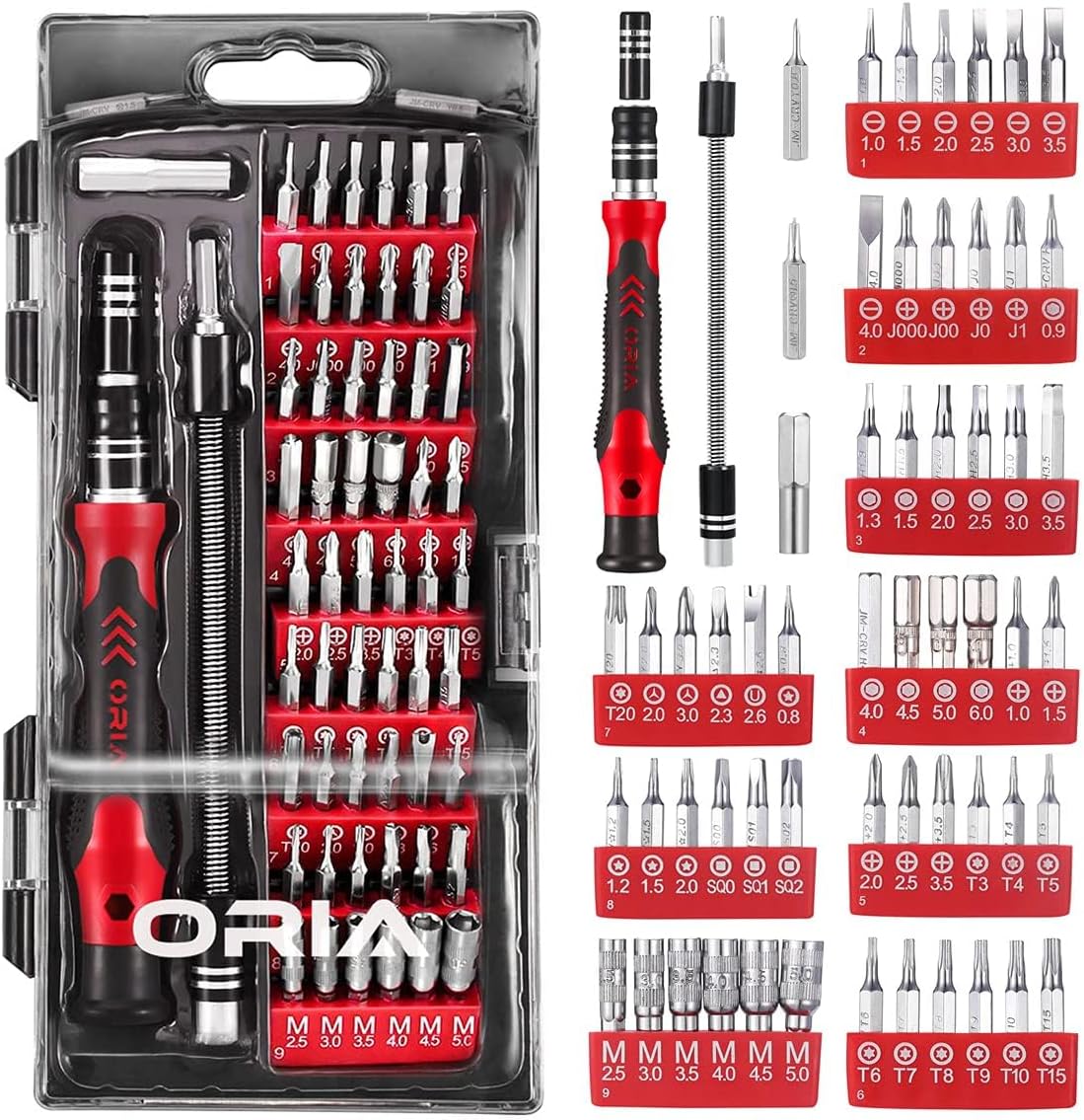
- 1 x Magnetic Screwdriver Handle
- 1 x Extension Rod
- 1 x Flexible Shaft
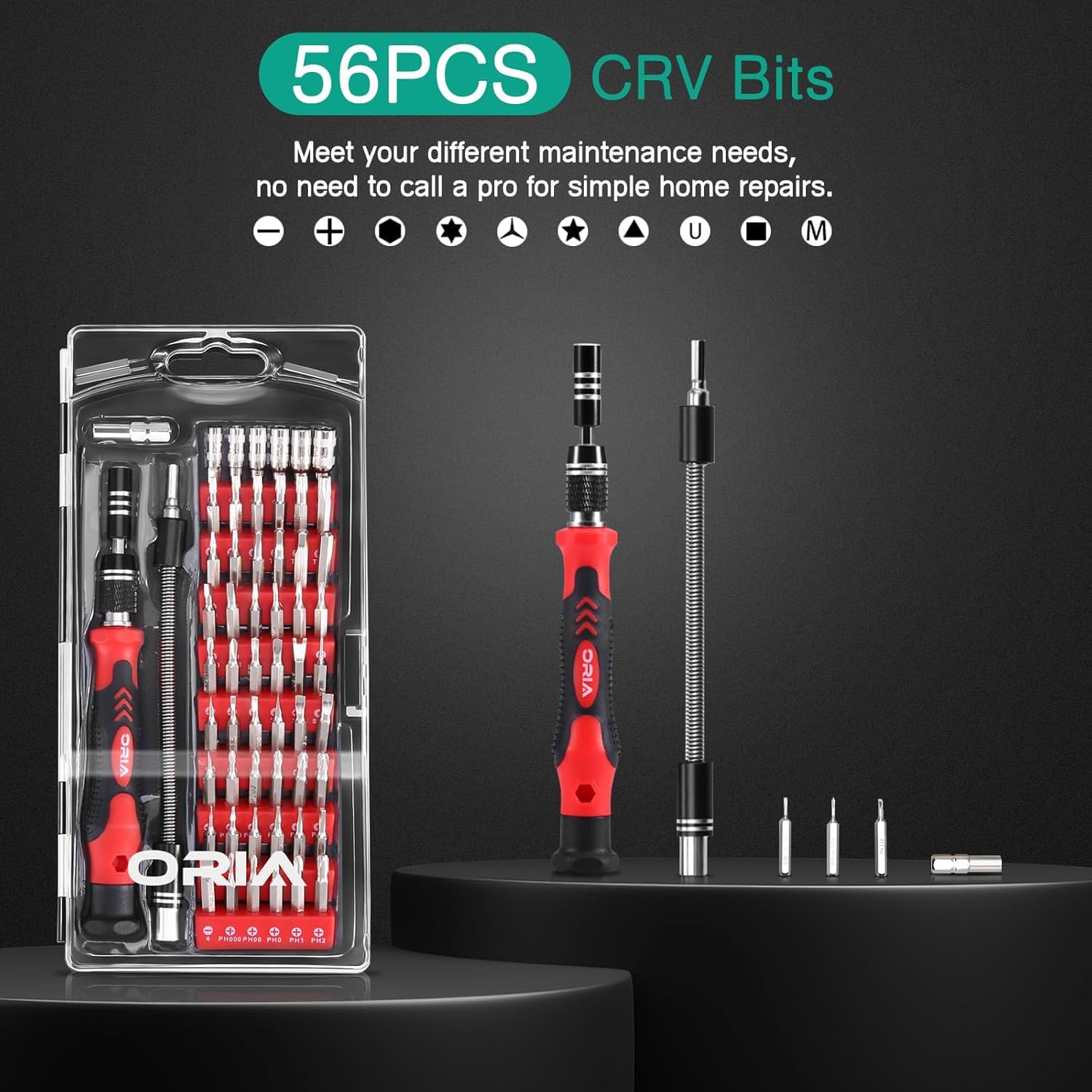
- 56 x CRV Steel Precision Bits (various types and sizes)
- 1 x Storage Case
The image below displays the complete contents of the ORIA 60-in-1 Precision Screwdriver Kit, including the handle, extension tools, and the organized array of 56 CRV steel bits.
Key Lockbox Components
- 1 x Key Lockbox with 4-digit combination
- 1 x Detachable Shackle
- 1 x Emergency Key
This image shows the ORIA Key Lockbox in both closed and open states, revealing the internal storage compartment and the combination dial mechanism.

Setup and Initial Use
Screwdriver Kit Setup
- Select a Bit: Choose the appropriate bit from the 56 CRV steel bits for your task.
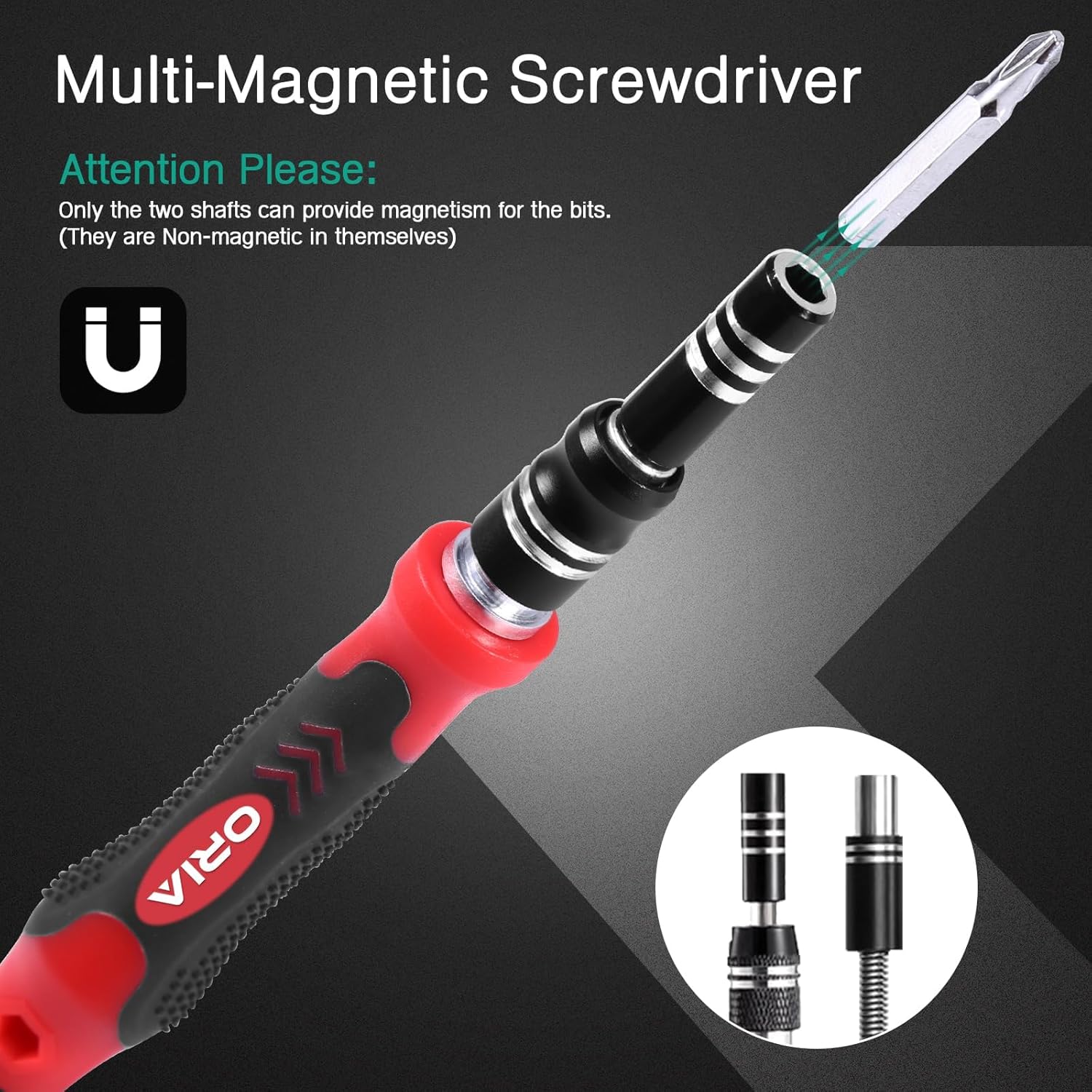
- Insert Bit: Insert the selected bit firmly into the magnetic screwdriver handle. The magnetic tip will secure the bit in place.
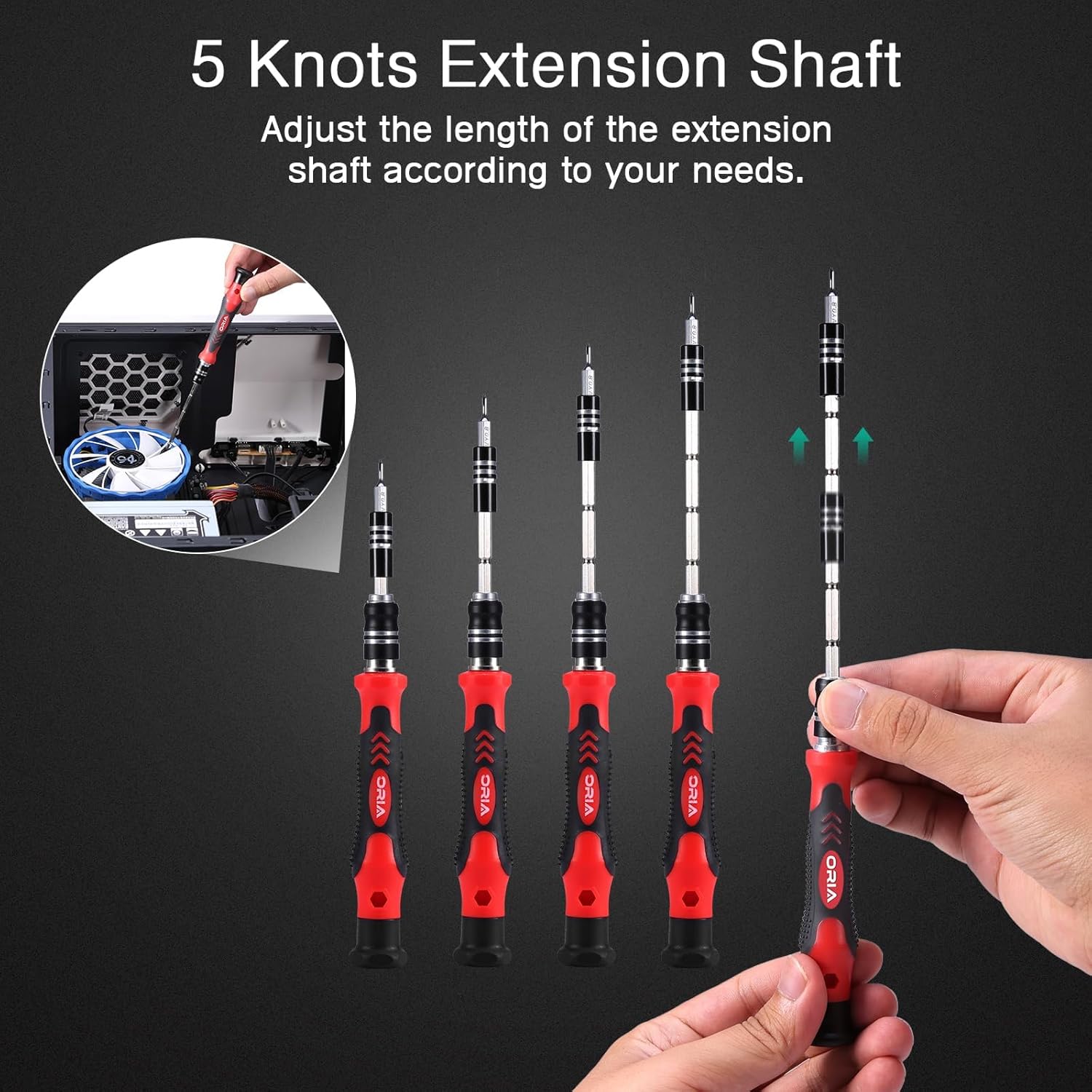
- Attach Extension Rod (Optional): For deeper screws or hard-to-reach areas, insert the extension rod into the handle, then attach the bit to the rod.
- Attach Flexible Shaft (Optional): For screws at awkward angles, insert the flexible shaft into the handle, then attach the bit to the flexible shaft. This allows for bending and maneuvering around obstacles.
The illustration demonstrates how the extension shaft can be adjusted to various lengths to suit different repair needs, providing enhanced reach and flexibility.
This image highlights the magnetic feature of the screwdriver handle, which securely holds the bits during use. Note that only the shafts provide magnetism for the bits.
Key Lockbox Initial Setup (Setting Combination)
The default combination for the lockbox is typically 0-0-0-0. Follow these steps to set your personal combination:
- Open the Lockbox: Use the default combination (0-0-0-0) or the emergency key to open the lockbox door.
- Locate Reset Lever: Inside the lockbox, on the back of the door, locate the reset lever. It is usually a small switch or button.
- Move Reset Lever: Push the reset lever from position 'A' to 'B' (or according to specific markings).
- Set New Combination: With the lever in the reset position, rotate the dials to your desired 4-digit combination. Ensure the numbers are clearly aligned with the indicator marks.
- Return Reset Lever: Push the reset lever back to its original position ('A').
- Test New Combination: Close the lockbox door, scramble the dials, and then re-enter your new combination to ensure it opens correctly.
Important: Remember your new combination. Without it, you will need the emergency key or the emergency code recovery method.
Operating Instructions
Using the Screwdriver Kit
- Ensure the correct bit is securely inserted into the handle or extension.
- Apply gentle, consistent pressure while turning to prevent stripping screws.
- For delicate electronics, use caution and avoid excessive force.
The image provides a visual representation of the comprehensive set of 56 CRV bits included in the kit, categorized by type, suitable for a wide range of repair tasks.
Using the Key Lockbox
- Open: Rotate the dials to your set 4-digit combination. Pull the door open.
- Store Keys: Place keys or other small items inside the compartment.
- Close: Close the door firmly and scramble the dials to secure the lockbox.
- Mounting: The lockbox features a detachable shackle for hanging on doorknobs, fences, or other suitable fixtures. Ensure it is securely attached.
This image illustrates the secure and convenient features of the key lockbox, including two unlocking methods (combination and key), a 4-digit password, and ease of operation, contrasting with less secure key hiding methods.

Emergency Code Recovery
If you forget your combination, you can use the emergency key to open the lockbox and retrieve the correct password.
- Open with Key: Insert the emergency key into the keyhole on the front of the lockbox and turn to unlock.
- Retrieve Password: With the lockbox open, observe the back of the combination dials. There will be indicators (often red marks) that align with the correct password. Scroll each of the 4 password dials to the red position to reveal the set combination.
- Note Combination: Write down the recovered combination for future reference.
The image demonstrates the emergency code recovery process, showing how to open the keybox with the emergency key and then identify the correct password by aligning the dials to the red indicator marks inside.

Maintenance
Screwdriver Kit Maintenance
- After each use, clean bits and handle with a dry cloth to remove dirt or debris.
- Store all components in the provided storage case to prevent loss and damage.
- Avoid exposing bits to moisture to prevent rust.
Key Lockbox Maintenance
- Periodically wipe the exterior with a damp cloth to remove dust and grime.
- Ensure the combination dials move freely. If stiff, a small amount of silicone lubricant can be applied.
- The lockbox is designed to be waterproof, dustproof, rustproof, and anti-drop, ensuring durability in various weather conditions.
This image highlights the robust construction of the key lockbox, emphasizing its waterproof, dustproof, rustproof, and anti-drop properties, making it suitable for outdoor use in challenging weather.

Troubleshooting
Screwdriver Kit
- Bit not holding: Ensure the bit is fully inserted into the magnetic handle. If the magnetism seems weak, clean the bit and handle tip.
- Screw stripping: Ensure you are using the correct bit size and type for the screw. Apply firm, consistent pressure and turn slowly.
Key Lockbox
- Lockbox not opening with combination: Ensure the numbers are perfectly aligned with the indicator marks. Try slightly adjusting each dial. If still unsuccessful, use the emergency key or the emergency code recovery method.
- Dials are stiff: Apply a small amount of silicone-based lubricant to the dials and work them back and forth.
- Forgot combination: Use the emergency key to open the lockbox and follow the emergency code recovery steps outlined in the 'Operating Instructions' section.
Specifications
| Feature | Detail |
|---|---|
| Product Style | Screwdriver Kit and Key Lock Box Bundle |
| Screwdriver Bits | 56 pieces, CRV Steel (HRC52-56 hardness) |
| Screwdriver Features | Magnetic handle, Extension Rod, Flexible Shaft |
| Key Lockbox Security | 4-digit resettable combination, Emergency key access |
| Key Lockbox Durability | Waterproof, Dustproof, Rustproof, Anti-drop |
| ASIN | B0DRGKJ326 |
| Date First Available | December 25, 2024 |
Warranty and Support
For warranty information or technical support, please refer to the product packaging or contact ORIA customer service directly through their official website or the retailer where the product was purchased. Please have your product model and ASIN (B0DRGKJ326) available when contacting support.