
1. Product Overview
This manual provides instructions for the Hikity Android Car Stereo, Model 4 Core 2+64G, designed for Honda CRV vehicles manufactured between 2002 and 2006. This unit features a 9-inch touchscreen, Android operating system, Wireless Carplay, Android Auto, GPS navigation, Bluetooth, DSP, FM RDS radio, and includes a backup camera.
Key Features:
- Operating System: Latest Android System with 4-core CPU, 2GB RAM + 64GB ROM for smooth performance.
- Connectivity: Wireless/Wired Carplay & Android Auto, WiFi, Bluetooth.
- Navigation: GPS with support for online and offline maps.
- Audio: Built-in DSP (Digital Sound Processor) for audio tuning, FM/RDS radio.
- Display: 9-inch Touchscreen with Split Screen Function and customizable UI Themes.
- Safety: AHD Backup Camera with 170-degree night vision.
2. Package Contents
Verify that all components are present in the package:
- 1 x Android Car Stereo
- 1 x AHD Backup Camera
- 1 x External Microphone
- 1 x Power Cable
- 1 x Installation Tool
- 1 x GPS Antenna
- 2 x USB Cable
- 1 x RCA Cable
- 1 x Rear Camera Input Cable
- 1 x User Manual
3. Setup and Installation
This car stereo is specifically designed for Honda CRV models from 2002 to 2006. Ensure your vehicle's dashboard configuration matches the compatible models before proceeding with installation. Refer to the included wiring harness for proper connections.
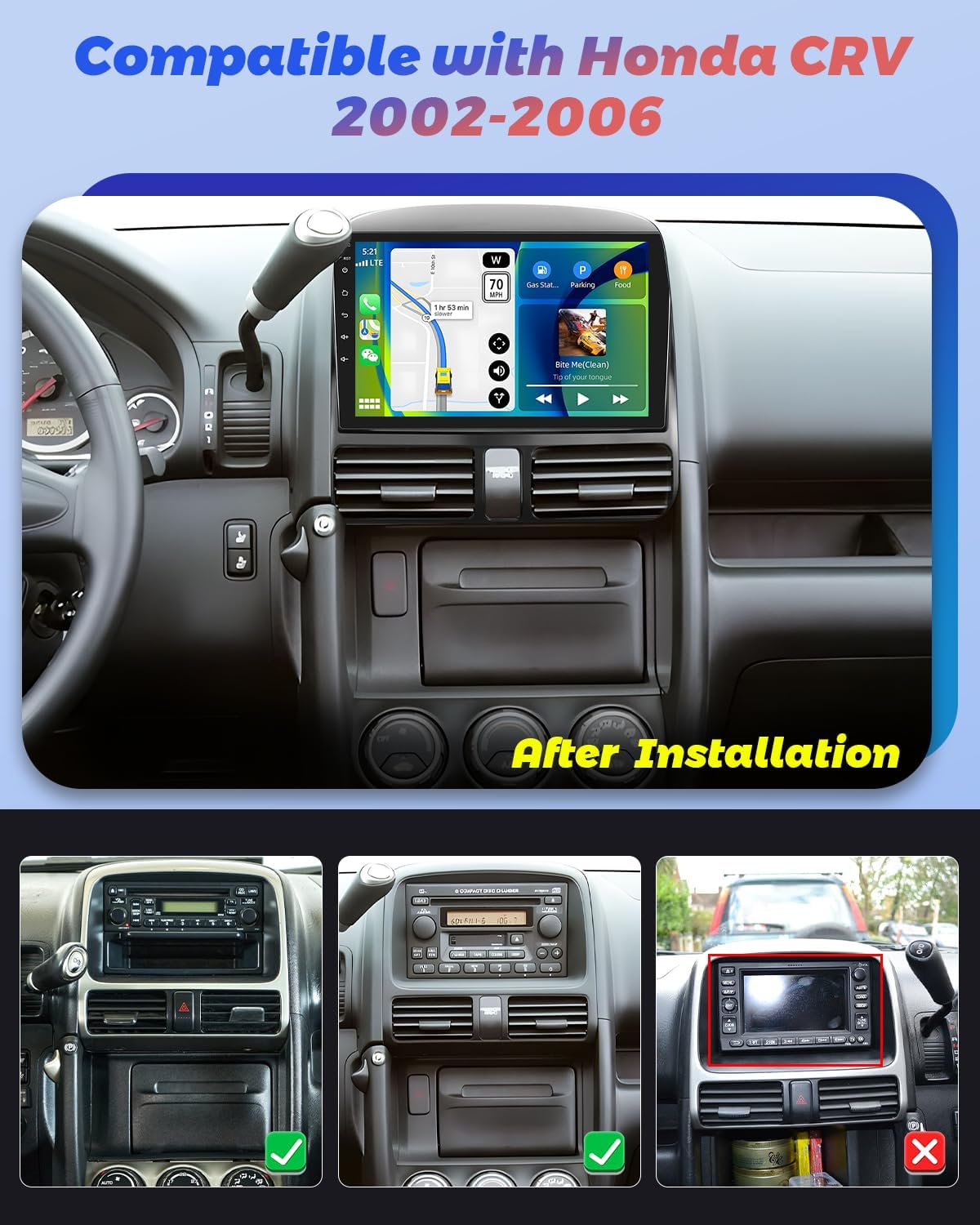
Image: The Hikity Android Car Stereo after installation in a compatible Honda CRV (2002-2006) dashboard. The image also illustrates compatible and incompatible original car stereo setups.
3.1 Wiring Diagram
Consult the detailed wiring diagram provided in the separate installation guide for specific connections. Ensure all cables are securely connected to prevent malfunctions.
3.2 Initial Power-Up
After installation, turn on your vehicle's ignition. The stereo should power on automatically. Follow any on-screen prompts for initial setup, such as language selection and time zone.
4. Operating Instructions
4.1 Android System Navigation
The unit runs on an Android operating system. Navigate through menus and applications using the 9-inch capacitive touchscreen. Swipe gestures and taps are used for interaction. You can download additional applications from the pre-installed app market.
4.2 Wireless Carplay & Android Auto
Connect your smartphone wirelessly or via USB to access Carplay or Android Auto. This allows seamless integration of your phone's apps, navigation, music, and voice assistants (Siri or Google Assistant) directly on the car stereo display.

Image: Visual representation of Wireless Carplay, Android Auto, and Mirror Link functionalities, showing connectivity options via Bluetooth, USB, and WiFi.
4.3 GPS Navigation & WiFi Connectivity
The stereo supports both online and offline GPS navigation. Connect to a WiFi hotspot (e.g., from your smartphone) to access online maps, real-time traffic updates, and browse the internet. You can also download offline maps for navigation without an internet connection.
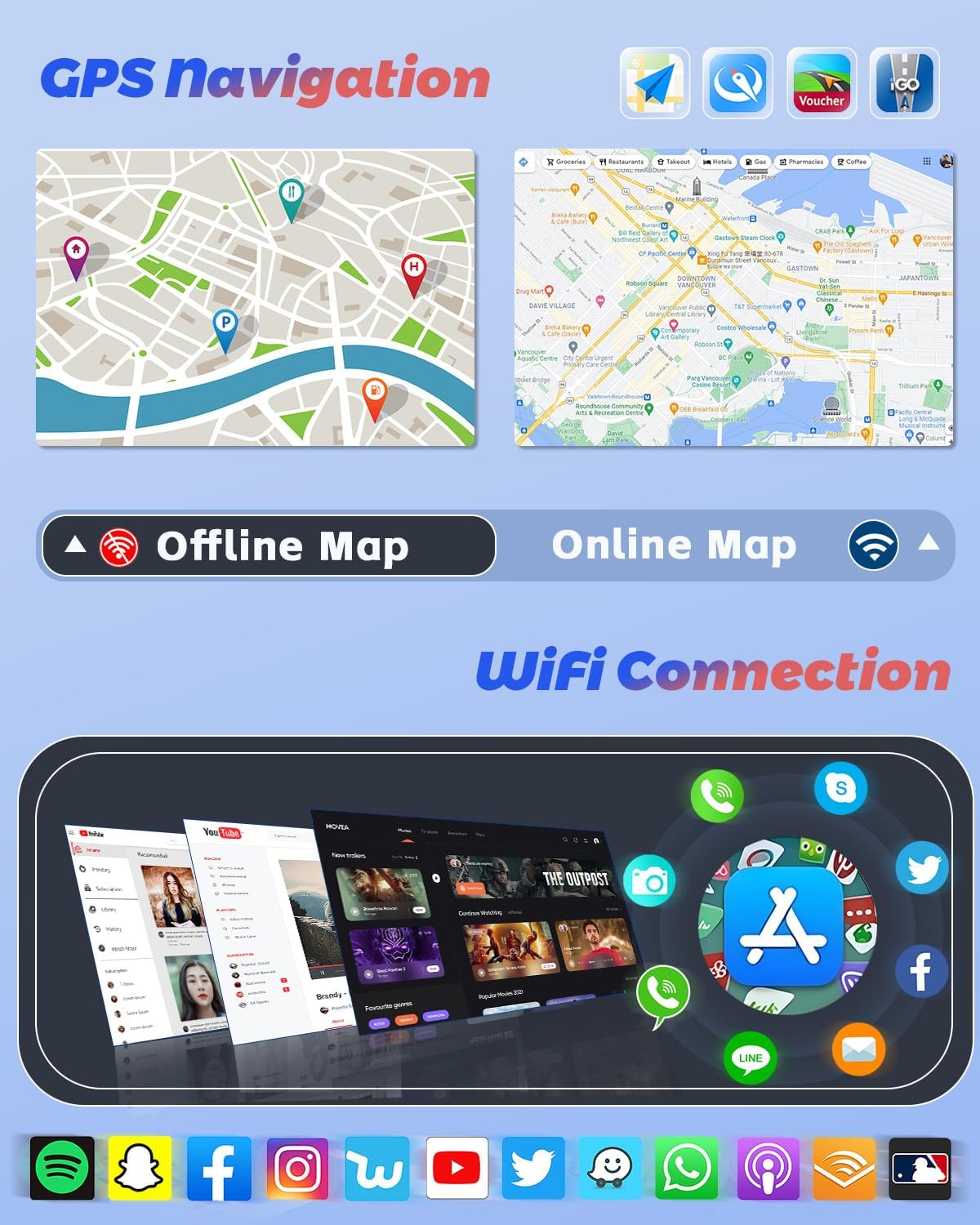
Image: GPS navigation interface displaying online and offline map capabilities, alongside a selection of applications accessible through WiFi connectivity.
4.4 Bluetooth Functions
Pair your mobile phone via Bluetooth for hands-free calling, phonebook synchronization, and audio streaming. Access your music library directly from your phone through the stereo.
4.5 DSP, FM & RDS Radio
The built-in Digital Sound Processor (DSP) allows for precise audio tuning. Adjust frequencies and sound effects to customize your listening experience. The FM/RDS radio provides access to local stations, displaying station information, traffic updates, and weather forecasts where available.
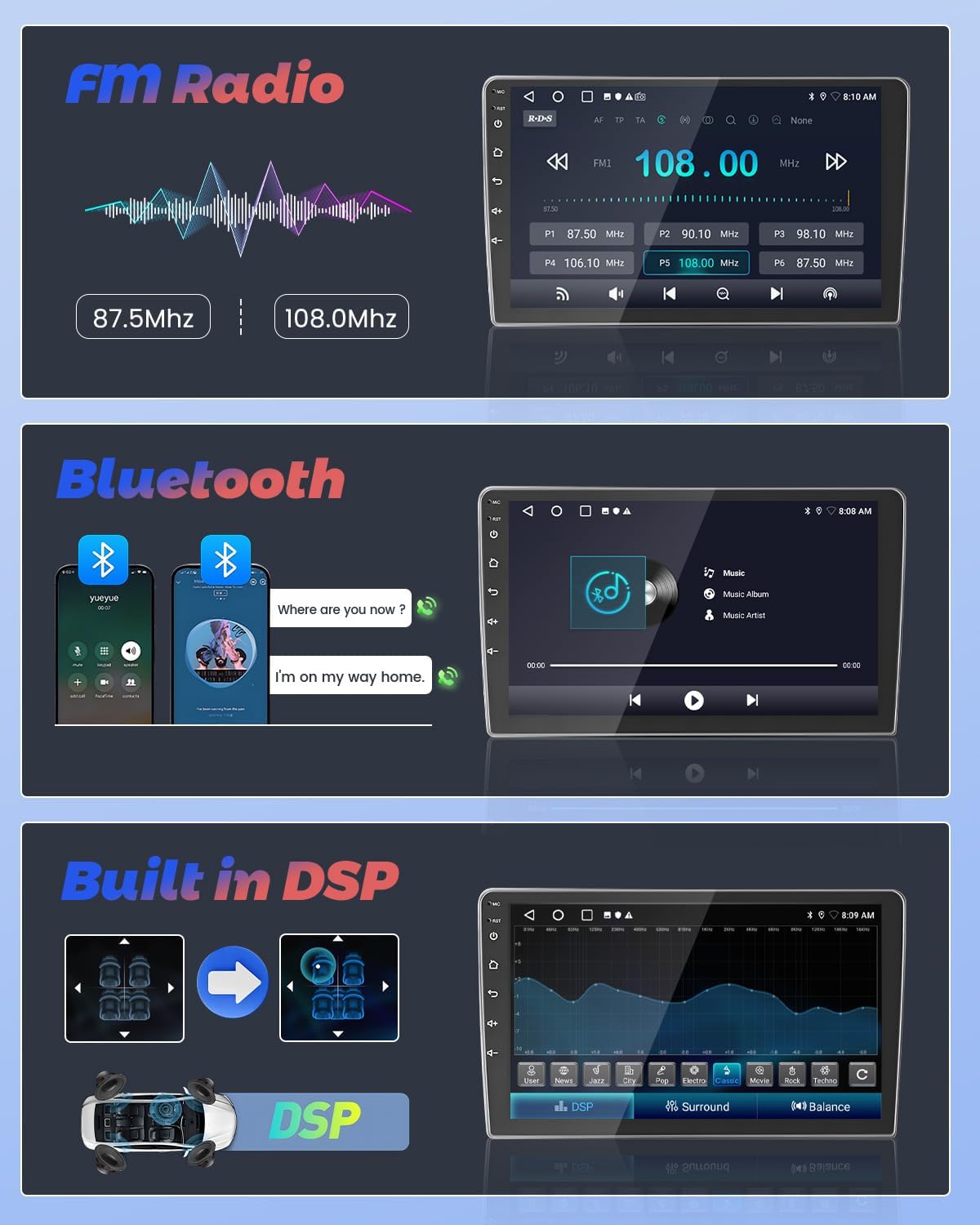
Image: User interfaces for FM Radio tuning, Bluetooth music streaming, and the Digital Sound Processor (DSP) for audio customization.
4.6 Steering Wheel Control
The unit supports steering wheel controls, allowing you to manage audio playback, volume, and other functions without taking your hands off the wheel. Configuration may be required in the system settings.
4.7 AHD Backup Camera
When reversing your vehicle, the included AHD backup camera automatically displays a 170-degree wide-angle view on the stereo screen. This feature enhances parking safety, even in low-light conditions.
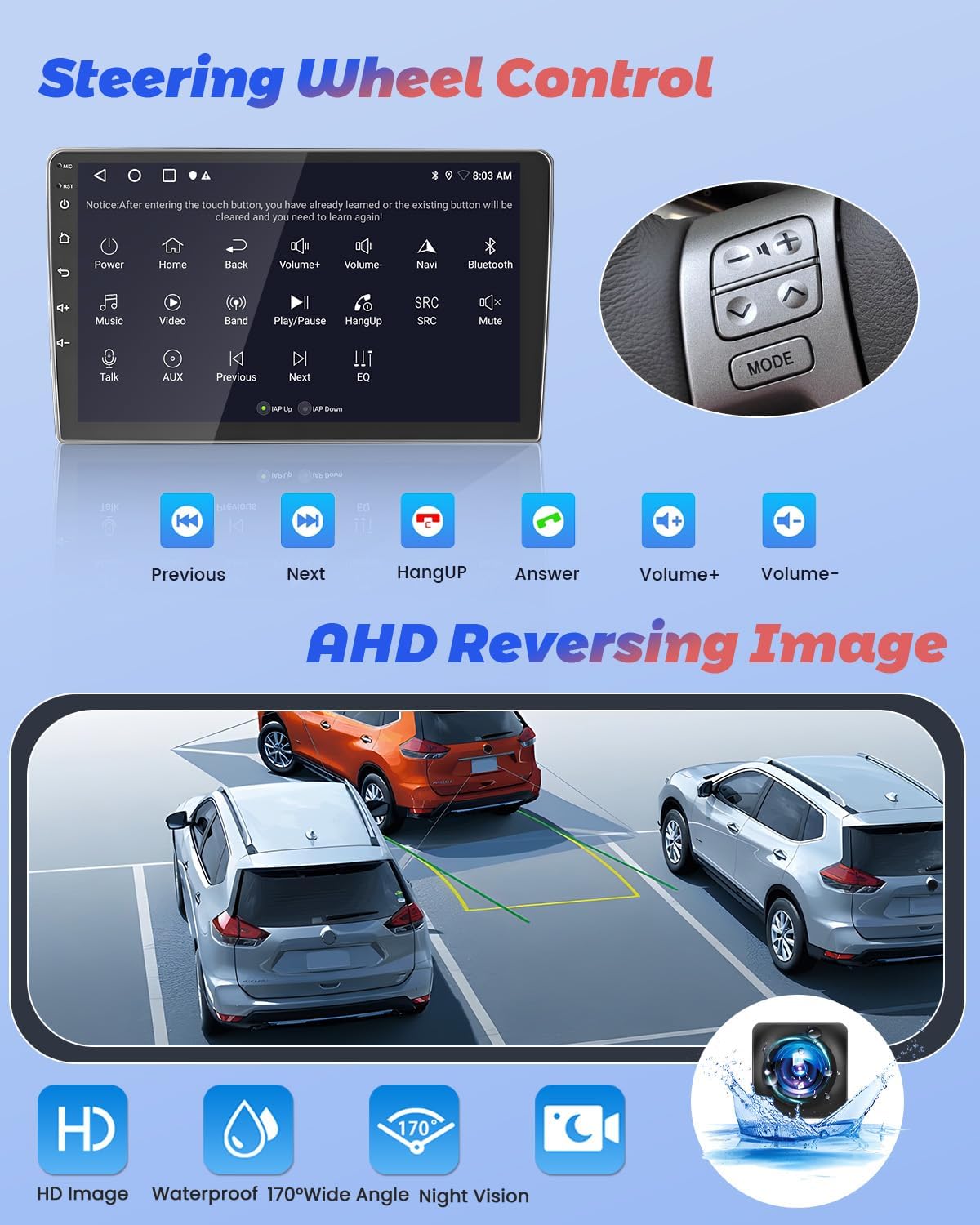
Image: Display of steering wheel control functions on the car stereo and the clear, wide-angle view provided by the AHD reversing camera.
4.8 Split Screen Function & UI Themes
Utilize the split-screen function to run two applications simultaneously, such as navigation and music playback. Customize the stereo's appearance with various pre-installed UI themes to match your preference.
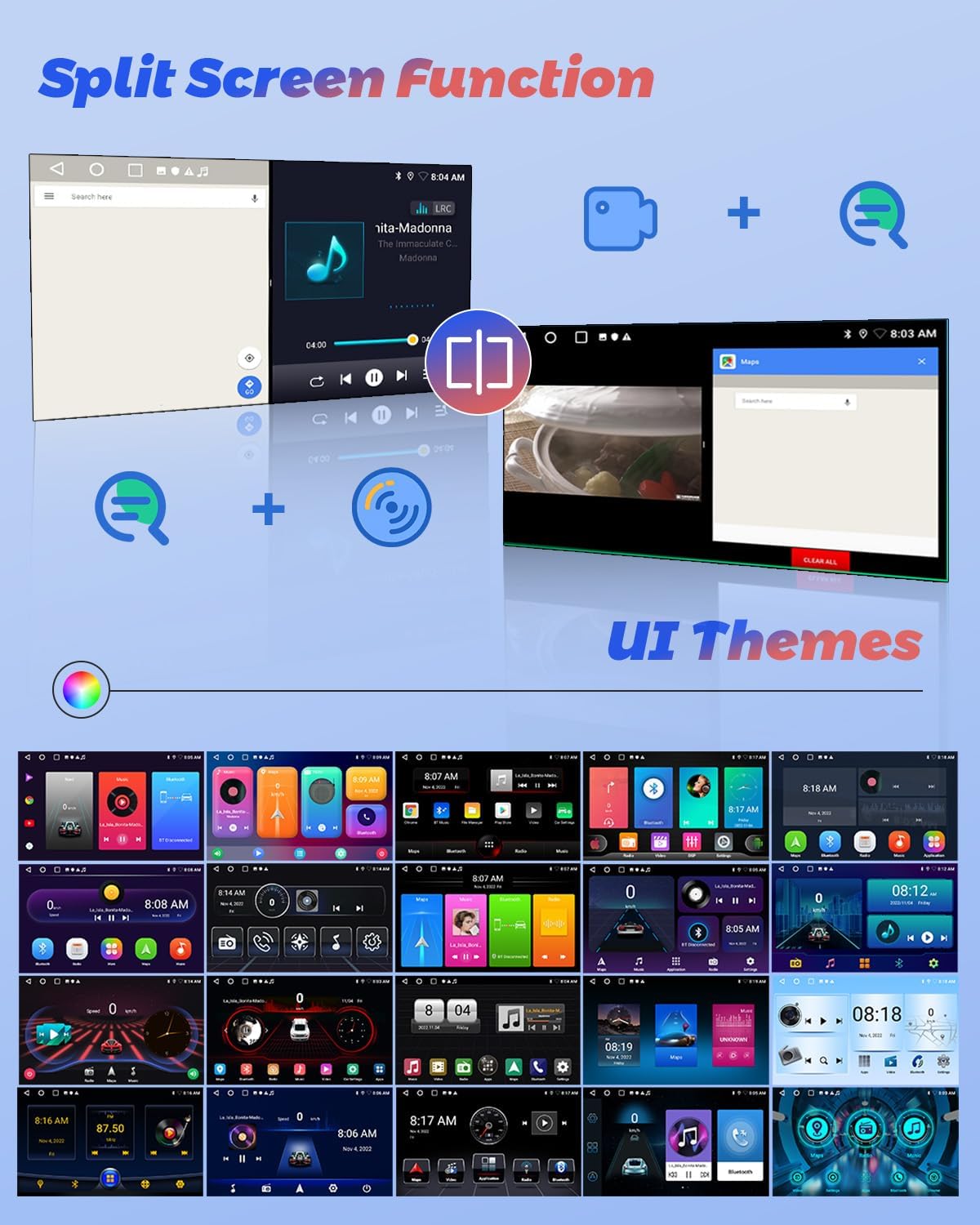
Image: Illustration of the split-screen feature, allowing simultaneous use of two applications, and a selection of customizable user interface themes.
4.9 Product Video Overview
For a visual guide on the Hikity Android Car Stereo's features and operation, please watch the official product video below.
Video: An official overview of the Hikity Android Car Stereo, demonstrating its key features including Carplay, Android Auto, and the MT8163 processor.
5. Maintenance
To ensure the longevity and optimal performance of your Hikity Android Car Stereo, follow these maintenance guidelines:
- Cleaning: Use a soft, dry cloth to clean the touchscreen and exterior. Avoid abrasive cleaners or solvents.
- Software Updates: Periodically check for system software updates through the unit's settings menu to ensure you have the latest features and bug fixes.
- Temperature: Avoid exposing the unit to extreme temperatures.
- Power: Ensure stable power supply to prevent electrical damage.
6. Troubleshooting
If you encounter issues with your car stereo, refer to the following common troubleshooting steps:
- No Power: Check all power connections and fuses. Ensure the vehicle's ignition is on.
- No Sound: Verify speaker connections, volume levels, and audio settings (EQ, DSP).
- Touchscreen Unresponsive: Try restarting the unit. If the issue persists, a factory reset might be necessary (refer to system settings).
- GPS Signal Loss: Ensure the GPS antenna is properly installed and has a clear view of the sky.
- Bluetooth Pairing Issues: Delete previous pairings on both the stereo and your phone, then attempt to pair again.
- Backup Camera Not Displaying: Check the camera's power and video input connections.
For persistent issues, contact customer support.
7. Specifications
| Feature | Specification |
|---|---|
| Brand | Hikity |
| Model Name | 4 Core 2+64G(DSP) |
| Operating System | Android |
| Screen Size | 9 Inches |
| Memory Storage Capacity | 64 GB |
| Connectivity Technology | Bluetooth, USB, FM, AUX, Wireless, WiFi |
| Special Features | Touchscreen, Carplay, Android Auto, GPS Navigation, DSP, FM RDS, Mirror Link, Split Screen |
| Supported Satellite Navigation System | GPS |
| Audio Output Mode | Stereo |
| Compatible Vehicle Type | Honda CRV 2002-2006 |
| Item Dimensions L x W x H | 9.3"L x 9.1"W x 4.2"H |
8. Warranty and Support
Hikity offers a 15-day Money-Back guarantee, 12-month Replacement warranty, and life-time Technical Support for this product.
For technical assistance or warranty claims, please contact Hikity electronic directly through their seller page on Amazon or via the contact information provided with your purchase.
Seller: Hikity electronic


