
1. Introduction
This manual provides essential information for the safe and efficient use of your TESSAN 22-Outlet 4000 Joules Surge Protector Power Strip, Model TS-PS04US00. Please read these instructions carefully before use and retain for future reference.
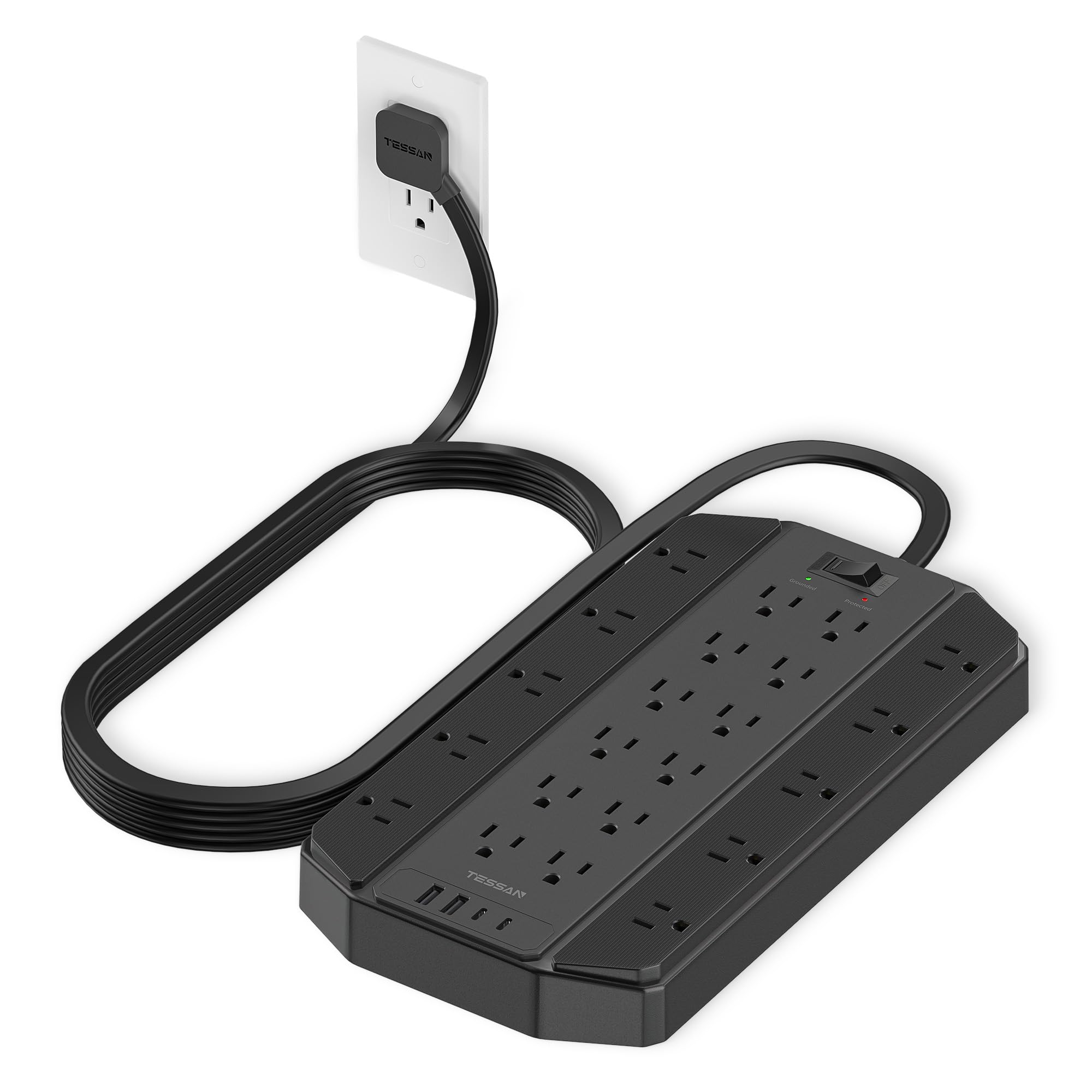
Figure 1: TESSAN 22-Outlet 4000 Joules Surge Protector Power Strip
2. Product Features
- High Capacity Outlets: Features 22 AC outlets to power multiple devices simultaneously.
- Integrated USB Charging: Includes 2 USB-A ports (5V/2.4A, 12W Max) and 2 USB-C ports (5V/3A, 15W Max) for direct device charging.
- Superior Surge Protection: 4000 Joules surge protection safeguards your electronic devices from voltage spikes.
- Overload Protection: An integrated 15A overload protection switch automatically disconnects power in case of overload (1875W max).
- Extended Reach Cord: Equipped with a 10-foot heavy-duty flat extension cord for flexible placement.
- Space-Saving Flat Plug: The 0.31-inch ultra-thin flat plug with a 45-degree right angle design allows furniture to be placed closer to the wall.
- Widely Spaced Outlets: Designed with ample space between outlets (1.97 inches) to accommodate larger power adapters without blocking adjacent ports.
- Mountable Design: Features 4 mounting holes for secure wall or under-desk installation, and 4 rubber feet for stability on flat surfaces.

Figure 2: 10-foot flat extension cord for flexible placement.

Figure 3: Dedicated USB-A and USB-C charging ports.

Figure 4: Outlets are widely spaced to accommodate large adapters.

Figure 5: Flat plug design for discreet placement behind furniture.
3. Safety Instructions
- Do not exceed the maximum power rating of 1875W (15A).
- This device is for indoor use only. Avoid exposure to moisture or wet conditions.
- Do not disassemble or modify the power strip.
- Keep away from children and pets.
- Ensure the power strip is properly grounded. The 'Grounded' indicator light should be green.
- If the 'Protected' indicator light is off, the surge protection feature is no longer active. Replace the unit to ensure continued protection.
- Do not use with aquariums or other water-related products.
- Avoid running the cord under carpets or rugs.

Figure 6: Visual representation of 4000 Joules surge protection, including overcurrent, ground, overload, and short circuit protection.
4. Setup
- Unpack: Carefully remove the power strip from its packaging.
- Placement: Position the power strip in a desired location, ensuring it is on a stable, dry surface or mounted securely.
- Connect to Power: Plug the power strip's flat plug into a standard 3-prong grounded wall outlet.
- Power On: Press the ON/OFF switch to the 'ON' position. The 'Protected' and 'Grounded' indicator lights should illuminate green.
- Connect Devices: Plug your AC-powered devices into the 22 AC outlets and your USB-powered devices into the 4 USB ports.

Figure 7: The power strip connected and charging multiple devices.
5. Operating Instructions
5.1 Power Switch
The power strip features a master ON/OFF switch. Pressing it to 'ON' supplies power to all outlets and USB ports. Pressing it to 'OFF' cuts power to all connected devices.
5.2 Indicator Lights
- 'Protected' Indicator (Green): Illuminates when the surge protection is active and functioning correctly. If this light is off, the surge protection has been compromised and the unit should be replaced.
- 'Grounded' Indicator (Green): Illuminates when the power strip is properly connected to a grounded outlet. If this light is off, there may be a grounding issue with your wall outlet.
5.3 Overload Protection
In the event of an electrical overload (total connected power exceeding 1875W or 15A), the built-in circuit breaker will trip, cutting power to all connected devices. To reset, unplug some devices to reduce the load, then press the 'RESET' button on the power switch.
6. Mounting Instructions
The TESSAN power strip can be mounted to a wall or under a desk using the integrated mounting holes. A template and screws are provided for convenience.
- Prepare Surface: Choose a suitable location for mounting. Ensure the surface is clean and dry.
- Use Template: Place the provided paper template on the desired mounting surface. Mark the locations for the screws through the designated holes on the template.
- Install Screws: Insert the provided screws into the marked locations, leaving a small portion of the screw head exposed to allow the power strip to hang securely.
- Mount Power Strip: Align the mounting holes on the back of the power strip with the exposed screw heads and slide the power strip into place until it is secure.

Figure 8: Mounting template for precise screw placement.

Figure 9: Power strip securely mounted using the keyhole slots.
7. Specifications
| Feature | Specification |
|---|---|
| Brand | TESSAN |
| Model Number | TS-PS04US00 |
| Total AC Outlets | 22 |
| USB-A Ports | 2 (5V/2.4A, 12W Max) |
| USB-C Ports | 2 (5V/3A, 15W Max) |
| Surge Protection Rating | 4000 Joules |
| Maximum Current | 15 Amps |
| Maximum Power | 1875 Watts |
| Voltage | 125V |
| Extension Cord Length | 10 Feet |
| Plug Type | Type B - 3 pin (North American), Flat Plug |
| Dimensions (L x W) | 11.9"L x 6.4"W |
| Enclosure Material | Plastic, Rubber |
8. Maintenance
- Cleaning: Disconnect the power strip from the wall outlet before cleaning. Use a dry, soft cloth to wipe the surface. Do not use liquid cleaners or aerosols.
- Inspection: Periodically inspect the power cord and the unit for any signs of damage, such as frayed wires, cracks, or loose connections. If damage is found, discontinue use and replace the unit.
- Surge Protection Check: Regularly check the 'Protected' indicator light. If it is off, the surge protection is no longer active, and the unit should be replaced to ensure continued protection for your devices.
9. Troubleshooting
- No Power to Devices:
- Ensure the power strip's ON/OFF switch is in the 'ON' position.
- Check if the power strip is securely plugged into a working wall outlet.
- Verify that the 'Grounded' indicator light is illuminated.
- If the 'Protected' light is off, the surge protection may have expired. Replace the unit.
- If the overload protection has tripped, reduce the number of connected devices and press the 'RESET' button.
- USB Ports Not Charging:
- Ensure the power strip is powered on.
- Check the USB cable for damage and ensure it is properly connected to both the device and the power strip.
- Confirm your device is compatible with the USB charging specifications (5V/2.4A for USB-A, 5V/3A for USB-C).
- Devices Not Protected:
- If the 'Protected' indicator light is off, the surge protection components have absorbed a surge and can no longer provide protection. The power strip should be replaced.
10. Product Videos
TESSAN 4000 Joules Surge Protector Power Strip Overview
This video provides a concise overview of the TESSAN 4000 Joules Surge Protector Power Strip, highlighting its key features such as the ON/OFF switch with overload protection, 4000J surge protection, 26-in-1 power capabilities (22 AC, 2 USB-A, 2 USB-C), 10FT flat extension cord, ultra-thin flat plug with 45-degree right angle, and mounting options. It demonstrates the product's design and functionality.
11. Warranty and Support
For warranty information or technical support, please refer to the contact details provided with your product packaging or visit the official TESSAN website. Keep your purchase receipt for warranty claims.