1. Introduction
This manual provides detailed instructions for the setup, operation, and maintenance of your Retekess TD157P Restaurant Pager System. This system is designed to enhance customer service and operational efficiency in various environments such as restaurants, food courts, cafes, and other service areas by providing a reliable method for notifying customers when their order is ready or when they are needed.
Please read this manual thoroughly before using the product to ensure correct operation and to maximize the system's lifespan.
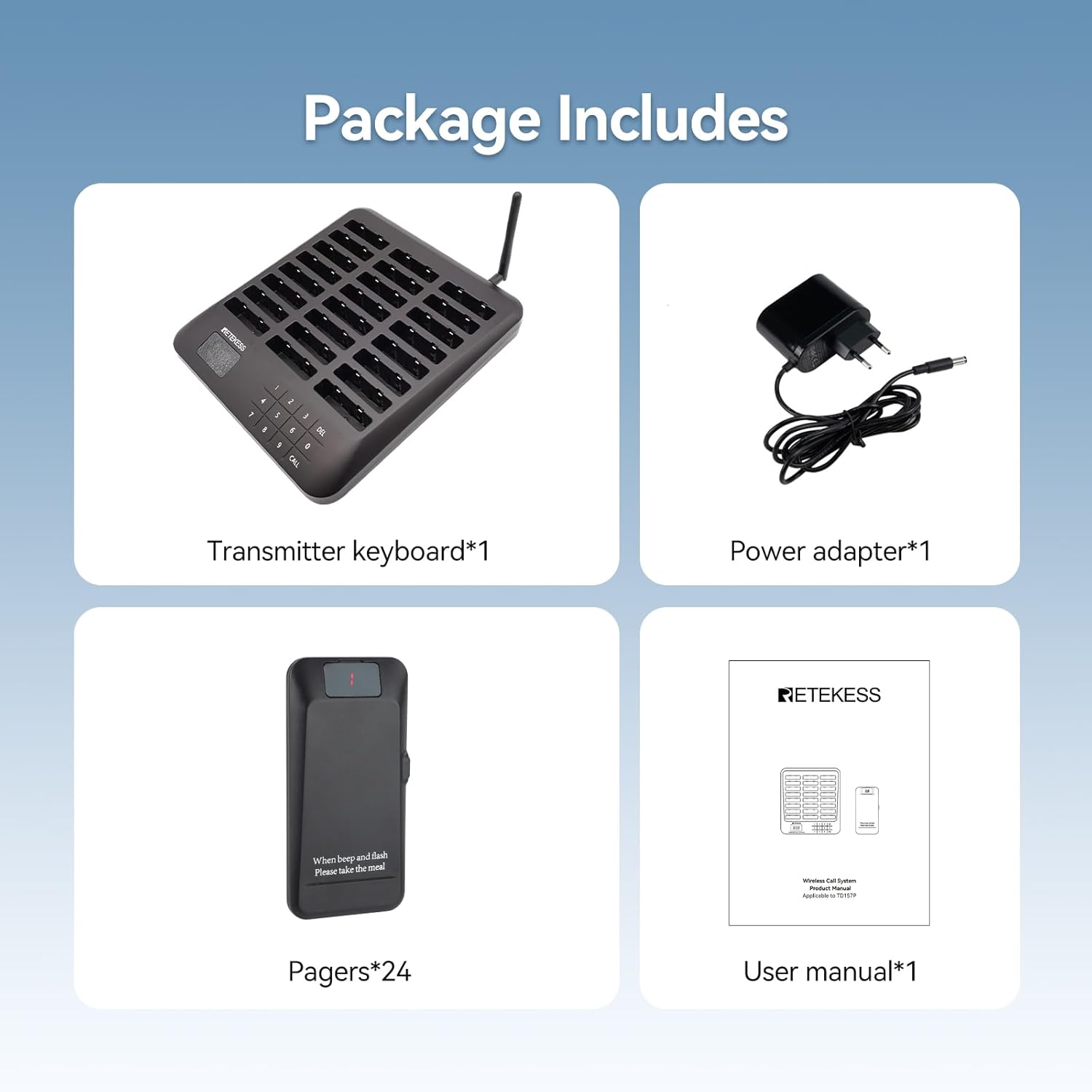
2. Package Contents
Carefully unpack the box and ensure all items listed below are present and in good condition. If any items are missing or damaged, please contact your retailer.
- 1 x Transmitter Keyboard
- 1 x Power Adapter
- 24 x Pagers
- 1 x User Manual
3. Product Features
- Wide Coverage: The system offers an impressive range, with up to 800 meters in open outdoor areas and 100-300 meters indoors. This ensures customers receive notifications even when they are a significant distance from the service counter.

Figure 3.1: Wide Coverage. The image depicts the pager system in a restaurant, highlighting its extensive range for customer notification. - Multiple Call Modes: Pagers can be configured to alert customers using a combination of vibration, audible beeps, and flashing lights. The duration of the alert can be adjusted from 1 to 99 seconds to suit different environments and preferences.

Figure 3.2: Multiple Call Modes. This image shows the different alert options (vibration, buzz, flash) and the adjustable duration for notifications. - Long Standby Time: Each pager is equipped with a 300mAh built-in battery, providing up to 24 hours of standby time on a full charge. This ensures reliable operation throughout your business hours.

Figure 3.3: High Capacity Battery. The image highlights the 300mAh battery and its 24-hour standby capability. - Mute Button: Each pager includes a mute button on its side, allowing customers to silence notifications immediately upon receipt. This feature helps maintain a quiet environment and prevents disturbance to other patrons.

Figure 3.4: Mute Button. This image shows a hand pressing the mute button on a pager in a cafe setting. - One-Touch Group Call: The system supports a group call function. By entering '998' on the transmitter keyboard and pressing the call button, all pagers with different IDs can be called simultaneously. This is useful for general announcements or when multiple orders are ready at once.

Figure 3.5: One-Touch Group Call. The image illustrates how to initiate a group call by entering '998' and pressing 'CALL'. - Out-of-Range Alarm: To prevent loss, the pagers will alert the customer if they move beyond the system's operational range. This feature helps ensure pagers remain within the designated service area.

Figure 3.6: Out-of-Range Alarm. This image shows a pager alerting when it is outside the system's coverage area. - PC Connectivity: The system can be configured via a PC, offering a more streamlined and efficient setup process for advanced settings.

Figure 3.7: PC Connectivity. The image displays the pager system connected to a computer for configuration. - Touch Keyboard: The transmitter features a sensitive touch keyboard that is resistant to water and oil, making it easy to clean and operate in busy environments.

Figure 3.8: Touch Keyboard. This image focuses on the responsive and durable touch keyboard of the transmitter. - LED Display: Pagers feature an LED display that supports a breathing light effect, ensuring numbers are visible even in low-light conditions.
- Expandability: The system is scalable, allowing you to add up to 997 additional pagers as your business grows.

Figure 3.9: System Expandability. The image demonstrates the ability to add many more pagers to the system. - PVC Digital Stickers: The pagers are equipped with waterproof and wear-resistant PVC digital stickers, ensuring the display remains clearly visible and protected.

Figure 3.10: PVC Digital Stickers. This image illustrates the durable and clear digital stickers on the pagers.
4. Setup Instructions
4.1 Initial Charging
Before first use, ensure all pagers are fully charged. Place the pagers into the charging slots on the transmitter keyboard. Connect the power adapter to the transmitter and plug it into a power outlet. The pagers will indicate charging status (e.g., a flashing light or specific LED color).
4.2 Transmitter Placement
Position the transmitter keyboard in a central location within your service area, ideally with minimal obstructions to maximize signal range. Avoid placing it near large metal objects or other electronic devices that may cause interference.
4.3 Powering On
Once the transmitter is connected to power, it will automatically power on. Ensure all pagers are correctly seated in their charging slots or individually powered on if removed.
5. Operating Instructions
5.1 Calling a Single Pager
- Ensure the desired pager is assigned a unique ID number.
- On the transmitter keyboard, enter the ID number of the pager you wish to call.
- Press the "CALL" button. The pager will activate its configured alert (vibration, beep, flash).
5.2 Using the Mute Button
When a pager is alerting, the customer can press the mute button located on the side of the pager to stop the notification. This allows them to acknowledge the call discreetly.
5.3 Group Call Function
To call all pagers simultaneously, enter "998" on the transmitter keyboard and then press the "CALL" button. All active pagers will receive the notification.
5.4 Adjusting Call Duration and Modes
Refer to the detailed user manual (included in the package) or the PC configuration software for instructions on how to customize the alert duration (1-99 seconds) and combine different alert modes (vibration, beep, flash).
5.5 Powering Off the System
To power off the entire system, disconnect the power adapter from the transmitter keyboard. Individual pagers will power off when their battery is depleted or if they are placed back into the charging base and the base is powered off.
6. Maintenance
6.1 Cleaning
Regularly clean the transmitter keyboard and pagers with a soft, damp cloth. For the touch keyboard, use a mild, non-abrasive cleaner if necessary, as it is resistant to water and oil. Avoid using harsh chemicals or abrasive materials that could damage the surfaces.
6.2 Battery Care
To prolong battery life, ensure pagers are regularly charged. Avoid completely draining the batteries frequently. If pagers are not in use for an extended period, charge them periodically to maintain battery health.
7. Troubleshooting
| Problem | Possible Cause | Solution |
|---|---|---|
| Pager does not respond to call. | Pager is out of range, battery is low, or pager ID is incorrect. | Move pager closer to the transmitter, place pager on charging base, or verify the entered pager ID. |
| Short signal range. | Obstructions (walls, metal structures), interference from other devices, or transmitter placement. | Relocate the transmitter to a more open area, away from potential interference sources. |
| Pagers not charging. | Power adapter not connected, faulty charging slot, or dirty charging contacts. | Ensure power adapter is securely connected. Try a different charging slot. Clean charging contacts on both pager and base. |
| Out-of-range alarm triggers frequently. | Customers are moving too far from the transmitter. | Inform customers about the operational range or consider adding signal repeaters if available for your model. |
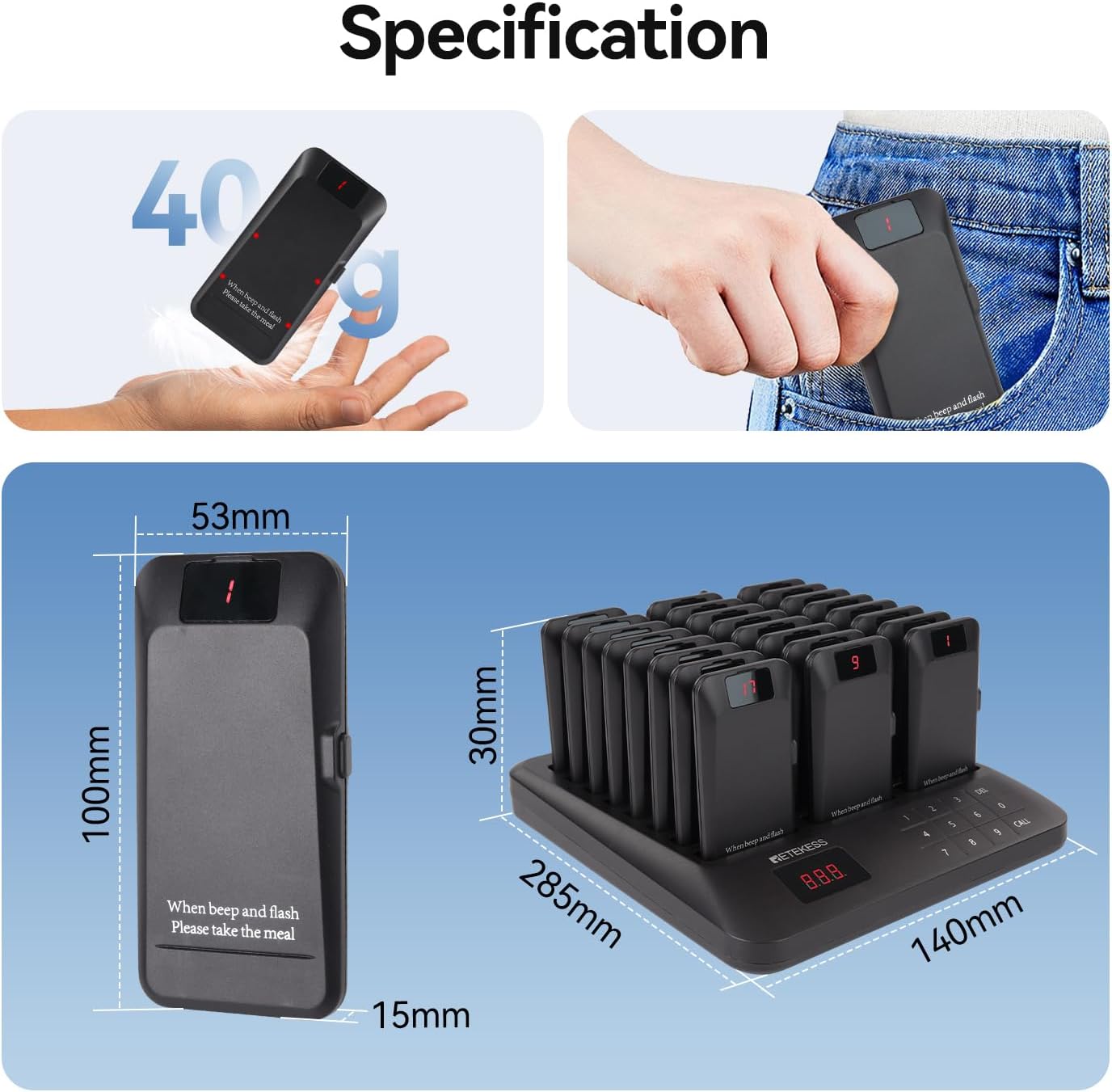
8. Specifications
| Feature | Detail |
|---|---|
| Manufacturer | Retekess |
| Model Number | EUF9662A |
| Product Dimensions (L x W x H) | 38.6 x 26 x 12.3 cm |
| Weight | 1.67 Kilograms |
| Battery Type | Lithium-ion (24 included) |
| Pager Battery Capacity | 300mAh |
| Pager Standby Time | Up to 24 hours |
| Quantity of Items | 1 (system with 24 pagers) |
| Style | 24 Pager |
9. Warranty and Support
9.1 Manufacturer's Warranty
Retekess offers a 3-year warranty for this product and a 30-day no-questions-asked return period. Beyond the warranty period, maintenance services are still available, though associated costs will be borne by the buyer.
9.2 Customer Support
For any inquiries, technical assistance, or warranty claims, please contact Retekess customer support via Amazon. We aim to respond to all requests within 12 hours.


