
Xilin CTD15R-EN-130
Xilin Lift Stacker Electric Pallet Forklift User Manual
Model: CTD15R-EN-130 | Brand: Xilin
Introduction
This manual provides essential information for the safe and efficient operation, maintenance, and troubleshooting of your Xilin Lift Stacker Electric Pallet Forklift, Model CTD15R-EN-130. Please read this manual thoroughly before operating the equipment.
Safety Precautions
- Always wear appropriate personal protective equipment (PPE) when operating the forklift.
- Ensure the operating area is clear of obstructions and personnel.
- Never exceed the rated load capacity of 3300 lbs.
- Perform daily pre-operation checks as outlined in the maintenance section.
- Familiarize yourself with all controls and emergency stop procedures.
- Keep hands and feet clear of moving parts.
- Do not operate the forklift on sloped or uneven surfaces.
- Ensure the battery is properly charged and maintained.
Setup and Installation
1. Product Unpacking
Carefully unpack the Xilin Lift Stacker. Ensure all components are present and undamaged before proceeding with assembly.

Image: The Xilin Lift Stacker as received in its protective packaging, showing the initial unpacking process.
2. Straddle Legs Installation
The straddle legs require assembly. Follow these steps to securely attach them to the main unit.
- Power on the unit and lift the fork carriage to provide clearance for leg installation.
- Carefully take out one straddle leg from its packaging and insert it into the designated slot on the unit.
- Repeat for the other straddle leg.
- Adjust the width of the legs based on your operational needs, then tighten the bolts diagonally to ensure a secure fit.
- Remove any temporary securing wires or ties used for shipping.
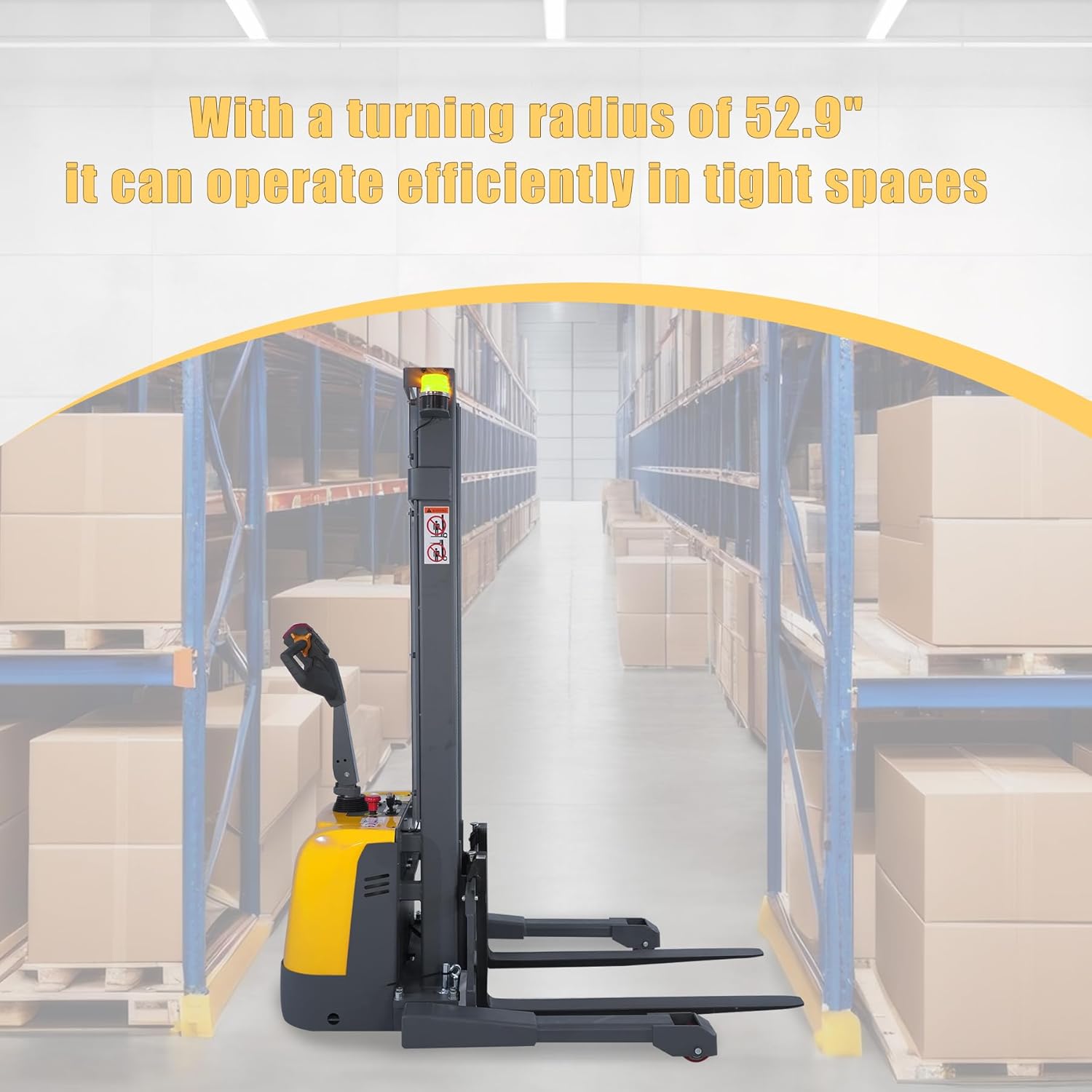
Image: A close-up view of the straddle legs being installed and secured to the main body of the forklift.
3. Fork Installation
Install the forks onto the fork carriage following these steps:
- Remove the screw of the L-shaped pin from the fork carriage.
- Insert the L-shaped pin through the forks and the fork carriage, ensuring proper alignment.
- Reinstall the screw to secure the pin and forks in place.
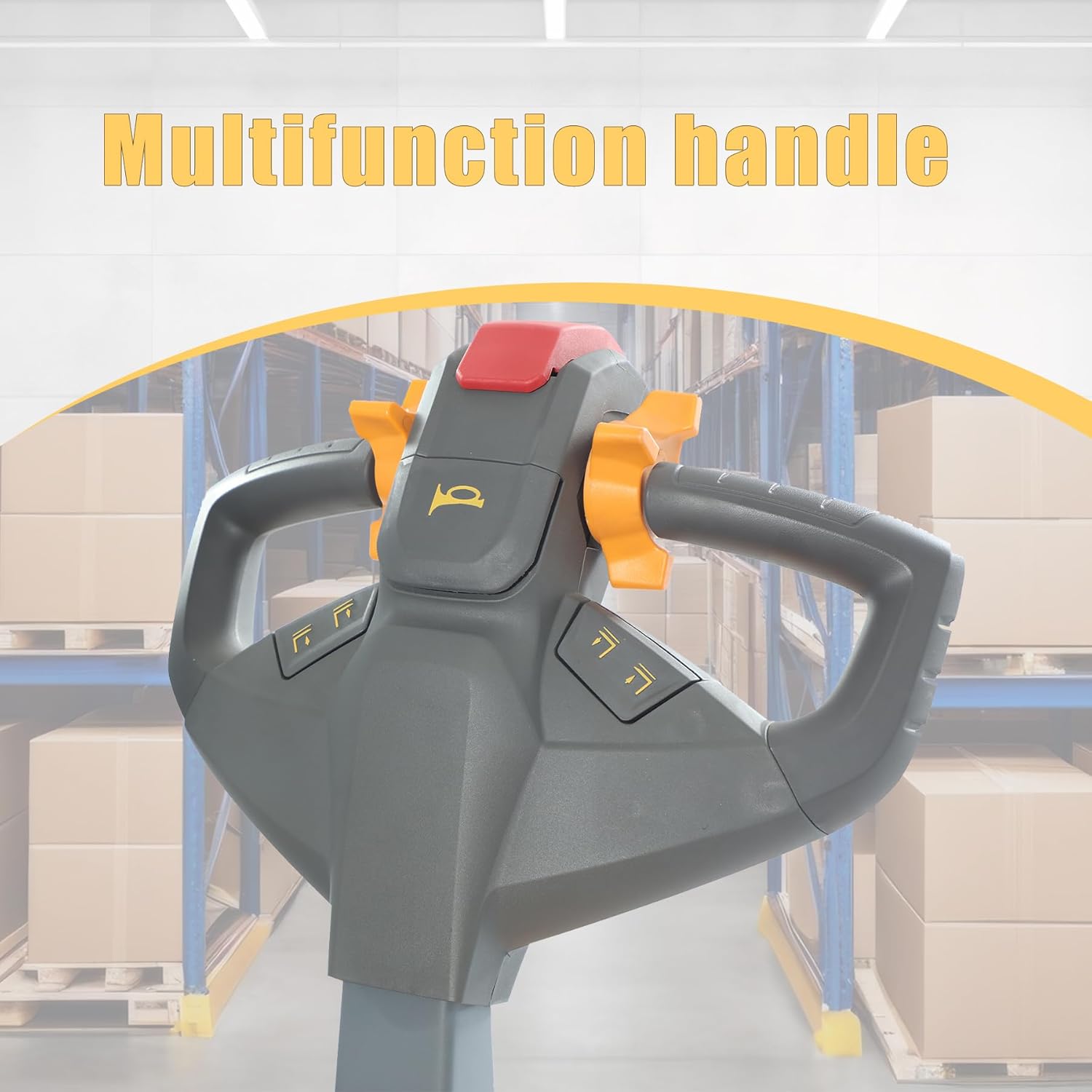
Image: A view of the forks being attached to the forklift's mast, highlighting the L-shaped pin mechanism.
Operating Instructions
Familiarize yourself with the control handle and its functions for safe and effective operation.

Image: A close-up of the multifunction handle, showing various control buttons and the accelerator knob.
1. Lift/Lowering Function
To operate the lift and lowering functions:
- Ensure the unit is powered on using the key switch.
- Press the 'Lift' button on the handle to raise the forks.
- Press the 'Lower' button on the handle to lower the forks.
2. Moving Function
To move the forklift forward or backward:
- Push down on the handle.
- Rotate the accelerator knob to move the unit forward or backward.
3. Horn Function
To activate the horn for warning or signaling:
- Press the horn button located on the handle.
4. Upright Handle Moving Function (Creep Speed)
For precise movement in tight spaces:
- Press the 'Turtle' button (creep speed button) on the handle.
- Rotate the accelerator knob to move the unit at a reduced speed.
5. Emergency Reverse Function
In case of an emergency where the operator is pinned against an obstacle:
- The stacker will automatically reverse when the emergency reverse button (belly button) is pressed against the operator's body.
6. Emergency Braking Function
To immediately stop the stacker:
- The stacker will stop immediately when the handle is released to the upright (vertical) or fully horizontal position.

Image: A close-up of the control panel showing the emergency stop button and battery indicator.
Maintenance
Regular maintenance is crucial for the longevity and safe operation of your Xilin Lift Stacker.
Battery Maintenance
- The unit is equipped with a maintenance-free battery with UL certification.
- Ensure the battery is charged regularly, especially when the indicator lights flash, indicating low battery. Stop operation and charge immediately to prevent damage.
- The external charger provides stable and efficient charging.
- Quick battery replacement is possible for continuous operation.
General Checks
- Regularly inspect the high-strength steel frame and overhead drive wheel design for any signs of wear or damage.
- Check the modular layout and safety explosion-proof valve for proper function.
- Ensure all bolts and fasteners are tightened securely.
- Keep the unit clean and free from debris.
- Lubricate moving parts as per manufacturer recommendations.
Troubleshooting
This section provides basic troubleshooting steps for common issues. For complex problems, contact qualified service personnel.
Common Issues and Solutions:
- Unit does not power on:
- Check if the key switch is turned to the 'ON' position.
- Verify the emergency stop button is disengaged (pulled out).
- Check the battery charge level. Recharge if necessary.
- Forks do not lift/lower:
- Ensure the unit is powered on and the battery has sufficient charge.
- Check for any obstructions preventing fork movement.
- Verify that the lift/lower buttons on the handle are functioning correctly.
- Unit does not move:
- Confirm the handle is in the correct operating position (not fully upright or horizontal).
- Check the accelerator knob for proper engagement.
- Ensure the emergency reverse button is not activated.
Technical Specifications
| Feature | Specification |
|---|---|
| Model | CTD15R-EN-130 |
| Load Capacity | 3300 lbs (1500 kg) |
| Max. Lifting Height | 130 inches (330 cm) |
| Mast Lowered Height | 90.4 inches (229.6 cm) |
| Mast Extended Height | 157 inches (398.8 cm) |
| Fork Lowered Height | 2.8 inches (7.1 cm) |
| Overall Length | 70.3 inches (178.6 cm) |
| Overall Width | 46.5-62.3 inches (118.1-158.2 cm) |
| Width Overall Forks | 7.8-31.5 inches (19.8-80 cm) |
| Fork Dimension (T*W*L) | 1.3*3.9*42 inches (3.3*9.9*106.7 cm) |
| Distance Between Forks (Inside) | 0.1-23.6 inches (0.25-59.9 cm) |
| Turning Radius | 52.9 inches (134.4 cm) |
| Travel Speed (Laden/Unladen) | 2.8/3.1 mph (4.5/5.0 km/h) |
| Lift Speed (Laden/Unladen) | 3.5/5.9 inch/s (8.9/15.0 cm/s) |
| Lowering Speed (Laden/Unladen) | 5.9/4.3 inch/s (15.0/10.9 cm/s) |
| Material | High-strength steel frame |
| Battery | Maintenance-free, UL certified |
| Controller | D2-3101 |
Warranty and Support
Warranty Information
This product is typically covered by a manufacturer's warranty. Please refer to the warranty card included with your purchase for specific terms and conditions, including duration and coverage details. Protection plans may also be available for extended coverage.
Customer Support
For technical assistance, parts, or service inquiries, please contact Xilin Official customer support. You can find contact information on the product packaging or the official Xilin website.
Typical support includes:
- 30-day easy returns (check specific retailer policy).
- Dedicated customer service for product assistance.
For more information, visit the Xilin Store on Amazon.
Ask a question about this manual
Ask about setup, troubleshooting, compatibility, parts, safety, or missing instructions. Manuals+ will review the question and use this page’s manual context to help answer it.