
1. Safety Information
Please read and understand all safety information before operating this multimeter. Failure to follow these instructions may result in electric shock, fire, or damage to the meter.
- Always ensure the multimeter is in good working condition and that the test leads are not damaged.
- Do not apply more than the rated voltage, as marked on the meter, between the terminals or between any terminal and earth ground. The maximum voltage between measurement end and ground is 1000V DC or 750V AC.
- Use extreme caution when working with voltages above 60V DC or 30V AC RMS, as these present a shock hazard.
- Always disconnect the test leads from the circuit before changing functions or ranges.
- Do not operate the meter if the battery cover is open or not properly secured.
- Replace the batteries as soon as the low battery indicator appears to ensure accurate readings.
- Adhere to the specified pollution grade (Grade 2) and operating environment conditions.
2. Product Overview
The Irfora T58D is a 60000 counts digital multimeter designed for accurate measurement of various electrical parameters. It features a large LCD display with backlight, flashlight, NCV (Non-Contact Voltage) detection, and automatic shutdown.

Figure 2.1: Front view of the T58D Multimeter with labeled components.
Key Components:
- LED Display: 60000 counts display for readings.
- Illumination: Flashlight for dark environments.
- NCV Sensing Area: For non-contact voltage detection.
- NCV and Buzzer Indicator Light: Visual alerts for NCV and continuity.
- MAX MIN Button: For maximum and minimum value switching.
- PEAK Button: For peak to peak measurement.
- RANGE Button: For manual range switching.
- FUNC Button: For function switching within a rotary switch position.
- Lighting/Backlight Button: Activates display backlight and flashlight.
- AREL HOLD Button: For data hold and relative value measurement.
- Gear Rotary Switch: Selects the primary measurement function.
- Input Sockets: μA mA L, 10A, VΩHz°C, and COM for test lead connections.

Figure 2.2: Physical dimensions of the T58D Multimeter.
3. Setup
3.1 Battery Installation
The T58D multimeter requires three (3) 1.5V AAA batteries (not included) for operation. Ensure the batteries are installed correctly according to polarity markings.
- Locate the battery compartment on the back of the multimeter.
- Open the battery cover.
- Insert three 1.5V AAA batteries, observing the correct polarity (+ and -).
- Close the battery cover securely.
3.2 Connecting Test Leads
Proper connection of test leads is crucial for accurate and safe measurements.
- Always connect the black test lead to the COM (Common) input jack.
- For most voltage, resistance, frequency, capacitance, and temperature measurements, connect the red test lead to the VΩHz°C input jack.
- For current measurements up to 600mA, connect the red test lead to the μA mA L input jack.
- For current measurements up to 10A, connect the red test lead to the 10A input jack.

Figure 3.1: Multimeter with support stand and test lead storage.
4. Operating Instructions
Turn the rotary switch to the desired function to begin measurements.
4.1 AC/DC Voltage Measurement
- Connect the red test lead to the VΩHz°C jack and the black test lead to the COM jack.
- Rotate the switch to the V~ (AC Voltage) or V- (DC Voltage) position.
- Touch the test probes to the circuit points where voltage is to be measured.
- Read the voltage value on the display.
4.2 AC/DC Current Measurement
To measure current, the multimeter must be connected in series with the circuit. Ensure the circuit is de-energized before connecting the meter.
- Connect the black test lead to the COM jack.
- For current up to 600mA, connect the red test lead to the μA mA L jack. For current up to 10A, connect the red test lead to the 10A jack.
- Rotate the switch to the μA mA~ (AC Current), μA mA- (DC Current), A~ (AC Current), or A- (DC Current) position, matching the input jack used.
- Open the circuit where current is to be measured and connect the test probes in series.
- Re-energize the circuit and read the current value.
4.3 Resistance Measurement
- Connect the red test lead to the VΩHz°C jack and the black test lead to the COM jack.
- Rotate the switch to the Ω position.
- Ensure the circuit or component is de-energized before measuring resistance.
- Touch the test probes across the component to be measured.
- Read the resistance value on the display.
4.4 Capacitance Measurement
- Connect the red test lead to the VΩHz°C jack and the black test lead to the COM jack.
- Rotate the switch to the Capacitance position (often shared with Ω or Hz). Use the FUNC button if necessary to select capacitance.
- Ensure the capacitor is fully discharged before measurement to prevent damage to the meter.
- Touch the test probes to the capacitor terminals.
- Read the capacitance value on the display.
4.5 Frequency Measurement
- Connect the red test lead to the VΩHz°C jack and the black test lead to the COM jack.
- Rotate the switch to the Hz% position.
- Touch the test probes to the circuit points where frequency is to be measured.
- Read the frequency value on the display.
4.6 Temperature Measurement
- Connect the thermocouple to the VΩHz°C and COM jacks, observing polarity.
- Rotate the switch to the °C/°F position.
- Place the thermocouple tip on or near the object whose temperature is to be measured.
- Read the temperature value on the display.
4.7 Diode Test
- Connect the red test lead to the VΩHz°C jack and the black test lead to the COM jack.
- Rotate the switch to the Diode position (often shared with continuity). Use the FUNC button if necessary.
- Touch the red probe to the anode and the black probe to the cathode of the diode. A forward voltage drop will be displayed.
- Reverse the probes. An open circuit (OL) should be displayed for a good diode.
4.8 Buzzer (Continuity) Test
- Connect the red test lead to the VΩHz°C jack and the black test lead to the COM jack.
- Rotate the switch to the Buzzer position (often shared with diode). Use the FUNC button if necessary.
- Touch the test probes to the component or circuit path.
- If the resistance is below a certain threshold (typically 50Ω), the buzzer will sound, indicating continuity.
4.9 NCV (Non-Contact Voltage) Test
The NCV function allows for detection of AC voltage without direct contact.
- Rotate the rotary switch to the NCV position.
- Place the top of the meter (NCV sensing area) close to the conductor.
- If AC voltage is detected, the corresponding signal strength indicator (low-yellow, high-red) will light up, and the buzzer will emit alarms of varying frequency.

Figure 4.1: NCV Voltage Measurement in progress.
4.10 Backlight and Flashlight
Press the Lighting/Backlight button to activate the display backlight for improved visibility in low-light conditions. Press it again to activate the flashlight located at the top of the meter for illuminating the work area.
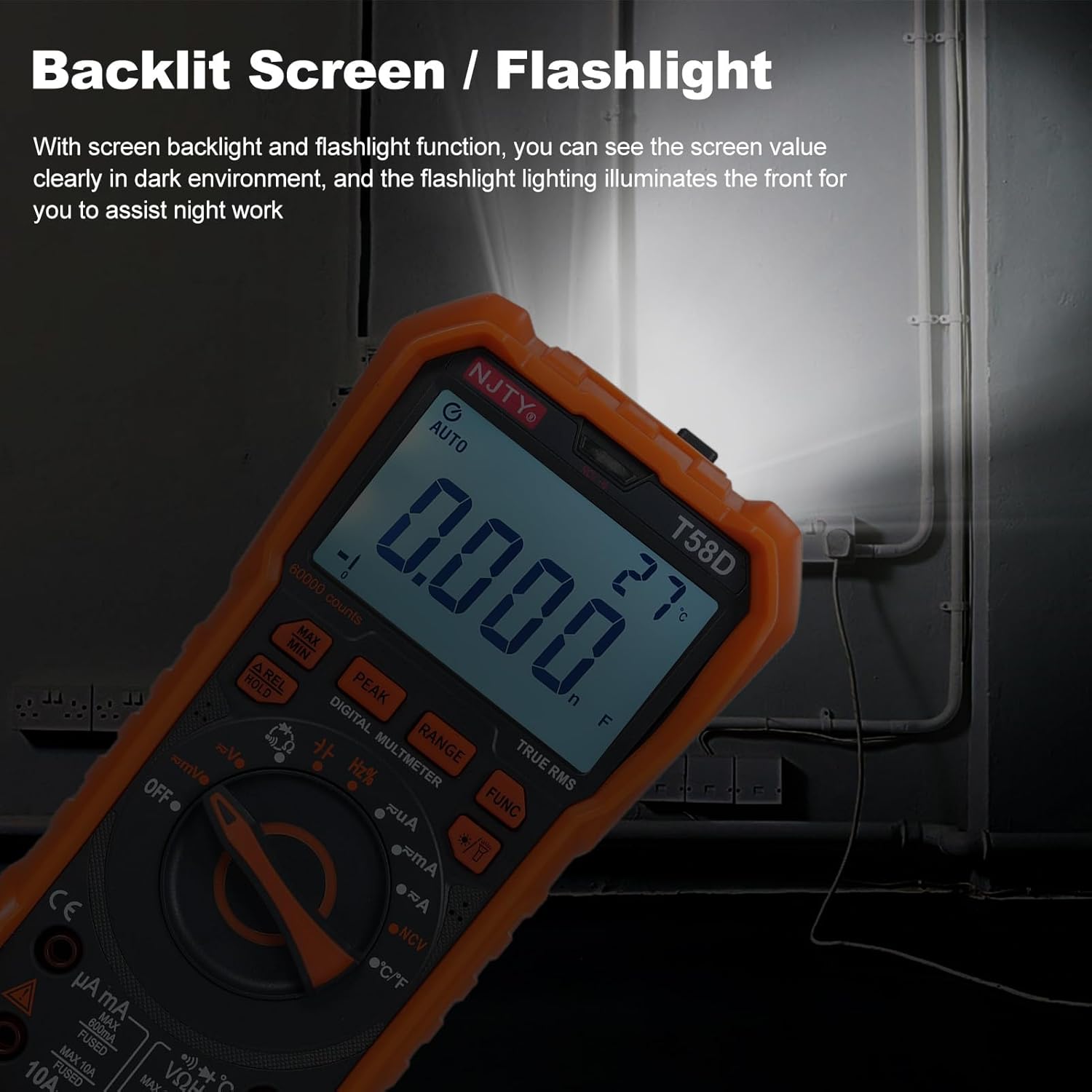
Figure 4.2: Backlit screen and flashlight in use.
4.11 Automatic Shutdown
To conserve battery life, the multimeter features an automatic shutdown function. If there is no operation for approximately 15 minutes after power-on, the instrument will emit audible prompts and then automatically power off, entering hibernation mode. Any button press will restart the meter.

Figure 4.3: Automatic shutdown after 15 minutes of inactivity.
5. Maintenance
5.1 Cleaning
Wipe the meter with a damp cloth and mild detergent. Do not use abrasives or solvents.
5.2 Battery Replacement
When the low battery indicator appears on the display, replace the batteries promptly to ensure accurate readings and proper operation. Refer to Section 3.1 for battery installation steps.
5.3 Fuse Replacement
If the current measurement function fails, the fuse may need replacement. Always use fuses of the specified type and rating.
- For mA current measurements, use a fuse rated F 600mA/250V.
- For 10A current measurements, use a fuse rated F 10A/250V.
Fuse replacement should only be performed by qualified personnel. Disconnect all test leads and power before opening the meter casing.
6. Troubleshooting
If the multimeter does not function correctly, check the following common issues:
- No display or dim display: Check battery level and replace if necessary. Ensure batteries are installed with correct polarity.
- Incorrect readings: Verify that the correct function and range are selected. Ensure test leads are properly connected and not damaged. Check for blown fuses if measuring current.
- "OL" displayed: This indicates an overload or out-of-range measurement. Select a higher range or ensure the measured value is within the meter's capabilities.
- No continuity beep: Ensure the continuity function is selected and the circuit resistance is below the threshold.
If problems persist, contact customer support or a qualified technician.
7. Specifications
The following table details the technical specifications of the Irfora T58D Digital Multimeter.

Figure 7.1: T58D Parameters Table.
| Parameter | Range/Value |
|---|---|
| DC Voltage | 100mV, 600mV, 1V, 60V, 600V, 1000V |
| AC Voltage | 100mV, 600mV, 1V, 60V, 600V, 750V |
| DC Current | 600μA, 6mA, 60mA, 600mA, 6A, 10A |
| AC Current | 600μA, 6mA, 60mA, 600mA, 6A, 10A |
| Frequency | 100Hz, 1KHz, 10KHz, 100KHz, 1MHz, 10MHz, 25MHz |
| Resistance | 600Ω, 6kΩ, 60kΩ, 600kΩ, 6MΩ, 60MΩ |
| Capacitance | 6nF, 60nF, 600nF, 6μF, 60μF, 600μF, 6mF, 60mF |
| Temperature | -50℃~1000℃ / -58℉~1832℉ |
| Diode Test | Yes |
| Buzzer (Continuity) | Yes |
| Power Supply | 3 * 1.5V AAA batteries (Not included) |
| Display | 60000 counts LED display |
| Overload Display | 'OL' displayed |
| Conversion Rate | About 3 readings/second |
| Safety Rating | 600V CAT III and 1000V CAT II |
| Pollution Grade | 2 |
| Operating Altitude | Under 2000m |
| Working Temperature | 0-40℃ (<80%RH, not considered <10℃) |
| Storage Temperature | -10~60℃ (<80%RH, remove battery) |
| Item Size | 187 * 95 * 55mm / 7.36 * 3.74 * 2.16in |
| Item Weight | 331g / 11.67oz |