
1. Introduction
This manual provides detailed instructions for the safe and efficient operation of your EENOUR D18 19Qt/18L Portable Car Refrigerator. Please read this manual thoroughly before using the appliance and retain it for future reference. The EENOUR D18 is designed for cooling and freezing items, offering versatile power options for various environments.
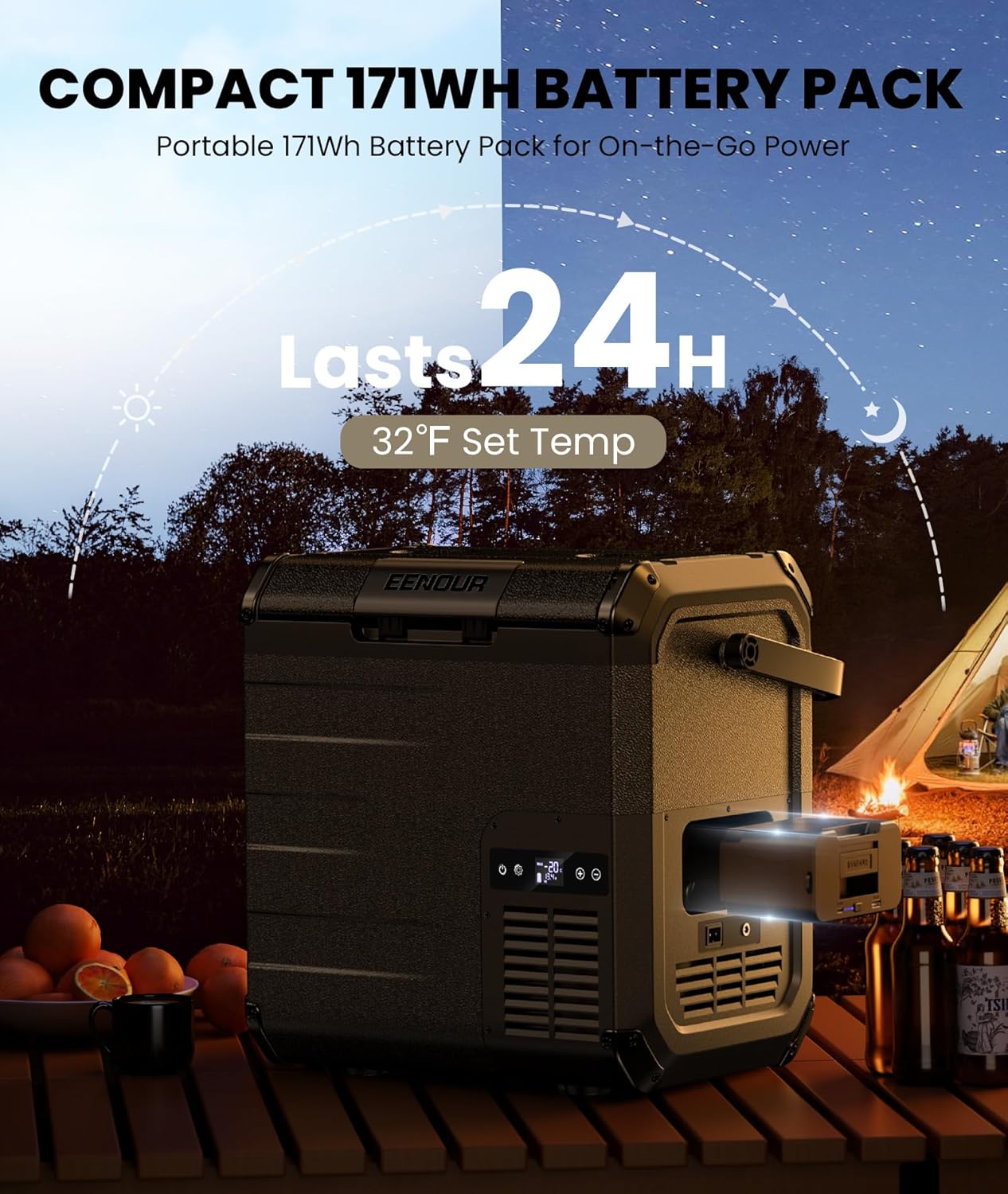
Image 1.1: The EENOUR D18 Portable Car Refrigerator.
2. Safety Instructions
To prevent injury to yourself and others or damage to your appliance, please observe the following safety precautions:
- Ensure the appliance is placed on a stable, level surface to prevent tipping.
- Do not operate the appliance if the power cord is damaged. Contact customer support for replacement.
- Keep ventilation openings clear of obstructions to ensure proper airflow and prevent overheating.
- Avoid placing hot items directly into the refrigerator. Allow them to cool first.
- Do not immerse the appliance in water or expose it to heavy rain.
- Disconnect the power supply before cleaning or performing any maintenance.
- This appliance is not intended for use by persons (including children) with reduced physical, sensory or mental capabilities, or lack of experience and knowledge, unless they have been given supervision or instruction concerning use of the appliance by a person responsible for their safety.
3. What's in the Box
Verify that all items are present upon unpacking:
- EENOUR D18 Refrigerator Unit
- User Manual
- 12/24V Car Charging Cord
- 100-240V AC Adapter & Cord
- DB01 Detachable Battery

Image 3.1: Included items with the EENOUR D18 refrigerator.
4. Product Features
4.1 Detachable Battery
The EENOUR D18 features a 171Wh detachable battery, providing portable power for extended use. When fully charged, the battery can sustain a 32°F set temperature for up to 24 hours, depending on ambient conditions and usage.

Image 4.1.1: Detachable battery pack for portable power.
4.2 Fast Cooling Performance
The refrigerator can achieve temperatures ranging from -4°F to 50°F (-20°C to 10°C). It is capable of fast cooling, reaching 32°F (0°C) in approximately 10 minutes and -4°F (-20°C) in about 25 minutes from an ambient temperature of 77°F (25°C) when empty.

Image 4.2.1: Fast cooling capability of the EENOUR D18.
4.3 Fluorine-Free Compressor
Equipped with a fluorine-free compressor, the D18 operates efficiently with two modes: ECO mode for power saving (approx. 25W) and MAX mode for rapid cooling (approx. 38W).

Image 4.3.1: Fluorine-free compressor for efficient cooling.
4.4 Multiple Power Modes
The EENOUR D18 supports various power inputs, making it suitable for diverse applications:
- Car Cigarette Lighter (DC 12/24V): For use in vehicles.
- Home Outlet (AC 110-240V): For use with standard household power.
- DB01 Battery Only: For portable, off-grid use.
- DB01 Battery + Solar Panel: For extended off-grid operation with solar charging (100W recommended solar panel).
- Solar Power + Power Station: For charging via solar panel and external power station.

Image 4.4.1: Multiple power input options for the refrigerator.
4.5 Capacity and Dimensions
The D18 has a 19-quart (18-liter) capacity, capable of holding approximately 23 cans (330ml/11.2oz) or 15 water bottles (500ml/16.9oz). Its compact design makes it suitable for various vehicle types.
- External Dimensions (L x W x H): 16.10 in x 12.20 in x 17.30 in

Image 4.5.1: Internal capacity and external dimensions.
4.6 Lightweight and Portable
Weighing approximately 20 lbs, the D18 is designed for easy transport. It features a strong, integrated handle for convenient carrying.

Image 4.6.1: The lightweight design and handle facilitate portability.
4.7 Quiet Operation
The D18 operates at a low noise level, typically below 43dB, ensuring minimal disturbance during use.
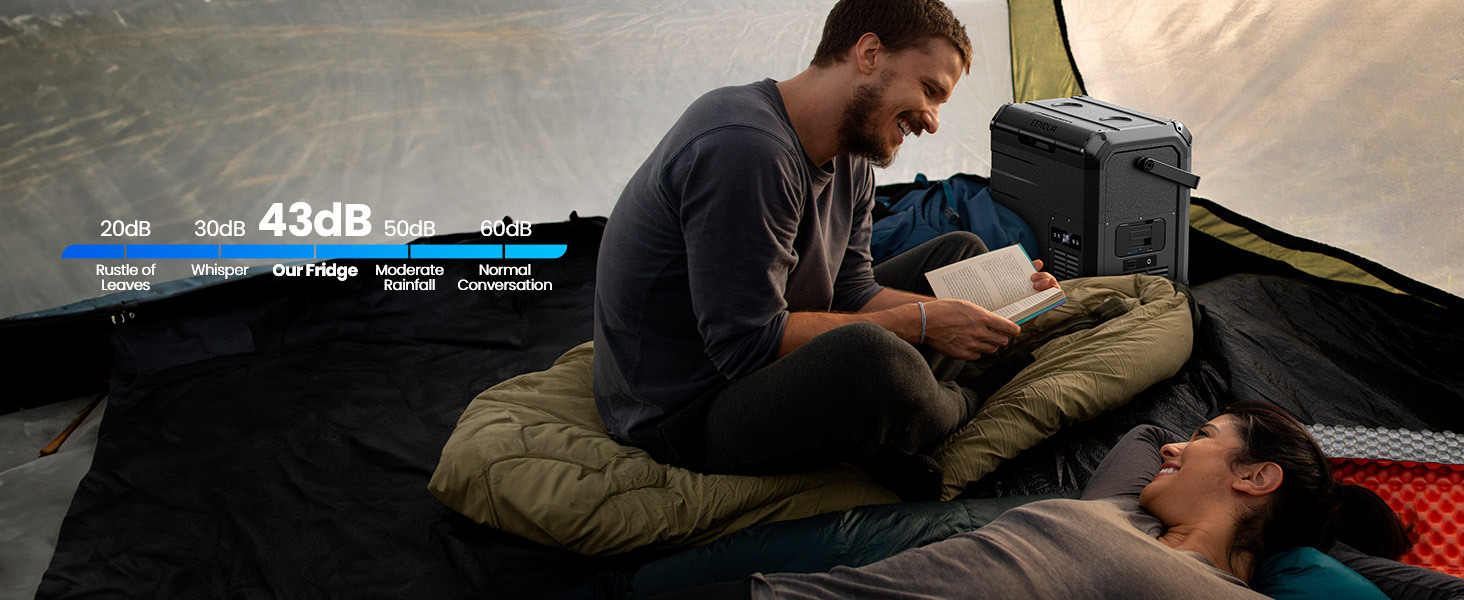
Image 4.7.1: Quiet operation for undisturbed environments.
4.8 USB Charging Ports
The detachable battery unit includes built-in charging ports:
- Type-C (PD3.0, Max 60W): For fast charging compatible devices.
- USB (QC3.0, Max 18W): For standard USB charging.
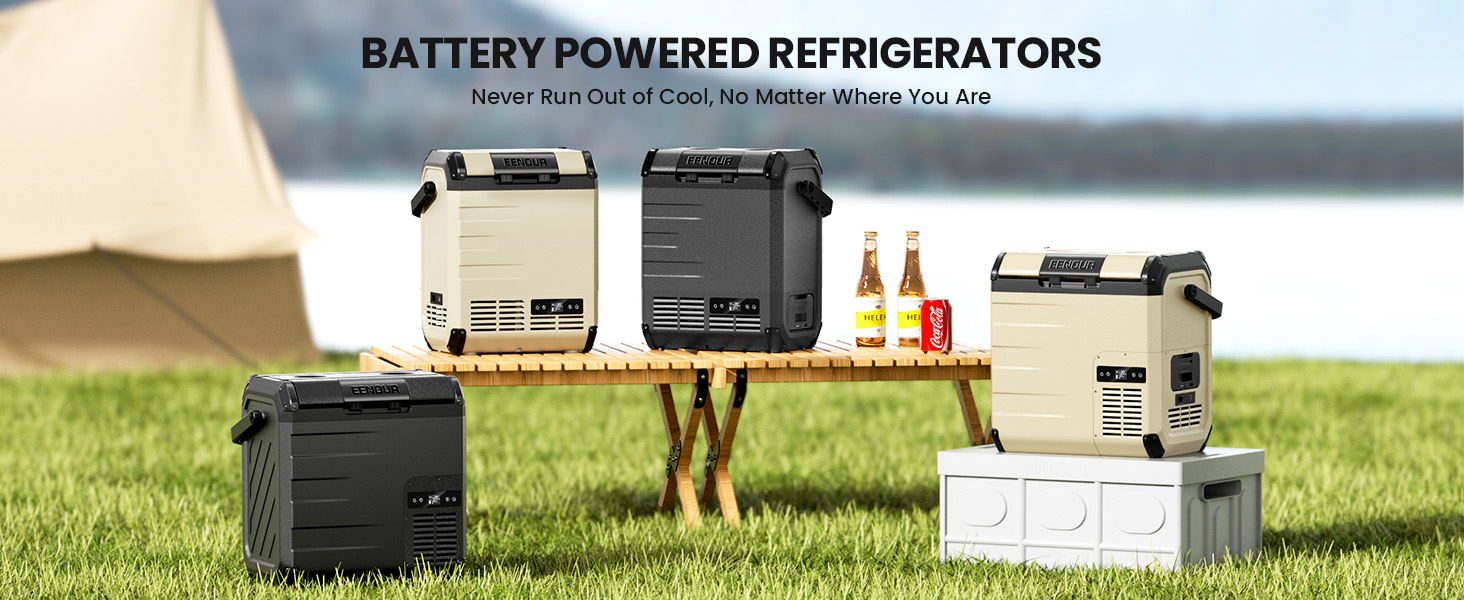
Image 4.8.1: USB charging ports on the detachable battery.
4.9 3-Level Vehicle Battery Protection
When powered by a vehicle, the D18 features a low voltage protection system with three adjustable levels (Low, Medium, High) to prevent excessive discharge of your vehicle's battery.

Image 4.9.1: Vehicle battery protection levels.
4.10 Additional Features
- Built-in LED Light: Illuminates the interior for visibility in low-light conditions.
- Drain Hole: For easy cleaning and removal of melted ice or condensation.
- Corner Protectors: Enhances durability and protects against impacts.
- Reversible Door: The lid can be installed to open from either the left or right side.
- Cup Slots: Integrated cup holders on the lid for convenience.
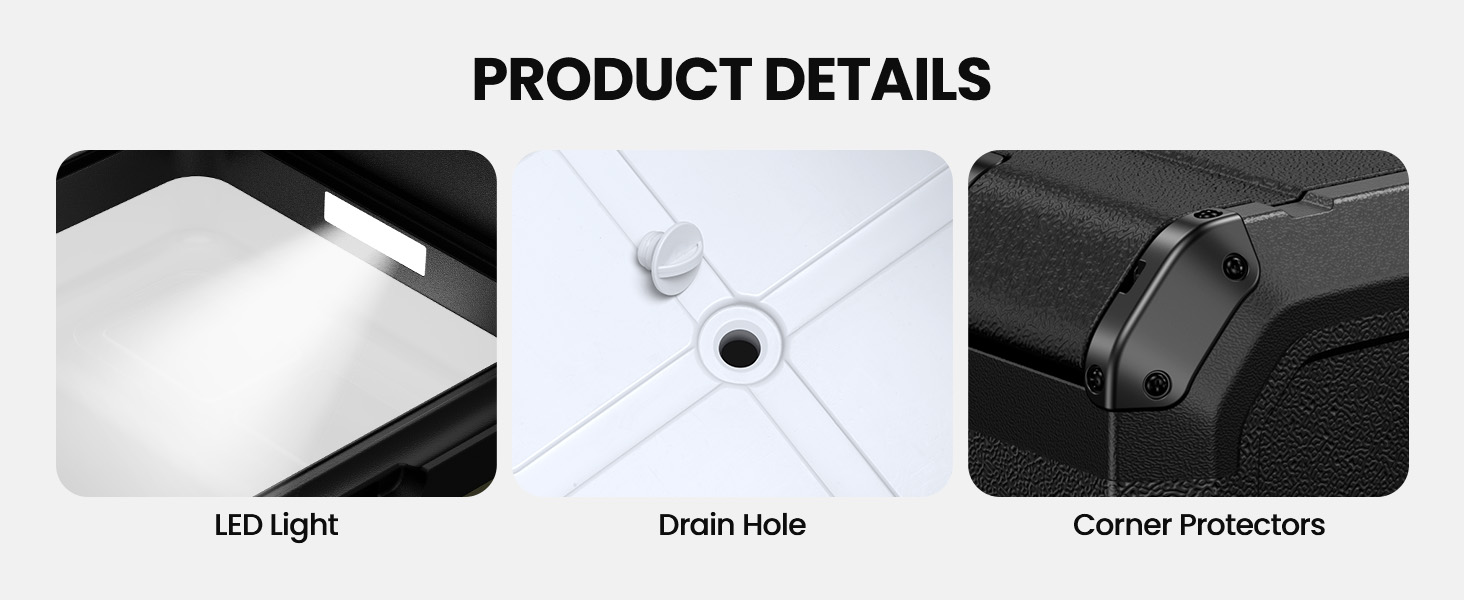
Image 4.10.1: Details of the LED light, drain hole, and corner protectors.

Image 4.10.2: Reversible door feature.
5. Setup
5.1 Unpacking
Carefully remove the refrigerator and all accessories from the packaging. Inspect for any damage during transit. Keep packaging materials for potential future transport or returns.
5.2 Initial Charging and Power Connection
Before first use, it is recommended to fully charge the detachable battery. Connect the AC adapter to a household outlet and to the refrigerator's AC/DC input port. Alternatively, use the 12/24V car charging cord in your vehicle's cigarette lighter socket.
5.3 Inserting/Removing Detachable Battery
To insert the DB01 battery, align it with the battery slot on the side of the refrigerator and slide it in until it clicks securely into place. To remove, press the release button (if present) and slide the battery out.
6. Operating Instructions
6.1 Control Panel Overview
The control panel is located on the front of the refrigerator and includes the following buttons:
- Power Button (⏻): Turns the refrigerator on/off.
- Settings Button (⚙): Accesses temperature adjustment, mode selection, and battery protection settings.
- Plus Button (+): Increases temperature or navigates menu options.
- Minus Button (-): Decreases temperature or navigates menu options.
Video 6.1.1: EENOUR D18 Car Refrigerator Combo - Operation Guide. This video demonstrates how to use the control panel for various functions.
6.2 Power On/Off
Press and hold the Power button (⏻) for approximately 3 seconds to turn the refrigerator on or off.
6.3 Temperature Adjustment
To adjust the temperature:
- Press the Settings button (⚙) once. The temperature display will flash.
- Use the Plus (+) or Minus (-) buttons to set your desired temperature.
- The setting will automatically save after a few seconds of inactivity.
6.4 Max/Eco Mode Switching
To switch between MAX (fast cooling) and ECO (power saving) modes:
- Press the Settings button (⚙) twice.
- Use the Plus (+) or Minus (-) buttons to select either 'MAX' or 'ECO'.
- The setting will automatically save after a few seconds of inactivity.
6.5 °F/°C Switching
To switch the temperature unit between Fahrenheit (°F) and Celsius (°C):
- Press and hold both the Plus (+) and Minus (-) buttons simultaneously for approximately 3 seconds. The display will change the unit.
6.6 Vehicle Battery Protection Level Adjustment
To adjust the vehicle battery protection level (H/M/L - High/Medium/Low):
- Press the Settings button (⚙) three times.
- Use the Plus (+) or Minus (-) buttons to select the desired protection level (H, M, or L).
- The setting will automatically save after a few seconds of inactivity.
Video 6.6.1: EENOUR D18 Car Refrigerator Combo. This video provides a general overview of the product and its features, including control panel usage.
7. Maintenance
7.1 Cleaning the Interior and Exterior
Regular cleaning helps maintain the appliance's performance and hygiene.
- Interior: Disconnect power. Use a soft cloth dampened with mild detergent and warm water to wipe the interior. Rinse with a clean, damp cloth and dry thoroughly. Use the drain plug at the bottom to remove any liquids.
- Exterior: Wipe the exterior with a soft, damp cloth. Avoid abrasive cleaners or solvents that could damage the surface.
- Ventilation: Periodically check and clean the ventilation grilles to ensure they are free of dust and debris.
7.2 Storage
When storing the refrigerator for an extended period:
- Ensure the interior is clean and completely dry to prevent mold or odors.
- Leave the lid slightly ajar to allow air circulation.
- Store in a dry, well-ventilated area, away from direct sunlight and extreme temperatures.
8. Troubleshooting
If you encounter issues with your EENOUR D18, refer to the following common problems and solutions:
| Problem | Possible Cause | Solution |
|---|---|---|
| Refrigerator does not turn on. | No power supply; damaged power cord; battery depleted. | Check power connections. Ensure battery is charged. Replace damaged cords. |
| Not cooling sufficiently. | Temperature setting too high; blocked ventilation; excessive items inside; lid not sealed. | Lower temperature setting. Clear vents. Do not overfill. Ensure lid is closed tightly. |
| Unusual noise during operation. | Appliance not level; fan obstruction; normal compressor operation. | Ensure unit is on a flat surface. Check for obstructions in fan. Some compressor noise is normal. |
| Display shows an error code. | Internal fault. | Refer to the specific error code in the full user manual or contact customer support. |
If the problem persists after attempting these solutions, please contact EENOUR customer support.
9. Specifications
| Feature | Detail |
|---|---|
| Brand | EENOUR |
| Model | D18 |
| Capacity | 19 Quarts (18 Liters) |
| Temperature Range | -4°F to 50°F (-20°C to 10°C) |
| Cooling Method | Compressor |
| Power Input | AC 100-240V, DC 12/24V, Solar, Detachable Battery |
| Detachable Battery Capacity | 171Wh |
| USB Output | Type-C (PD3.0, Max 60W), USB (QC3.0, Max 18W) |
| Noise Level | ≤ 43dB |
| Dimensions (L x W x H) | 16.10 in x 12.20 in x 17.30 in |
| Weight | Approx. 20 lbs |
10. Warranty and Support
For warranty information, technical support, or service inquiries, please refer to the warranty card included with your product or visit the official EENOUR website. Please have your product model and purchase date available when contacting support.