
1. Introduction
This manual provides detailed instructions for the installation, operation, and maintenance of your Irfora Cordless Expandable Phone System D1015TAM-D. Please read this manual thoroughly before using the phone system to ensure proper functionality and to prevent damage.
2. Safety Information
- Use only the provided power adapters and batteries.
- Do not expose the phone system to water or excessive moisture.
- Avoid placing the base unit or handsets near heat sources or direct sunlight.
- Keep the phone system away from strong electromagnetic fields.
- The distance between the main unit and the handset should not exceed 80 meters for optimal performance.
3. Package Contents
Verify that all items are present in the package:
- 2 x Handsets
- 2 x Charging Cradles
- 1 x Phone Line Cord
- 4 x 1.2V 400MAh Ni-MH AAA Batteries
- 2 x Power Adapters
4. Product Overview
The Irfora Cordless Expandable Phone System features large buttons and a clear display for ease of use. It includes an integrated answering machine and supports multiple handsets.

Figure 4.1: Handset with large buttons and a 1.8-inch LCD screen, designed for clear visibility and ease of use.

Figure 4.2: Handset keypad layout, showing M1, M2, M3 for speed dialing and the standard numeric keys.

Figure 4.3: The phone system features an integrated telephone answering machine for message recording.

Figure 4.4: Overview of phone and answering machine features, including LCD display, handset registration, call memories, and recording capabilities.

Figure 4.5: The base unit and handset feature an incoming call indicator.
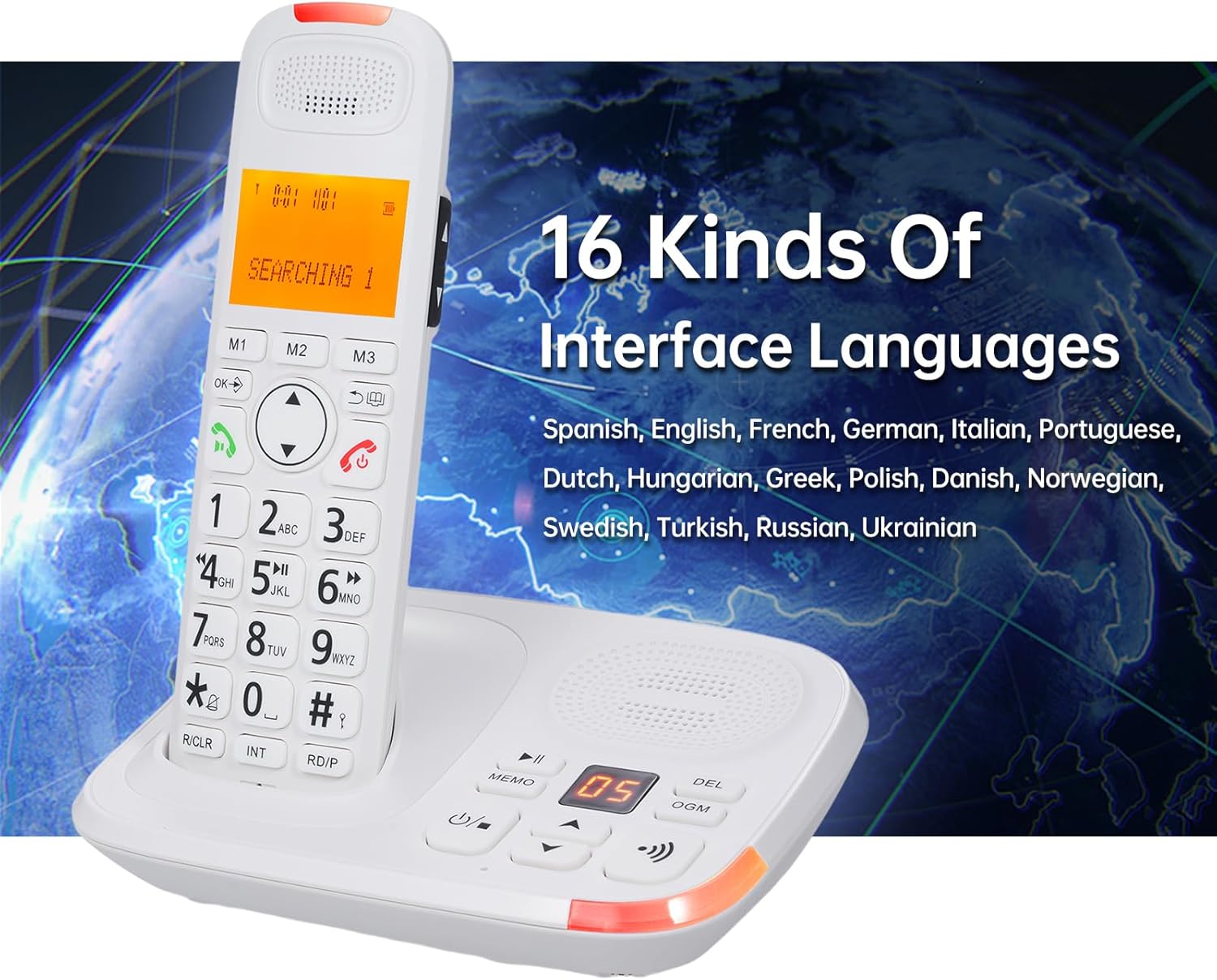
Figure 4.6: The phone system supports 16 interface languages, including Spanish, English, French, German, Italian, Portuguese, Dutch, Hungarian, Greek, Polish, Danish, Norwegian, Swedish, Turkish, Russian, and Ukrainian.
5. Setup
5.1 Battery Installation
- Open the battery compartment cover on the back of each handset.
- Insert the two 1.2V 400MAh Ni-MH AAA batteries, ensuring correct polarity.
- Close the battery compartment cover.
- Place the handset in its charging cradle to charge for at least 12 hours before first use.
5.2 Connecting the Base Unit
- Connect one end of the phone line cord to the LINE jack on the base unit.
- Connect the other end of the phone line cord to your telephone wall jack.
- Plug the power adapter into the DC IN jack on the base unit.
- Plug the power adapter into a standard electrical outlet.
- For the second charging cradle, plug its power adapter into a standard electrical outlet.
5.3 Handset Registration
The system supports a maximum of 5 handsets registered to the same base unit. Refer to the on-screen menu for specific registration steps if additional handsets need to be registered or re-registered.
6. Operating Instructions
6.1 Basic Call Functions
- Making a Call: Enter the phone number and press the Call button.
- Answering a Call: When the phone rings, press the Call button. The system supports auto/manual answering.
- Ending a Call: Press the End Call button or place the handset back in the cradle.
- Redial: Press the Redial button to call the last dialed number.
- Pause: Use the pause function during dialing as needed.
- Mute: Press the Mute button during a call to temporarily disable your microphone.
- Audio Boost: Use the dedicated key for audio boost during a call to increase volume.
6.2 Answering Machine (TAM)
- The digital answering machine can record up to 60 minutes of messages.
- The base unit has a 2-digit LCD display to indicate messages.
- Memo Recording: Record memos up to 2 minutes in length.
- Outgoing Message (OGM): Two groups of OGM can be recorded by the user.
- Voice prompts are available in English, Spanish, French, and German.
6.3 Phone Book and Call Memories
- Phone Book: Store up to 50 entries with a maximum of 12 characters and 20 digits.
- Incoming Call Memories: Stores up to 30 incoming numbers.
- Outgoing Call Memories: Stores up to 10 outgoing numbers.
- Speed Dial: Utilize M1, M2, M3 buttons for quick access to frequently called numbers.
6.4 Intercom and Conference Calls
- Intercom: Initiate calls between two registered handsets.
- Call Transfer: Transfer an external call to another handset.
- Conference Call: Conduct a three-way conference call involving an external call and two handsets.
6.5 Settings and Features
- Interface Languages: Select from 16 languages including Spanish, English, French, German, Italian, Portuguese, Dutch, Hungarian, Greek, Polish, Danish, Norwegian, Swedish, Turkish, Russian, and Ukrainian.
- Flash Time: Adjustable settings for 100/300/600/1000ms.
- Ringing Tones: 10 selectable ringing tones. Adjustable ringing tone, earpiece, and hands-free volume. Different melodies can be set for different calls.
- Keypad Lock: Function to lock the keypad to prevent accidental dialing.
- Dialing Barring: Function to restrict certain outgoing calls.
- LCD Backlight: The LCD screen features a backlight function.
- Alarm Clock: An alarm clock function is available.
7. Maintenance
- Clean the phone system with a soft, damp cloth. Do not use abrasive cleaners or solvents.
- Ensure the charging contacts on the handset and cradle are clean for proper charging.
- Replace batteries when they no longer hold a charge effectively.
8. Troubleshooting
- No Dial Tone:
- Check if the phone line cord is securely connected to both the base unit and the wall jack.
- Ensure the power adapter is properly connected and plugged into a working outlet.
- Handset Not Charging:
- Verify the handset is correctly seated in the charging cradle.
- Clean the charging contacts on both the handset and cradle.
- Check if the charging cradle's power adapter is connected.
- Poor Call Quality or Range Issues:
- Ensure the handset is within 80 meters of the base unit.
- Relocate the base unit away from other electronic devices that may cause interference.
- Base Unit and Handset Ring Simultaneously, Cannot Answer Both:
- This is normal operation. When a call comes in, both the main unit and handset will ring. You can only choose one of them to answer the call, not both simultaneously.
9. Specifications
| Model | D1015TAM-D |
| Handset Dimensions | 19 x 5.7 x 2.7 cm (7.48 x 2.24 x 1.06 inches) |
| Cradle Dimensions | 16.8 x 12.5 x 6 cm (6.61 x 4.92 x 2.36 inches) and 10 x 11.2 x 7 cm (3.94 x 4.41 x 2.76 inches) |
| Batteries | 4 x 1.2V 400MAh Ni-MH AAA batteries |
| LCD Screen | 1.8 inches, 3 lines display, backlight function |
| Expandability | Max. 5 handsets per base unit, Max. 4 bases per handset |
| Phone Book Memory | 50 entries (12 characters & 20 digits max) |
| Call Memories | 30 incoming, 10 outgoing |
| Answering Machine Recording Time | Max. 60 minutes |
| Memo Recording Time | Max. 120 seconds |
| Flash Time Settings | 100/300/600/1000ms |
| Interface Languages | 16 options (Spanish, English, French, German, Italian, Portuguese, Dutch, Hungarian, Greek, Polish, Danish, Norwegian, Swedish, Turkish, Russian, Ukrainian) |
| Manufacturer | Irfora |
| ASIN | B0DRG4WSDY |