
Wellsle WEPD11D-S1
Wellsle 40 Pint Dehumidifier User Manual
Model: WEPD11D-S1 | Brand: Wellsle
1. Introduction
Thank you for choosing the Wellsle 40 Pint Dehumidifier. This appliance is designed to efficiently remove excess moisture from your indoor environment, creating a more comfortable and healthier living space. It is ideal for areas up to 3500 Sq.Ft, such as basements, homes, bedrooms, bathrooms, garages, and offices. Please read this manual thoroughly before operation to ensure proper use, maintenance, and safety.

Image: The Wellsle 40 Pint Dehumidifier, a white rectangular unit with a black top panel, digital display, and a visible water tank.
2. Safety Information
To prevent injury to the user or others and property damage, the following instructions must be followed. Incorrect operation due to ignoring instructions may cause harm or damage.
- Always ensure the unit is placed on a stable, level surface.
- Do not block the air inlet or outlet. Maintain at least 8 inches of clearance around the unit.
- Do not operate the unit with a damaged power cord or plug.
- Unplug the dehumidifier before cleaning or performing any maintenance.
- Keep children and pets away from the unit during operation. The child lock function can be activated for added safety.
- Important: After transport, always let the unit stand upright for at least 24 hours before plugging it in and operating it. This allows the refrigerant to settle.
- Do not use the dehumidifier in areas where flammable gases or liquids are present.
3. Product Features
The Wellsle 40 Pint Dehumidifier is equipped with several features designed for optimal performance and user convenience:
- High Dehumidification Capacity: Removes up to 40 pints of moisture daily under optimal conditions (95°F, 90% humidity), suitable for spaces up to 3500 Sq.Ft.
- Three Convenient Modes:
- DEHU Mode: For precise humidity control with an adjustable range of 80%-30%.
- DRY Mode: Accelerates clothes drying, preventing dampness and odors.
- CONT Mode: Provides continuous dehumidification for consistently high-humidity areas like basements.
- Easy Drainage Options: Includes a 6.56-foot drain hose for continuous drainage and a 0.66-gallon (2.51L) water tank for manual emptying.
- Ultra-Quiet Operation: Operates below 40 decibels, ensuring a peaceful environment.
- Portable Design: Features a top handle, ergonomic recessed handle, and 360° invisible wheels for easy mobility.
- Smart Controls: Intelligent humidity control, 24-hour two-way timer, and child lock function.
- Washable Filter: Easy-to-disassemble and washable filter panel to prevent dust and dirt from entering, delivering clean air.
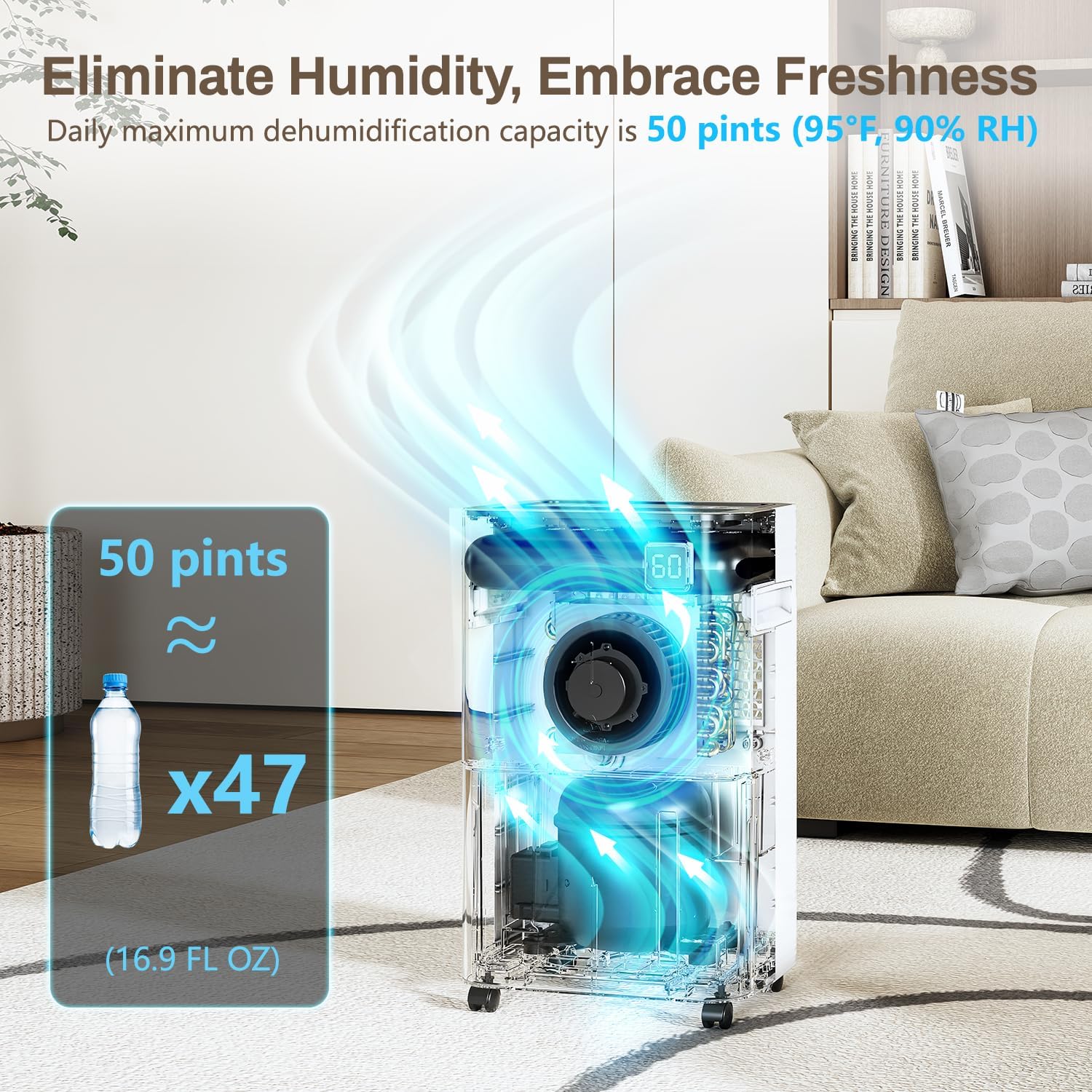
Image: Visual representation of the 50-pint daily dehumidification capacity, equivalent to 47 standard water bottles.

Image: Close-up of the dehumidifier's control panel, showing various function buttons and a digital display.

Image: Illustration demonstrating the two drainage options: manual emptying of the 0.66-gallon water tank and continuous drainage via the included hose.

Image: The dehumidifier operating in a bedroom, illustrating its ultra-quiet performance (20-35dB) compared to other sound levels.

Image: Diagram showing the dehumidifier's dimensions (19.09in H x 11.8in W x 7.87in D) and its mobility features including handles and 360° rotating wheels.
4. Setup
- Unpacking: Carefully remove the dehumidifier from its packaging. Retain the packaging for future storage or transport.
- Positioning: Place the unit on a firm, level surface in the area where dehumidification is needed. Ensure there is at least 8 inches (20 cm) of space around the unit for proper airflow. Do not place it against a wall or furniture that could obstruct the air intake or exhaust.
- Initial Standby: If the unit has been tilted or inverted during transport, allow it to stand upright for a minimum of 24 hours before plugging it in. This allows the refrigerant to stabilize.
- Drainage Setup:
- Manual Drainage (Water Tank): Ensure the water tank is correctly inserted into the unit. The unit will automatically stop operating when the tank is full and indicate a 'Full Tank' alert.
- Continuous Drainage (Drain Hose): For continuous operation without emptying the tank, connect the provided 6.56-foot drain hose to the drainage port on the back of the unit. Ensure the hose is sloped downwards to allow gravity drainage into a suitable floor drain or larger container. Avoid kinks or blockages in the hose.
- Power Connection: Plug the power cord into a grounded electrical outlet.
5. Operating Instructions
Familiarize yourself with the control panel for easy operation.
- Power On/Off: Press the Power button to turn the unit on or off.
- Mode Selection: Press the Mode button to cycle through the available modes:
- DEHU (Dehumidify): Standard mode for humidity control.
- DRY (Drying): For drying clothes or other items.
- CONT (Continuous): For continuous operation regardless of humidity level.
- Humidity Setting (DEHU Mode only): In DEHU mode, use the Humidity Up/Down buttons to set your desired humidity level (from 30% to 80% relative humidity). The unit will operate until the set humidity is reached.
- Fan Speed: Press the Speed button to select between High and Low fan speeds.
- Timer Function: Press the Timer button to set a 1-24 hour timer for automatic turn-on or turn-off. Press repeatedly to adjust the hours.
- Child Lock: Press and hold the Lock button for 3 seconds to activate or deactivate the child lock. This prevents accidental changes to settings.
6. Maintenance
Regular maintenance ensures optimal performance and extends the lifespan of your dehumidifier.
6.1. Emptying the Water Tank
When the water tank is full, the unit will stop operating and an indicator light will illuminate. Carefully pull out the water tank, empty the collected water, and then reinsert the tank firmly until it clicks into place. The unit will resume operation.
6.2. Cleaning the Air Filter
The washable filter should be cleaned regularly, approximately every two weeks or more often depending on usage and air quality.
- Turn off the dehumidifier and unplug it from the power outlet.
- Remove the filter panel from the unit.
- Wash the filter with clean water and a mild detergent.
- Rinse thoroughly and allow the filter to air dry completely before reinserting it. Do not expose to direct sunlight.
6.3. General Cleaning
Wipe the exterior of the unit with a soft, damp cloth. Do not use harsh chemicals, abrasives, or solvents, as these can damage the surface.
7. Troubleshooting
If you encounter issues with your dehumidifier, please refer to the following common problems and solutions:
| Problem | Possible Cause | Solution |
|---|---|---|
| Unit does not turn on. | No power; power cord not plugged in; circuit breaker tripped. | Ensure unit is plugged in; check power outlet and circuit breaker. |
| Unit is running but not dehumidifying. | Air filter clogged; room temperature too low; humidity setting too high. | Clean the air filter; ensure room temperature is above 41°F (5°C); lower the humidity setting. |
| Water tank is full, but unit is not stopping. | Water tank not properly seated; float switch malfunction. | Re-seat the water tank firmly; contact customer support if issue persists. |
| Unit is noisy. | Unit not on a level surface; air filter clogged. | Place unit on a level surface; clean the air filter. |
| Error codes displayed. | Specific internal issue. | Refer to the full user manual for specific error codes or contact customer support. |
If the problem persists after trying the above solutions, please contact Wellsle customer support for assistance.
8. Specifications
| Attribute | Detail |
|---|---|
| Brand | Wellsle |
| Model Name | WEPD11D-S1 |
| Dehumidification Capacity | 40 Pints per Day (at 95°F, 90% RH) |
| Floor Area Coverage | Up to 3500 Square Feet |
| Tank Volume | 0.66 Gallons (2.51 Liters) |
| Product Dimensions (D x W x H) | 9.94"D x 13.87"W x 20.83"H |
| Item Weight | 32.6 pounds |
| Wattage | 350 watts |
| Operation Modes | DEHU, DRY, CONT |
| Number of Speeds | 2 |
| Material | Plastic |
| Included Components | Dehumidifier, 0.66 gal Water Tank, Drain Hose, User Manual, Washable Filter |
| UPC | 850062409224 |
9. Warranty and Support
The Wellsle 40-Pints Dehumidifier is backed by a 30-day return policy, a 2-year extended warranty, and lifetime technical support. Should you have any inquiries or issues, please contact Wellsle customer support. We aim to respond within 24 hours to provide assistance.
For support, please refer to the contact information provided on your product packaging or the Wellsle official website.
Ask a question about this manual
Ask about setup, troubleshooting, compatibility, parts, safety, or missing instructions. Manuals+ will review the question and use this page’s manual context to help answer it.