
1. Introduction
This manual provides instructions for the Hosyond 3.2-inch ESP32 LCD Display Resistive Touchscreen Module. This module integrates an ESP32-32E microcontroller with Wi-Fi and Bluetooth capabilities, a 3.2-inch 240x320 pixel TFT LCD, and a resistive touchscreen. It is designed for various embedded development projects, offering rich interfaces and expansion options for diverse applications.
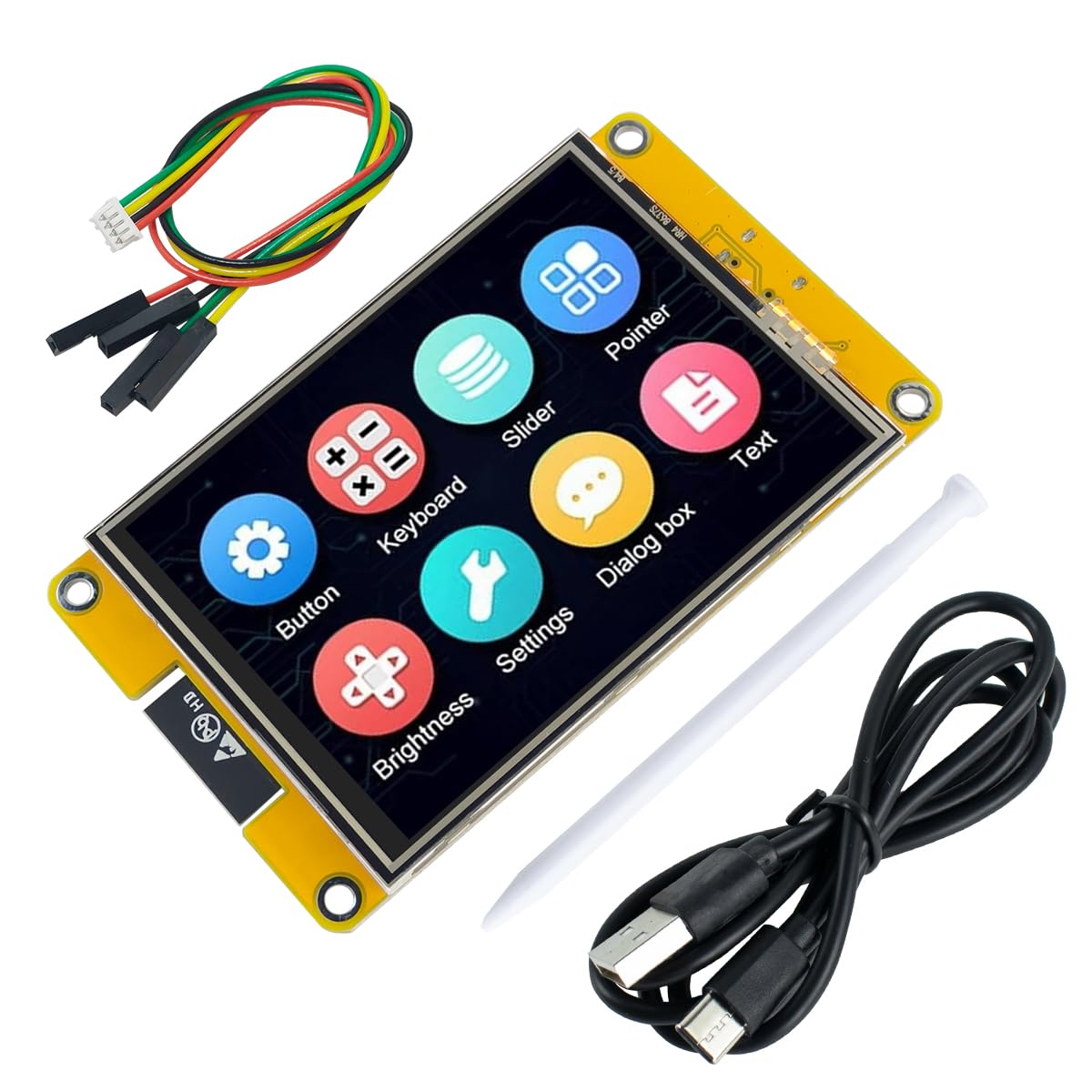
Figure 1: Hosyond 3.2-inch ESP32 LCD Display Resistive Touchscreen Module.
2. Package Contents
Verify that all items listed below are present in your package:
- 1 x Hosyond 3.2-inch ESP32 LCD Display Module
- 1 x Touch Pen
- 1 x USB Cable (Type-A to Type-C)
- 1 x Set of Jumper Wires (for SPI connection)

Figure 2: Contents included with the Hosyond 3.2-inch ESP32 LCD Display module.
3. Setup and Connections
This section details the physical setup and connection points of the ESP32 LCD Display module.
3.1 Module Overview

Figure 3: Front and back views of the module, highlighting the display and main components.
3.2 Interface Connections
The module features several interfaces for power, programming, and peripheral connections:
- Type-C Port: Used for power supply and program download.
- Micro TF Card Slot: For external storage expansion.
- Battery Interface: Supports external lithium battery for portable applications, with built-in charging management.
- SPI Peripheral Interface: For connecting SPI devices.
- I2C Peripheral Interface: For connecting I2C devices.
- UART Interface: For serial communication.
- Speaker Interface: For audio output.
- Extended Input Interface: Additional GPIO pins for custom connections.
- RESET Key: To reset the module.
- BOOT Key: For entering bootloader mode.

Figure 4: Detailed view of the module's back, showing various labeled interfaces.
4. Operating Instructions
The Hosyond ESP32 LCD Display module is designed for use with development environments such as Arduino IDE. It requires specific drivers and libraries for full functionality.
4.1 Initial Programming
- Connect the module to your computer using the provided USB Type-C cable.
- Install the necessary ESP32 board definitions in your Arduino IDE or preferred development environment.
- Install the appropriate display and touch libraries (e.g., TFT_eSPI library, configured for ST7789P3 driver and XPT2046 touch controller). Refer to the manufacturer's online documentation for specific library configurations and pin assignments.
- Upload your desired program to the module via the USB Type-C connection.
4.2 Touchscreen Operation
The module features a resistive touchscreen. Interaction is typically performed by applying light pressure with a finger or the included touch pen. Resistive touchscreens respond to pressure, making them suitable for environments where gloves might be worn or precise input is needed with a stylus.

Figure 5: Example of touchscreen interaction with the module.
4.3 Demonstration Video
Video 1: This video demonstrates the responsiveness and graphical capabilities of the 3.2-inch ESP32 Display Resistive Touchscreen, showing various interactive elements and data visualizations.
5. Maintenance
To ensure the longevity and optimal performance of your Hosyond ESP32 LCD Display module, follow these maintenance guidelines:
- Cleaning: Use a soft, dry cloth to clean the display and module. Avoid abrasive cleaners or solvents.
- Storage: Store the module in a cool, dry environment within the specified storage temperature range (-20 to 70℃).
- Handling: Handle the module by its edges to avoid touching the electronic components or the display surface directly.
- Power: Ensure the power supply voltage is within the specified range (3.0~3.6V) to prevent damage.
6. Troubleshooting
If you encounter issues with your module, consider the following common troubleshooting steps:
- Display Not Lighting Up:
- Check power connections and ensure the USB cable is securely connected.
- Verify that the module is receiving adequate power (3.0-3.6V).
- Confirm that the backlight control circuit is correctly initialized in your code. - Touchscreen Unresponsive:
- Ensure the touch screen driver (XPT2046) is correctly configured and initialized in your software.
- Calibrate the touchscreen if necessary, following instructions in the online documentation.
- For resistive touchscreens, ensure sufficient pressure is applied, possibly using the provided stylus. - Communication Errors (SPI, I2C, UART):
- Double-check all wiring connections for continuity and correct pin assignments.
- Verify that the communication protocols are correctly implemented in your code.
- Consult the manufacturer's online documentation for detailed pinout diagrams and example code. - Module Not Detected by PC:
- Ensure the USB Type-C cable is functional and properly connected.
- Install the necessary USB drivers for the ESP32 module on your computer.
For more detailed troubleshooting guides and community support, refer to the official Hosyond website and online forums.
7. Specifications
7.1 ESP32 Parameters
| Name | Parameter |
|---|---|
| Module | ESP32-32E |
| CPU | ESP32-D0WD-V3, Xtensa dual-core 32-bit LX6 microprocessor |
| Frequency | 240MHz (Max) |
| Memory | 48KB ROM + 520KB SRAM + 16KB RTC SRAM + 4MB external QSPI Flash |
| Wi-Fi | 2.4GHz and 802.11b/g/n modes |
| Bluetooth | V4.2 BR/EDR and Bluetooth LE standards |
| Operating Voltage | 3.0~3.6V |
| Operating Temperature | –40~85℃ |
7.2 LCD Parameters
| Name | Parameter |
|---|---|
| Panel Size | 3.2 inch |
| Panel Type | TFT |
| Resolution | 240xRGBx320 pixels |
| Active Area | 48.60(W)x64.80(H) mm |
| Number of Colors | Max: 262K (RGB666) / Common: 65K (RGB565) |
| Driver IC | ST7789P3 |
| Display Interface | 4-Line SPI (Connects to ESP32) |
| View Angle | ALL 0’CLOCK |
| Backlight Type | White LED*6 |
| Operation Temperature | -10~50℃ |
| Storage Temperature | -20~60℃ |
7.3 Touch Screen Parameters
| Name | Parameter |
|---|---|
| Touch Active Area | 3.2 inch |
| Touch Screen Type | Resistive touch screen |
| Touch Screen Resolution | 240x320 pixels |
| Driver IC | XPT2046 |
| Touch Screen Visual Area | 50.60(W)x66.80(H) mm |
| Communication Interface | SPI |
| Material | ITO film + ITO glass |
| Operation Temperature | -10~60℃ |
| Storage Temperature | -20~70℃ |
7.4 Module Outline Size
| Feature | Dimension |
|---|---|
| Module Outline Size (with Touch Screen) | 55.04(W)x93.70(H)x5.70(D) mm |
8. Warranty and Support
8.1 Warranty Information
This product is provided without an explicit warranty. Please refer to the retailer's return policy for details on product returns or exchanges.
8.2 Technical Support
For technical assistance, detailed online documentation, sample programs, and updated information, please visit the official Hosyond website. The website provides comprehensive resources to help with development and application of the module.