Introduction
This manual provides detailed instructions for the setup, operation, and maintenance of your JEJOT Solar Spot Lights (Model J105 2w4pack). These solar-powered lights are designed for outdoor landscape illumination, offering versatile lighting options and durable performance.
Key features include:
- 2-in-1 Color Temperature Selection: Easily switch between Warm light (3000 Kelvin) and White light (6500 Kelvin).
- 4 Lighting Modes: Two intensity modes (100% and 50%) for both warm and cool light.
- Longer Illumination Time: Intelligent power management maximizes light output duration, especially in 50% mode.
- IP65 Waterproof: Designed to resist rust, corrosion, rain, snow, frost, and sleet.
- High-Efficient & Long-Lasting: Polycrystalline silicon solar panels with up to 20% energy conversion rate and a battery lifespan of up to 5 years.
- 2-In-1 Easy Installation: Can be installed as a landscape light using ground stakes or as a wall light with included screws.
Package Contents
Your JEJOT Solar Spot Lights package includes the following items:
- Solar Spot Lights (4 units for the 4-pack model)
- Ground Stakes (4 units)
- Mounting Screws and Wall Anchors (for wall installation)
- User Manual
Video: Unboxing the JEJOT Solar Spot Lights, showing the contents and initial assembly of the light unit with a ground stake.
Setup and Installation
The JEJOT Solar Spot Lights offer two primary installation methods: ground insertion or wall mounting.
Ground Insertion (Landscape Lighting)
- Stall the Stake: Attach the ground stake to the base of the solar spot light unit.
- Insert into Ground: Choose a location that receives direct sunlight for at least 6-8 hours daily. Firmly insert the assembled light into the ground.
- Turn on Switch and Select Mode: Locate the power button on the light unit. Press it to turn on the light and cycle through the desired lighting mode (color temperature and brightness).
- Adjust Light Angle: Adjust the angle of the light head and solar panel to optimize light direction and solar charging.
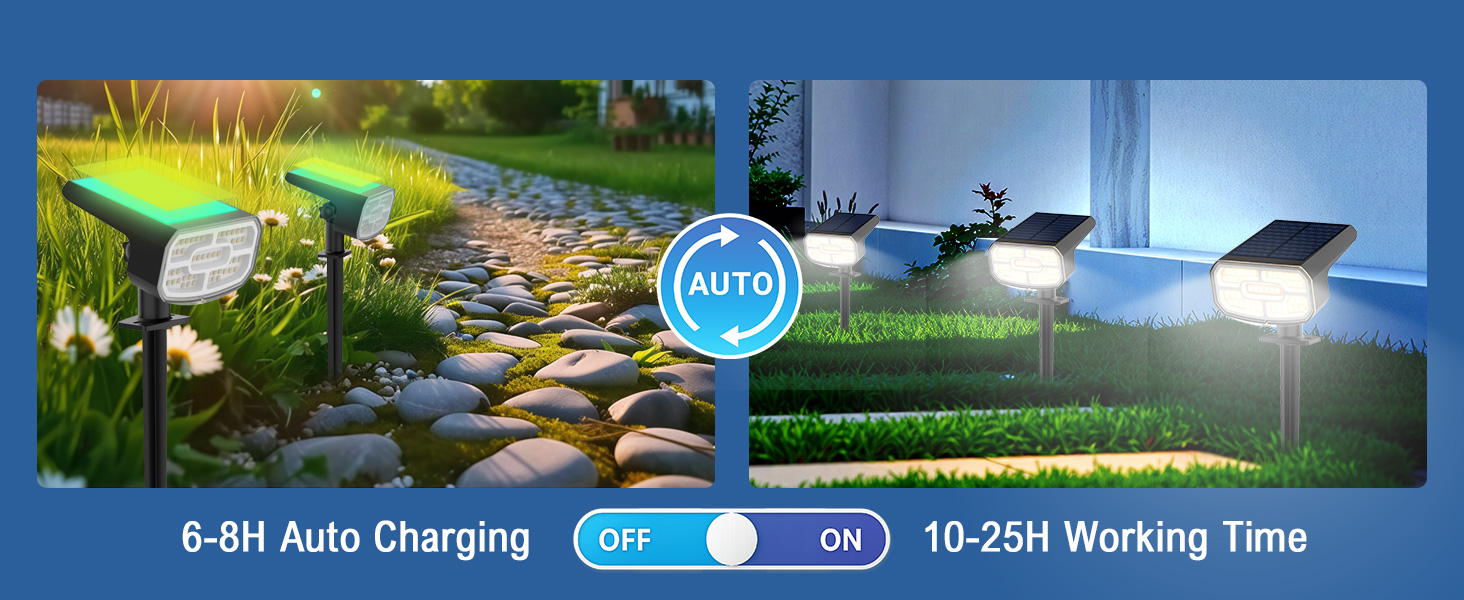
Image: Visual guide for installing the solar spot light using a ground stake for landscape illumination.
Wall Mounted Installation
- Drill Holes and Tap in Anchors: Mark the desired mounting location on the wall. Drill holes and insert the provided wall anchors.
- Screw onto the Wall: Securely attach the light unit to the wall using the provided screws. Ensure the solar panel faces an area with direct sunlight.
- Turn on Switch and Select Mode: Press the power button to activate the light and choose your preferred lighting mode.
- Adjust Light Angle: Adjust the light head to direct illumination as needed.
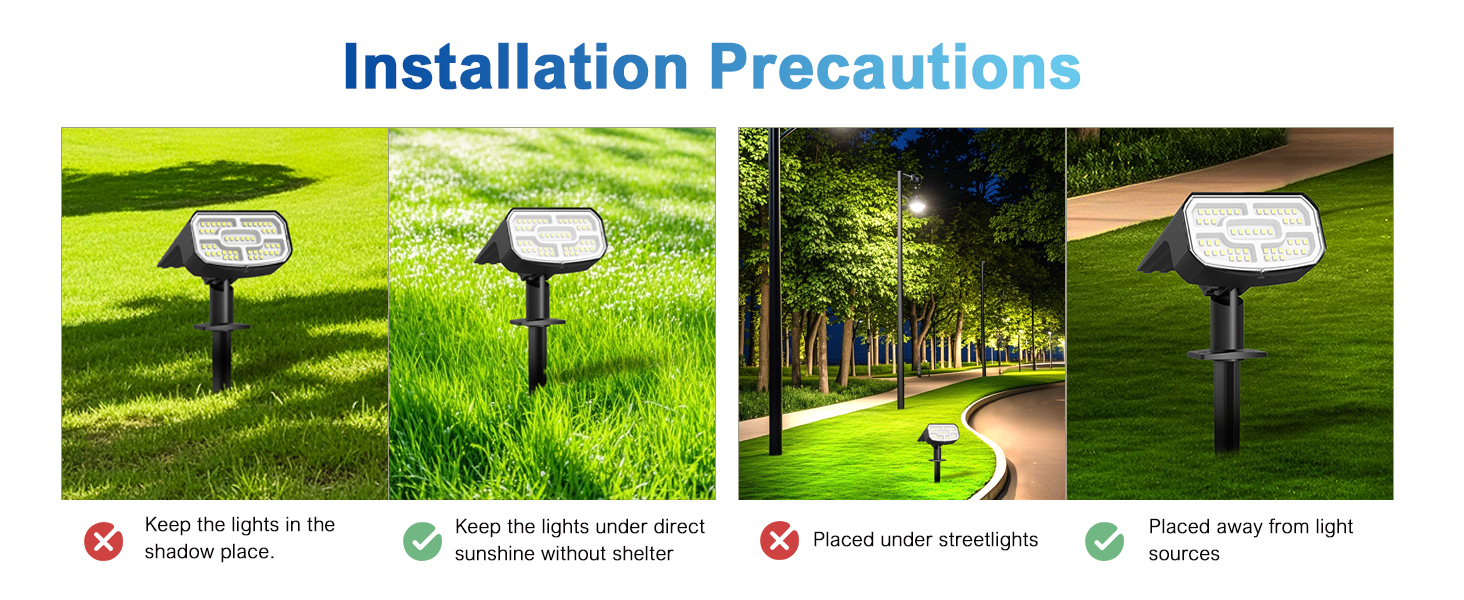
Image: Visual guide for mounting the solar spot light on a wall, detailing the steps from drilling to adjusting the light.
Important Installation Precautions
- Avoid placing lights in shaded areas to ensure maximum solar charging.
- Ensure the solar panel is exposed to direct sunlight without obstruction.
- Do not install under streetlights or other strong light sources, as this may prevent the automatic "on" function at dusk.

Image: Visual representation of correct and incorrect placement for solar spot lights to ensure optimal charging and operation.
Operating Instructions
Your JEJOT Solar Spot Lights are designed for automatic, hassle-free operation.
Automatic On/Off Function
Once activated, the lights will automatically charge during the day (6-8 hours of direct sunlight recommended) and turn on at dusk, providing illumination for 10-25 hours depending on the selected mode and charge level. They will turn off automatically at dawn.
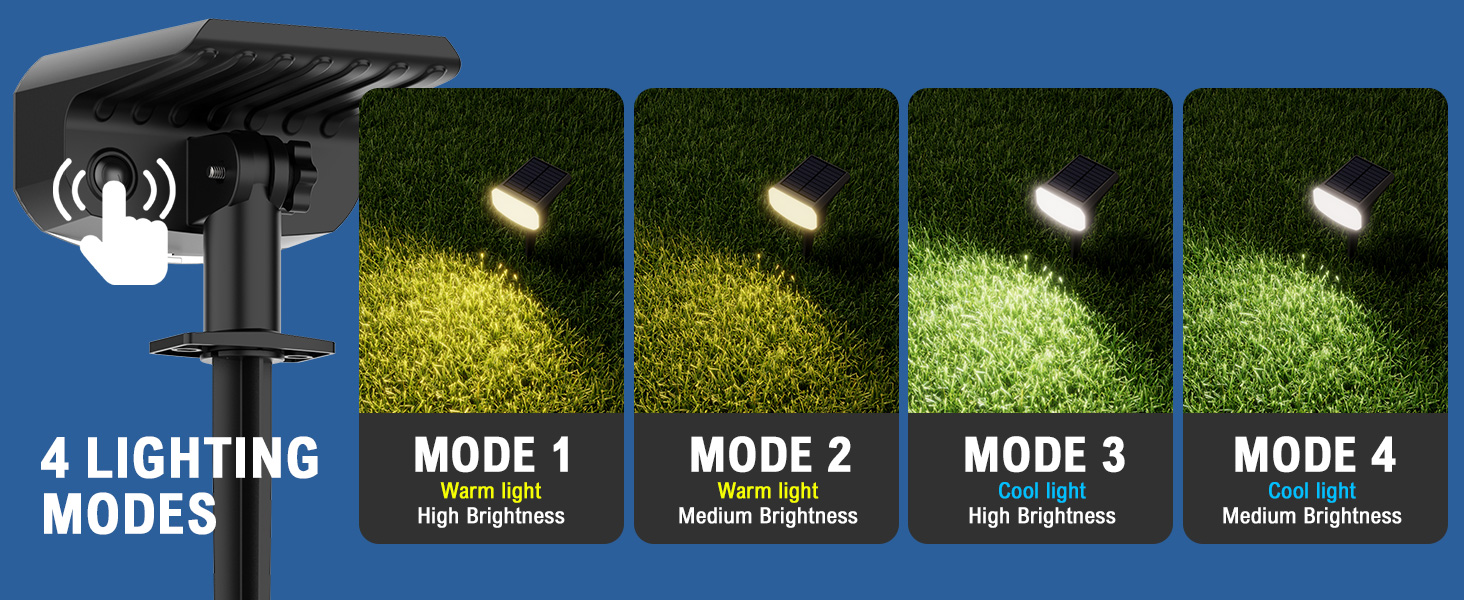
Image: Illustration of the automatic charging during the day and illumination at night cycle.
Color Temperature and Brightness Modes
The lights feature a 2-in-1 color temperature selection and 4 lighting modes:
- Mode 1: Warm Light (3000K) - High Brightness (100%)
- Mode 2: Warm Light (3000K) - Medium Brightness (50%)
- Mode 3: Cool Light (6500K) - High Brightness (100%)
- Mode 4: Cool Light (6500K) - Medium Brightness (50%)
To change modes, press the power/mode button located on the light unit. Each press will cycle through the available modes.

Image: Depicts the four selectable lighting modes: 3000K Yellow Warm (High/Medium) and 6500K Bright White (High/Medium).
Video: A demonstration of the JEJOT solar spot light in various outdoor settings, showcasing its illumination capabilities.
Maintenance
To ensure optimal performance and longevity of your solar spot lights, follow these maintenance guidelines:
- Clean Solar Panel: Regularly wipe the solar panel with a soft, damp cloth to remove dust, dirt, or debris that may hinder charging efficiency.
- Clear Obstructions: Ensure no leaves, snow, or other objects cover the solar panel, especially during winter months.
- Battery Care: The high-quality battery is designed for a lifespan of up to 5 years. No regular battery replacement is needed under normal usage.
Troubleshooting
If your solar spot lights are not functioning as expected, consider the following common issues and solutions:
- Light does not turn on at night:
- Ensure the power button is pressed to activate the light.
- Verify the solar panel is receiving sufficient direct sunlight (6-8 hours) during the day.
- Check for any obstructions (e.g., leaves, shade from trees, nearby artificial lights) blocking the solar panel or light sensor.
- Light duration is shorter than expected:
- Insufficient sunlight exposure during the day can lead to a reduced charge. Relocate the light if necessary.
- Heavy cloud cover or shorter winter days may naturally reduce charging efficiency and illumination time.
- Ensure the solar panel is clean and free of debris.
- Consider using the 50% brightness mode for extended illumination.
- Light flickers or is dim:
- This may indicate a low battery charge. Allow the light to charge for a full day in direct sunlight.
- Ensure connections are secure if any assembly was required.
Specifications
| Feature | Detail |
|---|---|
| Brand | JEJOT |
| Model Name | 2wSolar Spot Light (J105 2w4pack) |
| Color | 2CCT-Warm&Cool |
| Material | Acrylonitrile Butadiene Styrene |
| Style | Modern |
| Light Fixture Form | Spotlight |
| Product Dimensions | 4.13"L x 4.33"W x 12.01"H |
| Specific Uses For Product | Outdoor use only |
| Indoor/Outdoor Usage | Outdoor |
| Power Source | Solar Powered |
| Installation Type | Flush Mount / Ground Stake |
| Special Feature | Cordless |
| Control Method | Touch (Button) |
| Light Source Type | Energy Efficient LED |
| Finish Type | Painted |
| Number of Light Sources | 96 |
| Voltage | 3.2 Volts |
| Light Color | Warm White (3000K), Cool White (6500K) |
| Included Components | Ground Stakes, Screws |
| Water Resistance Level | Waterproof (IP65) |
| Brightness | Up to 200 Lumen |
| Efficiency | High (20% energy conversion rate) |
| Battery Lifespan | Up to 5 years (2000 Cycles) |
Warranty and Support
JEJOT provides a Five Years Limited Warranty for this product, ensuring long-term reliability and customer satisfaction. For any inquiries, technical assistance, or warranty claims, please refer to the contact information provided in your product packaging or visit the official JEJOT store online.
For further assistance, you may visit the JEJOT Store.


