Introduction
This manual provides detailed instructions for the safe installation, operation, and maintenance of your Parrot Uncle 60-inch black farmhouse ceiling fan with integrated lights and remote control. Please read this manual thoroughly before installation and retain it for future reference. Proper installation and adherence to these instructions will ensure optimal performance and safety.
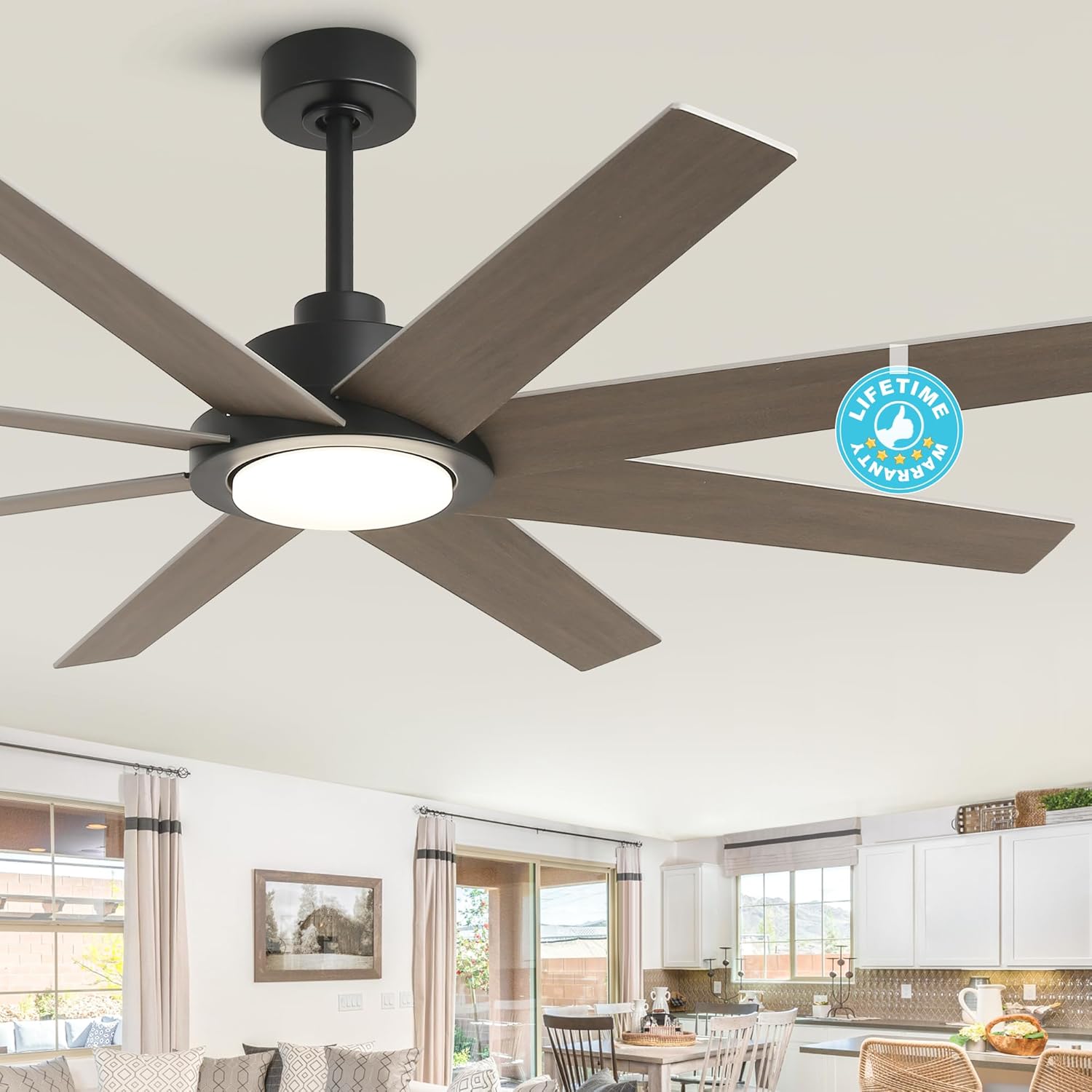
Image: The Parrot Uncle 60-inch black farmhouse ceiling fan, featuring eight wood-grain blades and an integrated LED light, installed in a contemporary living space.
Safety Information
- Always turn off power at the circuit breaker before installation or servicing.
- Ensure all electrical connections comply with local codes and ordinances. If you are unfamiliar with electrical wiring, consult a qualified electrician.
- The fan must be mounted to a ceiling joist or support structure capable of supporting a minimum of 35 lbs (15.9 kg).
- Keep hands, clothing, and other objects clear of the fan blades when the fan is operating.
- Do not attempt to repair or replace parts unless specifically instructed in this manual. Contact customer service for assistance.
- This fan is suitable for indoor and covered outdoor use. Do not expose to direct water spray.
Package Contents
Verify that all components are present before beginning installation:
- Ceiling Fan Assembly
- Light Kit
- Remote Control
- Downrods (5-inch and 10-inch options)
- Mounting Hardware
- Instruction Manual
Setup and Installation
Installation of this ceiling fan is designed to be straightforward. It is recommended to have two people for installation.
- Prepare the Mounting Location: Ensure the power is off at the circuit breaker. Securely attach the mounting bracket to a ceiling joist or a UL-listed outlet box capable of supporting the fan's weight.
- Assemble the Fan: Attach the fan blades to the motor housing. Connect the chosen downrod (5-inch or 10-inch) to the fan motor and canopy.
- Wire the Fan: Carefully follow the wiring diagrams provided in the separate wiring guide (if applicable) or the included quick start guide. Connect the fan's electrical wires to the household wiring.
- Mount the Fan: Lift the fan assembly and hang it from the mounting bracket. Secure the canopy to the mounting bracket.
- Install the Light Kit: Connect the light kit wiring and attach the light kit to the bottom of the fan motor housing.

Image: A person installing a ceiling fan, demonstrating the ease of the installation process.
Wall Switch Compatibility
This fan is compatible with conventional wall switches for basic on/off control of the fan and light. It is not compatible with dimmer switches or fan speed switches, as these functions are controlled by the included remote.

Image: Illustration detailing compatible standard wall switches and incompatible dimmer/speed control switches for the fan.
Operating Instructions
Your ceiling fan is operated using the included multi-function remote control.
Remote Control Functions

Image: A close-up view of the multi-function remote control, highlighting buttons for fan ON/OFF, speed adjustment, light ON/OFF, color temperature adjustment, light dimming, and a 2-hour timer. A CR2032 Lithium Battery is included.
- Fan ON/OFF: Press the fan icon button to turn the fan on or off.
- Fan Speed Adjustment: Use the '+' and '-' buttons next to the fan icon to cycle through 6 fan speeds.
- Light ON/OFF: Press the light bulb icon button to turn the light on or off.
- Light Dimmer: Use the '+' and '-' buttons next to the light bulb icon to adjust the brightness of the LED light.
- Color Temperature Adjustment: Press the button with the sun icon to cycle through 3 color temperatures: 3000K (Warm White), 4500K (Natural Light), and 6000K (White Light).
- Reversible Rotation: Press the forward/reverse button (circular arrows) to change the direction of the fan blades. This function is used to optimize air circulation for different seasons.
- Timer: Press the '2h' button to set a 2-hour timer for the fan to automatically turn off.
Fan Speed Settings

Image: Visual representation of the 6 fan speed settings: 1-2 for low wind (sleep comfort), 3-4 for medium wind (relaxing), and 5-6 for high wind (cooling).
Reversible DC Motor Function
The reversible DC motor allows for year-round use:
- Summer Mode (Clockwise Rotation): Creates a downdraft, producing a cooling breeze.
- Winter Mode (Counter-clockwise Rotation): Creates an updraft, circulating warm air trapped near the ceiling, helping to distribute heat more evenly.

Image: Illustration demonstrating the reversible rotation feature for summer (downdraft) and winter (updraft) modes, alongside an indicator for whisper-quiet operation (below 40dB).
LED Light Features
The integrated LED light offers customizable illumination:
- Dimmable: Adjust brightness from 0% to 100% to suit your preference.
- Color Temperature Adjustable: Choose between 3000K (Warm White), 4500K (Natural Light), and 6000K (White Light) to match your room's ambiance.
- Energy-Efficient: Consumes a maximum of 22W, providing 2200 lumens.

Image: Visual guide to the dimmable LED light, showcasing the three adjustable color temperatures (Warm, Natural, White) and a brightness scale from 0% to 100%.
Maintenance
Regular maintenance ensures the longevity and optimal performance of your ceiling fan.
- Cleaning: To clean the fan, wipe with a soft, damp cloth. Do not use abrasive cleaners or solvents, as these may damage the finish or electrical components.
- Blade Cleaning: Dust the fan blades regularly to prevent dust buildup, which can affect fan balance and performance.
- Tighten Fasteners: Periodically check and tighten all screws and fasteners on the fan and mounting bracket to ensure secure operation.
- Light Kit: The integrated LED module is designed for long life and is not user-replaceable. If the light fails, contact customer service.
Troubleshooting
Refer to the following table for common issues and their solutions.
| Problem | Possible Cause | Solution |
|---|---|---|
| Fan does not start | No power to the fan; Loose wire connections; Remote control battery dead. | Check circuit breaker; Verify all wire connections are secure; Replace remote control battery (CR2032). |
| Light does not work | No power to the light; Loose wire connections; Integrated LED module failure. | Check circuit breaker; Verify light kit wire connections; Contact customer service if LED module is faulty. |
| Fan wobbles | Loose blades or mounting hardware; Unbalanced blades. | Ensure all blade screws and mounting screws are tight; Use a balancing kit (not included) if necessary. |
| Remote control not working | Battery dead; Remote not paired with fan. | Replace CR2032 battery; Refer to remote pairing instructions (usually involves pressing a button on the remote within a few seconds of turning on fan power). |
Specifications

Image: Detailed fan dimensions including 60-inch width, 12.8-inch height (without downrod), and a table listing motor power, motor type, max speed, light power, downrod length options, and mount type.
| Feature | Specification |
|---|---|
| Model Number | F6387110V |
| Size | 60 Inch |
| Color | Black |
| Material | Engineered Wood, Iron |
| Motor Type | DC Motor |
| Motor Power | 36 watts |
| Motor Max Speed | 145 RPM |
| Air Flow Capacity | 8000 Cubic Feet Per Minute |
| Number of Blades | 8 |
| Light Source Type | Integrated LED |
| Light Power | Max 22 watts |
| Brightness | 2200 lumens |
| Color Temperature | 3000K/4500K/6000K (Adjustable) |
| Voltage | 120 Volts |
| Installation Type | Flush Mount (with included 5" or 10" downrods) |
| Control Method | Remote Control |
| Indoor/Outdoor Usage | Indoor, Covered Outdoor |
| Item Weight | 17 Pounds |
| Certification | ETL |
Warranty and Support
Parrot Uncle offers comprehensive support for your product:
- 30-Day Return/Replacement: Enjoy a 30-day no-worry return and replacement service from the date of purchase.
- One-Year Free Replacement Parts: A one-year free replacement parts service is provided for any defective components.
- Lifetime Professional Customer Service: Lifetime professional customer service is available to assist with any questions or issues you may encounter.
- Motor Warranty: The DC motor is covered by a lifetime warranty.
- Whole Fan Warranty: The entire fan assembly (excluding the motor) is covered by a 3-year warranty.
For any inquiries or support, please contact Parrot Uncle customer service.

Image: A visual summary of the product's warranty, indicating 3 years for the whole fan, lifetime for the motor, and lifetime after-sales service.


