
Introduction
This manual provides instructions for the SZPOWER 6-Head Solar Flood Lights Outdoor, Model SZC10AS6-TY. These waterproof solar lights feature 310 LED beads, dual motion sensors, and remote control for adjustable brightness and three lighting modes, designed for outdoor use in yards, patios, and driveways. Please read this manual thoroughly before installation and use to ensure optimal performance and safety.
What's in the Box

Image: Product details showing the solar light unit and included accessories.
- SZPOWER 6-Head Solar Motion Light (2 units)
- Remote Control (2 units)
- Plastic Plugs (for mounting)
- Installation Screws (for mounting)
- Mounting Bracket (2 units)
- Instruction Manual
Key Features
- 6000LM Super Brightness: Equipped with 310 super bright LED beads, providing 6000 lumen high brightness and 6500K white daylight.
- Adjustable Brightness: 3-level adjustable brightness (100%/60%/30%) to suit various needs.
- 6 Adjustable Heads & 360° Wide Angle Lighting: Six rotatable light heads offer comprehensive 360° wide-angle illumination, covering dark corners.
- Upgraded Dual Motion Sensors: Two PIR motion sensors detect movement within 32 feet and across a 180° range, responding quickly to people, vehicles, or animals.
- 3 Lighting Modes & Remote Control: Easily switch between three lighting modes using the included remote control.
- Long Working Time: Built-in 2200mAh high-capacity rechargeable battery and high-efficiency solar panel provide up to 14 hours of light on full charge (up to 36 hours on low brightness).
- Easy Installation: Simple installation with only 2 screws, no complex wiring required.
- IP65 Waterproof: Designed to withstand all weather conditions for reliable outdoor performance.

Image: Overview of the 6-head solar light providing wide illumination.

Image: Illustration of the dual motion sensor design and detection range.
Installation Guide
- Choose Location: Select an outdoor location that receives direct sunlight for at least 6-8 hours daily to ensure proper charging of the solar panel. The recommended installation height is 4.92-8.2 ft (1.5-2.5 meters) above ground level for optimal motion sensor performance.
- Mark Drill Holes: Use the mounting bracket as a template to mark the positions for drilling holes on the wall or desired surface.
- Drill Holes: Drill two holes at the marked positions. Insert the plastic expansion plugs into the drilled holes.
- Attach Bracket: Secure the mounting bracket to the wall using the provided screws.
- Mount Light: Slide the solar light fixture onto the secured mounting bracket. Ensure it is firmly attached.
- Adjust Light Heads: Adjust the six rotatable light heads and the solar panel to your desired angles for optimal illumination and sun exposure.

Image: Easy installation steps for the solar light.

Image: Solar panel charging and automatic night operation.
Installation Video
Video: Official product video demonstrating the features and installation of the SZPOWER 6-Head Solar Lights Outdoor with 2 Motion Sensors.
Operating Instructions
The SZPOWER solar lights can be operated using the included remote control. Ensure the remote has a clear line of sight to the light fixture for effective communication.
Lighting Modes:
- Mode 1 (Motion Sensor Mode): The light remains OFF until motion is detected. Upon detection, it illuminates at 100% brightness for 20 seconds, then turns OFF again.
- Mode 2 (Dim Light Sensor Mode): The light stays at 3% brightness. When motion is detected, it brightens to 100% for 20 seconds, then returns to 3% brightness.
- Mode 3 (Always On Mode): The light turns on automatically at night and maintains 10% brightness throughout the night.
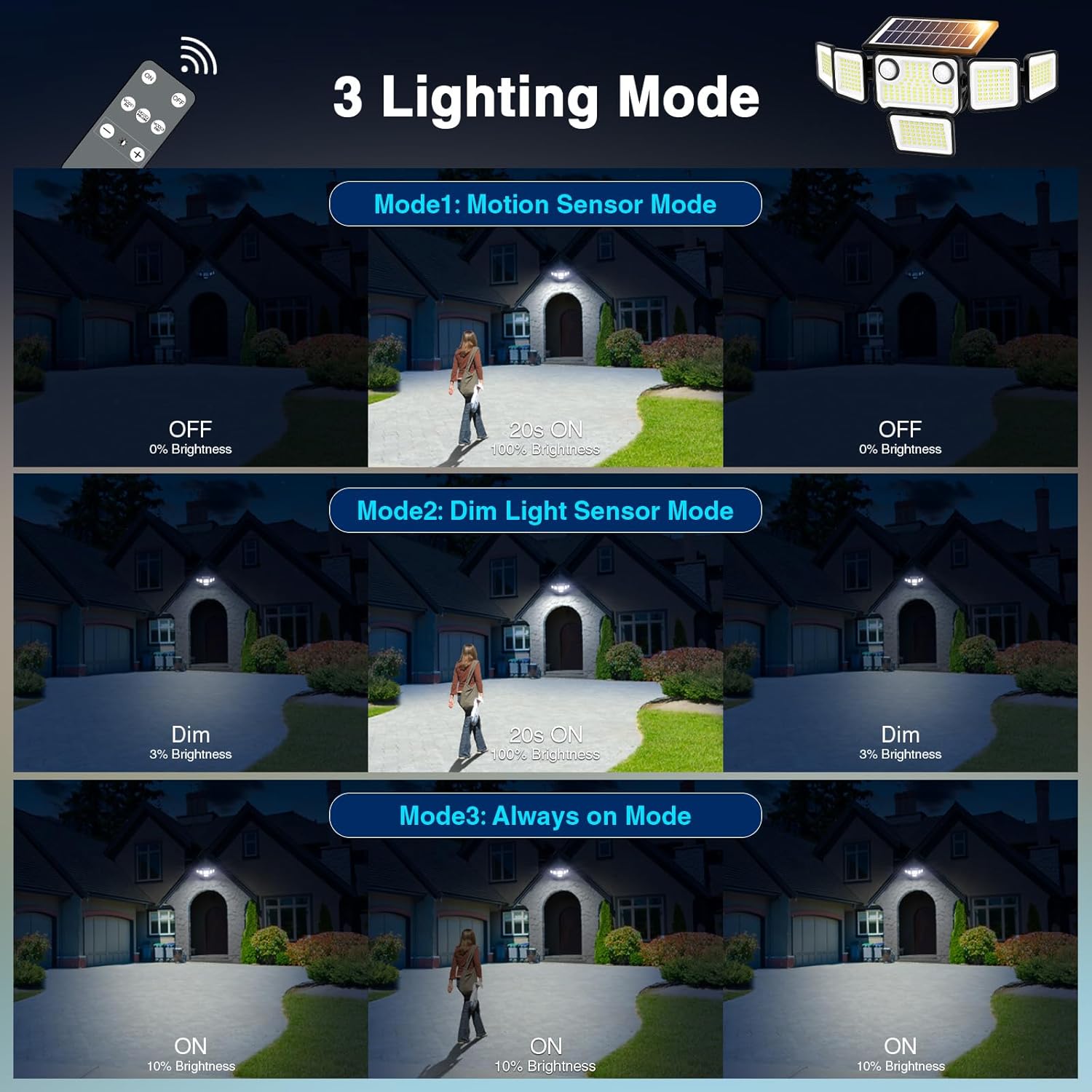
Image: Visual representation of the three distinct lighting modes.
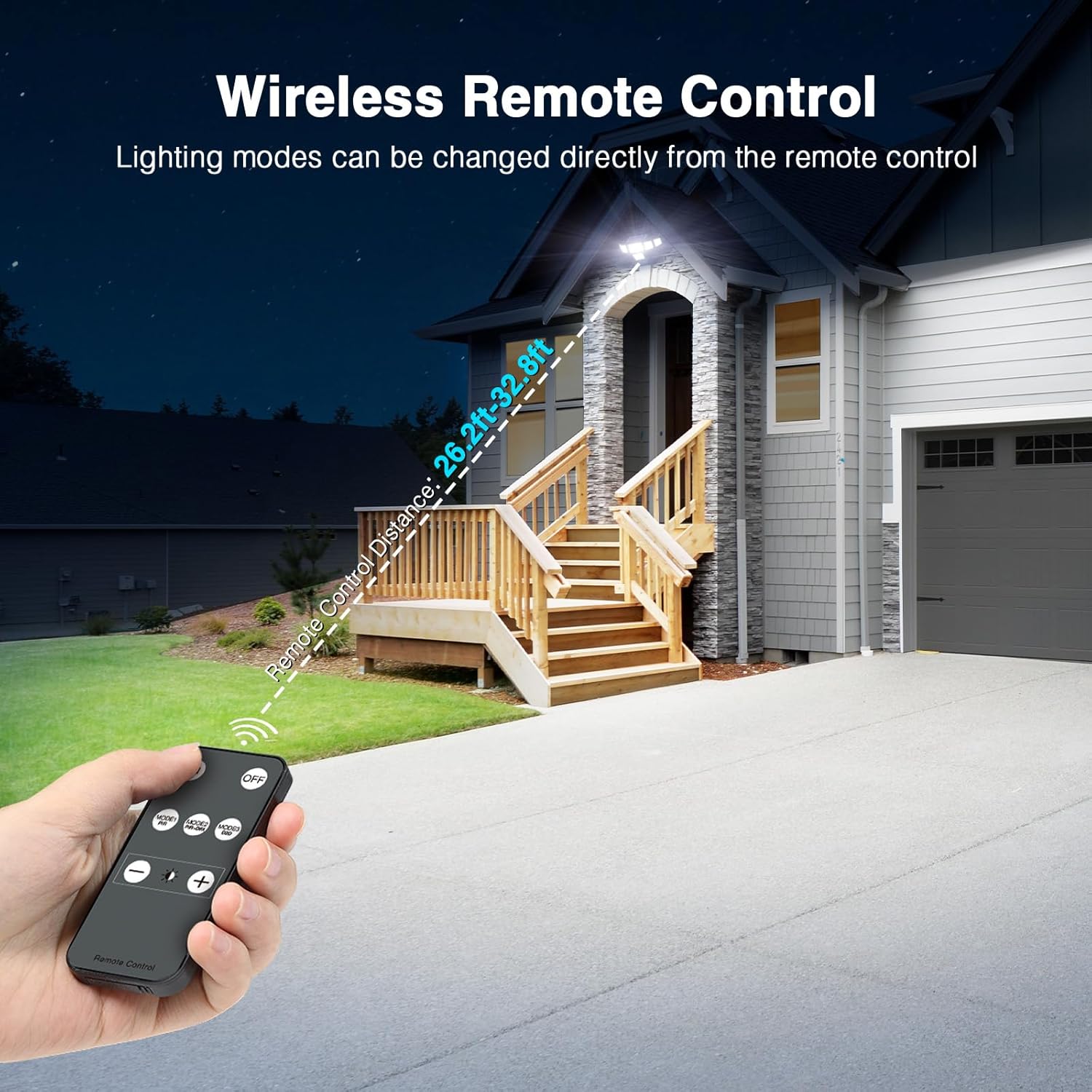
Image: Remote control functionality for changing lighting modes.
Brightness Adjustment:
In addition to selecting modes, you can adjust the brightness levels (100%, 60%, or 30%) using the remote control buttons.

Image: Demonstrating the three adjustable brightness levels.
Maintenance
- Clean Solar Panel: Regularly wipe the solar panel with a soft, damp cloth to remove dust, dirt, or debris. A clean panel ensures maximum sunlight absorption and efficient charging.
- Check for Obstructions: Ensure no trees, bushes, or other objects are blocking direct sunlight from reaching the solar panel, especially during peak charging hours.
- Inspect for Damage: Periodically check the light fixture for any physical damage, loose components, or signs of wear.
- Battery Care: The built-in rechargeable battery is designed for long-term use. Avoid prolonged storage in a completely discharged state. If storing for an extended period, ensure the battery is fully charged.
- Waterproof Rating: The light has an IP65 waterproof rating, meaning it is protected against dust and low-pressure water jets. While durable, avoid submerging the unit in water.
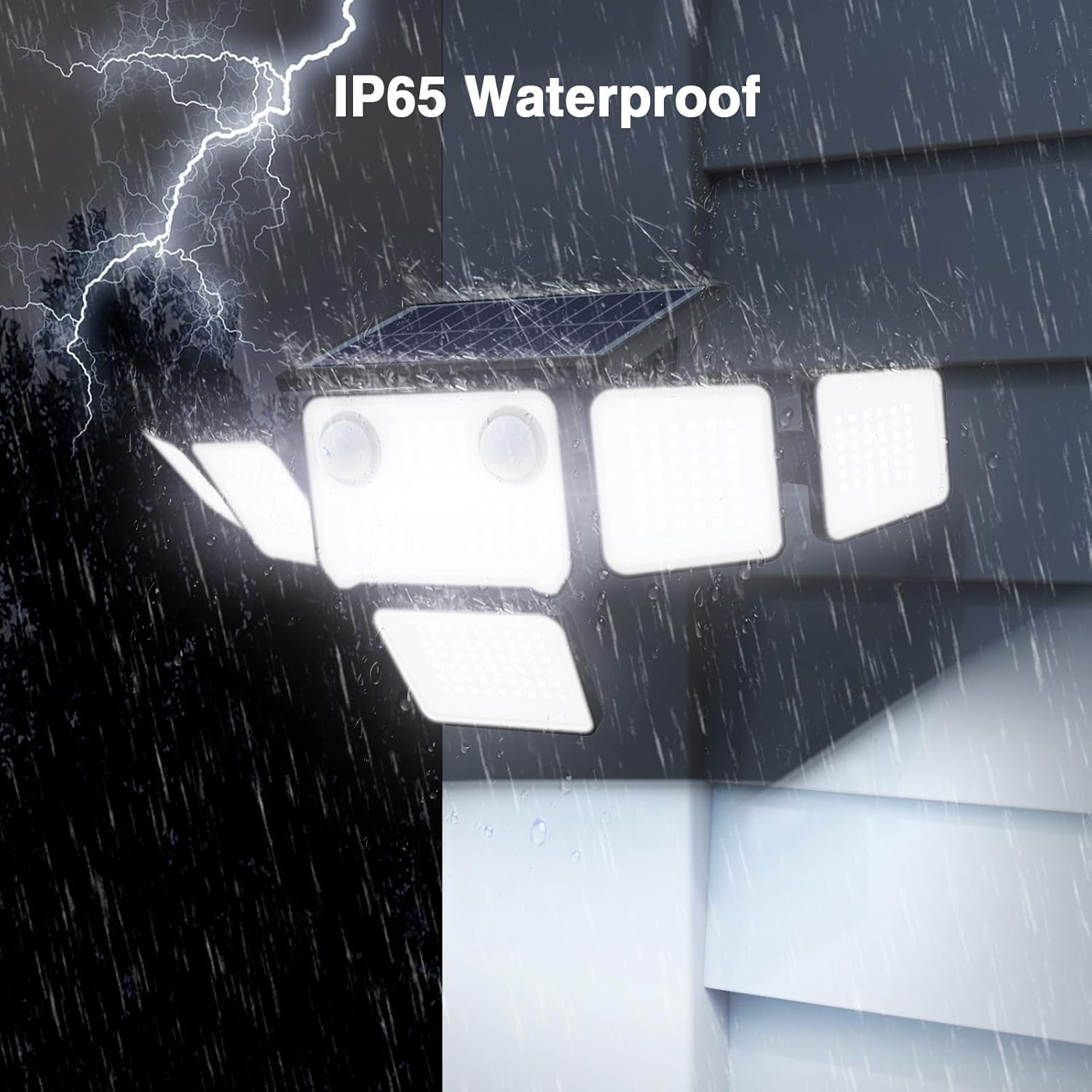
Image: The solar light demonstrating its IP65 waterproof capability during rain.
Troubleshooting
| Problem | Possible Cause | Solution |
|---|---|---|
| Light does not turn on at night. |
|
|
| Light stays dim or turns off too quickly. |
|
|
| Motion sensor is not detecting movement. |
|
|
| Remote control is not working. |
|
|
Specifications
| Brand | SZPOWER |
| Model Number | SZC10AS6-TY |
| Light Source | LED (310 beads) |
| Brightness | 6000 Lumen |
| Light Color | Cool White (6500K) |
| Power Source | Solar Powered |
| Battery Capacity | 2200mAh |
| Motion Sensor Range | 32 feet, 180° |
| Water Resistance Level | IP65 Waterproof |
| Control Method | Remote Control |
| Material | Plastic |
| Item Dimensions (L x W x H) | 14.44"L x 7.87"W x 5.39"H |
| Item Weight | 1.09 Kilograms |
| Installation Type | Wall Mount |
Warranty & Support
This SZPOWER product comes with a 1-year manufacturer's warranty. For any questions, technical support, or warranty claims, please contact SZPOWER customer service through the retailer where the product was purchased.
For further assistance, please refer to the contact information provided on the product packaging or the official SZPOWER website.