Introduction
Thank you for choosing the Realmate 42 Inch Ceiling Fan with Lights and Remote. This manual provides detailed instructions for the safe installation, operation, and maintenance of your new ceiling fan. Please read this manual thoroughly before installation and retain it for future reference.
This ceiling fan features a 42-inch diameter, a flush mount design, a quiet 6-speed reversible DC motor, and an integrated LED light with 3 color temperatures (3CCT) and dimming capabilities. It is designed for indoor use in living rooms, bedrooms, kitchens, and covered outdoor areas like patios and porches. Note: This product is not waterproof and should not be installed in open-air environments.
Safety Information
- Always turn off power at the circuit breaker before installation or servicing.
- All wiring must be in accordance with national and local electrical codes.
- Consult a qualified electrician if you are unsure about wiring procedures.
- Ensure the installation location can support the fan's weight (approximately 17 pounds).
- Keep hands, clothing, and other objects clear of the fan blades when the fan is operating.
- Do not use the fan in areas exposed to water or excessive humidity.
- This fan is designed for indoor and covered outdoor use only.
Package Contents
Verify that all components listed below are present before beginning installation:
- Ceiling Fan Motor Assembly
- Fan Blades (5 pieces, dual-color: Black and Walnut Wood finish)
- LED Light Kit
- Remote Control with Wall Mount Bracket
- Mounting Hardware (screws, wire nuts, etc.)
- Instruction Manual
- AAA Batteries (2 pieces for remote)

Image: All components included with the Realmate 42 Inch Ceiling Fan, showing the main fan unit, remote control, wall mount bracket, and reversible fan blades (black and wood grain sides).
Setup and Installation
Important: Before starting, ensure the power supply is disconnected at the main circuit breaker to prevent electrical shock.
- Prepare the Mounting Location: Ensure the ceiling junction box is securely mounted and capable of supporting the fan's weight. It is recommended to use a UL-listed outlet box marked "Acceptable for Fan Support."
- Install the Mounting Bracket: Attach the mounting bracket to the ceiling junction box using the provided screws and washers. Ensure it is firmly secured.
- Wire the Fan: Connect the fan's electrical wires to the household wiring according to the wiring diagram in the detailed instruction manual. Typically, this involves connecting the ground, neutral, and live wires. Ensure all connections are secure with wire nuts.
- Attach the Fan Body: Carefully lift the fan motor assembly and attach it to the mounting bracket. Secure it with the designated screws.
- Install the Fan Blades: Attach the five fan blades to the motor housing. The blades are dual-colored (black and walnut wood finish), allowing you to choose the desired aesthetic. Ensure all screws are tightened securely.
- Install the LED Light Kit: Connect the light kit wires to the fan's light wires and secure the light kit to the fan body.
- Restore Power: Once installation is complete and all connections are checked, restore power at the circuit breaker.
For detailed visual guidance, refer to the installation videos provided by the manufacturer (if available on the product page or manufacturer's website). It is often helpful to have a second person assist during the mounting phase.

Image: Diagram illustrating the dimensions of the 42-inch ceiling fan, showing a 7.8-inch distance from ceiling to blade and a total height of 11.5 inches from top to bottom.

Image: Close-up view of the dual-sided fan blades, highlighting the black and walnut wood finish options for customization.
Operating Instructions
Your Realmate ceiling fan is operated using the included remote control. Install the two AAA batteries into the remote before use.
Remote Control Functions:

Image: Detailed view of the remote control, showing buttons for Light ON/OFF, Fan Speed (1-6), Fan OFF, Day Light, Warm Light, Cool Light, Sleep Mode, Forward/Reverse, 1H/3H/6H Timer, and Light Brightness +/-. A wall mount bracket is also shown.
- Light ON/OFF: Press the "Light ON" or "Light OFF" buttons to control the light.
- Fan Speed (1-6): Use buttons "1" through "6" to select the desired fan speed.
- Speed 1-2: Soft Wind
- Speed 3-4: Natural Wind
- Speed 5-6: Strong Wind
- Fan OFF: Press the central power button to turn the fan off.
- Color Temperature (3CCT):
- WW (Warm White): 3000K
- NW (Natural White): 4200K
- DW (Cool White): 6500K
- Light Brightness +/-: Use the "+" and "-" buttons to adjust the light brightness from 20% to 100%.
- Forward/Reverse: Press this button to change the fan's rotation direction.
- Summer Mode (Downdraft): Blades rotate counter-clockwise, pushing air downwards to create a cooling effect.
- Winter Mode (Updraft): Blades rotate clockwise, pulling air upwards to circulate warm air.
- Timer (1H/3H/6H): Set the fan to turn off automatically after 1, 3, or 6 hours.
- Sleep Mode: Activates a gentle, quiet fan setting suitable for sleeping.
Smart Memory Function:
The fan features a smart memory function. If the fan is powered off for more than 10 seconds and then restarted, it will automatically restore the previous settings for color temperature, brightness, and fan speed. This function does not activate during quick restarts within 10 seconds.
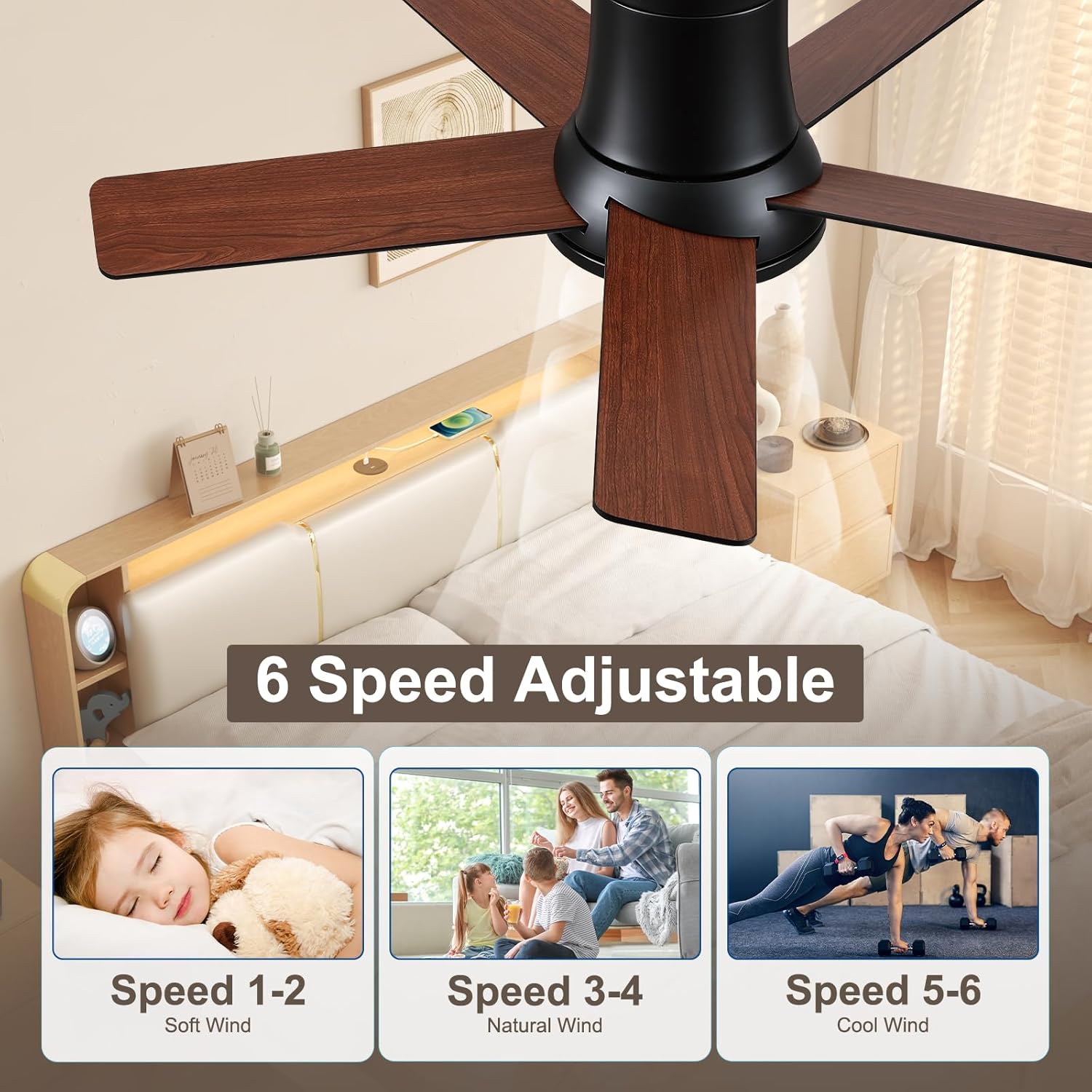
Image: Visual representation of the fan's 6-speed settings, categorized into Soft Wind (speeds 1-2), Natural Wind (speeds 3-4), and Cool Wind (speeds 5-6).

Image: Display of the fan light's three color temperature options (3000K Warm, 4200K Natural, 6500K Cool) and its 20-100% dimmable range, from 180 LM to 2000 LM.

Image: Illustration of the reversible motor, showing updraft mode for winter (circulating warm air upwards) and downdraft mode for summer (creating a cooling breeze downwards).
Maintenance
- Cleaning: To clean the fan, wipe with a soft, damp cloth. Do not use abrasive cleaners or solvents. Ensure power is off before cleaning.
- Blade Care: Periodically check fan blade screws for tightness. Loose blades can cause wobbling and noise.
- Light Source: The integrated LED light source is designed for long life and is not user-replaceable. If the light fails, contact customer support.
- Remote Control: Replace AAA batteries in the remote control when its range decreases or it stops responding.
Troubleshooting
| Problem | Possible Cause | Solution |
|---|---|---|
| Fan does not start | No power to the fan; loose wire connections; remote control issues. | Check circuit breaker. Ensure all wire connections are secure. Replace remote batteries. Ensure remote is paired (if applicable, though this model states no pairing needed). |
| Fan is noisy | Loose fan blades; mounting screws not tight; motor issues. | Tighten all blade screws. Ensure mounting bracket screws are secure. If noise persists, contact support. |
| Light does not work | Loose wire connection to light kit; LED failure; remote control issues. | Check light kit wiring. Replace remote batteries. If LED is faulty, contact support. |
| Remote control not working | Dead batteries; remote out of range; receiver issue. | Replace batteries. Ensure you are within range. If issue persists, contact support (a review mentioned a defective receiver/transmitter, suggesting this is a possible component failure). |
| Fan wobbles | Loose blades; unbalanced blades; loose mounting. | Ensure all blade screws are tight. Check mounting bracket. Use a balancing kit if necessary (not included, but general fan troubleshooting). |
Specifications
- Model Name: DY1249X-5B/42
- Brand: Realmate
- Size: 42 Inch
- Product Dimensions: 42"D x 42"W x 11.5"H
- Color: Black (with reversible Black/Walnut Wood blades)
- Number of Blades: 5
- Motor Type: Brushless DC Motor
- Speed Settings: 6
- Air Flow Capacity: 3203 Cubic Feet Per Minute (CFM)
- Noise Level: 32 Decibels
- Wattage: 30 watts
- Voltage: 120 Volts
- Light Type: Integrated Dimmable LED
- Color Temperatures (CCT): 3000K (Warm White), 4200K (Natural White), 6500K (Cool White)
- Brightness Adjustment: 20%-100% Stepless Dimming
- Control Method: Remote Control
- Special Features: Reversible Motor, Smart Memory Function, Timer (1H/3H/6H), Sleep Mode
- Indoor/Outdoor Usage: Indoor and Covered Outdoor (Not waterproof)
- Certification: ETL Listed
- Item Weight: 17 Pounds
- Batteries: 2 AAA batteries (included)
Warranty and Support
Warranty: All Realmate products come with a 1-year warranty from the date of purchase. This warranty covers manufacturing defects and ensures the product functions as intended under normal use.
Customer Support: Our dedicated 24/7 customer service and technical support team is available to assist you with any questions or issues. We guarantee responses within 24 hours.
For assistance, please visit the Realmate store on Amazon or contact us through the platform where you purchased the product. You can also refer to the brand's official website for contact information.
FAQs:
- Design & Manufacturing: Realmate ensures global supply chain stability and trend-forward innovation in product design and manufacturing.
- Safety & Quality: Products are ISO-certified, ETL safety-approved, and fully compliant with DoE energy-efficiency standards, ensuring both safety and energy conservation.
- Professional Guidance: Our 7x24 exclusive service team offers one-on-one professional guidance for pre-purchase consultation and post-installation maintenance.