
Introduction
Thank you for choosing the Superun BA04 2-in-1 Walking Pad Treadmill. This innovative fitness equipment is designed to provide a versatile workout experience, functioning as both a walking pad and a traditional treadmill. Its compact design makes it ideal for home and office use, allowing you to stay active while working or relaxing. Please read this manual thoroughly before initial use to ensure proper setup, safe operation, and optimal performance of your device.
Important Safety Instructions
To reduce the risk of electric shock, fire, and serious injury, read the following important precautions and information before operating the treadmill.
- Always place the treadmill on a solid, level surface. Do not use it on thick carpets or uneven surfaces.
- Keep children and pets away from the treadmill during operation.
- Ensure there is adequate clear space (at least 2 meters) behind the treadmill for safety.
- Wear appropriate athletic footwear while using the treadmill.
- Do not use the treadmill if you weigh more than the maximum recommended weight capacity of 250 lbs (113 kg).
- Always hold onto the handrails (if applicable) when starting or stopping the treadmill.
- In case of emergency, press the stop button immediately or pull the safety key.
- Unplug the treadmill from the power outlet when not in use, before cleaning, and before performing any maintenance.
- Do not operate the treadmill if it has a damaged cord or plug, if it is not working properly, or if it has been dropped or damaged.
Package Contents
Please check the box for the following items. If any parts are missing or damaged, contact Superun customer support immediately.
- Superun BA04 Walking Pad Treadmill
- Power Cord
- Remote Control
- User Manual (this document)
- Lubricant Oil (for belt maintenance)
- Hex Wrench (for belt adjustment)
Setup Instructions
- Unpacking: Carefully remove the treadmill and all components from the packaging. Place the treadmill on a flat, stable surface.
- Placement: Ensure the treadmill is placed on a hard, level surface, away from direct sunlight and heat sources. Maintain at least 2 meters of clear space behind the treadmill.
- Power Connection: Connect the power cord to the treadmill's power input port, then plug the other end into a grounded electrical outlet.
- App Download and Activation: The Superun BA04 requires activation via the PitPat app.
- Download the "PitPat" app from your smartphone's app store (iOS or Android).
- Follow the in-app instructions to create an account and pair your Superun BA04 treadmill. This step is crucial for unlocking the treadmill's full functionality.
- If you encounter issues with activation, please refer to the troubleshooting section or contact customer support.
- Remote Control Preparation: Insert two AAA batteries (not included) into the remote control, ensuring correct polarity.
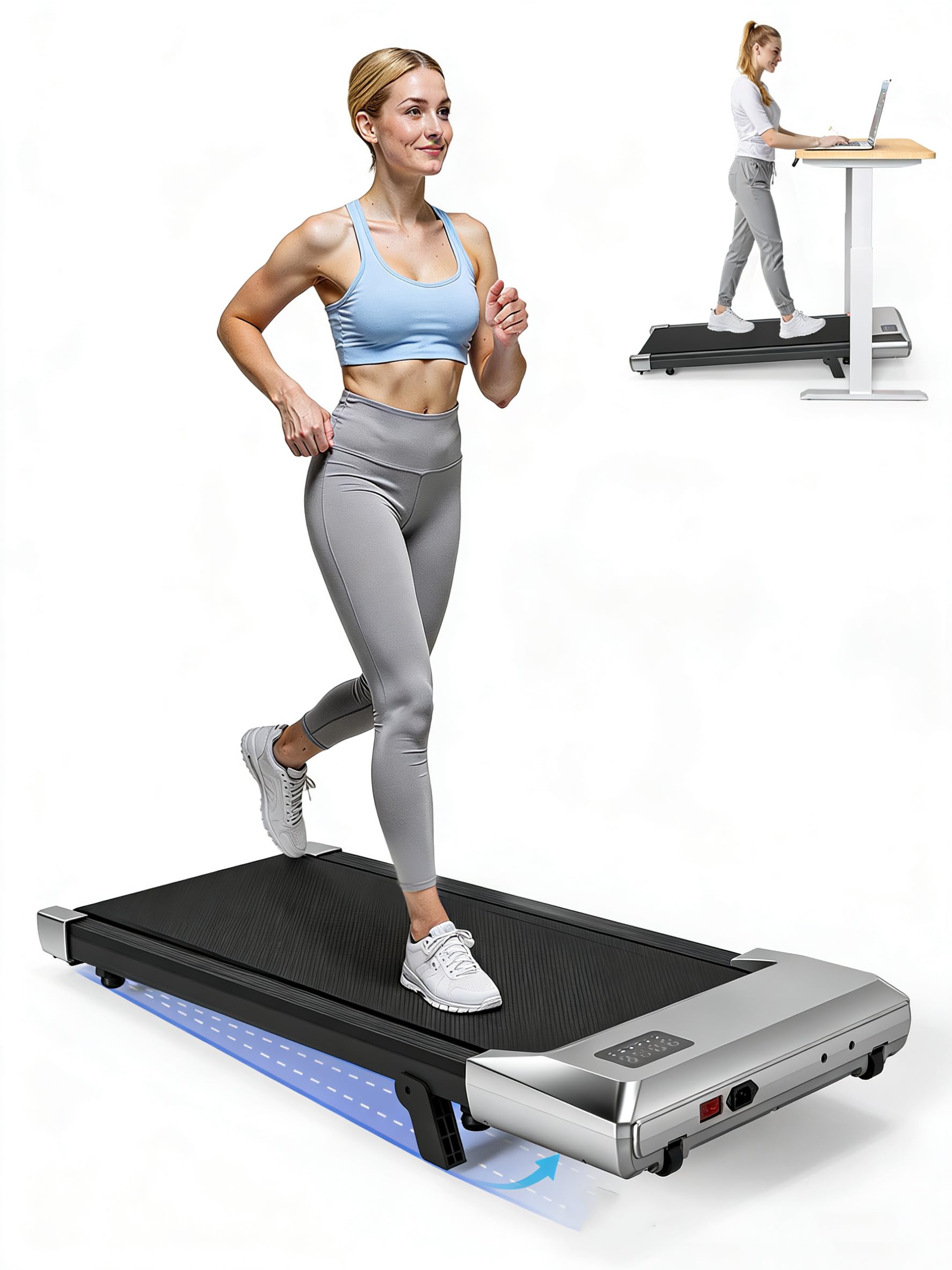
Image: The Superun BA04 Walking Pad Treadmill, demonstrating its compact design suitable for under-desk use. The image shows the main unit with its running belt and a minimalist display.
Operating Instructions
The Superun BA04 offers two primary modes: Walking Pad mode and Treadmill mode.
1. Powering On/Off
- Power On: Ensure the treadmill is plugged in. Press the power button on the remote control or within the PitPat app to turn on the treadmill. The LED display will illuminate.
- Power Off: Press and hold the power button on the remote control or use the app to turn off the treadmill. Always unplug the unit from the power outlet after use.
2. Switching Modes (Walking Pad / Treadmill)
The treadmill automatically detects its configuration. When the handrail is folded down, it operates in Walking Pad mode. When the handrail is raised, it operates in Treadmill mode.
- Walking Pad Mode: (Handrail folded) Speed range: 0.6 - 2.5 MPH (1.0 - 4.0 km/h). Ideal for light exercise or walking while working.
- Treadmill Mode: (Handrail raised) Speed range: 2.5 - 3.8 MPH (4.0 - 6.0 km/h). Suitable for jogging or moderate running.
3. Adjusting Speed
- Using the Remote Control: Use the "+" and "-" buttons on the remote control to increase or decrease the speed.
- Using the PitPat App: The app provides precise speed control and allows for pre-set programs.
4. Understanding the LED Display
The integrated LED display shows key workout metrics:
- SPEED: Current walking/running speed.
- DISTANCE: Total distance covered during the current session.
- TIME: Duration of the current workout.
- CALORIES: Estimated calories burned.
5. Using the PitPat App
The PitPat app enhances your workout experience with features such as:
- Data Tracking: Records your workout data, including speed, distance, time, and calories.
- Training Programs: Access various guided training programs.
- Social Features: Compete with friends or other users, participate in events, and earn rewards.
- Remote Control: Control treadmill functions directly from your smartphone.
Ensure your smartphone's Bluetooth is enabled and connected to the treadmill for full app functionality.
Maintenance
Regular maintenance ensures the longevity and optimal performance of your Superun BA04 treadmill.
1. Cleaning
- After Each Use: Wipe down the treadmill frame and display with a soft, damp cloth to remove sweat and dust. Do not use abrasive cleaners or solvents.
- Running Belt: Periodically clean the running belt with a damp cloth. Ensure the treadmill is unplugged before cleaning.
2. Running Belt Lubrication
The running belt requires lubrication every 3-6 months, or after approximately 100 hours of use, to reduce friction and extend its lifespan. Use only silicone-based treadmill lubricant.
- Unplug the treadmill from the power outlet.
- Loosen the rear roller bolts slightly using the provided hex wrench to lift the belt slightly.
- Apply a small amount of lubricant (approx. 5-10 ml) evenly under the center of the running belt.
- Tighten the rear roller bolts.
- Plug in the treadmill and run it at a low speed (e.g., 1 MPH) for 5 minutes to distribute the lubricant.
3. Running Belt Adjustment
If the running belt shifts to one side or slips, it may need adjustment.
- Belt Centering: If the belt drifts to the left, turn the left rear roller bolt clockwise a quarter turn. If it drifts to the right, turn the right rear roller bolt clockwise a quarter turn. Run the treadmill for 1-2 minutes at a low speed and re-check. Repeat until the belt is centered.
- Belt Tension: If the belt slips during use, it may be too loose. Turn both rear roller bolts clockwise a quarter turn simultaneously to increase tension. Do not overtighten.
4. Storage
When not in use, the Superun BA04 can be folded for compact storage. Ensure the treadmill is powered off and unplugged before folding. Store in a dry, cool place.
Troubleshooting
Refer to this section for common issues and their solutions. If the problem persists, contact Superun customer support.
| Problem | Possible Cause | Solution |
|---|---|---|
| Treadmill does not power on. | Power cord not properly connected; Power outlet not working; Main power switch off. | Check power cord connection; Test outlet with another device; Ensure main power switch is on. |
| Running belt slips. | Belt tension too loose; Belt needs lubrication. | Adjust belt tension (see Maintenance); Lubricate belt (see Maintenance). |
| Running belt drifts to one side. | Belt not centered. | Adjust belt centering (see Maintenance). |
| Remote control not working. | Batteries dead or incorrectly inserted; Remote not paired. | Replace batteries; Ensure correct polarity; Re-pair remote control (refer to setup or app instructions). |
| PitPat app cannot connect to treadmill. | Bluetooth off on phone; Treadmill not powered on; App not activated. | Ensure phone Bluetooth is on; Power on treadmill; Complete app activation process. |
| Unusual noise during operation. | Loose components; Belt friction; Motor issue. | Check for loose screws; Lubricate belt; If noise persists, discontinue use and contact support. |
Specifications
| Feature | Detail |
|---|---|
| Model Number | BA04 |
| Brand | Superun |
| Motor Power | 2.2 HP (Peak) |
| Speed Range (Walking Pad Mode) | 0.6 - 2.5 MPH (1.0 - 4.0 km/h) |
| Speed Range (Treadmill Mode) | 2.5 - 3.8 MPH (4.0 - 6.0 km/h) |
| Running Belt Dimensions | 35.43 x 16.14 inches (90 x 41 cm) |
| Maximum User Weight | 250 LBS (113 kg) |
| Product Dimensions (D x W x H) | 109.2 x 53.3 x 10.9 cm (43 x 21 x 4.3 inches) |
| Item Weight | 12 kg (26.4 lbs) |
| Connectivity | Bluetooth (for PitPat App) |
| UPC / GTIN | 717813681646 |
Warranty and Support
Superun provides a limited warranty for this product. For specific warranty terms and conditions, please refer to the warranty card included with your purchase or visit the official Superun website. If you encounter any issues or have questions regarding your Superun BA04 Walking Pad Treadmill, please contact our customer support team:
- Email: [Insert Superun Support Email Address Here]
- Phone: [Insert Superun Support Phone Number Here]
- Website: Superun Official Store on Amazon
Please have your model number (BA04) and purchase information ready when contacting support.


