
Introduction
Thank you for choosing the Mifasol LCD-MH-J18 Warm and Cool Mist Humidifier. This manual provides essential information for the safe and efficient operation, maintenance, and troubleshooting of your device. Please read it thoroughly before first use and retain it for future reference.

Figure 1: Mifasol LCD-MH-J18 Humidifier in operation.
1. Setup
1.1 Unboxing and Component Check
Carefully remove all components from the packaging. Ensure all parts are present and undamaged. The package should include the main body, water tank, user manual, remote control, and a cleaning cloth.
Video 1: J18 Usage Instructions - Demonstrates unboxing and initial setup steps.
1.2 Placement
Place the humidifier on a flat, stable, and water-resistant surface. Ensure it is away from direct sunlight, heat sources, and electronic devices. The humidifier is suitable for large rooms, offices, greenhouses, factories, or music rooms, covering up to 1500 sq ft.
1.3 Filling the Water Tank
The humidifier features a convenient top-fill design. You can fill the water tank directly from the top or by removing the main body. The tank has a large capacity of 20L (5.3 Gallons).
- Remove the top cover.
- Pour clean tap water directly into the tank. Do not exceed the maximum water line.
- Ensure the water temperature is below 104°F (40°C).
- Replace the top cover securely.
Caution: Do not pour water into the mist outlet. Do not exceed the maximum water line.

Figure 2: Top-fill design and internal components for easy water filling.
2. Operating Instructions
2.1 Power On/Off
- Connect the power cord to a suitable electrical outlet. Ensure the rated voltage does not exceed the product voltage.
- Press the Power button on the control panel or remote control to turn the humidifier on or off.
Note: Mist will typically appear 15-30 seconds after turning on, as the humidifier pumps water from the bottom to the top.
2.2 Mist Modes and Direction
The humidifier offers 3 adjustable mist levels (Low, Medium, High) and 360° rotatable dual mist nozzles for customizable coverage.
- Press the Mist button on the control panel or remote to cycle through the mist levels.
- Manually rotate the mist nozzles on the top cover to direct the mist as desired.

Figure 3: Three adjustable mist output levels.
2.3 Warm and Cool Mist Function
Choose between cool mist for enhanced humidity without affecting room temperature, or warm mist for a cozy atmosphere and faster humidification.
- Press the Warm Mist button on the control panel or remote control to activate the warm mist function. The warm mist reaches 104°F in approximately 5 minutes.
- Press the button again to switch back to cool mist.
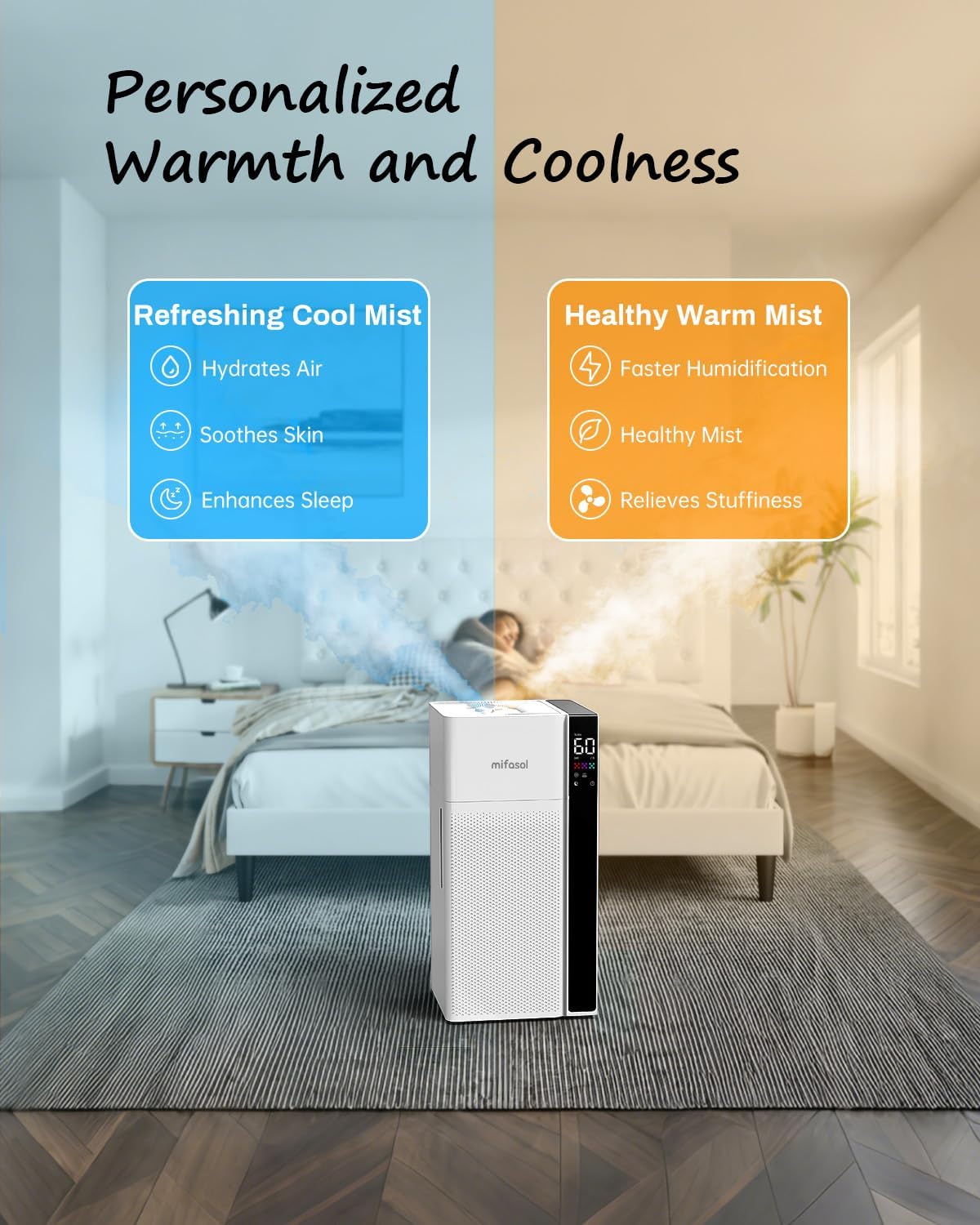
Figure 4: Benefits of Warm and Cool Mist options.
2.4 Humidity Level Setting
Set your desired humidity level between 45% and 90% using the adjustable humidistat.
- Press the Humidity button on the control panel or remote control to adjust the target humidity. The humidifier will automatically maintain this level.
2.5 Timer Function
Program the humidifier to operate for a specific duration from 1 to 24 hours.
- Press the Timer button on the control panel or remote control to set the desired operating time.
2.6 Sleep Mode
Activate sleep mode for quiet operation and dimmed display lights, ideal for overnight use.
- Press the Sleep Mode button on the control panel or remote control to activate or deactivate sleep mode.
Video 2: How to Use J18 Humidifier - Visual guide to basic operation.
3. Maintenance
Regular cleaning is crucial for optimal performance and hygiene. Always unplug the humidifier before cleaning.
3.1 Daily Maintenance
- If not in use for more than 24 hours, pour out any remaining water from the tank and sink.
- Dry all parts to prevent mold and impurities.
3.2 Weekly Cleaning (or as needed)
- Unplug the humidifier.
- Remove the upper part of the humidifier.
- Tilt the water sink in the outlet direction for drainage, then pour out any remaining water from the water tank. Be careful not to wet the ground or your clothing.
- Pour distilled white vinegar or a citric acid solution into the sink and soak for 15 minutes to loosen mineral deposits.
- Pour out the solution from the sink.
- Use the included cleaning brush to remove scale from all parts, including the float and water overflow port.
- Gently wipe the atomizers with a cotton swab if they appear dirty or mist output is weak.
- Rinse all parts repeatedly with clean water to ensure the inside of the tank is clean and odor-free. Ensure water does not enter the air outlet.
- Reassemble the humidifier once all parts are dry.
Video 3: How to Clean the Humidifier LCD-MH-J18 - Detailed cleaning instructions.
4. Troubleshooting
4.1 Weak Mist or No Mist Output
- Check the water tank: Ensure the water tank is not empty.
- Check the water pump: Verify that the packaging bag of the water pump has been removed. Ensure the hose and inlet port are not cracked or damaged. Make sure both ends of the hose are connected to the water pump's inlet and the main unit's inlet up to the root.
- Check the upper part: Remove the cover and check the unit. Ensure the float is floating in the water. Turn on the power and check if water is pumping from the water tank to the upper head. Also, check that the atomizer is working properly.
If the humidifier is not functioning after these checks, please capture the condition of the humidifier head with your mobile phone and send the video to customer service for consultation.
Video 4: Troubleshooting Weak Mist or Even No Mist LCD-MH-J18.
4.2 Red Blinking Light
- Check the water tank: A red blinking light often indicates that the water tank is empty. Refill the tank.
- Check the water pump: Verify that the packaging material of the water pump has been removed. Ensure the hose and inlet port are not cracked or damaged. Make sure both ends of the hose are connected to the water pump's inlet and the main unit's inlet up to the root.
- Check the float: Remove the cover and check if the float is floating in the water.
If the issue persists, please capture the condition of the humidifier head with your mobile phone and send the video to customer service for consultation.
Video 5: Troubleshooting Red Blinking LCD-MH-J18.
5. Specifications
| Feature | Detail |
|---|---|
| Brand | Mifasol |
| Model Name | Cool Mist And Warm Humidifier |
| Item Model Number | LCD-MH-J18 |
| Special Feature | Cool Mist and Warm Humidifier |
| Color | White |
| Floor Area Coverage | 1500 Square Feet |
| Operation Mode | Dual Mode |
| Product Dimensions | 9.84"D x 9.45"W x 19.97"H |
| Item Weight | 3 Pounds |
| Room Type | Bedroom, Large Room, Home, Whole House |
| Included Components | Humidifier |
| Voltage | 120 Volts |
| Wattage | 50 watts |
| Shape | Rectangular |
| Unit Count | 1.0 Count |
6. Warranty and Support
The Mifasol LCD-MH-J18 Humidifier comes with a 30-day replacement guarantee and a 1-year assurance.
Our dedicated customer service team is available to assist with any questions or concerns you may have. For support, please contact us at: info@mifasol.vip