
Introduction
This manual provides essential information for the proper use and care of your SIRUI 40mm T1.8 1.33X Anamorphic Lens. Designed for Sony E-mount cameras, this lens offers a unique cinematic aesthetic with its 1.33x anamorphic squeeze and fast T1.8 aperture. Please read this manual thoroughly before using the lens to ensure optimal performance and longevity.
Key Features
- Cinematic Widescreen Aspect Ratio: Achieves a 2.35:1 aspect ratio in 16:9 shooting mode with a 1.33x anamorphic squeeze.
- Accurate Autofocus System: Features an advanced STM motor for fast and precise autofocus, including eye focusing and subject tracking.
- Blue/Neutral Flare Options: Provides distinct flare characteristics to enhance cinematic visuals.
- Compact & Lightweight Design: Weighs approximately 614g (1.35lb), suitable for portable setups.
- Enhanced Low-Light Performance: T1.8 fast aperture for superior low-light capability and depth of field control.
- Distinctive Bokeh: Produces hexagonal elliptical bokeh at T1.8 and classic 1.33x anamorphic elliptical bokeh at T2.4.
- Precision Optical Engineering: Incorporates aspherical and cylindrical lenses for high resolution, minimized chromatic aberration, and reduced focus breathing.
Setup and Installation
Mounting the Lens
To attach the SIRUI 40mm T1.8 1.33X Anamorphic Lens to your Sony E-mount camera:
- Align the white index dot on the lens barrel with the white index dot on your camera's lens mount.
- Rotate the lens clockwise until it clicks into place. Ensure it is securely locked.
- To detach, press the lens release button on your camera and rotate the lens counter-clockwise.
Camera Settings for Full-Frame Cameras
For full-frame Sony E-mount cameras, it is recommended to switch to APS-C/S35 mode to avoid vignetting. Alternatively, post-editing can be used to crop the image. Refer to your camera's manual for specific instructions on enabling APS-C/S35 mode.

Image: Example of APS-C/Super 35mm setting on a Sony Alpha 7S III camera. The menu allows selecting 'On' for APS-C scan area only, or 'Auto' to switch based on the attached lens.
Lens Controls
Familiarize yourself with the lens controls:
- AF/MF Switch: Located on the lens barrel, this switch allows you to toggle between autofocus (AF) and manual focus (MF) modes.
- AFL Button: This button can be customized in your camera settings (for E-mount) to lock autofocus or assign other functions.
- Aperture Ring Click Switch: A switch to enable or disable the click stops on the aperture ring, providing smooth, stepless aperture control for video or tactile feedback for photography.
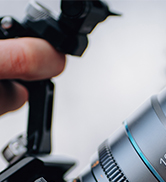
Image: Detailed view of the AF/MF switch, AFL button, and the aperture ring click ON/OFF switch.
Operating the Lens
Autofocus and Manual Focus
The lens features an STM motor for fast and precise autofocus. In AF mode, it supports advanced functions like eye focusing and subject tracking, enhancing efficiency for both video and photography. For precise control, switch to MF mode using the AF/MF switch on the lens barrel.
Image: Demonstrates the dual AF/MF control, highlighting eye autofocus capabilities.
Cinematic Aspect Ratio
This 1.33x anamorphic lens compresses the image horizontally during capture, which is then de-squeezed in post-production or by compatible camera monitors to achieve a wide 2.35:1 aspect ratio from a standard 16:9 sensor. This creates a distinctive cinematic look.

Image: Visual comparison of standard 16:9 footage and the wider 2.35:1 cinematic view achieved with the 1.33x anamorphic lens.
Flare Characteristics
The lens is available in two flare options: Blue Flare and Neutral Flare. Blue flares are suitable for sci-fi, mystery, and music video scenes, while neutral flares adapt to the color of the light source, ideal for commercial, interview, or emotional shooting scenarios.

Image: Demonstrates the visual difference between classic blue flare and soft natural flare options.
Bokeh Effects
The SIRUI 40mm lens produces distinctive bokeh. At T1.8, it creates a hexagonal elliptical bokeh, and at T2.4, it exhibits a classic 1.33x anamorphic elliptical bokeh, adding unique visual character to your footage.

Image: Illustrates the different bokeh shapes at T1.8 (hexagonal elliptical) and T2.4 (1.33x elliptical).
Low-Light Performance
With a fast T1.8 aperture, this lens excels in low-light conditions, allowing for brighter images and greater control over depth of field, resulting in pleasing background blur and sharp subject focus.
Minimum Focus Distance
The lens has a minimum focus distance of 0.6 meters (1.97 feet), allowing for close-up shots while maintaining anamorphic characteristics.
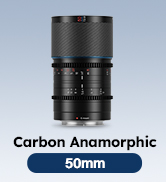
Image: Visual representation of the lens's minimum focus distance.
Firmware Updates
To ensure optimal performance and compatibility, regularly check for and install the latest firmware updates for your lens. Firmware can typically be downloaded from the SIRUI official website and updated via a Type-C port on the lens.
Maintenance and Care
- Cleaning: Use a soft, lint-free cloth and a lens cleaning solution specifically designed for optical surfaces. Avoid touching the lens elements directly with your fingers. Use a blower brush to remove dust before wiping.
- Storage: Store the lens in a dry, cool place away from direct sunlight and extreme temperatures. Use the provided lens caps to protect the front and rear elements from dust and scratches.
- Handling: Always handle the lens by its barrel, not by the focus or aperture rings. Avoid dropping or subjecting the lens to strong impacts.
- Moisture: Protect the lens from moisture and rain. If it gets wet, wipe it dry immediately with a soft cloth.
Troubleshooting
| Problem | Possible Cause | Solution |
|---|---|---|
| Vignetting on Full-Frame Camera | Lens designed for S35/APS-C sensor size. | Switch your camera to APS-C/S35 mode or crop in post-production. |
| Autofocus is noisy | Normal operation for some STM motors, or potential mechanical issue. | A slight noise from the STM motor during autofocus is normal. If noise is excessive or affects performance, contact customer support. |
| Lens not recognized by camera | Improper mounting, dirty electronic contacts, or outdated firmware. | Ensure the lens is securely mounted. Clean the electronic contacts on both the lens and camera with a clean, dry cloth. Check for and install the latest lens firmware. |
| Loose screws/jiggle inside lens | Manufacturing defect or impact damage. | If the lens exhibits internal looseness, contact customer support immediately. Do not attempt to repair it yourself. |
Specifications
| Feature | Detail |
|---|---|
| Model Number | 40AF133X-EN-AM |
| Focal Length | 40mm |
| Anamorphic Squeeze | 1.33X |
| Maximum Aperture | T1.8 |
| Compatible Mountings | Sony E |
| Lens Type | Anamorphic Lens |
| Autofocus | Yes (STM Motor) |
| Product Dimensions | 5.1 x 3.14 x 3.14 inches |
| Item Weight | 1.35 pounds (approx. 614g) |
| Outer Front Diameter | 80mm |
| Filter Thread | 77mm |
Compatible Camera Models (Sony E-Mount)
This lens is compatible with a wide range of Sony E-mount cameras, including but not limited to:

Image: Compatibility chart for Sony E-mount cameras. Models include a5000, a5100, a6000, a6100, a6300, a6400, a6500, a6600, a6700, ZV-E10, FX30, FX3, FX6, a7, a7R, a7S, a7C, a7CR, a7II, a7RII, a7SII, a7III, a7RIII, a7IV, a7RV, a9, a9II, A1, ZV-E1.
Warranty and Support
For warranty information, product registration, or technical support, please refer to the official SIRUI website or contact your local distributor. Keep your proof of purchase for warranty claims.
Product Videos
Unlock Cinematic Potential
Video: This video showcases the cinematic capabilities and autofocus features of the SIRUI 40mm 1.33x AF Anamorphic lens. It highlights eye tracking, wide aspect ratio, and various shooting scenarios.
SIRUI 40mm T1.8 1.33X Anamorphic Lens Overview
Video: An overview of the SIRUI 40mm T1.8 1.33X Anamorphic Lens, demonstrating its features and visual output in various settings.