
1. Introduction
Thank you for choosing the Pastigio 10.1'' Digital Clock P10C3. This clock is designed to provide clear, easy-to-read time, date, and day information, making it ideal for seniors, individuals with visual impairments, or anyone seeking a straightforward timekeeping device. It features a high-definition display, customizable alarms and reminders, and automatic brightness adjustment for optimal viewing day and night.

The Pastigio 10.1-inch Digital Clock with its remote control, showing a clear display of the time, date, and a medication reminder.
2. Package Contents
Please verify that all items are present in your package:
- Pastigio 10.1'' Digital Clock
- Power Adapter
- Remote Control
- Detachable Stand
- User Manual (this document)
3. Product Overview
3.1 Display Features
The clock features a 10.1-inch IPS display with 1280x800p resolution, providing a clear and wide viewing angle. The extra-large, bold font ensures readability from a distance.
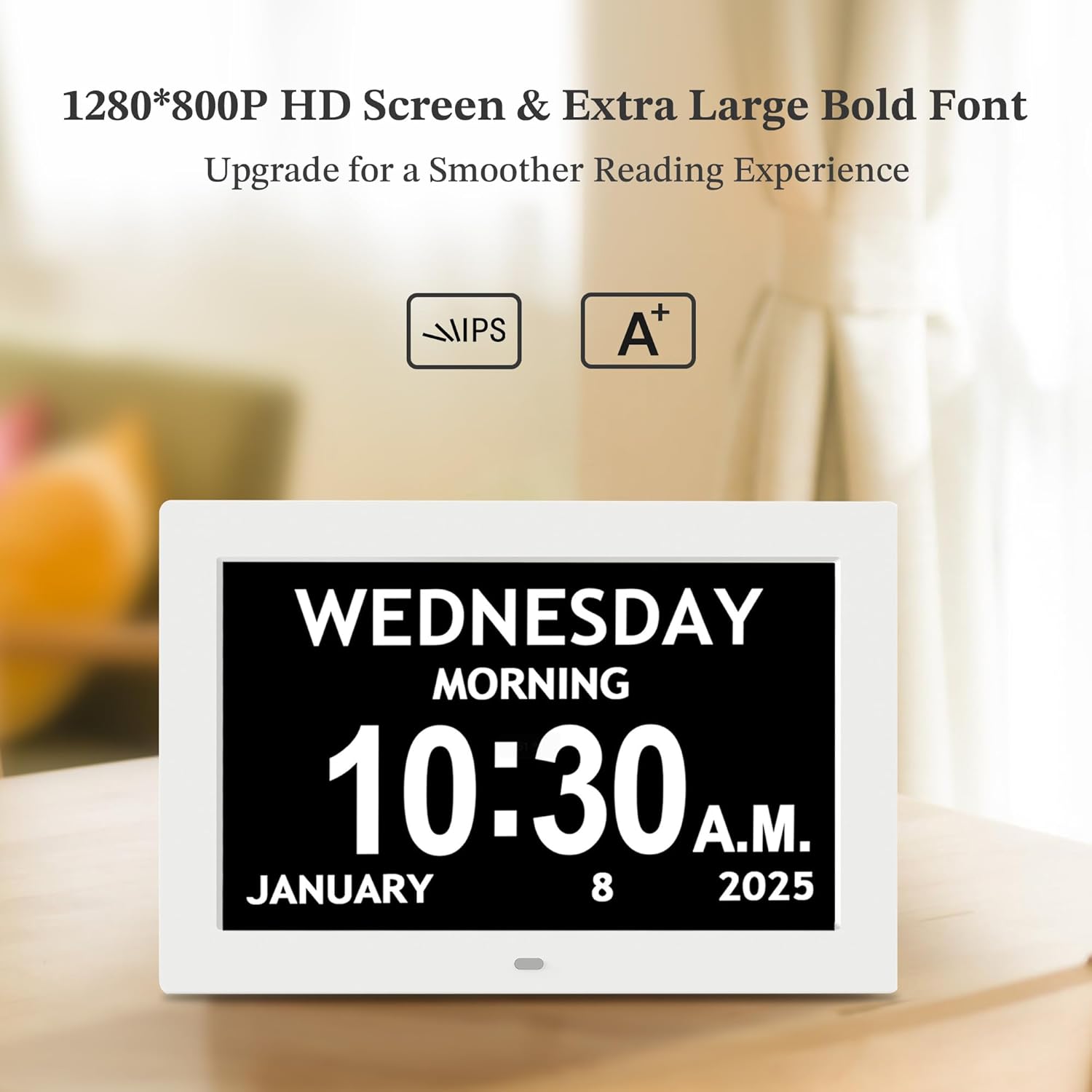
The clock's HD screen and large font ensure excellent visibility.
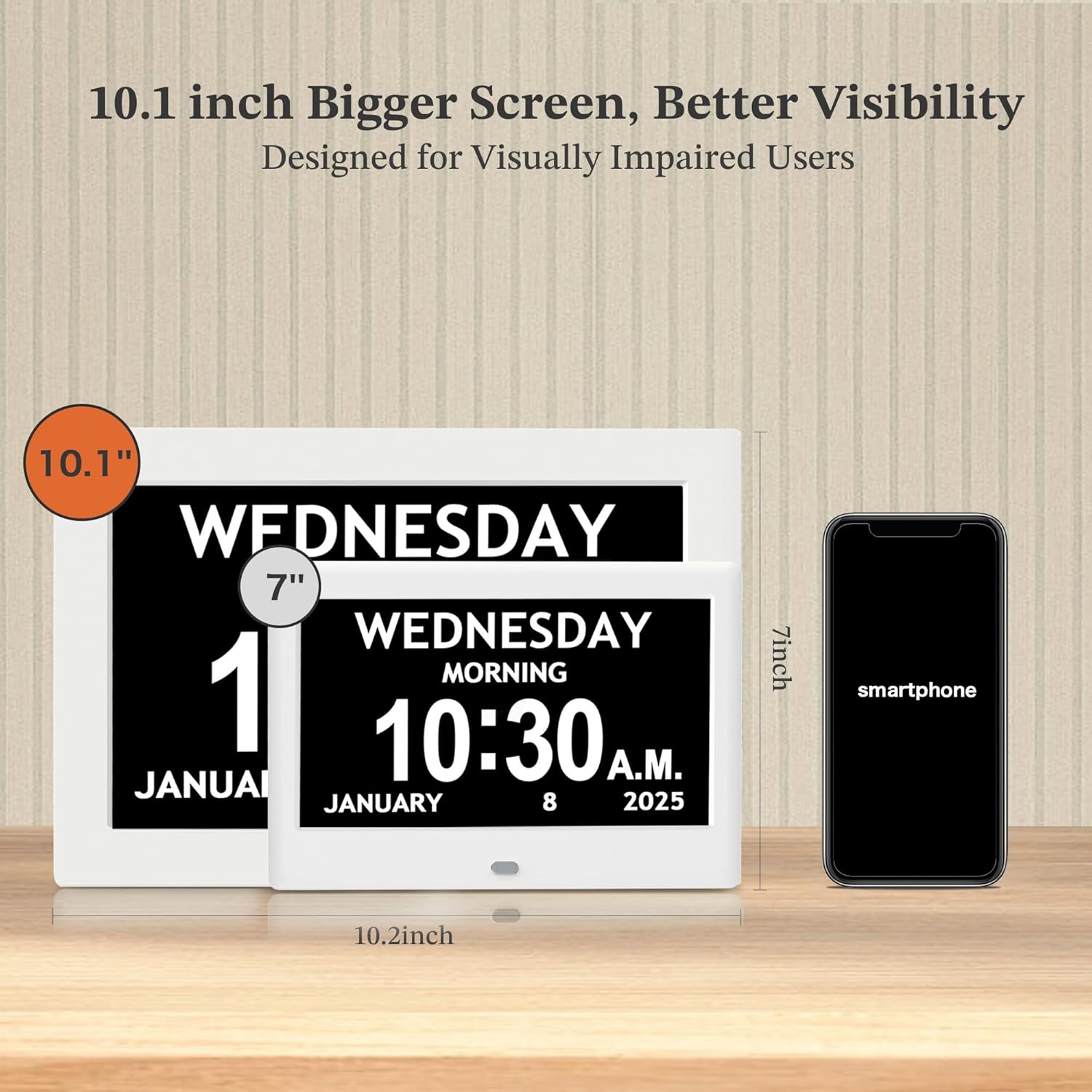
Size comparison demonstrating the 10.1-inch display's larger viewing area.
3.2 Controls
The clock can be operated using the buttons located on the back of the unit or via the included remote control.

Both the remote control and the buttons on the back of the clock provide convenient control options.
4. Setup
4.1 Power Connection
- Connect the power adapter to the DC IN port on the back of the clock.
- Plug the power adapter into a standard electrical outlet. The clock will power on automatically.
4.2 Placement Options
The clock supports both tabletop and wall-mounted installation.
- Tabletop: Insert the detachable stand into the designated slot on the back of the clock. Place the clock on a flat, stable surface.
- Wall Mount: Use the integrated keyhole slots on the back of the clock to mount it securely on a wall (mounting hardware not included).

The clock can be placed on a desk or mounted on a wall for convenience.
4.3 Remote Control Preparation
Before first use, remove the plastic battery tab from the remote control to activate the battery.
4.4 Initial Settings
Upon first power-on, you may need to set the following:
- Time and Date: Use the remote control or back buttons to navigate to the settings menu and adjust the current time and date.
- Language: Select your preferred language from the available options.
- Time Format: Choose between 12-hour or 24-hour format.
5. Operation
5.1 Basic Time Display
The clock displays the day of the week, time, time of day phase (e.g., MORNING, AFTERNOON), and full date. The day is divided into 5 phases for enhanced clarity.
- Before Dawn: 12:00 a.m. - 6:00 a.m.
- Morning: 6:00 a.m. - 12:00 p.m.
- Afternoon: 12:00 p.m. - 6:00 p.m.
- Evening: 6:00 p.m. - 9:00 p.m.
- Night: 9:00 p.m. - 12:00 a.m.

The clock provides a comprehensive display of time, day, and date information.
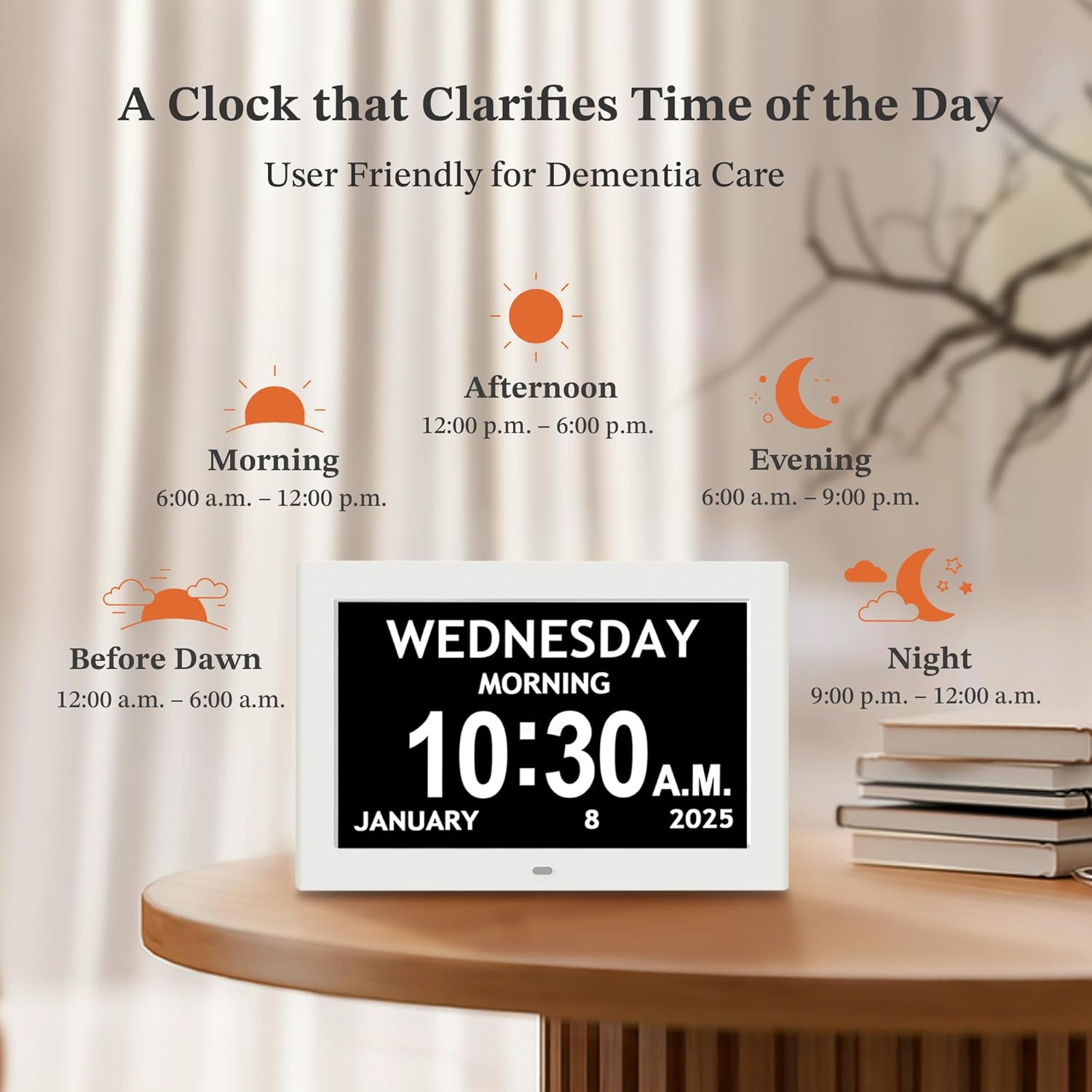
Visual representation of the clock's daily time phases.
5.2 Adjustable Brightness and Auto-Dimming
The clock features an auto-dimming function that adjusts display brightness based on ambient light. You can also manually select from 5 brightness levels.

The smart auto-dimming feature adjusts brightness for comfortable viewing throughout the day and night.

The clock automatically dims at night to prevent disturbance.
5.3 Alarms and Reminders
The clock supports 6 programmable alarms and 10 customizable reminders. Alarms offer 5 soft tones and 5 volume levels. Reminders can be set with visual icons for daily activities.

Setting alarms with adjustable volume and tone options.

Visual icons for reminders help organize daily activities.
5.4 Daylight Saving Time (DST)
The clock can automatically update for Daylight Saving Time when you set your region. This feature is off by default.

Daylight Saving Time settings for various regions.
5.5 Language Selection
The clock supports 8 global languages for user interface and display.

The clock supports multiple languages for user convenience.
5.6 Display Modes
The clock offers various display styles, including different digital formats, analog clock faces, and color schemes to suit personal preference.

Examples of various display styles available on the clock.

Examples of different color schemes for the clock display.
6. Maintenance
To ensure the longevity and optimal performance of your Pastigio Digital Clock, follow these maintenance guidelines:
- Cleaning: Gently wipe the display and casing with a soft, dry, lint-free cloth. Avoid using abrasive cleaners, solvents, or spray cleaners directly on the screen.
- Placement: Keep the clock away from direct sunlight, extreme temperatures, and high humidity. Ensure it is placed on a stable surface or securely mounted.
- Power: Use only the provided power adapter. Disconnect power during electrical storms or when not in use for extended periods.
7. Troubleshooting
If you encounter any issues with your Pastigio Digital Clock, please refer to the following common problems and solutions:
- Clock not turning on:
- Ensure the power adapter is securely connected to both the clock and a working electrical outlet.
- Verify that the power outlet is functional by plugging in another device.
- Display is blank or flickering:
- Check the power connection.
- Try adjusting the brightness settings using the remote or back buttons.
- Unplug the clock, wait 10 seconds, and plug it back in to reset.
- Remote control not working:
- Ensure the plastic battery tab has been removed.
- Point the remote directly at the clock's sensor.
- Replace the remote control battery if necessary.
- Alarms or reminders not sounding:
- Verify that the alarm/reminder is enabled in the settings.
- Check the volume level settings.
- Time is incorrect after power outage:
- The clock is designed to maintain precise timing even after a power outage, so manual reset should not be required. If the time is incorrect, manually adjust it via the settings menu.
8. Specifications
| Brand | Pastigio |
| Model Number | P10C3 |
| Display Type | Digital |
| Screen Size | 10.1 inch |
| Resolution | 1280*800p HD |
| Product Dimensions | 10.2"W x 7"H |
| Item Weight | 1.59 pounds |
| Power Source | Corded Electric |
| Mounting Type | Wall Mount, Tabletop |
| Special Features | Adjustable Brightness, Adjustable Volume, Auto Dimmable, Daylight Saving, Programmable |
| Number of Alarms | 6 |
| Number of Reminders | 10 |
| Material | Plastic |
| Color | White |
9. Warranty Information
The Pastigio 10.1'' Digital Clock P10C3 comes with an extended warranty. For specific details regarding warranty coverage, duration, and terms, please refer to the warranty card included in your product packaging or contact customer support.
10. Customer Support
For further assistance, technical support, or inquiries regarding your Pastigio Digital Clock P10C3, please contact the manufacturer, Shenzhen Somy Technology Co.,Ltd, or the seller through your purchase platform. Please have your model number (P10C3) and purchase details ready when contacting support.