
1. Introduction
The Godox iM20 is a compact and lightweight manual camera flash designed for photographers who require portability and precise lighting control. This manual provides detailed instructions for the safe and effective use of your iM20 flash.
2. Safety Information
- Do not disassemble or modify the flash unit.
- Keep the flash away from water and high humidity.
- Avoid direct eye exposure to the flash, especially at close range.
- Use only the specified charging cable and power source.
- Do not operate in the presence of flammable gases or liquids.
3. Package Contents
Verify that all items are present in your package:
- 1x Godox iM20 Camera Flash
- 1x USB Cable
- 1x Storage Bag
- 1x User Manual (this document)
4. Product Overview
The Godox iM20 is a mini manual flash with a built-in 470 mAh lithium battery, offering 5 adjustable power levels and quick recycling times.
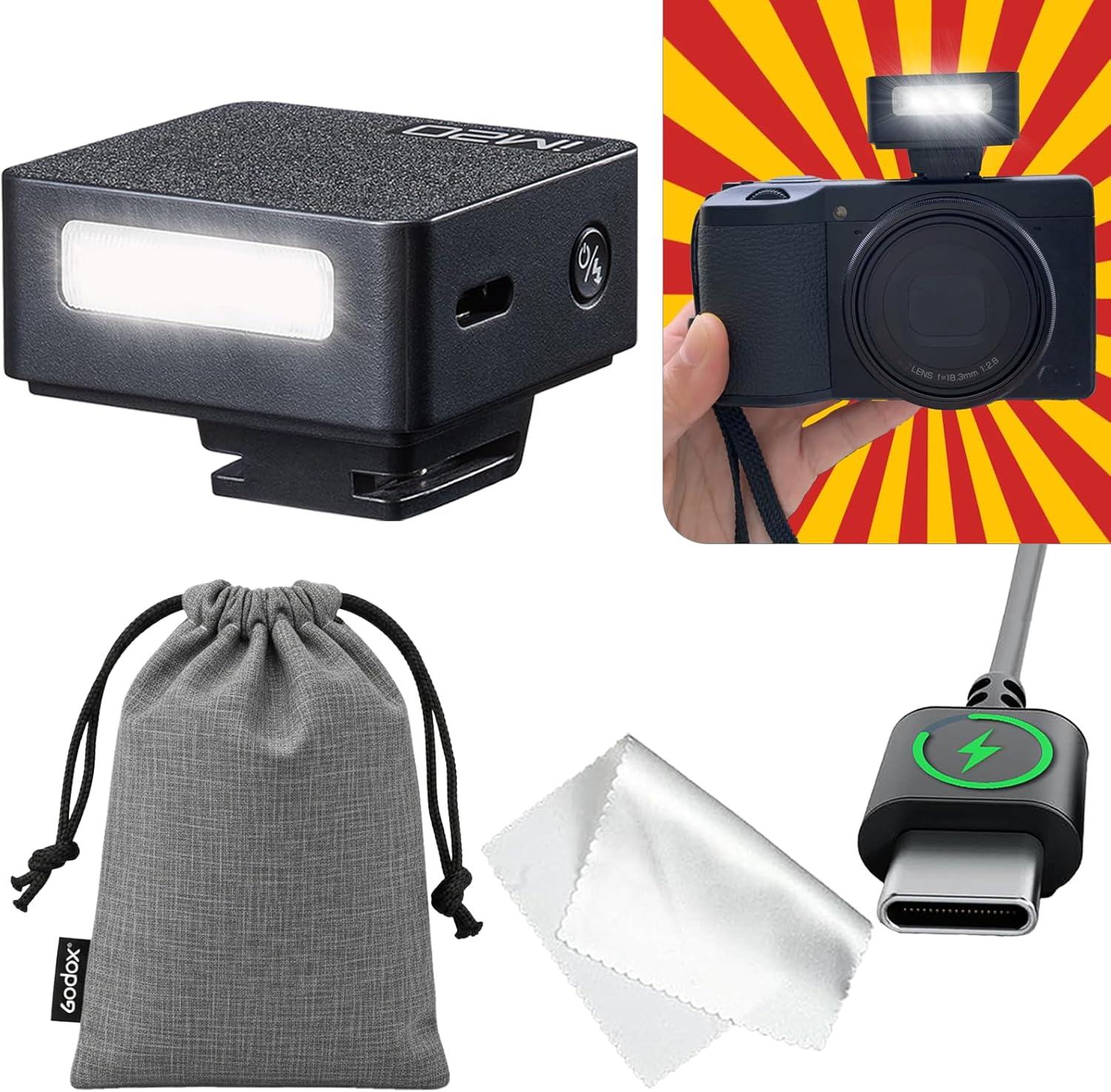
Figure 1: Godox iM20 Camera Flash mounted on a camera. This image highlights the flash's compact design and its integration with a camera body, along with icons indicating 440 full-power flashes, Lithium Type-C charging, 3-second recycle times, and 5 power levels.
Key Features:
- Compact Design: Weighs approximately 100g (as per specifications), ideal for portability.
- Power Output: 5 adjustable power levels for precise lighting control.
- Battery: Built-in 470 mAh lithium battery.
- Charging: USB Type-C port for convenient and rapid recharging.
- Flash Capacity: Up to 440 full-power flashes per charge.
- Recycle Time: Approximately 3 seconds for full power flashes.
5. Setup
5.1 Charging the Flash
Before initial use, fully charge the Godox iM20 flash. The built-in lithium battery ensures stable output.
- Connect the provided USB Type-C cable to the charging port on the flash unit.
- Connect the other end of the USB cable to a compatible USB power adapter (not included).
- The charging indicator lights will show the charging status. A full charge takes approximately 70 minutes.
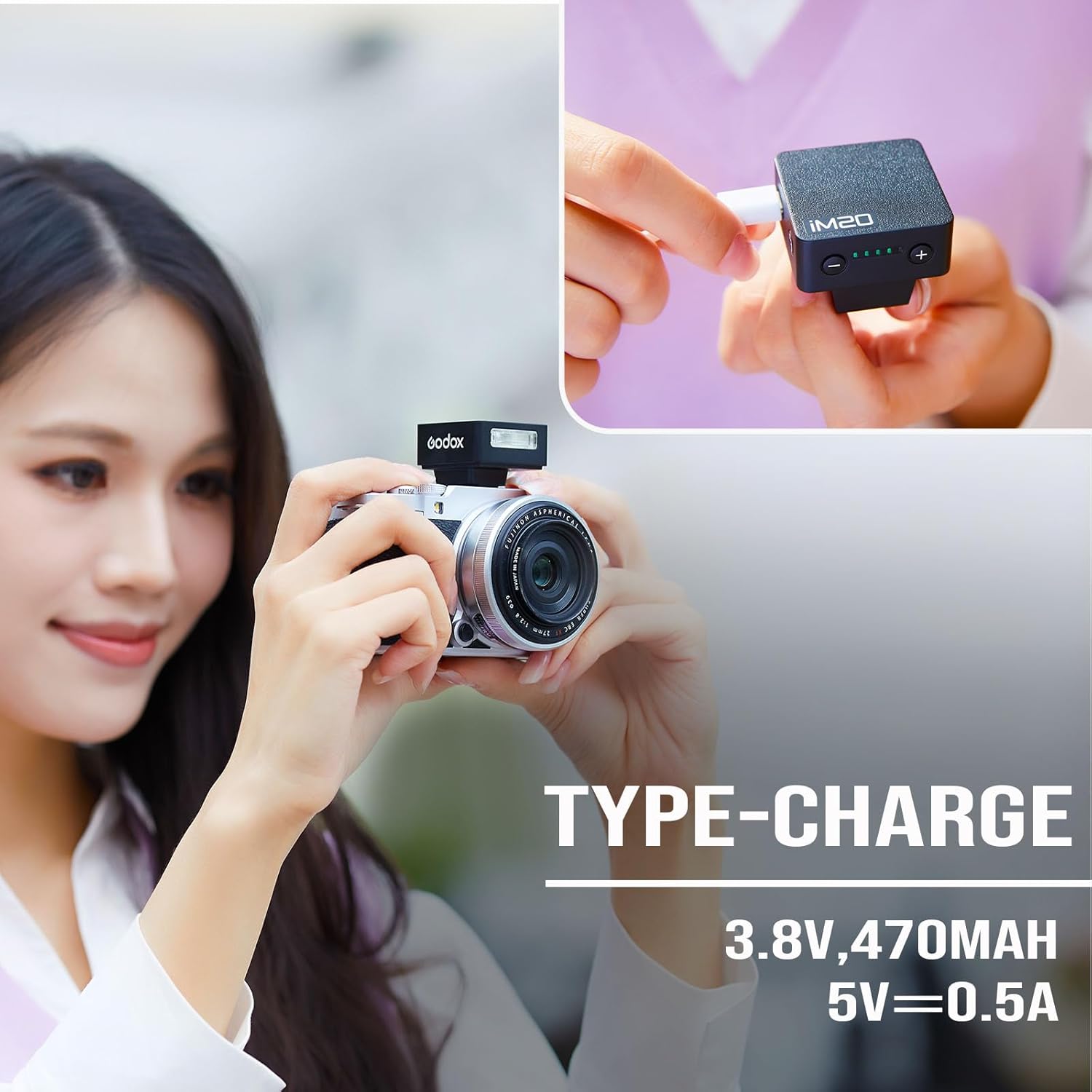
Figure 2: Charging the Godox iM20 flash via its USB Type-C port. The image illustrates the connection process and the battery indicator lights.
5.2 Mounting the Flash to Your Camera
The Godox iM20 is designed to mount onto a camera's hot shoe. Ensure your camera has a compatible hot shoe with a universal touchpoint.
- Slide the flash unit into your camera's hot shoe mount.
- Ensure the flash is securely seated.
- Compatibility Note: This flash is compatible with hot shoes that have a universal touchpoint. Refer to Figure 3 for examples of compatible hot shoe contacts.
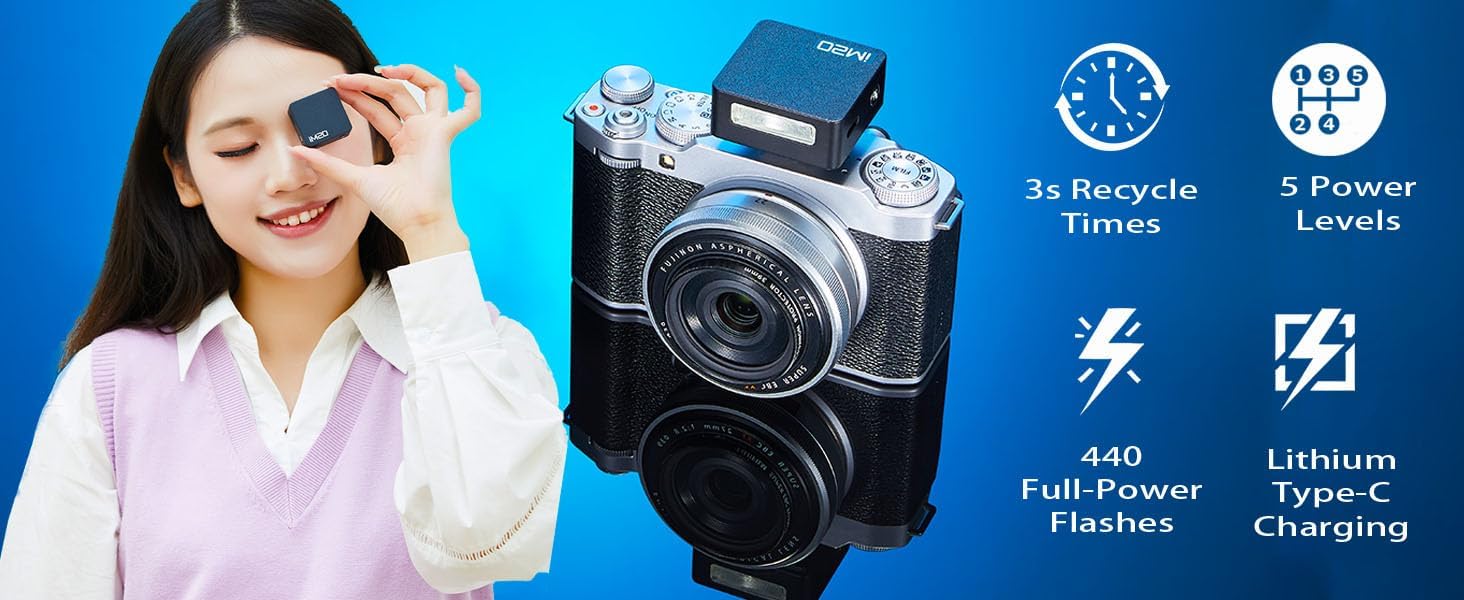
Figure 3: Examples of compatible hot shoe mounts for various camera brands. The image shows hot shoes with a universal touchpoint marked with a green check, and an incompatible hot shoe marked with a red cross.
Important Compatibility Information:
- Not compatible with Sony: ZV-1F, A9III, A99, A77, A350, ZV1 Mark 2.
- Not compatible with Canon: EOS Rebel SL3, 250D, T7, 1500D, 2000D, T100, 3000D, 4000D, 200DII, R7, R6II, R8, R10, R50.
- Not compatible with Fuji: X-A3, X100F, X100T.
- When used with larger lenses or lens hoods, shadows may appear on your subject. For optimal results, pair with smaller lenses.
6. Operating Instructions
The Godox iM20 is a manual flash, meaning exposure settings must be adjusted on your camera and the flash unit.
6.1 Powering On/Off and Adjusting Power Levels
- To power on the flash, press and hold the power button.
- Use the '+' and '-' buttons on the flash to adjust the power output. There are 5 adjustable power levels.
- To power off, press and hold the power button again.

Figure 4: The Godox iM20 flash with its power adjustment buttons and battery level indicators. This image demonstrates the 5-level adjustment capability and the flash's compact form factor.
6.2 Camera Settings for Manual Flash
Since the iM20 does not support TTL function or High-Speed Sync (HSS), manual camera settings are crucial for proper exposure.
- Shutter Speed: Set your camera's shutter speed to less than 1/200 second to avoid synchronization issues or dark edges in your photos.
- ISO Setting: Start with ISO 100. Adjust ISO upwards as needed based on ambient light conditions to prevent underexposure. Be aware that higher ISO settings can introduce noise.
- Aperture Setting: Adjust the aperture to control depth of field and exposure. Use a larger aperture (e.g., f/2.8) for shallower depth of field. Use a smaller aperture (e.g., f/5.6 or f/8) for greater depth of field or in bright ambient light.
7. Maintenance
- Clean the flash unit with a soft, dry cloth. Do not use solvents or abrasive cleaners.
- Store the flash in a cool, dry place when not in use.
- Regularly charge the battery to maintain its health, even if not used frequently.
8. Troubleshooting
| Problem | Possible Cause | Solution |
|---|---|---|
| Flash does not fire. | Low battery; incorrect mounting; flash not powered on; camera settings incorrect. | Charge the flash; ensure it is securely mounted on the hot shoe; power on the flash; check camera shutter speed and other settings. |
| Photos are too dark (underexposed). | Flash power too low; camera ISO too low; aperture too small. | Increase flash power; increase camera ISO; open up the aperture (smaller f-number). |
| Photos are too bright (overexposed). | Flash power too high; camera ISO too high; aperture too large. | Decrease flash power; decrease camera ISO; close down the aperture (larger f-number). |
| Dark band or black edges in photos. | Shutter speed too fast for flash sync. | Reduce camera shutter speed to 1/200 second or slower. |
| Shadows from lens/hood. | Large lens or lens hood blocking flash light. | Use a smaller lens or remove the lens hood. |
9. Specifications
| Feature | Detail |
|---|---|
| Brand | GODOX |
| Model Name | Godox iM20 |
| Model Number | GODOX IM20 |
| Camera Flash Type | Manual Flash |
| Exposure Control Type | Manual |
| Connectivity Technology | Hot Shoe |
| Hardware Interface | USB Type-C (for charging) |
| Battery Type | Built-in Lithium Battery (470 mAh) |
| Full-Power Flashes | Up to 440 |
| Recycle Time | Approx. 3 seconds |
| Flash Sync Speed | Max 1/200 second (camera dependent) |
| Item Weight | 100 Grams |
| Color | Black |
| UPC | 663992148824 |
10. Warranty and Support
10.1 Warranty Information
Please refer to the product packaging or the official Godox website for specific warranty terms and conditions. The warranty typically covers manufacturing defects under normal use.
Note: Compatibility with specific camera models (e.g., Sony ZV-1F) is detailed in the product images and specifications. Please ensure your camera is compatible before purchase.
10.2 Customer Support
For technical assistance, troubleshooting not covered in this manual, or warranty claims, please contact Godox customer support through their official website or the retailer where the product was purchased.
You can visit the official GODOX Store on Amazon for more information: GODOX Store


