
1. Introduction and Overview
Thank you for choosing the AutoFull C3 Gaming Chair. This manual provides detailed instructions for assembly, operation, and maintenance to ensure you get the most out of your ergonomic gaming and office experience. The AutoFull C3 is designed with a racing style, featuring ergonomic lumbar support, adjustable components, and a retractable footrest for enhanced comfort during long periods of use.

Figure 1: AutoFull C3 Gaming Chair (Pink variant shown).
2. Setup and Assembly
The AutoFull C3 Gaming Chair requires assembly. Please follow the instructions carefully. It is recommended to assemble the chair on a soft surface to prevent damage to the floor or chair components. All necessary tools are included.
2.1 Unpacking Components
Carefully remove all components from the packaging. Verify that all parts are present according to the packing list.

Figure 2: All chair components unpacked and ready for assembly.
2.2 Base Assembly
Attach the five caster wheels to the chair base. Insert the gas lift cylinder into the center hole of the base.

Figure 3: Assembly of the chair's five-star base with casters and gas lift.
2.3 Seat and Backrest Attachment
Secure the seat mechanism to the underside of the seat cushion using the provided screws. Attach the backrest to the seat assembly using the side brackets and screws. Ensure all connections are tight and secure.

Figure 4: Attaching the seat mechanism and backrest to the seat cushion.
2.4 Armrest and Footrest Installation
Install the adjustable armrests to the sides of the seat. Slide the retractable footrest into its designated slots beneath the seat.

Figure 5: Installing the armrests and retractable footrest.
2.5 Final Assembly
Place the assembled seat and backrest onto the gas lift cylinder. Attach the headrest and lumbar support pillows as desired.

Figure 6: Completing the chair assembly by placing the seat onto the gas lift.
3. Operating Instructions
3.1 Chair Adjustments
- Height Adjustment: Use the lever located under the seat on the right side to raise or lower the chair to your desired height.
- Backrest Recline: The backrest can be tilted freely between 90° and 155°. Use the recline lever on the right side of the chair to adjust the angle. This allows for various positions, from upright gaming to a relaxed recline.
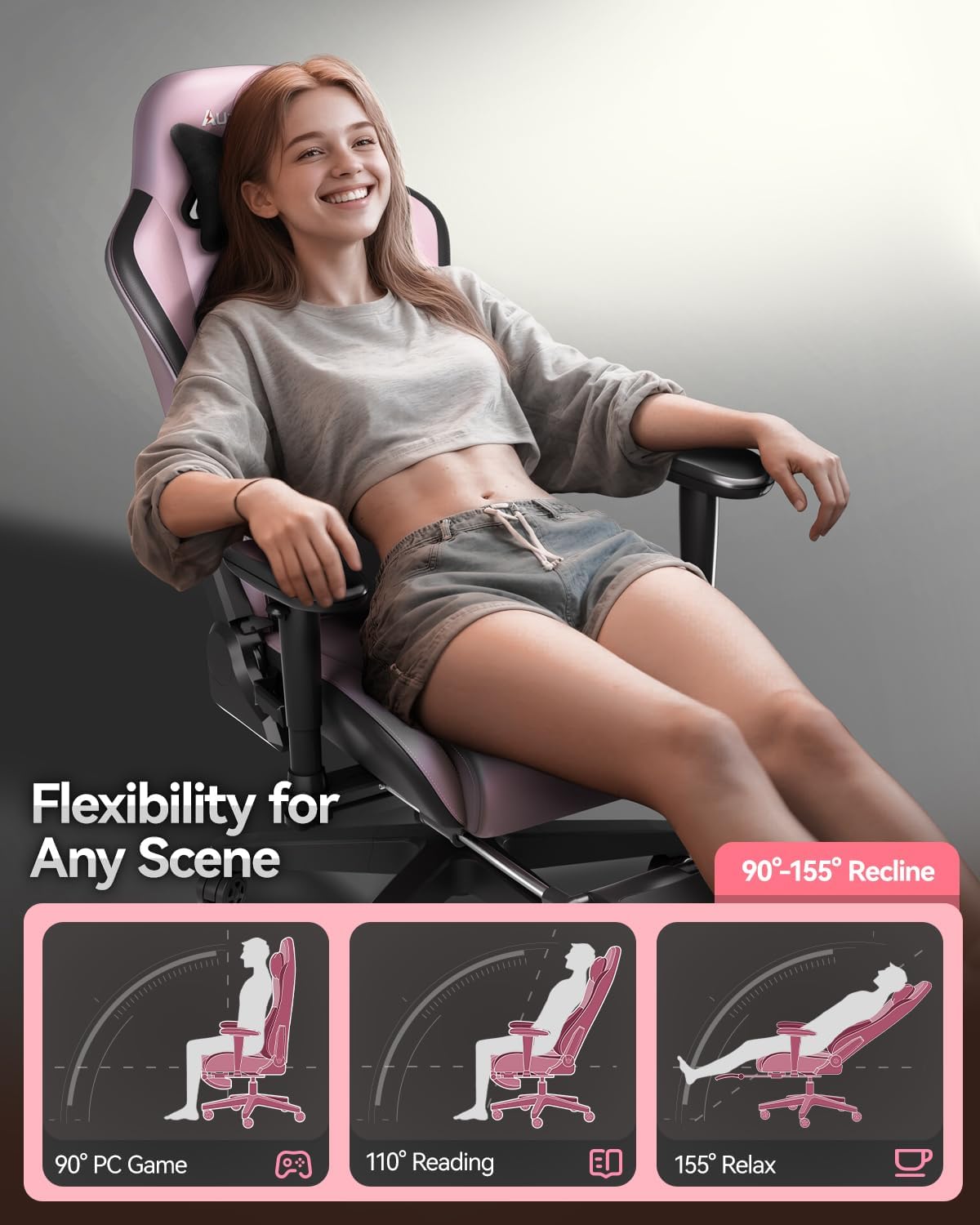
Figure 7: Recline positions for various activities.
- Adjustable Armrests: The armrests can be adjusted up, down, left, and right to provide optimal support for your arms.
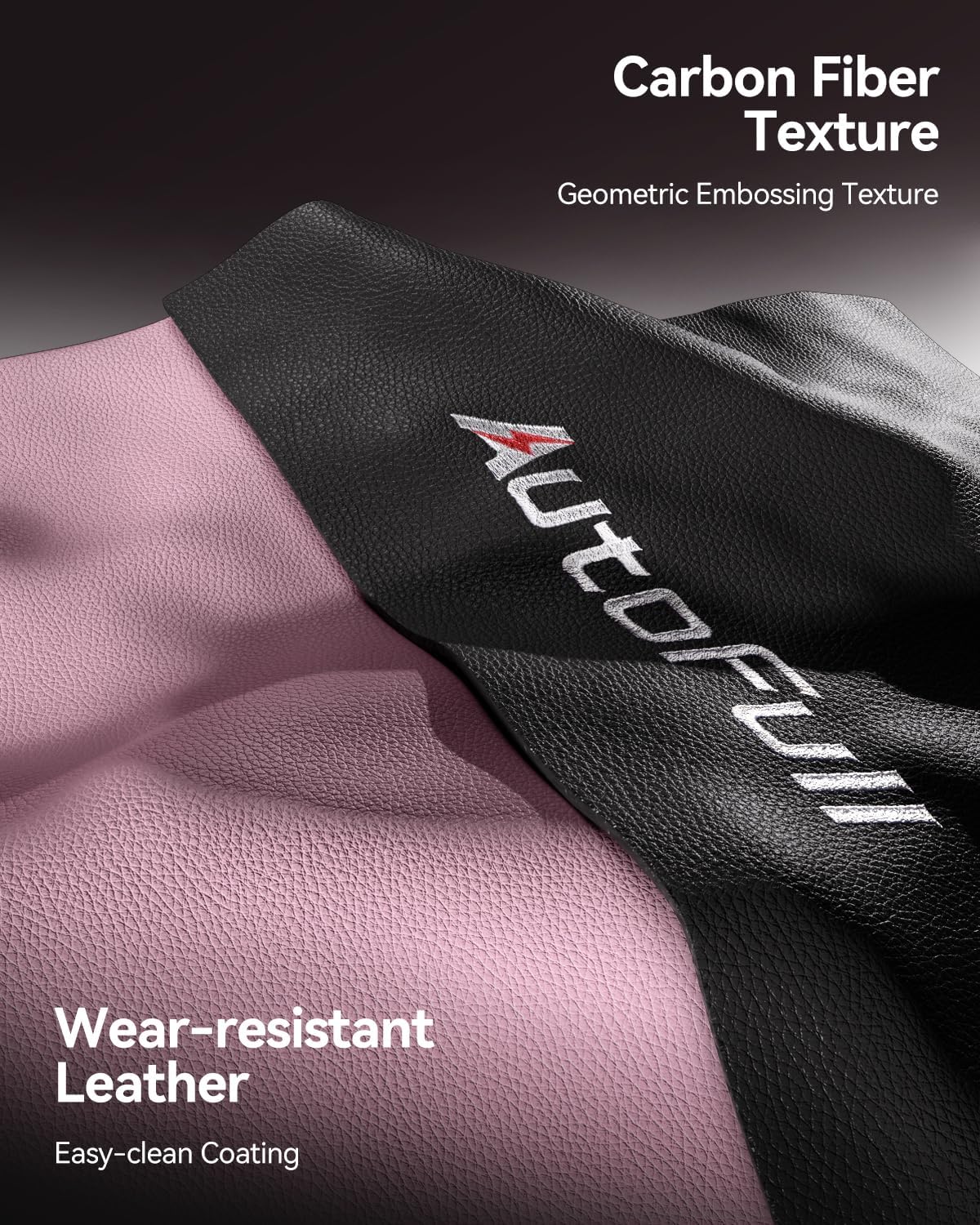
Figure 8: Adjustable armrests for personalized comfort.
- Retractable Footrest: Pull out the footrest from under the seat for leg support when reclining. Push it back in when not in use.

Figure 9: Retractable footrest for added relaxation.
- Lumbar Support Pillow: The ergonomic lumbar pillow provides improved back support. It can be adjusted vertically to fit the natural curve of your spine. It is also removable.

Figure 10: Ergonomic lumbar support pillow.
- Headrest Pillow: The headrest pillow provides cervical spine support and is adjustable via straps. It is also removable.

Figure 11: Adjustable headrest pillow.
3.2 Key Features
- Ergonomic Design: Designed based on the natural curve of the human spine, with high-density memory foam for balanced softness and support.
- Enhanced Stability: Features a unified all-steel frame, reinforced with straps, and filled with high-density foam. Includes an SGS level 4 certified gas cylinder and explosion-proof chassis for safety.
- Comfortable Seating: The seat is made of high-elastic polyurethane sponge with a 4.33-inch thickness, providing a sofa-like sitting experience that distributes body pressure evenly.
- Durable Material: Constructed with wear-resistant PU leather and carbon fiber texture for long-lasting durability and easy cleaning.
4. Maintenance
To maintain the quality and longevity of your AutoFull C3 Gaming Chair, wipe it clean with a damp cloth as needed. Avoid using harsh chemicals or abrasive cleaners that may damage the PU leather.
5. Troubleshooting
If you encounter any issues with your chair, please refer to the assembly instructions to ensure all parts are correctly installed and tightened. For persistent problems, contact AutoFull customer support.
6. Specifications
| Feature | Detail |
|---|---|
| Brand | AutoFull |
| Model Name | AF083 |
| Color | Pink |
| Material | Metal, High-elastic Polyurethane Sponge, PU Leather |
| Product Dimensions | 19"D x 15.39"W x 52"H |
| Item Weight | 54.9 pounds |
| Maximum Weight Recommendation | 330 Pounds |
| Back Style | Open Back |
| Special Feature | Ergonomic, Adjustable Armrests, Recline, Footrest |
| Reclining Position Count | 2 (90°-155° range) |
| Furniture Base Movement | Swivel, Wheels |
7. Official Product Videos
Watch these official videos from AutoFull for additional information and demonstrations of the chair's features.
Video 1: AutoFull C3 Gaming Chair Office Chair PC Chair with Ergonomics Lumbar Support. This video provides an overview of the chair's ergonomic features and design.
Video 2: AutoFull Ergonomic Gaming Chair | Mother Approved Chair! This video highlights the comfort and versatility of the chair for various users.
Video 3: AutoFull Gaming Chair with Heated and Ventilated Seat. This video demonstrates the advanced features of the chair, including heated and ventilated seating.
8. Warranty and Support
AutoFull provides users with 36 months of parts replacement or repair service. If you have any suggestions or require assistance with your AutoFull C3 Gaming Chair, please feel free to contact AutoFull customer support.


