
BILITOK TOK-605
BILITOK Zero Gravity Massage Chair Model TOK-605 User Manual
Model: TOK-605 | Brand: BILITOK
Introduction
Thank you for choosing the BILITOK Zero Gravity Massage Chair Model TOK-605. This manual provides essential information for the safe operation, assembly, maintenance, and troubleshooting of your massage chair. Please read this manual thoroughly before use and retain it for future reference.
Important Safety Information
- Do not exceed the maximum weight recommendation of 300 pounds (136 kg).
- Be cautious when using the L-shaped chair to prevent tipping or instability.
- Always follow the assembly instructions for safe usage.
- Ensure the chair is placed on a stable, level surface.
- Keep children and pets away from the chair during operation.
- Consult a physician before use if you have any medical conditions.
- Unplug the chair from the power outlet when not in use or before cleaning.
Product Overview and Features
The BILITOK Zero Gravity Massage Chair Model TOK-605 is designed to provide a comprehensive massage experience. Key features include:
- Zero Gravity Mode: Reclines to elevate your feet above your heart, reducing pressure on the spine and promoting circulation.
- Full-body Massage: Features 10 fixed rollers for neck, back, waist, and hip massage, along with multiple airbags for shoulders, arms, and calves.
- Heating Function: Integrated heating elements in the waist and legs to enhance blood circulation and muscle relaxation.
- Foot Roller Massage: Rollers at the base of the foot stimulate acupuncture points, complemented by leg heating.
- Bluetooth Audio: Connect your device to enjoy music during your massage.
- Phone Stand & USB Charging: Conveniently hold your phone and charge it while using the chair.
- Atmosphere Lights: Breathing blue ambient lights for a relaxing environment.
- Retractable Footrest: Adjustable to accommodate various user heights.
- Integrated Wheels: For easy movement of the chair.
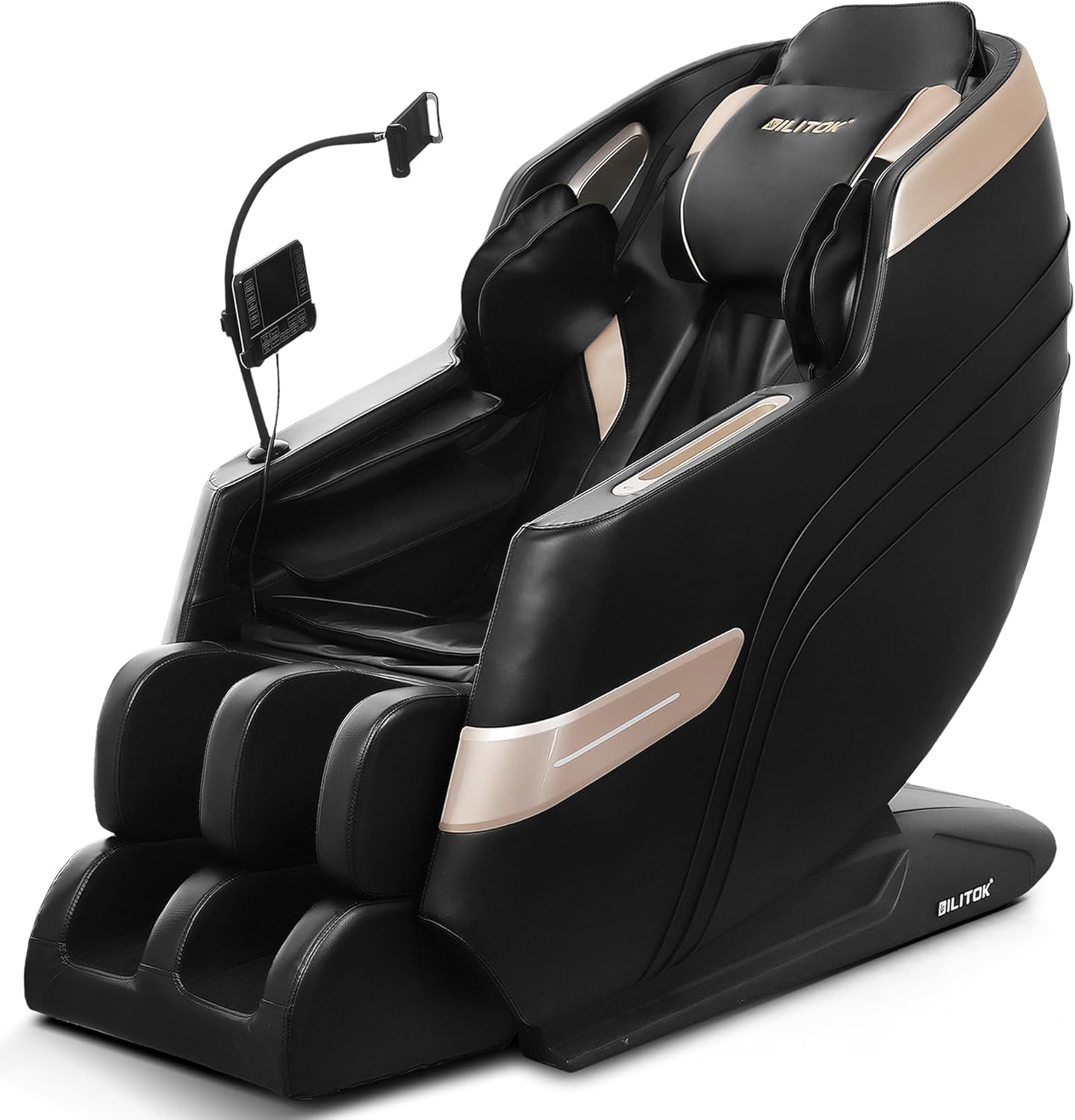
Figure 1: Front view of the BILITOK Zero Gravity Massage Chair. This image shows the overall design and structure of the chair, including the armrests, seat, and footrest.
Setup and Assembly
Your BILITOK massage chair requires some assembly. Please follow the instructions provided in the separate assembly guide included with your packaging. Ensure all components are securely fastened before initial use.
- Unpacking: Carefully remove all components from the packaging. Retain packaging materials for potential future transport or returns.
- Placement: Position the chair on a flat, stable surface. Ensure there is sufficient space around the chair for full recline (approximately 5 inches from a wall for the backrest).
- Assembly: Refer to the detailed assembly instructions provided in the box. Typically, this involves attaching the footrest, armrests, and connecting any necessary cables.
- Power Connection: Once assembled, connect the power cord to the chair and then to a grounded electrical outlet.

Figure 2: Dimensions of the massage chair. This image illustrates the chair's measurements, including height, width, and depth, which are important for placement and ensuring adequate space.
Operating Instructions
Familiarize yourself with the control panel, typically located on the armrest or via a remote control. The touch screen interface allows for easy navigation of massage programs and settings.
1. Power On/Off
Press the Power button on the control panel to turn the chair on or off. The chair will typically return to its upright position when powered off.
2. Zero Gravity Mode
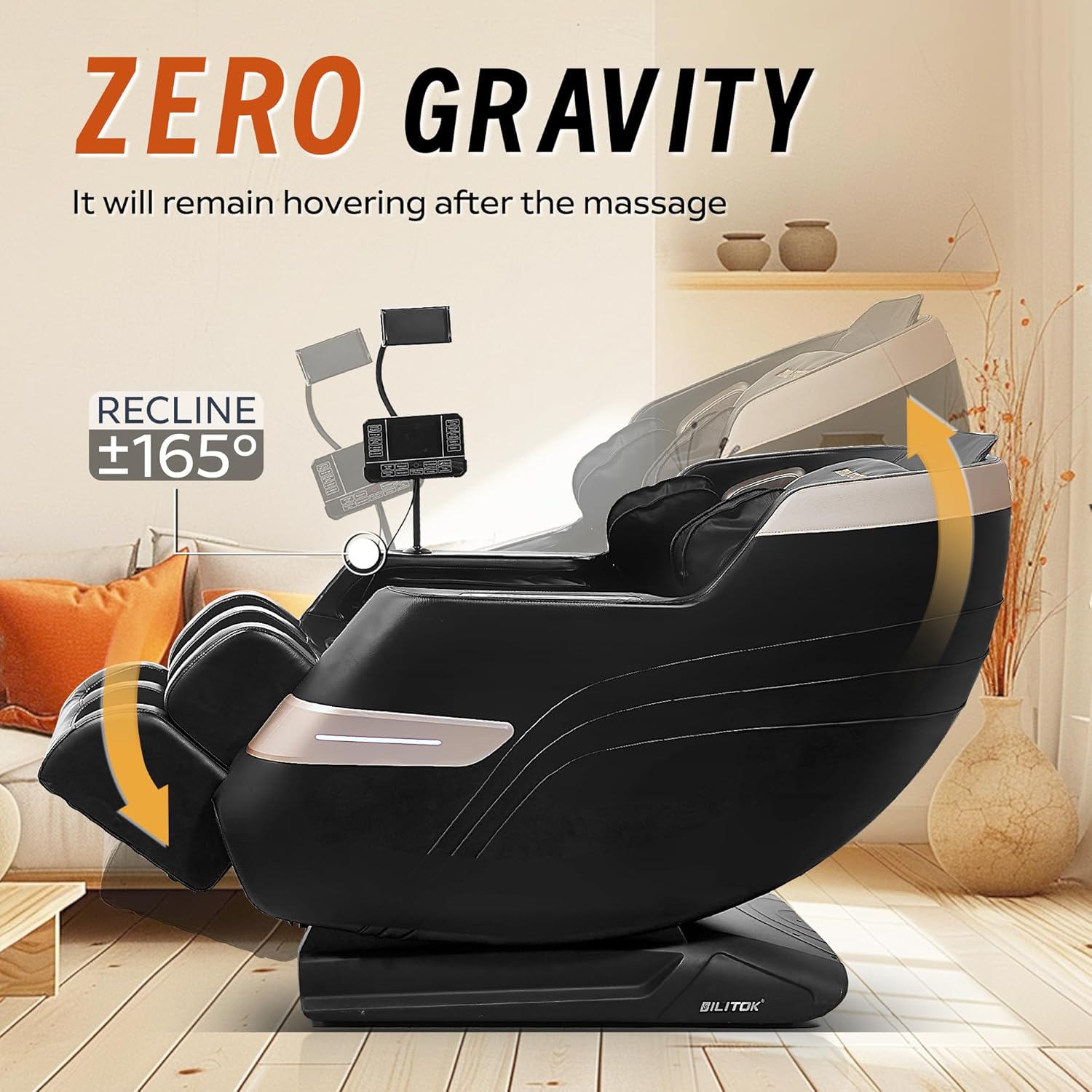
Figure 3: Illustration of the Zero Gravity recline. This image demonstrates the chair's ability to recline up to 165 degrees, positioning the user in a zero-gravity posture where the feet are elevated above the heart.
Press the Zero Gravity button. The chair will recline, elevating your legs above your heart. This position is designed to reduce spinal pressure and improve circulation. The armrests and body tilt simultaneously. The chair will remain in zero gravity mode after the massage ends for continued relaxation.
3. Full-Body Massage Programs

Figure 4: Depiction of the 10 massage rollers. This image highlights the placement of the rollers along the backrest, indicating their coverage for neck, back, waist, and hip massage.
Select from 5 preset automatic massage modes via the touch screen. These modes combine various techniques for a comprehensive massage experience. The chair features 10 fixed rollers for your neck, back, waist, and hips.
4. Airbag Compression Massage

Figure 5: Visual representation of the full-body airbags. This image shows the airbags inflating to provide compression massage to the shoulders, arms, and calves.
The chair is equipped with multiple airbags that provide compression massage to your shoulders, arms, and calves. Adjust the intensity using the three-gear strength adjustment on the control panel.
5. Heating Function
Activate the heating function for the waist and legs via the control panel. This feature helps to promote blood circulation and relieve muscle soreness.
6. Foot Relaxation

Figure 6: Close-up of the leg and foot massage unit. This image illustrates the foot rollers and the leg heating function, designed to stimulate acupuncture points and relieve tension.
The retractable footstool accommodates different heights. Foot rollers at the base of the foot provide kneading massage, stimulating acupuncture points. Combined with the leg heating function, this promotes blood circulation and relieves leg and foot muscle tension.
7. Bluetooth Audio and Phone Stand

Figure 7: Detail of the control panel, phone stand, and Bluetooth speakers. This image shows how users can connect their phone via Bluetooth for music and use the integrated stand and USB charging port.
Pair your Bluetooth-enabled device with the chair to enjoy audio through the integrated speakers. Use the flexible phone stand to position your device for viewing. A USB charging port is available on the handrail to charge your phone during use.
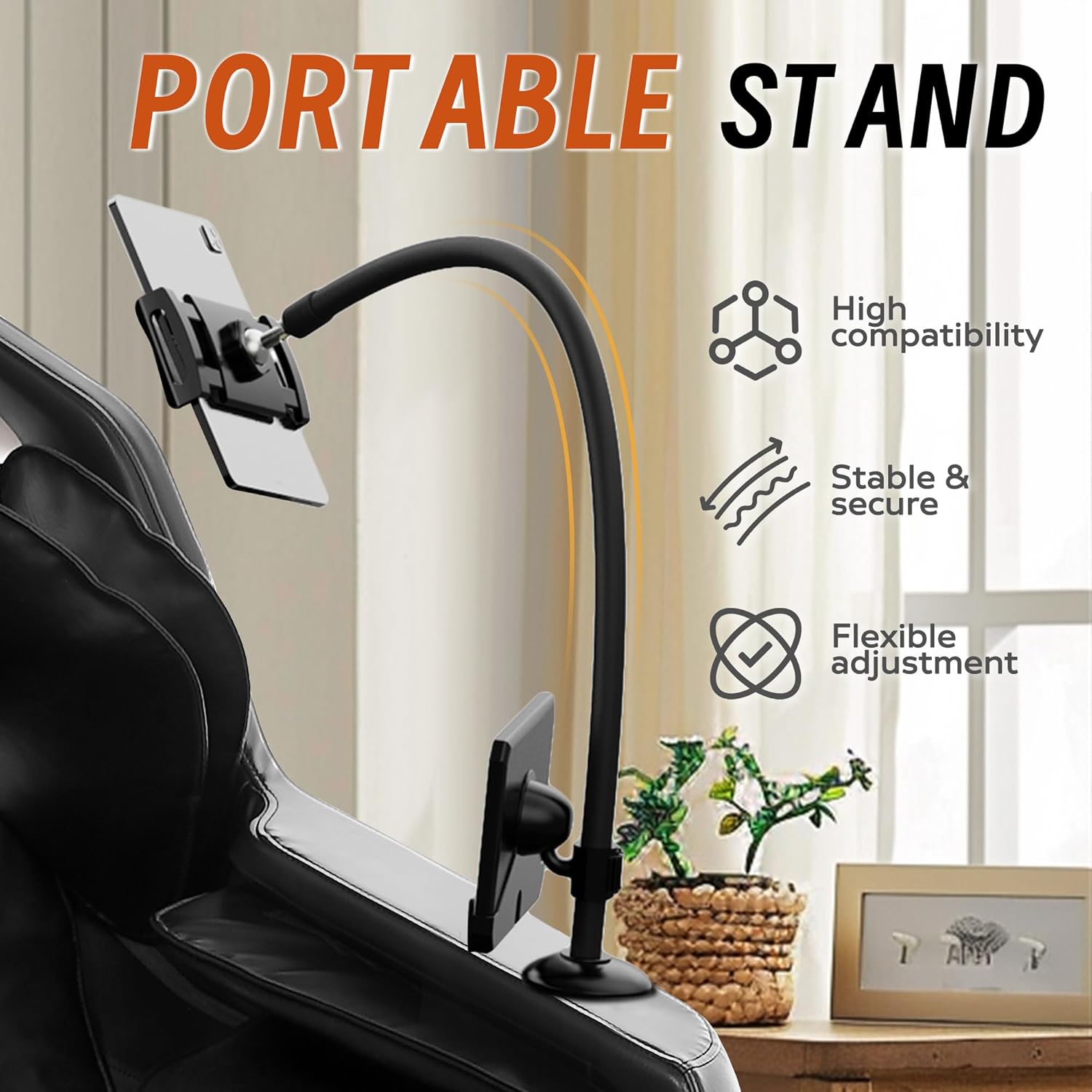
Figure 8: Close-up of the portable phone stand. This image highlights the stand's high compatibility, stability, and flexible adjustment features, allowing users to comfortably view their device.
Maintenance
Regular maintenance ensures the longevity and optimal performance of your massage chair.
- Cleaning: Wipe the chair's surface with a soft, damp cloth. Do not use abrasive cleaners or solvents. For fabric areas, use a mild upholstery cleaner if necessary.
- Storage: When not in use for extended periods, unplug the chair and cover it to protect from dust.
- Inspection: Periodically check the power cord for any damage. Ensure all connections are secure.
- Moving the Chair: Utilize the integrated rollers at the bottom of the chair for easy relocation. Avoid dragging the chair, which could damage the floor or the chair's base.
Troubleshooting
If you encounter issues with your massage chair, refer to the following common solutions:
| Problem | Possible Cause | Solution |
|---|---|---|
| Chair does not power on. | Power cord not connected; outlet not working; power switch off. | Ensure power cord is securely plugged into chair and a working outlet. Check the main power switch. |
| Massage functions are not working. | Program not selected; safety feature activated. | Select a massage program from the control panel. Ensure no objects are obstructing moving parts. |
| Bluetooth connection issues. | Device not paired; Bluetooth off on device. | Ensure Bluetooth is enabled on your device and the chair is in pairing mode. Refer to your device's Bluetooth settings. |
| Unusual noises during operation. | Loose components; foreign object. | Power off and unplug the chair. Inspect for any loose parts or foreign objects. If noise persists, contact customer support. |
If the problem persists after attempting these solutions, please contact BILITOK customer support for further assistance.
Specifications
| Feature | Detail |
|---|---|
| Brand | BILITOK |
| Model Name | TOK-605 |
| Color | Black |
| Product Dimensions (D x W x H) | 49"D x 33"W x 29"H |
| Maximum Weight Recommendation | 300 Pounds (136 kg) |
| Item Weight | 126 pounds (57.15 kg) |
| Back Style | Standard Full Back |
| Reclining Position Count | 2 |
| Fill Material | Foam |
| UPC | 709347457576 |
| Indoor/Outdoor Usage | Indoor |
Warranty and Customer Support
For warranty information, please refer to the warranty card included with your purchase or contact BILITOK customer support directly. Keep your proof of purchase for warranty claims.
If you require technical assistance, have questions about operation, or need to report a defect, please contact BILITOK customer support through their official website or the contact information provided in your product packaging.
Ask a question about this manual
Ask about setup, troubleshooting, compatibility, parts, safety, or missing instructions. Manuals+ will review the question and use this page’s manual context to help answer it.