
Introduction
Thank you for choosing the AuroraLink Wireless Carplay Adapter. This device is designed to convert your vehicle's wired Apple CarPlay or Android Auto system into a wireless one, providing a more convenient and integrated driving experience. Enjoy navigation, music, calls, and voice assistants without the need for cables.
Key Features
- 2-in-1 Wireless Freedom: Converts wired CarPlay/Android Auto to wireless for iPhone (iOS 10+) and Android (Android 11+) devices.
- A7 Chip Supercharged Performance: Equipped with an exclusive A7 chip for 60% faster response, zero-lag music streaming, instant map loading, and seamless app switching.
- 4-Way Smart Control: Supports original vehicle controls including steering wheel buttons, touchscreen, Siri/Google Voice, and OEM knobs.
- Universal Fit Guarantee: Compatible with 98% of cars (2016+) that have factory-wired CarPlay or Android Auto.
- Auto-Connect Convenience: Pairs once and automatically connects within 5 seconds of ignition, eliminating daily Bluetooth pairing.
Setup Instructions
Follow these steps for a quick and easy setup of your AuroraLink Wireless Carplay Adapter:
- Plug In the Adapter:
Connect the AuroraLink adapter to your car's USB or USB Type-C port. Use the provided USB-C adapter if your car only has a USB-C port. The adapter's indicator light will illuminate upon successful connection.
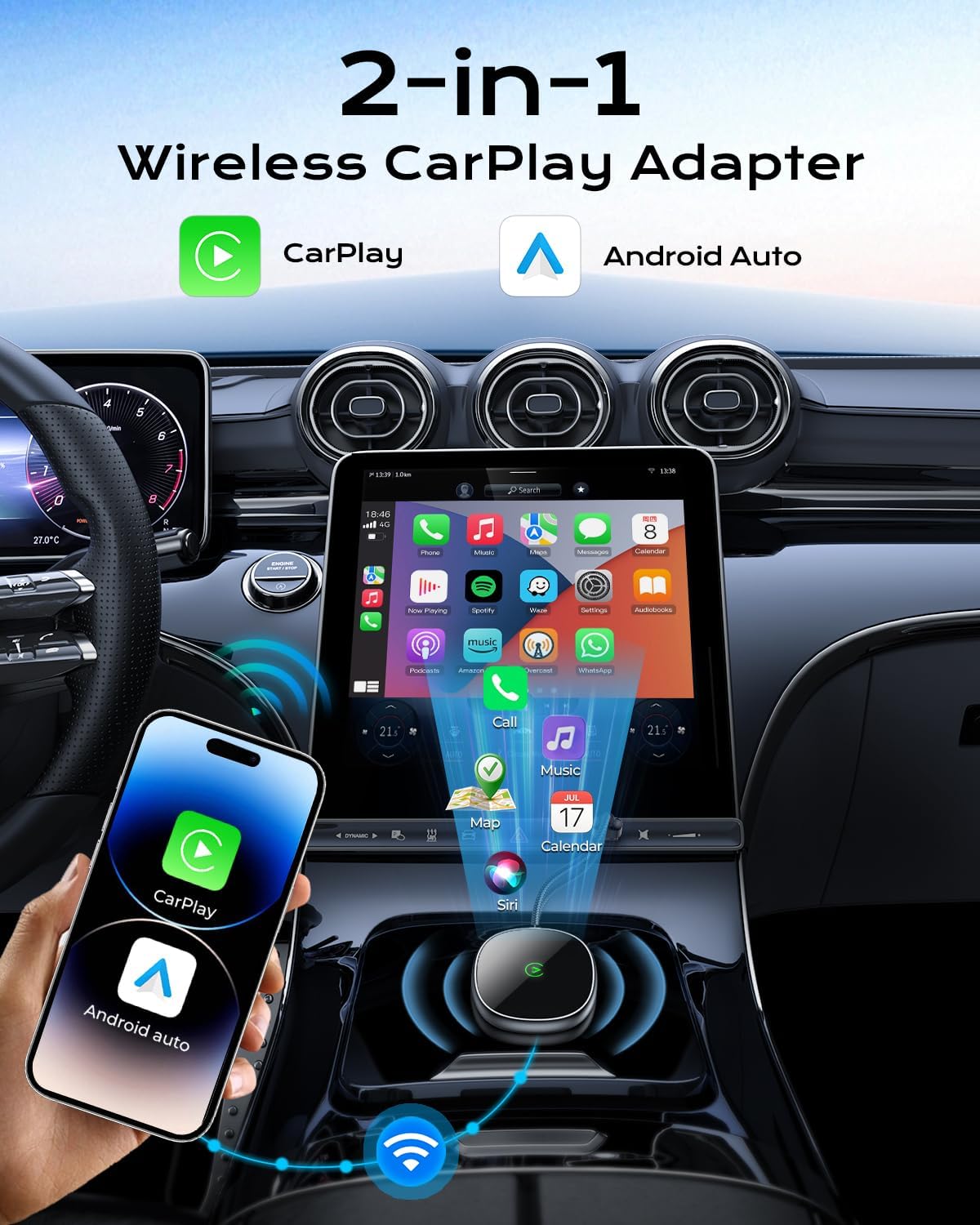
Image: The AuroraLink adapter connected to a car's USB port, showing the compact design.
- Enable Wi-Fi and Bluetooth on Your Phone:
On your iPhone (iOS 10+) or Android phone (Android 11+), go to your phone's settings and ensure both Wi-Fi and Bluetooth are turned on. Do not connect to any Wi-Fi network at this stage, just ensure it's enabled.

Image: A smartphone displaying its Wi-Fi and Bluetooth settings, both toggled to the 'on' position, ready for pairing.
- Pair with the Adapter via Bluetooth:
On your phone's Bluetooth settings, search for available devices. Locate and select the device named "Wireless-Adapter-XXXX" (where XXXX is a unique identifier). A pairing request will appear on your phone and/or car screen. Confirm the pairing.
Video: Demonstrates the Bluetooth pairing process between a smartphone and the AuroraLink Wireless Carplay Adapter, showing the pairing request and successful connection.
- Initiate CarPlay/Android Auto:
Once paired, your car's infotainment system should automatically display the Apple CarPlay or Android Auto interface. If not, select the CarPlay or Android Auto icon on your car's screen.
- Automatic Reconnection:
After the initial setup, the adapter will automatically connect to your phone within approximately 5 seconds of starting your car's ignition, provided your phone's Bluetooth and Wi-Fi are enabled.

Image: A car's infotainment screen displaying the Apple CarPlay interface with various application icons, indicating a successful connection.
Operating Instructions
The AuroraLink adapter allows you to interact with your CarPlay or Android Auto system using multiple control methods:
- Touchscreen: Directly interact with the car's infotainment screen as you would with your smartphone.
- Voice Control: Use Siri (for Apple CarPlay) or Google Assistant (for Android Auto) for hands-free commands. Simply say "Hey Siri" or "Hey Google" to activate.
- Steering Wheel Controls: Utilize your vehicle's existing steering wheel buttons for audio control, answering calls, and activating voice assistants.
- OEM Knobs: If your vehicle has original equipment manufacturer (OEM) control knobs, these will also function with the wireless system.

Image: A driver demonstrating various control methods for the car's infotainment system, including voice commands, touchscreen interaction, and steering wheel buttons.
Enjoy seamless access to your favorite apps for navigation, music, podcasts, and communication directly on your car's display.
Compatibility
The AuroraLink Wireless Carplay Adapter offers broad compatibility:
- iPhone Compatibility: Works with iPhone Series running iOS 10 and above.
- Android Phone Compatibility: Works with Android phones running Android 11 and above.
- Vehicle Compatibility: Supports 98% of cars manufactured from 2016 onwards that come with factory-installed wired Apple CarPlay or Android Auto.
For a detailed list of compatible car models, please refer to the official Apple CarPlay and Android Auto websites:

Image: An infographic illustrating the wide compatibility of the adapter with different iPhone and Android phone models, as well as various car brands.
Maintenance
The AuroraLink Wireless Carplay Adapter is designed for minimal maintenance. To ensure optimal performance:
- Keep the device clean and free from dust and debris. Use a soft, dry cloth for cleaning.
- Avoid exposing the adapter to extreme temperatures or direct sunlight for prolonged periods.
- Ensure the USB connection is secure and free from damage.
- Periodically check for firmware updates from the manufacturer's official website to ensure the best performance and compatibility.
Troubleshooting
If you encounter any issues with your AuroraLink Wireless Carplay Adapter, please try the following solutions:
- No Connection:
- Ensure the adapter is securely plugged into a functional USB port in your car.
- Verify that your phone's Bluetooth and Wi-Fi are enabled.
- Forget the device from your phone's Bluetooth settings and re-pair it.
- Restart your car's infotainment system and your phone.
- Lag or Disconnections:
- Ensure your phone is close to the adapter and there are no obstructions.
- Check for any conflicting Bluetooth or Wi-Fi devices in the car.
- Restart the adapter by unplugging and re-plugging it.
- Ensure your phone's operating system and the adapter's firmware (if applicable) are up to date.
- CarPlay/Android Auto Not Launching:
- Confirm your car supports wired CarPlay or Android Auto natively.
- Check your car's infotainment settings to ensure CarPlay/Android Auto is enabled.
- Try connecting your phone directly via USB to confirm wired CarPlay/Android Auto functionality.
If problems persist, please contact AuroraLink customer support for further assistance.
Specifications
| Feature | Detail |
|---|---|
| Brand | AuroraLink |
| Model Number | JC010 |
| Color | Grey |
| Connector Type | USB, USB Type C |
| Compatible Devices | Android Phones with Android 11+, iPhone Series with iOS 10+ |
| Specific Uses For Product | Car Audio & Video |
| Item Weight | 3.52 ounces |
| Package Dimensions | 4.37 x 4.33 x 0.67 inches |
Warranty and Support
AuroraLink is committed to providing high-quality products and excellent customer service. Your AuroraLink Wireless Carplay Adapter comes with the following:
- 18 Months Quality Backed: The product is covered by an 18-month quality assurance period.
- 30 Days Free Return: Enjoy a 30-day free return policy.
- 24 Hours Rapid Response: Customer support is available for rapid response to your inquiries.
- Lifetime Technical Support: AuroraLink offers lifetime technical support for its products.
For any questions, technical assistance, or warranty claims, please contact AuroraLink customer service through the platform where you purchased the product or visit the official AuroraLink website.

Image: An image detailing AuroraLink's customer support commitments, including rapid response, free returns, and quality assurance.