
Introduction
The talomen K60-1 Wireless Microphone System offers professional-grade audio with a 2.4 GHz frequency for stable, extended range up to 160 feet (50m). It features a dynamic microphone core and DSP noise reduction technology for clear, distortion-free sound. Designed for ease of use, it's a plug-and-play system with automatic pairing and boasts long-lasting rechargeable batteries. This makes it ideal for various indoor and outdoor activities such as karaoke, singing, parties, speeches, and more.
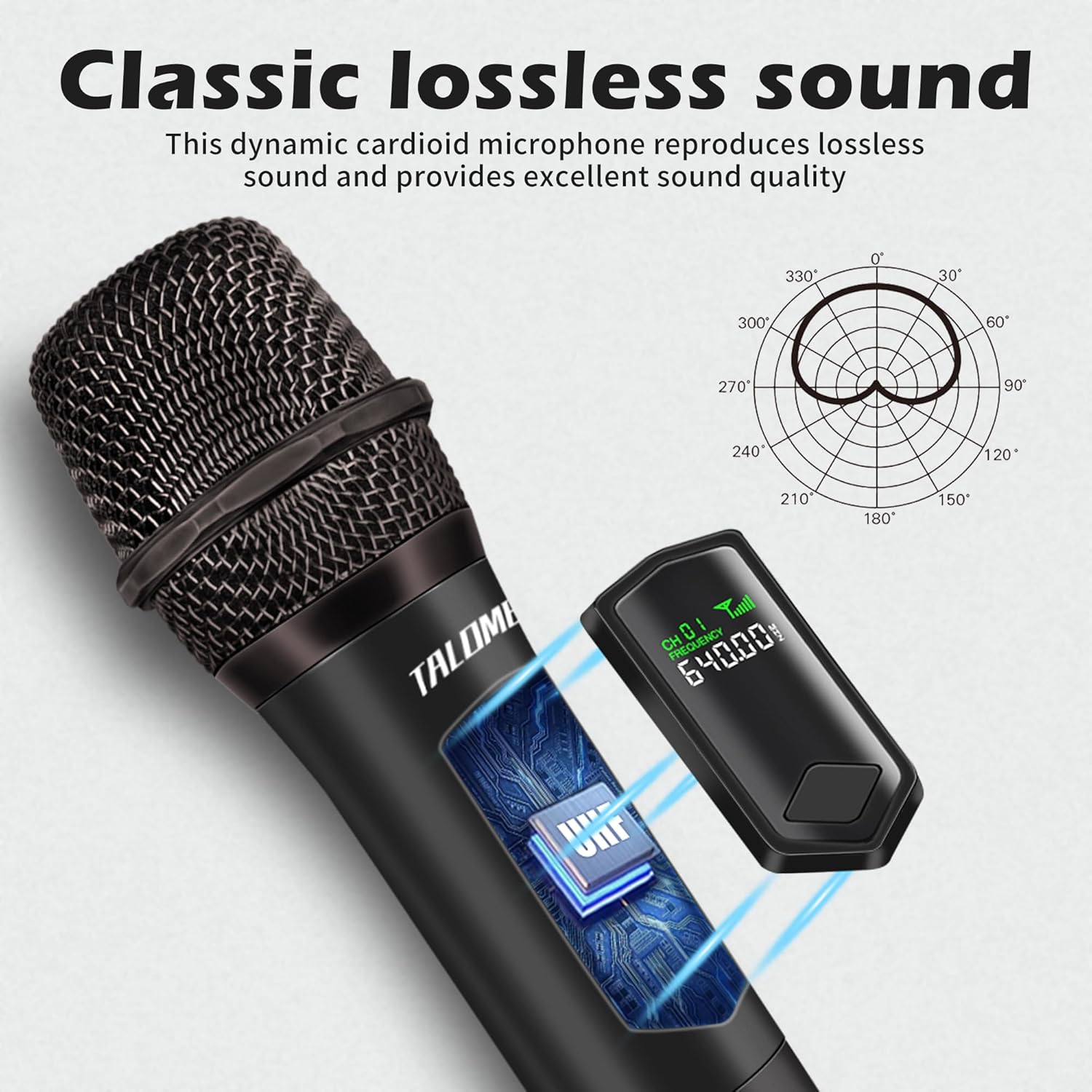
Image: The talomen K60-1 wireless microphone and its receiver, showcasing the compact and portable design.
What's in the Box
Please check the package contents to ensure all items are present:
- 1 x Handheld Wireless Microphone
- 1 x Receiver with 6.35mm (1/4 inch) Plug
- 1 x 6.35mm (1/4 inch) to 3.5mm (1/8 inch) Audio Adapter
- 2 x Rechargeable AA Lithium Batteries
- 1 x USB Charging Cable (Type-C)
- 1 x Anti-slip Ring
- 1 x Microphone Cover
- 1 x User Manual

Image: All components included in the talomen K60-1 package, including the microphone, receiver, cables, batteries, and adapters.
Product Features
- Wireless Freedom: Utilizes 2.4 GHz frequency for a stable connection range of up to 160 feet (50m). Features include no radiation, anti-howling, anti-jamming, constant frequency, and distortion less than 0.2%.
- Clear Sound Pickup: Equipped with a professional dynamic microphone core, 2.4 GHz audio transmission, and DSP noise reduction technology. This ensures high signal-to-noise ratio, delivering clear, noise-free, distortion-free, and crisp vocals.
- Long-lasting Rechargeable Batteries: Both the microphone and receiver are powered by 1200 mAh rechargeable AA lithium batteries. A full charge takes 2-3 hours and provides over 10 hours of continuous use. Both units feature USB-C charging ports.
- Wide Compatibility: The receiver is compatible with any device featuring a 6.35mm (1/4 inch) or 3.5mm (1/8 inch) MIC input. This includes party speakers, karaoke machines, amplifiers, PA systems, and audio interfaces.
- Plug and Play: Designed for easy setup with automatic pairing between the microphone and receiver, requiring no manual configuration.
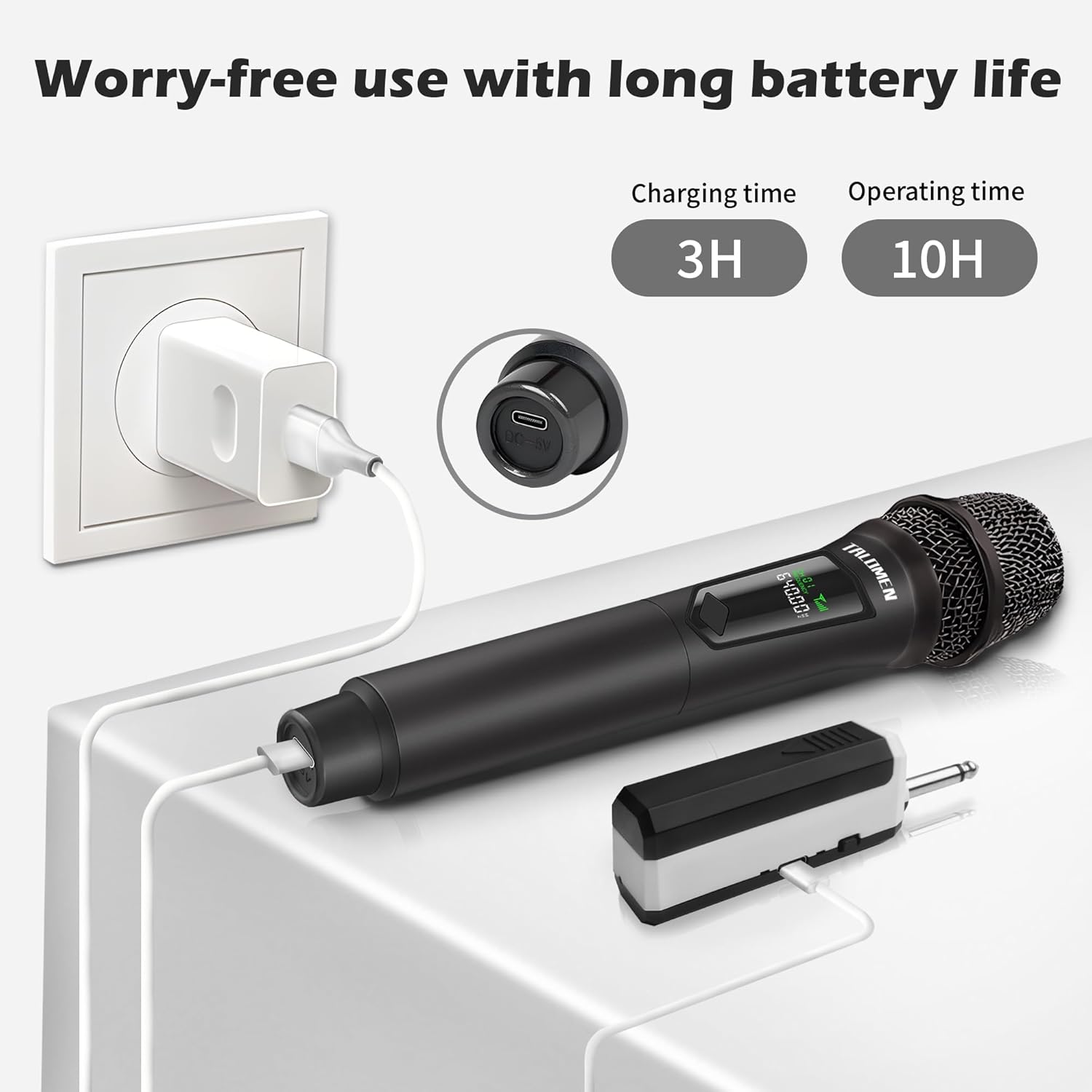
Image: The microphone's classic lossless sound capability, illustrated with a polar pattern diagram for optimal sound capture.

Image: Internal components of the custom microphone, highlighting the built-in soundproof cotton, anti-vibration protective case, and Hi-Fi voice coil for superior audio.

Image: Illustration of the microphone's stable long-distance transmission capability, reaching up to 164 feet (50 meters).

Image: The microphone's wide compatibility with different audio devices, including street stereo speakers, karaoke speakers, PA systems, outdoor speakers, power amplifiers, and sound systems.
Setup Instructions
The talomen K60-1 microphone system is designed for quick and easy setup. Follow these steps to get started:
- Insert Batteries: Ensure the included rechargeable AA lithium batteries are correctly inserted into both the microphone and the receiver.
- Power On Microphone: Locate the ON/OFF switch on the microphone and slide it to the 'ON' position.
- Power On Receiver: Locate the ON/OFF switch on the receiver and slide it to the 'ON' position. The microphone and receiver will automatically pair.
- Connect Receiver: Plug the receiver into the MIC input port of your audio device (e.g., karaoke machine, PA system). If your device has a 3.5mm (1/8 inch) input, use the provided 6.35mm to 3.5mm audio adapter.
Once connected, you are ready to use your talomen K60-1 wireless microphone.
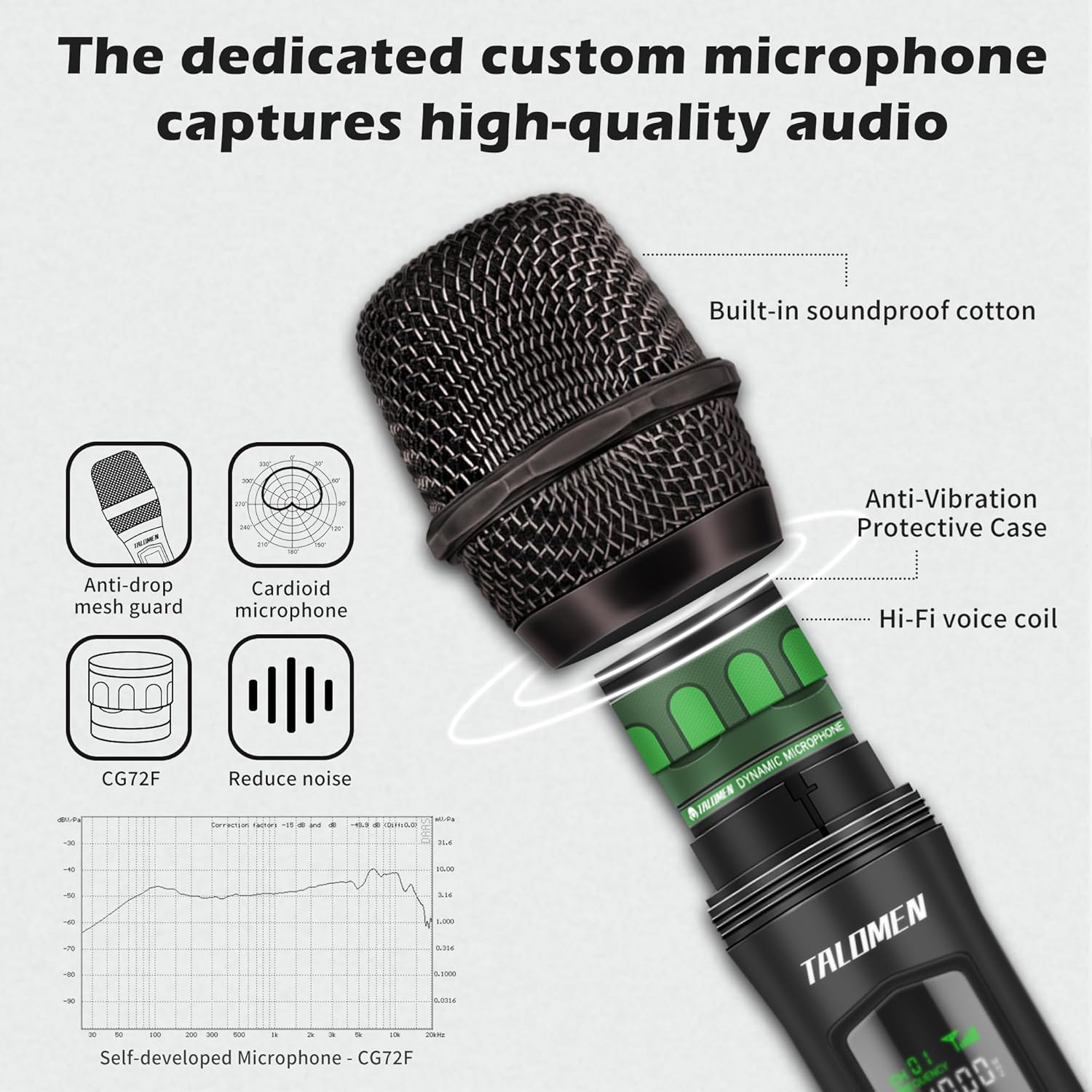
Image: Visual guide for the 3-step plug-and-play setup: Turn on microphone, turn on receiver (automatic pairing), and insert receiver into the microphone input port.
Operating Instructions
- Power On/Off: Use the dedicated ON/OFF switch on both the microphone and the receiver to power them on or off.
- Mute Function: The microphone is equipped with a mute function. Refer to the microphone's display or specific button for activation/deactivation.
- Volume Control: Adjust the output volume directly on your connected audio device (e.g., speaker, amplifier). The microphone itself does not have a volume control.
- Optimal Usage: For best sound quality, hold the microphone approximately 2-6 inches (5-15 cm) from your mouth.
Maintenance
- Battery Charging: Fully charge the batteries before the first use. When the battery indicator on the microphone or receiver is low, connect them to a USB power source using the provided USB-C cable. A full charge typically takes 2-3 hours.
- Cleaning: Wipe the microphone and receiver with a soft, dry cloth. Do not use liquid cleaners, solvents, or abrasive materials, as these can damage the device.
- Storage: When not in use for extended periods, store the microphone system in a cool, dry place, away from direct sunlight and extreme temperatures. It is recommended to remove batteries if storing for very long durations.
- Anti-slip Ring: Use the included anti-slip ring to prevent the microphone from rolling off surfaces and to provide a more secure grip.

Image: Details on battery life and charging, showing a 3-hour charging time for 10 hours of operating time, with a USB-C charging port.
Troubleshooting
- No Sound Output:
- Ensure both the microphone and receiver are powered on.
- Check the battery levels of both units and recharge if necessary.
- Verify that the receiver is securely plugged into the correct MIC input of your audio device.
- Confirm that the volume on your audio device is turned up.
- The microphone and receiver should pair automatically. If not, try restarting both devices.
- Poor Sound Quality or Interference:
- Ensure the microphone is within the optimal operating range of 160 feet (50m) from the receiver.
- Minimize physical obstacles (walls, large objects) between the microphone and receiver.
- Avoid using the microphone near other 2.4 GHz wireless devices that might cause interference.
- Check the microphone grille for any debris that might obstruct sound.
- Microphone/Receiver Not Charging:
- Ensure the USB-C charging cable is firmly connected to both the device and the power source.
- Verify that the USB power source (e.g., wall adapter, computer USB port) is active and functioning correctly.
Specifications
| Feature | Specification |
|---|---|
| Brand | talomen |
| Model Name | K60-1 |
| Connectivity Technology | 2.4 GHz, 3.5 mm/6.35 mm, USB Type-C |
| Connector Type | 3.5 mm Jack, 6.35 mm Jack |
| Special Features | Mute function, Noise reduction |
| Compatible Devices | Karaoke machine, PA system |
| Color | Black |
| Polar Pattern | Unidirectional |
| Impedance | 1 Ohms |
| Microphone Features | Handheld |
| Power Source | Battery Powered |
| Number of Batteries | 2 AAA (Rechargeable Lithium, included) |
| Signal-to-Noise Ratio | 86.4 dB |
| Hardware Platform | DVD Player, Karaoke Machine, Television |
| Number of Channels | 10 |
| Frequency Response | 20 KHz |
| Frequency Range | 2402MHz-2480MHz |
| Maximum Frequency | 2480 MHz |
| Minimum Frequency | 2200 MHz |
| Noise Level | 86.4 Decibels |
| Item Dimensions (L x W x H) | 5.5 x 5.5 x 25 centimeters |
| Internal Material | Plastic |
| GTIN/UPC | 601236704481 |
Warranty and Support
The talomen K60-1 Wireless Microphone System comes with a one-year free replacement guarantee, ensuring peace of mind regarding your purchase.
Should you have any questions, encounter issues, or require assistance, please do not hesitate to contact our customer service. Our support team is available 7 days a week, 24 hours a day, to provide online assistance.
For further support, please refer to the contact information provided with your purchase or visit the official talomen website.