
MECHEN D53
MECHEN D53 MP3 Player User Manual
Model: D53 | Brand: MECHEN
Introduction
Thank you for purchasing the MECHEN D53 Portable MP3 Player. This device offers a comprehensive music experience with its 128GB built-in memory, Bluetooth 5.3 connectivity, HiFi sound quality, and a 2.4-inch touch screen. It also includes features such as a voice recorder, FM radio, e-book reader, and video playback. This manual provides detailed instructions to help you get the most out of your new MP3 player.
What's in the Box
- 1 x MECHEN D53 MP3 Player
- 1 x Type-C Charging Cable
- 1 x Wired Headset
- 1 x User Manual

Image: Packaging contents of the MECHEN D53 MP3 Player.
Product Overview
The MECHEN D53 MP3 Player features a compact design with a 2.4-inch touch screen and physical buttons for easy navigation. It includes a Type-C port for charging and data transfer, and dual 3.5mm audio jacks for shared listening.

Image: Front view of the MECHEN D53 MP3 Player with earphones.

Image: Side view highlighting the Type-C port and dual audio jacks.
Setup
1. Initial Charging
Before first use, fully charge the MP3 player using the provided Type-C charging cable. Connect the cable to the player's Type-C port and the other end to a USB power adapter (not included) or a computer's USB port. The battery indicator on the screen will show charging progress.
2. Transferring Music and Files
Connect the MP3 player to your computer using the Type-C cable. The player will appear as a removable disk. You can then drag and drop music files (MP3/WMA/APE/FLAC/WAV/AAC), videos, photos, and e-books into the respective folders on the player's internal 128GB memory or an inserted microSD card (up to 512GB).
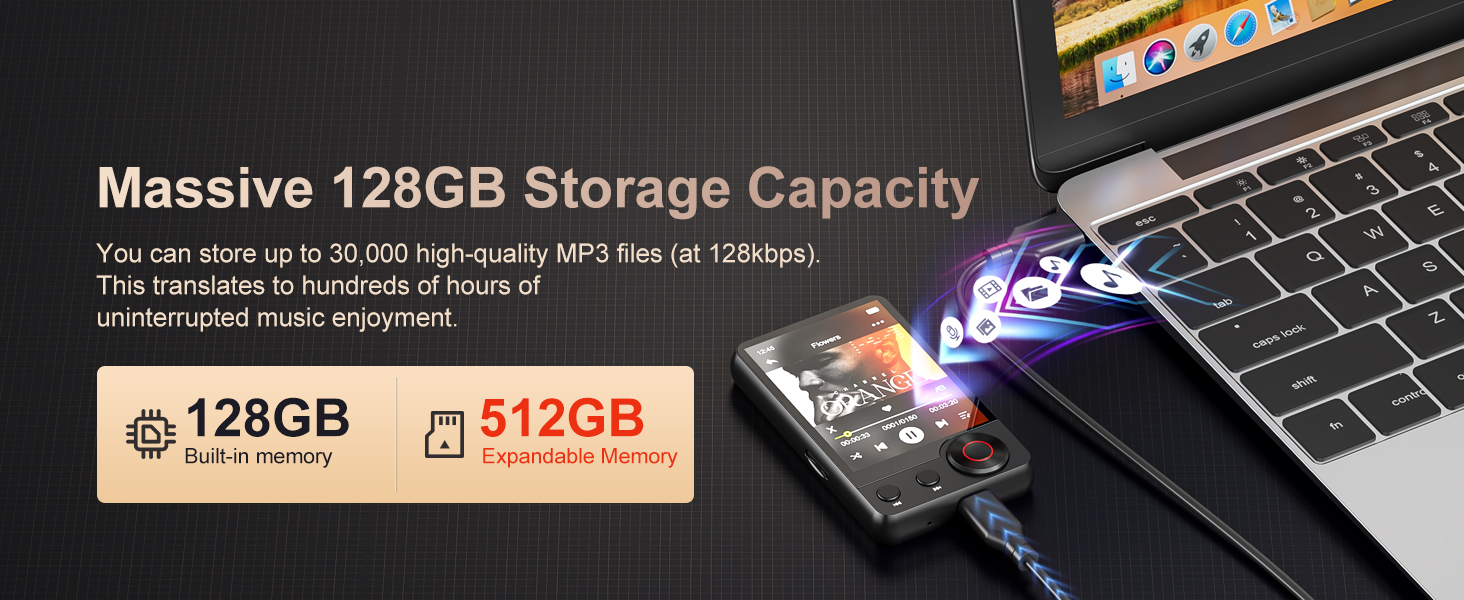
Image: Transferring files to the MP3 player via USB-C.
Operating Instructions
1. Basic Navigation
The D53 MP3 player features a touch screen for primary navigation. Swipe to unlock the screen. Tap icons to open applications. Use the physical buttons for play/pause, next/previous track, and volume control. The main menu provides access to Music, Video, Pictures, FM Radio, Bluetooth, Recordings, Ebook, Folder view, Theme, Stopwatch, and Alarm.

Image: Main menu interface of the MP3 player.
2. Music Playback
Tap the "Music" icon to access your music library. The player supports MP3, WMA, APE, FLAC, WAV, and AAC formats. You can browse by song, artist, album, or folder. The device features HiFi lossless sound quality for an enhanced listening experience.
- Song Search Function: Tap the search icon within the music player to quickly find songs by typing letters or words. This function is not case-sensitive.
- Playlists: The D53 supports up to 6 customizable playlists, allowing for better organization of your favorite tracks.
- Dual Audio Jack: Two 3.5mm audio jacks allow two users to listen simultaneously with wired headphones.

Image: HiFi Lossless Sound Quality feature.

Image: Music search function on the MP3 player.
3. Bluetooth Connectivity
The D53 MP3 player features advanced Bluetooth 5.3 technology for stable and low-power wireless connections. To pair with Bluetooth headphones or speakers:
- Ensure your Bluetooth headphones/speakers are in pairing mode.
- On the MP3 player, tap the "Bluetooth" icon from the main menu.
- Turn on Bluetooth and select "Search for device".
- Once your device appears in the list, tap to connect.
Note: Car Bluetooth, mobile phone, and PC connections are not supported.

Image: Bluetooth 5.3 seamless connectivity.
Video: Overview of MECHEN D53 MP3 Player features, including Bluetooth connectivity, dual audio jack, 2.4-inch screen, and new music search function.
4. Other Functions (FM Radio, Voice Recorder, E-Book, Video)
The D53 MP3 player is a multi-functional device. Access these features from the main menu:
- FM Radio: Tune into your favorite radio stations.
- Voice Recorder: Record audio using the built-in microphone.
- E-Book: Read text files.
- Video: Play video files. Note that videos may need to be converted to a compatible format before playback.

Image: FM Radio function.

Image: Voice Recorder function.

Image: E-Book function.

Image: Video Playback function.
5. Customization
Personalize your MP3 player by changing themes and screen savers. Navigate to the "Theme" or "Pictures" section in the main menu to select or set custom images as your background or screen saver.
Maintenance
- Keep the device dry and away from extreme temperatures.
- Clean the screen and body with a soft, dry cloth. Avoid using harsh chemicals.
- Avoid dropping or subjecting the device to strong impacts.
- Regularly back up important data to prevent loss.
Troubleshooting
1. Bluetooth Connection Issues
If you experience difficulty connecting to Bluetooth devices:
- Ensure no other devices (phones, tablets, etc.) are actively connected to your Bluetooth headset or speaker. Disconnect or turn off Bluetooth on conflicting devices.
- Move the MP3 player and Bluetooth device approximately 20 meters outdoors to effectively cut off connections to indoor devices and avoid conflicts.
- Ensure your Bluetooth headset or speaker is in pairing mode.
- On the MP3 player, go to Bluetooth settings, open the function, and search for your device. Click to connect once it appears.
2. Player Not Responding / Freezing
If the player becomes unresponsive:
- Locate the reset hole underneath the player. Use a paper clip or a pointed object to gently press the internal reset button to restore the player to its factory state.
- If a reset does not resolve the issue, it might indicate a software problem. Firmware refresh recovery may be necessary. Contact customer support for assistance and tools.
3. Music File Playback Issues
If certain music files do not play correctly:
- Verify that the music file format is supported (MP3/WMA/APE/FLAC/WAV/AAC).
- Check the bitrate and hertz of the music file using tools like Kid3 or MP3tag to ensure they are within the player's supported range.
- Consider converting the music file to MP3 or FLAC format using a tool like "Format Factory" and then re-transferring it to the player.
- Note: Audible APP content cannot be played directly. Audible books need to be converted to MP3 format before transferring to the player.
Specifications
| Product Dimensions | 0.5 x 2 x 3.5 inches |
| Item Weight | 3.14 ounces |
| Model Number | D53 |
| Screen Size | 2.4 Inches |
| Memory Storage Capacity | 128 GB (expandable up to 512GB via Micro SD card) |
| Connectivity Technology | Bluetooth 5.3 |
| Special Features | Built-In Speaker, Voice Recorder, Touch Screen, Equalizer, FM Radio, E-book, Video Playback |
| Battery | 1 A battery required (included) |
| Manufacturer | MECHEN |
| Country of Origin | China |
Warranty and Support
MECHEN provides 12 months of after-sales service for this product. For any questions, technical support, or warranty claims, please contact our friendly customer support team. We are committed to being 100% responsible for our customers and products to ensure the best experience.
Related documentsD53


Ask a question about this manual
Ask about setup, troubleshooting, compatibility, parts, safety, or missing instructions. Manuals+ will review the question and use this page’s manual context to help answer it.