
1. Product Overview
This manual provides comprehensive instructions for the safe installation, operation, and maintenance of your TCL 52-inch low profile ceiling fan. Please read all instructions carefully before beginning installation or use.
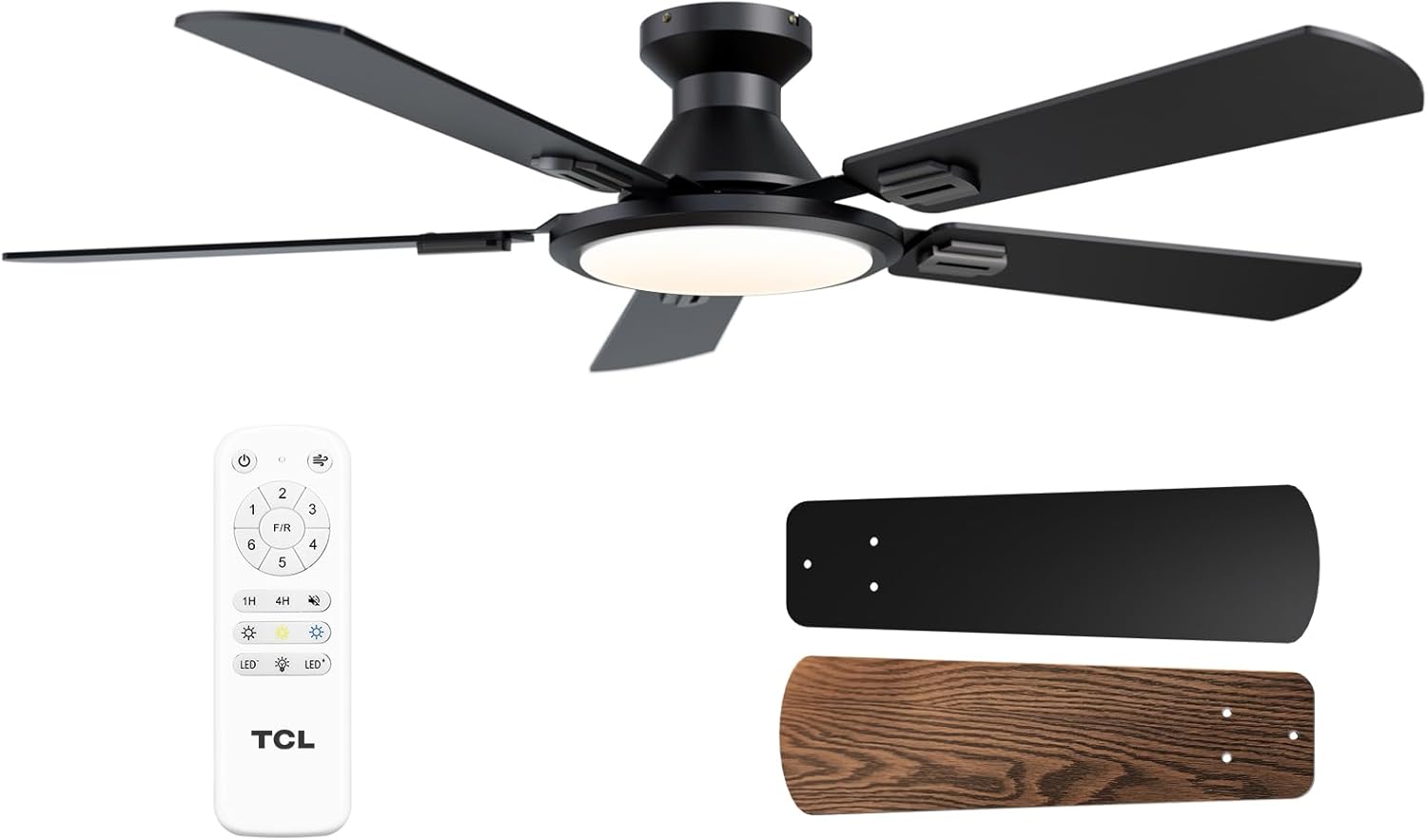
Image: Overview of the TCL 52-inch ceiling fan, showing the main fan unit, the remote control, and a pair of reversible blades (black and walnut finish).
Included Components:
- 1 Ceiling Fan with 5 Blades
- 1 LED Integrated Light Kit
- 1 Remote Control and Holder (Equipped with battery)
- 1 User Manual
2. Safety Information
Always follow basic safety precautions when installing and operating this appliance to reduce the risk of fire, electric shock, and personal injury.
- Ensure the power is turned off at the circuit breaker before installation or servicing.
- All wiring must be in accordance with national and local electrical codes.
- Consult a qualified electrician if you are unsure about the installation process.
- The mounting structure must be capable of supporting the weight of the fan (approximately 13.09 lbs / 5.95 kg).
- Do not insert objects into the path of the fan blades.
3. Setup and Installation
This ceiling fan is designed for flush mount installation. A video guide is available to assist with the setup process. Installation typically takes approximately 30 minutes.
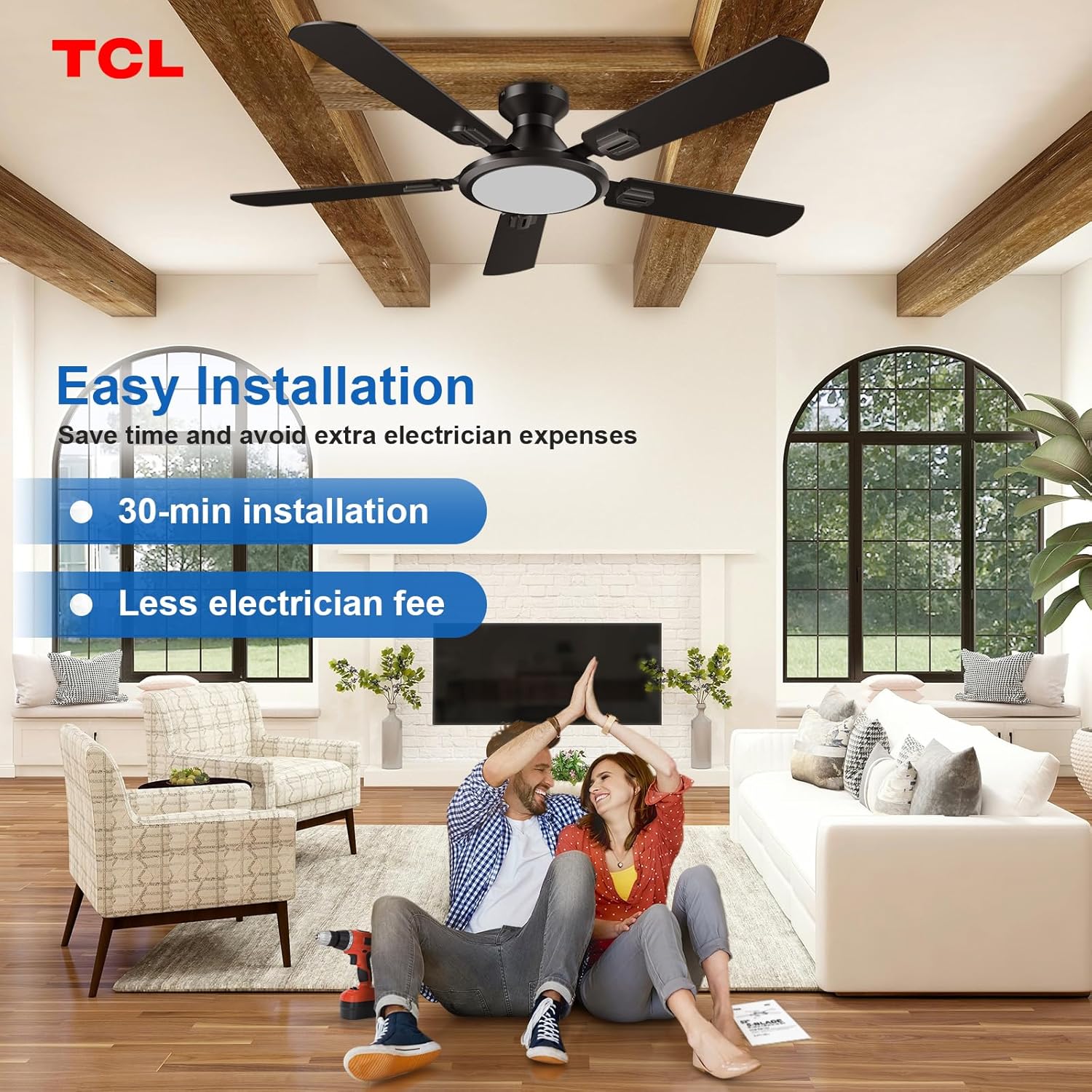
Image: A visual representation of the easy installation process, showing a couple celebrating a successful setup next to the installed ceiling fan and an instruction manual.
Installation Steps (Summary):
- Prepare for Installation: Turn off power at the circuit breaker. Ensure the mounting box is securely attached to the building structure and can support the fan's weight.
- Mount the Bracket: Secure the mounting bracket to the electrical junction box.
- Assemble Blades: Attach the five fan blades to the motor housing. Note that some screws may be pre-installed on the motor housing and need to be removed and re-used for blade attachment. The blades are reversible, offering black and walnut finish options.
- Wire the Fan: Connect the fan's electrical wires to the household wiring according to the wiring diagram in the full manual.
- Attach the Fan Body: Secure the fan motor assembly to the mounting bracket.
- Install the LED Light Kit: Connect and secure the integrated LED light panel to the fan.
- Restore Power: Turn on power at the circuit breaker and test the fan and light functions.

Image: A diagram illustrating the dimensions of the 52-inch ceiling fan and showcasing the reversible dual-finish blades (black and walnut).
4. Operating Instructions
Your TCL ceiling fan is controlled by the included remote control, offering various settings for optimal comfort.
Remote Control Functions:

Image: The remote control for the TCL ceiling fan, highlighting buttons for power, 6 fan speeds, forward/reverse function, light on/off, light color temperature adjustment, light dimming, and timer settings (1H, 4H, 8H).
- Power On/Off: Press the power button to turn the fan and light on or off.
- Fan Speed: Select from 6 fan speeds (1-6) to adjust airflow.
- Forward/Reverse (F/R): Press to change the direction of blade rotation for summer (downward airflow) or winter (upward airflow) modes.
- Light On/Off: Control the LED light independently from the fan.
- Light Color Temperature: Cycle through 3 color temperatures: 3000K (Warm Light), 4500K (Natural Light), and 6500K (Cool White Light).
- Light Dimming: Adjust brightness from 10% to 100%.
- Timer: Set the fan to turn off automatically after 1 hour, 4 hours, or 8 hours.
Reversible DC Motor:
The fan features a reversible DC motor for year-round comfort.

Image: A visual comparison of the fan's operation in summer mode (counter-clockwise rotation for downward airflow) and winter mode (clockwise rotation for upward airflow).
- Summer Mode: Blades rotate counter-clockwise, creating a downward breeze for cooling.
- Winter Mode: Blades rotate clockwise, drawing warm air up and distributing it evenly throughout the room.
Light Memory Function:
The fan's LED light module retains the last used brightness and color temperature settings when turned off and on again. To ensure the memory function works correctly, wait at least 20 seconds after turning off the light before turning it back on.

Image: A three-step illustration demonstrating the light memory function: 1. Select desired light settings, 2. Turn off the light for at least 20 seconds, 3. Previous settings are maintained when turned on again.
5. Maintenance
Regular maintenance ensures optimal performance and longevity of your ceiling fan.
- Cleaning: Wipe the fan blades and motor housing with a soft, damp cloth. Do not use abrasive cleaners or solvents.
- Blade Screws: Periodically check and tighten all blade screws to prevent wobbling and noise.
- LED Module: The integrated LED light module is replaceable. If the light fails, contact customer support for a replacement module.

Image: A close-up view of the ceiling fan's integrated LED light, highlighting its easily replaceable 24W dimmable LED module.
6. Troubleshooting
Refer to this section for common issues and their solutions.
| Problem | Possible Cause | Solution |
|---|---|---|
| Fan does not start | No power; loose wiring; remote control battery depleted. | Check circuit breaker; ensure all connections are secure; replace remote control battery. |
| Fan wobbles | Loose blade screws; unbalanced blades; improper mounting. | Tighten all blade screws; ensure blades are balanced (refer to full manual for balancing kit instructions if needed); verify mounting bracket is secure. |
| Light does not work | Loose wiring; LED module failure; remote control issue. | Check wiring connections; contact support for a replacement LED module; replace remote control battery. |
| Fan is noisy | Loose parts; motor issue; fan operating at excessively high speed. | Check and tighten all screws and connections. While the fan is designed for quiet operation (under 35dB), operating at the highest speed (level 6) may produce more airflow noise. Ensure the fan is not set to an unstable speed if experiencing excessive vibration or noise. |
7. Specifications
| Feature | Detail |
|---|---|
| Brand | TCL |
| Model Name | HFSB-60000AD |
| Color | Black |
| Product Dimensions | 52"D x 52"W x 8.26"H |
| Power Source | DC |
| Noise Level | 30 dB |
| Wattage | 54 watts |
| Voltage | 120 Volts |
| Item Weight | 5.95 Kilograms (13.09 pounds) |
| Number of Power Levels | 6 |
| Motor Type | Brushless DC Motor |
| Installation Type | Ceiling Mount |
| UPC | 846042019545 |
| Size | 52 inch |
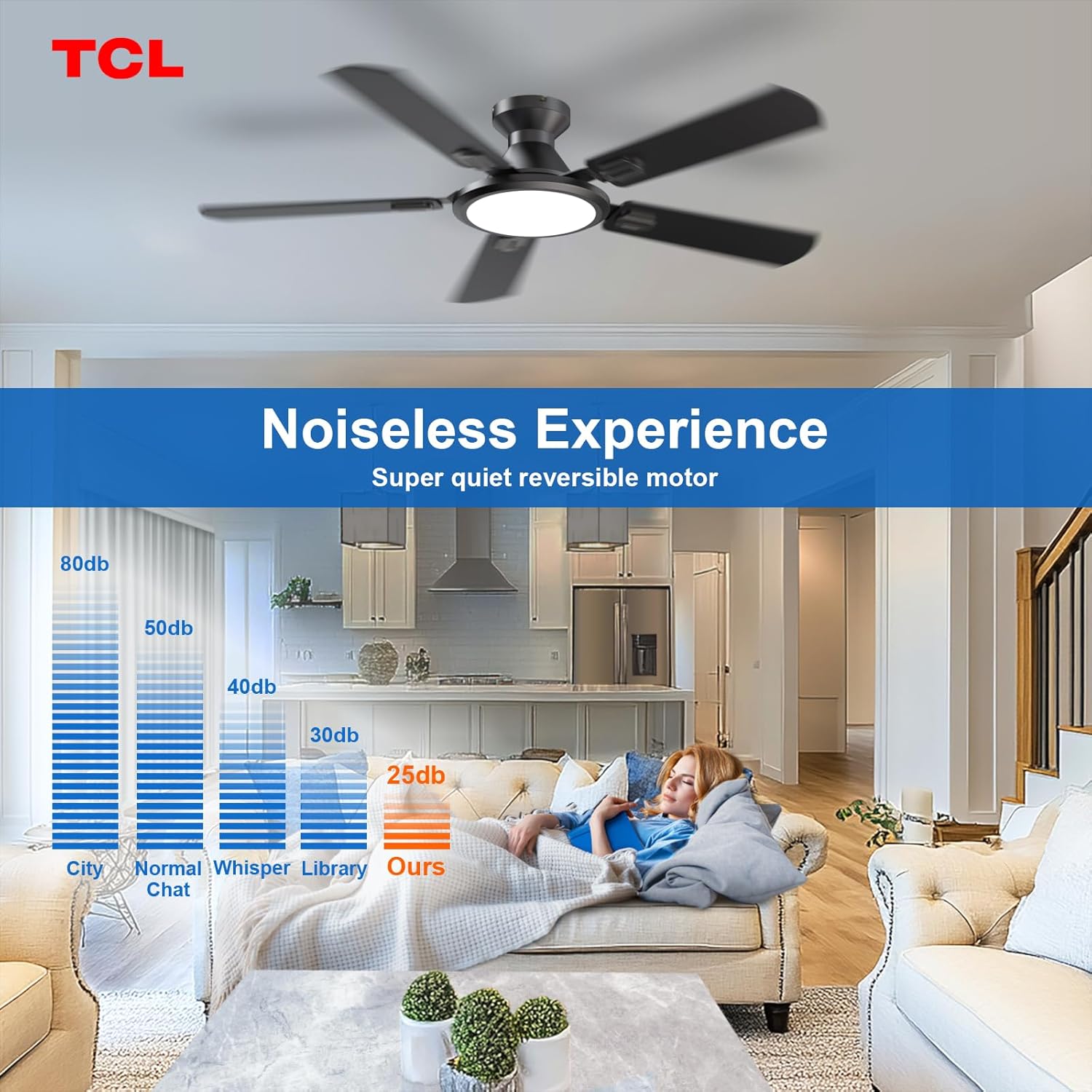
Image: A bar chart comparing the noise level of the TCL ceiling fan (25dB) to common environmental sounds like city noise, normal chat, whisper, and library silence.
8. Warranty and Support
TCL is committed to providing high-quality products and exceptional customer service.
Warranty Information:
- Whole Fan: 2-year limited warranty.
- Motor: 10-year limited warranty.

Image: A graphic detailing the warranty periods: 2 years for the whole fan and 10 years for the motor. It also advises contacting support if the LED light board or remote control are damaged or lost.
Customer Support:
If you have any questions, concerns, or require assistance with your product, our dedicated support team is available 24/7.
- For inquiries regarding replacement parts (e.g., LED light board, remote control), please contact customer service.
- Refer to the contact information provided in your product packaging or on the official TCL website for support.

Image: Two customer service representatives wearing headsets, symbolizing the 24-hour customer support team available for assistance.


