1. Product Overview
The EZVALO Outdoor Cordless Table Lamp is a versatile LED lighting solution designed for both indoor and outdoor use. It features a modern design with warm white, eye-caring soft light, evenly diffused through its lampshade. This lamp is portable, waterproof, and rechargeable, making it suitable for various environments.
- Portability: Cordless design allows for easy placement anywhere.
- Waterproof Rating: IP65 certified, ensuring full functionality even in wet conditions.
- Rechargeable Battery: Equipped with a 4500 mAh Lithium-ion battery for extended use.
- Dimmable Touch Control: Stepless dimming and color temperature adjustment via a touch switch.
- Light Source: Upgraded LED SMD bulb with a 30,000-hour lifetime.

Image 1.1: The EZVALO Outdoor Cordless Table Lamp in a typical indoor setting.
2. Included Components
Please ensure all the following components are present in your package:
- 1 x 360° All-Around Glow Lamp Head
- 2 x 3.6-inch Wood-Grain Metal Rods
- 2 x Non-slip Rubber Bases
- 1 x USB-C Charging Cable
- 1 x User Manual

Image 2.1: Visual representation of the lamp's components and their dimensions.
3. Setup and Assembly
The EZVALO lamp is designed for easy assembly and offers adjustable height options.
- Attach Rods: Screw one of the wood-grain metal rods into the non-slip rubber base.
- Extend Height (Optional): If desired, screw the second wood-grain metal rod onto the first rod to achieve a taller lamp.
- Install Lamp Head: Securely attach the 360° All-Around Glow Lamp Head to the top of the assembled rod(s).
Image 3.1: Illustrated guide for lamp assembly.
Image 3.2: The lamp can be assembled to two different heights.
4. Operating Instructions
The EZVALO lamp features intuitive touch controls for power, brightness, and color temperature.
4.1 Power On/Off
To turn the lamp on or off, simply single-press the touch sensor located on the top of the lamp head.
4.2 Brightness Adjustment
To adjust the brightness, long-press the touch sensor. The light will gradually dim or brighten. Release your finger when the desired brightness level is reached.
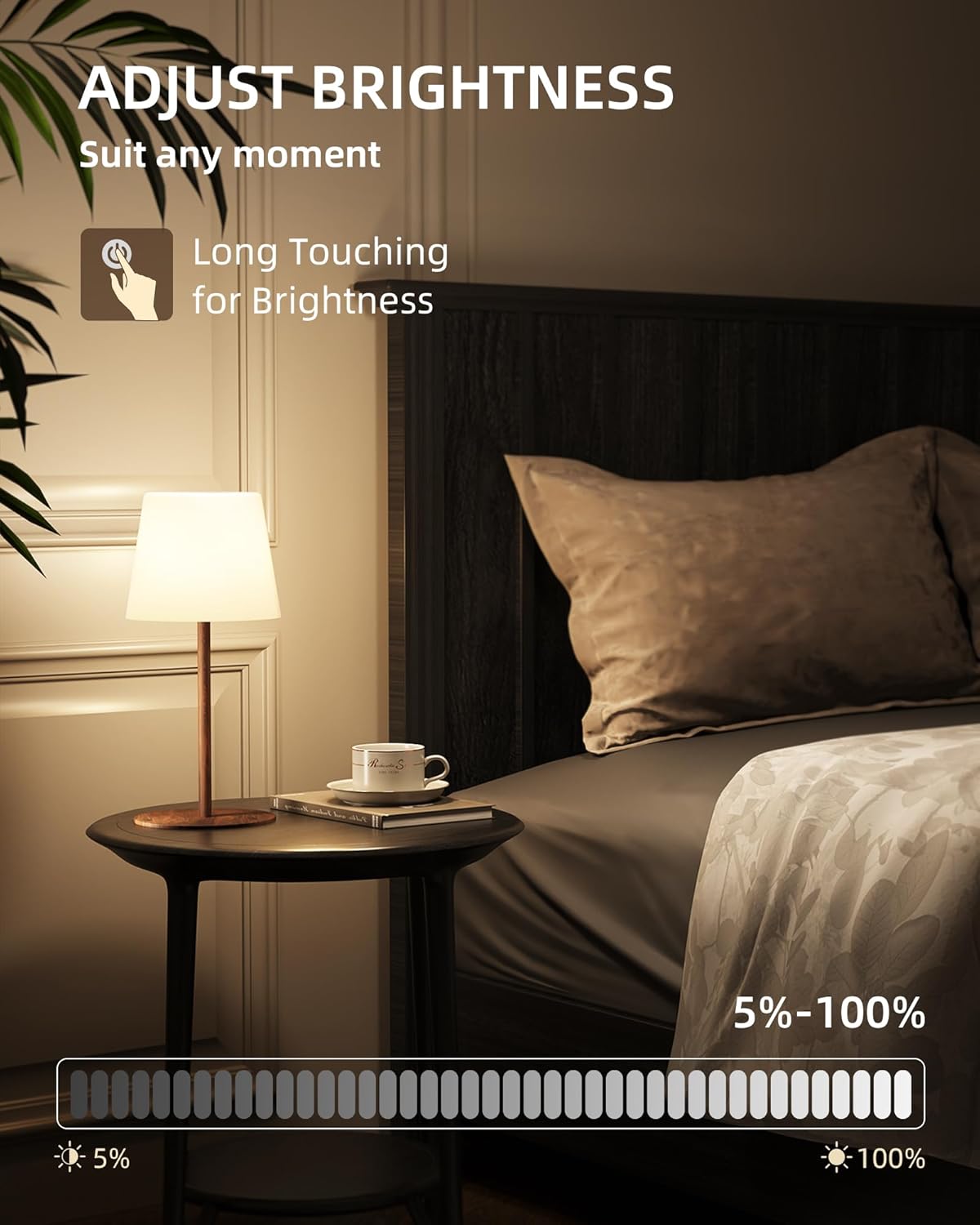
Image 4.1: Adjusting lamp brightness with a long touch.
4.3 Color Temperature Selection
The lamp offers three color temperature settings: 3000K Warm White, 4200K Natural Light, and 6500K Cool White. To cycle through these settings, double-tap the touch sensor.

Image 4.2: The lamp offers three distinct color temperatures.
4.4 Charging the Lamp
The lamp is powered by a 4500 mAh rechargeable Lithium-ion battery. Use the provided USB-C cable with a 5V/2A input for charging. A full charge takes approximately 4 hours and provides 6-9 hours of illumination, depending on brightness settings. Ensure the USB port's rubber cover is securely closed when not charging, especially in wet environments.

Image 4.3: The lamp features a built-in 4500mAh battery and charges via USB-C.
4.5 Versatile Placement
The lamp's portable and waterproof design allows for use in various locations, including bathrooms, patios, gardens, kitchens, and during camping.

Image 4.4: Examples of the lamp's versatile usage in different environments.
4.6 Product Video: Assembly and Shower Use
Video 4.1: This video demonstrates the simple assembly of the EZVALO lamp and its practical application within a shower environment, highlighting its waterproof capabilities and how it can be placed in a shower caddy.
5. Maintenance and Care
- Cleaning: Wipe the lamp body and lampshade with a soft, damp cloth. Avoid using abrasive cleaners or solvents.
- Water Protection: The lamp is IP65 waterproof. Always ensure the rubber tap covering the USB charging port is securely closed when the lamp is exposed to water to prevent internal damage.
- Storage: Store the lamp in a cool, dry place when not in use for extended periods.
- Battery Care: For optimal battery life, fully charge the lamp before its first use and recharge it regularly. Avoid completely draining the battery frequently.
6. Troubleshooting
- Lamp does not turn on:
- Ensure the battery is charged. Connect the lamp to the USB-C charger.
- Verify the touch sensor is clean and unobstructed.
- Lamp does not charge:
- Check if the USB-C cable is properly connected to both the lamp and the power source.
- Try a different USB-C cable or power adapter to rule out cable/adapter issues.
- Brightness or color temperature not changing:
- Ensure you are using the correct touch gesture (long-press for brightness, double-tap for color).
- Clean the touch sensor area.
If issues persist, please refer to the Warranty and Support section for further assistance.
7. Product Specifications
| Feature | Specification |
|---|---|
| Brand | EZVALO |
| Model | B0DRCNL27N |
| Dimensions | 4.7"D x 4.7"W x 11.6"H |
| Item Weight | 1.33 Pounds |
| Material | Acrylonitrile Butadiene Styrene (ABS), Plastic (Shade & Base) |
| Finish Type | Coated |
| Light Source Type | LED |
| Wattage | 2 Watts |
| Brightness | 200 Lumens (Max) |
| Light Color Temperatures | 3000K Warm White, 4200K Natural Light, 6500K Cool White |
| Control Method | Touch (Capacitive Sensor) |
| Water Resistance Level | IP65 Waterproof |
| Power Source | Battery Powered (1 Lithium Ion battery included) |
| Battery Capacity | 4500 mAh |
| Battery Life | Up to 7.5 Hours (average) |
| Average LED Lifetime | 50,000 Hours |
| Indoor/Outdoor Usage | Outdoor |
8. Warranty and Support
EZVALO is committed to ensuring customer satisfaction. If your product arrives damaged or if you encounter any quality issues, please contact EZVALO directly. We will provide a satisfactory solution to address your concerns. For support, please visit the official EZVALO store on Amazon or contact their customer service channels.


