
ZHNN ZHNN
ZHNN Tesla Model 3/Y Rear Display Screen User Manual
Model: ZHNN (B0DRCKKXZS) | Brand: ZHNN
Product Overview
The ZHNN 8.66-inch Rear Display Screen is designed to seamlessly integrate with Tesla Model 3 (2019-2023) and Model Y (2019-2024) vehicles without a touchscreen. This advanced system enhances the rear passenger experience by providing entertainment and control over various vehicle functions.
Key features include an Android 13 operating system, 4GB RAM, 64GB ROM, and a 1280x800P touch screen. It offers AC control, rear seat temperature adjustment, seat heater control, audio volume control, passenger seat control, and fan speed adjustment. The unit also features a built-in 25W Type-C fast charging port and supports wireless CarPlay and Bluetooth connectivity for headphones or other devices.

Figure 1: Front view of the ZHNN Tesla Rear Display Screen, showing the Android 13 interface and core specifications.
Installation Guide
This rear display screen is designed for easy installation without requiring drilling, cutting, or special wiring, preserving the original car's integrity. Ensure your vehicle is compatible (Tesla Model 3 2019-2023, Model Y 2019-2024 without touchscreen) before proceeding.
Steps for Installation:
- Preparation: Ensure the vehicle's power is off before beginning the installation process.
- Access Connection Point: Locate the designated connection area in the rear of your Tesla, typically behind the center console.
- Connect Wiring: Simply plug the 26-pin connector from the display unit into the corresponding port in your vehicle. No additional wiring is typically required.
- Secure the Unit: Mount the display screen securely in its intended position.
- Power On and Test: Restore power to the vehicle and test the functionality of the display screen, including touch response, audio, and climate controls.

Figure 2: Illustration of the simple plug-and-play installation process, highlighting the 26-pin connector.
Operating Instructions
The ZHNN rear display screen provides intuitive control over various vehicle functions and entertainment options for rear passengers.
Climate Control:
Access the climate control interface on the screen to adjust rear AC settings, temperature, and fan speed. The independent air vent allows for 4-directional airflow adjustment (up, down, left, right) for personalized comfort.

Figure 3: Screen interface for rear climate control, showing options for temperature, wind speed, and separate turn-off.
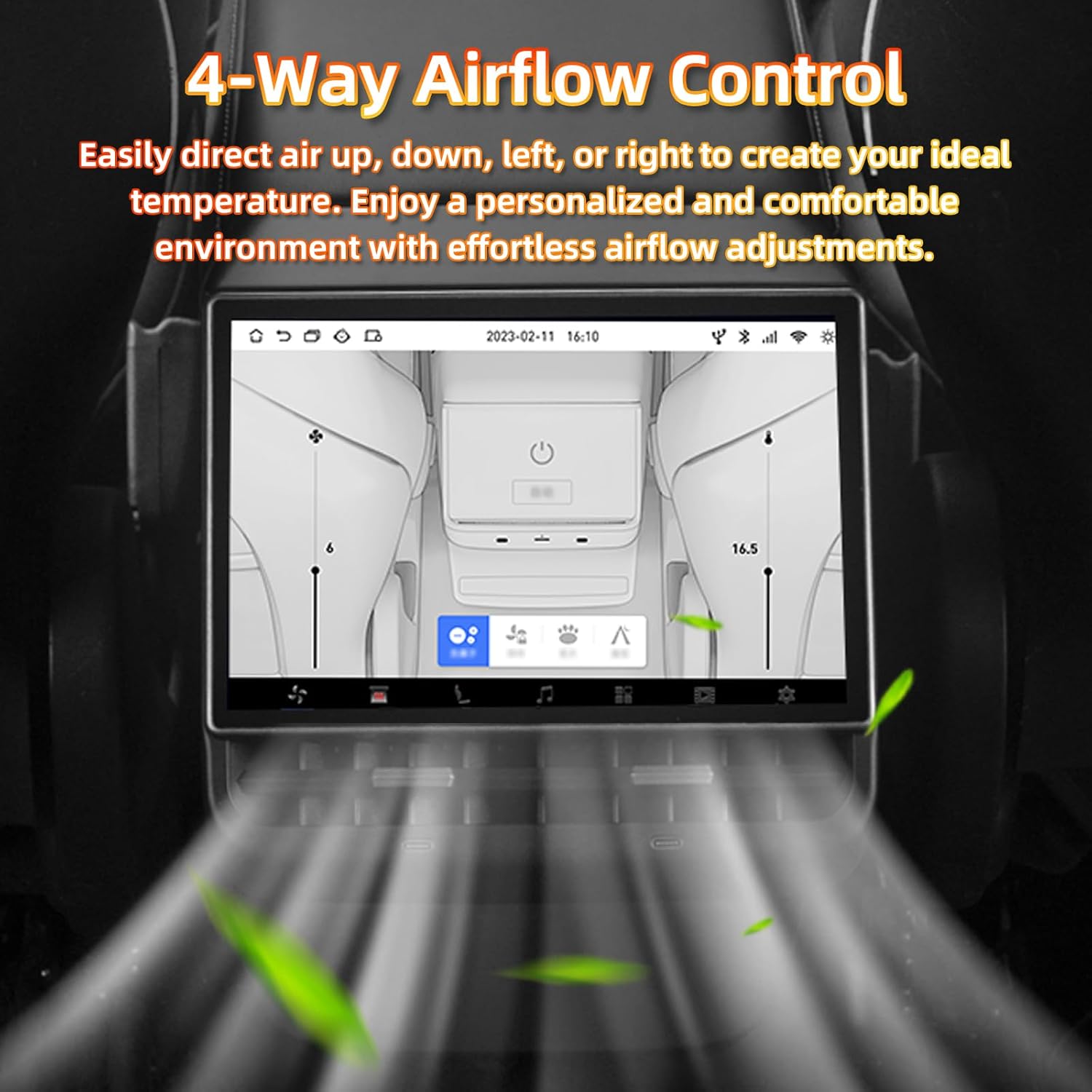
Figure 4: Visual representation of the 4-way airflow control, demonstrating adjustable air direction.
Entertainment System:
The Android 13 system allows for smooth streaming and gaming. Pre-installed applications like N-F and Y are available for entertainment. Connect to Wi-Fi or a mobile hotspot to access online content.
- Video Playback: Enjoy clear video playback on the 8.66-inch IPS screen with 1280x800P resolution.
- Audio: Utilize the built-in dual speakers for audio output. The system also synchronizes with the car's audio system.
- Bluetooth Connectivity: Pair Bluetooth headphones or other devices for private listening.

Figure 5: The screen displaying clear video playback, emphasizing the high resolution and IPS display.

Figure 6: Overview of audio features, including built-in dual speakers, synchronization with car audio, and Bluetooth headphone support.
Other Controls:
- Seat Heaters: Control the seat heating for rear passengers directly from the display.
- Passenger Seat Control: Adjust the passenger's seat position using the screen interface.
- Charging Port: Utilize the built-in 25W Type-C fast charging port to power up devices.
Maintenance
To ensure the longevity and optimal performance of your ZHNN Rear Display Screen, follow these general maintenance guidelines:
- Cleaning: Use a soft, lint-free cloth to gently wipe the screen. For stubborn smudges, slightly dampen the cloth with water or a screen-safe cleaner. Avoid abrasive materials or harsh chemicals.
- Temperature: Avoid exposing the unit to extreme temperatures, both hot and cold, for extended periods.
- Software Updates: Periodically check for and install any available software updates to ensure the system runs efficiently and has the latest features and security patches.
- Connectivity: Ensure all connections remain secure. If the unit is removed for any reason, reconnect all cables firmly.
Troubleshooting
This section addresses common issues you might encounter with your ZHNN Rear Display Screen. If you experience problems not listed here, please contact customer support.
- No Power/Screen Not Turning On:
- Verify that the 26-pin connector is securely plugged in.
- Ensure the vehicle's power is on and there are no issues with the car's electrical system.
- If recently installed, double-check all wiring connections.
- No Sound from Built-in Speakers:
- Check the volume settings on the display screen.
- Ensure the audio output is not routed to Bluetooth headphones if none are connected or desired.
- Verify that the system is properly synchronized with the car's audio system.
- Incorrect Time Display:
- If the time is incorrect after the unit goes to sleep, connect the device to a Wi-Fi network or mobile hotspot. The system should automatically synchronize the time.
- Bluetooth Connectivity Issues:
- Ensure Bluetooth is enabled on both the display screen and the device you are trying to pair.
- Make sure the device is in pairing mode.
- Try restarting both the display screen and the Bluetooth device.
- Climate Control Malfunction:
- Ensure the display screen has full communication with the vehicle's climate system.
- If fan speed automatically goes to max on auto, this may be a system characteristic. Refer to future software updates for potential improvements.
Specifications
| Brand | ZHNN |
| Model Number | ZHNN (B0DRCKKXZS) |
| Compatible Vehicles | Tesla Model 3 (2019-2023), Tesla Model Y (2019-2024) without touchscreen |
| Screen Size | 8.66 Inches |
| Display Type | LCD |
| Resolution | 1280x800P |
| Operating System | Android 13 |
| RAM | 4GB |
| ROM (Storage) | 64GB |
| Connectivity | USB, Wi-Fi, Bluetooth |
| Charging Port | Built-in 25W Type-C |
| Item Weight | 1 kg 270 g |
| Package Dimensions | 24.38 x 22.86 x 16.76 cm |

Figure 7: Visual representation of the powerful performance, highlighting Android 13, 4GB RAM, and 64GB ROM.
Warranty and Support
For information regarding product warranty, please refer to the documentation provided with your purchase or contact ZHNN customer service directly. Keep your purchase receipt as proof of purchase.
If you require technical assistance, have questions about installation, or need further troubleshooting, please reach out to ZHNN customer support. Contact details are typically available on the product packaging or the manufacturer's official website.
Note: Customer reviews indicate that contacting customer service for troubleshooting can be helpful, especially for issues like sound output or time synchronization.
Related Documents - ZHNN
 |
ZHNN Tbox AI Box User Manual: Wireless CarPlay & Android Auto Comprehensive user manual for the ZHNN Tbox AI Box, detailing its features, specifications, installation, connection, app usage, troubleshooting, and warranty information for seamless wireless CarPlay and Android Auto integration in your vehicle. |
 |
Carplay Ai Box: Get Started Guide A comprehensive guide to getting started with the Carplay Ai Box. This document details initial setup, wireless CarPlay and Android Auto connections, screen casting, media playback, custom animations, HDMI support, software updates, and troubleshooting. Designed to upgrade wired CarPlay systems for enhanced in-car entertainment. |