
DEWINNER DWTK1201-EU
DEWINNER Mini Electric Rotary Tool DWTK1201-EU User Manual
Model: DWTK1201-EU
Introduction
This manual provides essential information for the safe and effective operation of your DEWINNER Mini Electric Rotary Tool. This versatile 135W tool is designed for a wide range of applications, including cutting, engraving, sanding, drilling, and polishing. Please read these instructions carefully before use and retain them for future reference.
Safety Information
Always follow basic safety precautions to reduce the risk of fire, electric shock, and personal injury when using power tools.
- Wear Eye Protection: Always wear safety goggles or safety glasses with side shields.
- Secure Workpiece: Clamp or secure the workpiece to a stable platform.
- Keep Work Area Clean: Cluttered areas invite accidents.
- Avoid Dangerous Environment: Do not use power tools in damp or wet locations, or expose them to rain.
- Stay Alert: Watch what you are doing, use common sense. Do not operate tool when you are tired.
- Disconnect Power: Always disconnect the tool from the power source before changing accessories or performing maintenance.
- Use Correct Accessories: Only use accessories specifically designed for this rotary tool.
- Maintain Tools With Care: Keep tools sharp and clean for better and safer performance.
Package Contents
Your DEWINNER Mini Electric Rotary Tool package includes the following items:

Image: The DEWINNER Mini Electric Rotary Tool and its comprehensive set of 233 accessories, neatly organized within a durable storage case. The accessories include various grinding wheels, cutting discs, sanding bands, drill bits, engraving bits, polishing compounds, collets, mandrels, and a spanner.
- DEWINNER Mini Electric Rotary Tool (135W)
- Storage Case
- 233 High-Performance Accessories, including:
- Resin-cutting discs (x60)
- Grinding with shank wheels (x10)
- Bullet Stone & Dressing Stone (x2)
- Polishing Compound
- Saw blades
- Grinding Wheels (x12)
- Rubber Emery Wheels (x2)
- Cutting Wheels (x5)
- Sanding Discs (x96)
- Sanding Bands (x8)
- Small & Big Wool Cloth Wheels (x7)
- Spanner
- Sanding Drums (x2)
- Screw Mandrels
- Brushes (x5)
- Drill Bits (x3)
- Engraving Cutting bits (x7)
- Router bits (x2)
- Mandrels (x2)
- Collets (x6)
Product Overview
Familiarize yourself with the main components of your rotary tool.
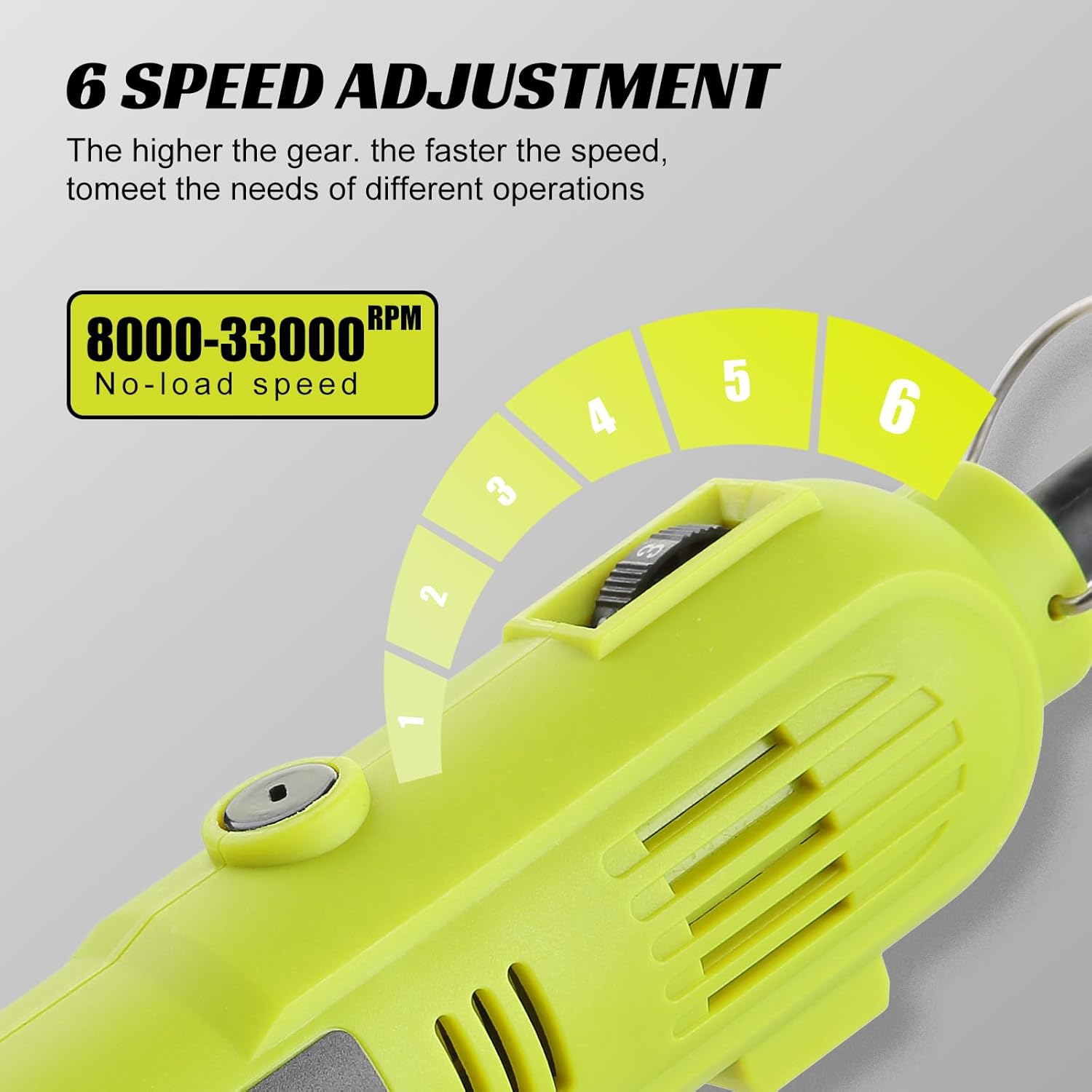
Image: A close-up view of the DEWINNER Mini Electric Rotary Tool, highlighting its compact and ergonomic design. The image emphasizes the 135W high-power motor, indicating strong performance.
- Motor (135W): Provides strong and stable performance for various tasks.
- Power Switch: Turns the tool ON/OFF.
- Speed Adjustment Dial: Allows selection of 6 speed levels from 8,000 to 33,000 RPM.
- Collet Nut: Secures accessories in place.
- Ventilation Slots: Designed for efficient heat dissipation to prevent overheating.
- Hook Ring: For convenient storage or hanging the tool during use.
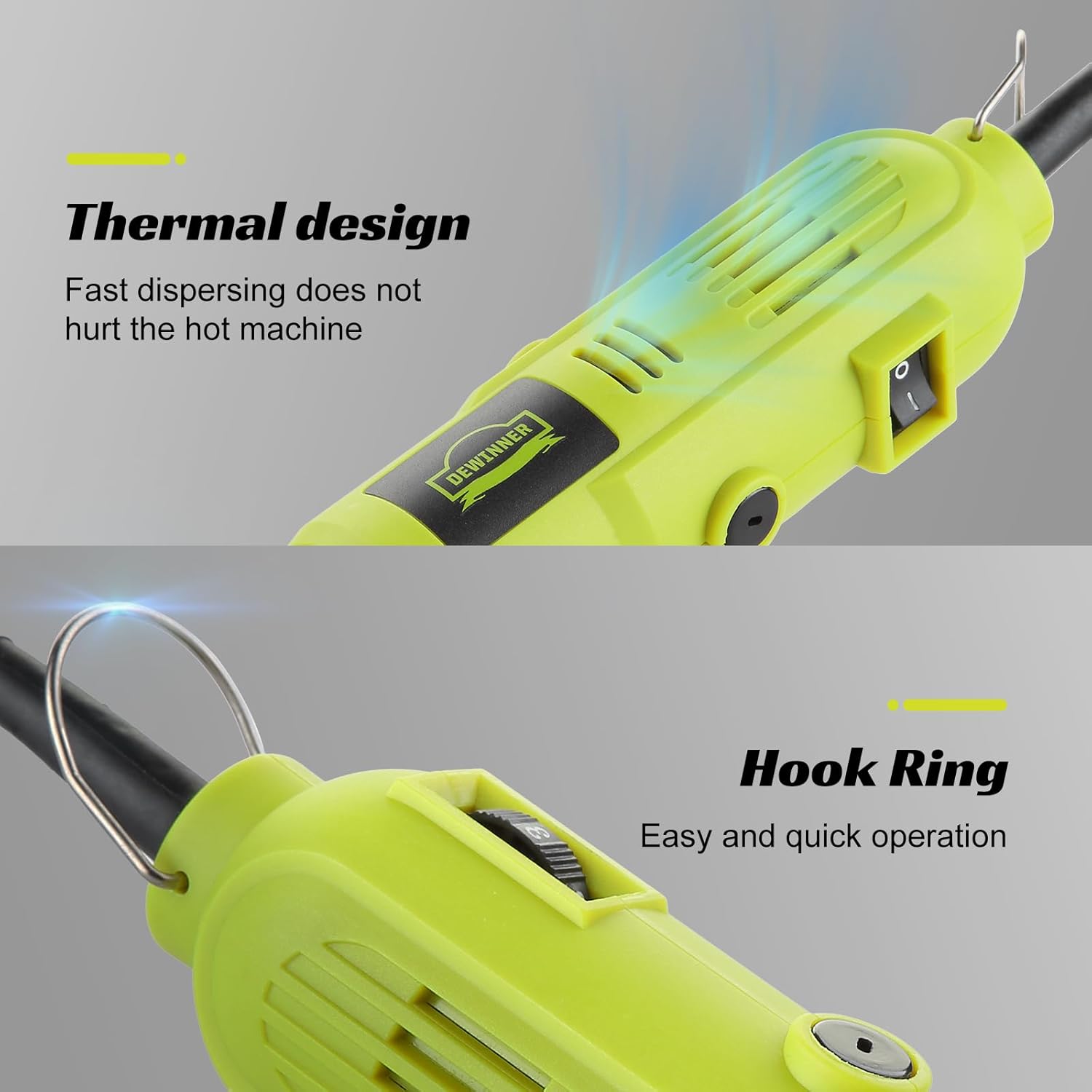
Image: The top section of the image illustrates the tool's thermal design with ventilation slots for fast heat dispersion. The bottom section shows the integrated hook ring, designed for easy and quick operation or storage.
Setup
- Power Connection: Ensure the tool is disconnected from the power outlet before attaching any accessories.
- Selecting the Right Accessory: Choose the appropriate accessory for your task (e.g., cutting disc for cutting, engraving bit for engraving). Refer to the package contents for available accessories.
- Attaching Accessories:
- Unscrew the collet nut at the front of the tool.
- Insert the shank of the chosen accessory into the collet. Ensure the accessory is fully seated.
- Tighten the collet nut firmly using the provided spanner. Do not overtighten.
- Note: Ensure the accessory is securely fastened to prevent it from flying off during operation.
Operating Instructions
- Power On: Plug the tool into a suitable power outlet.
- Adjusting Speed:
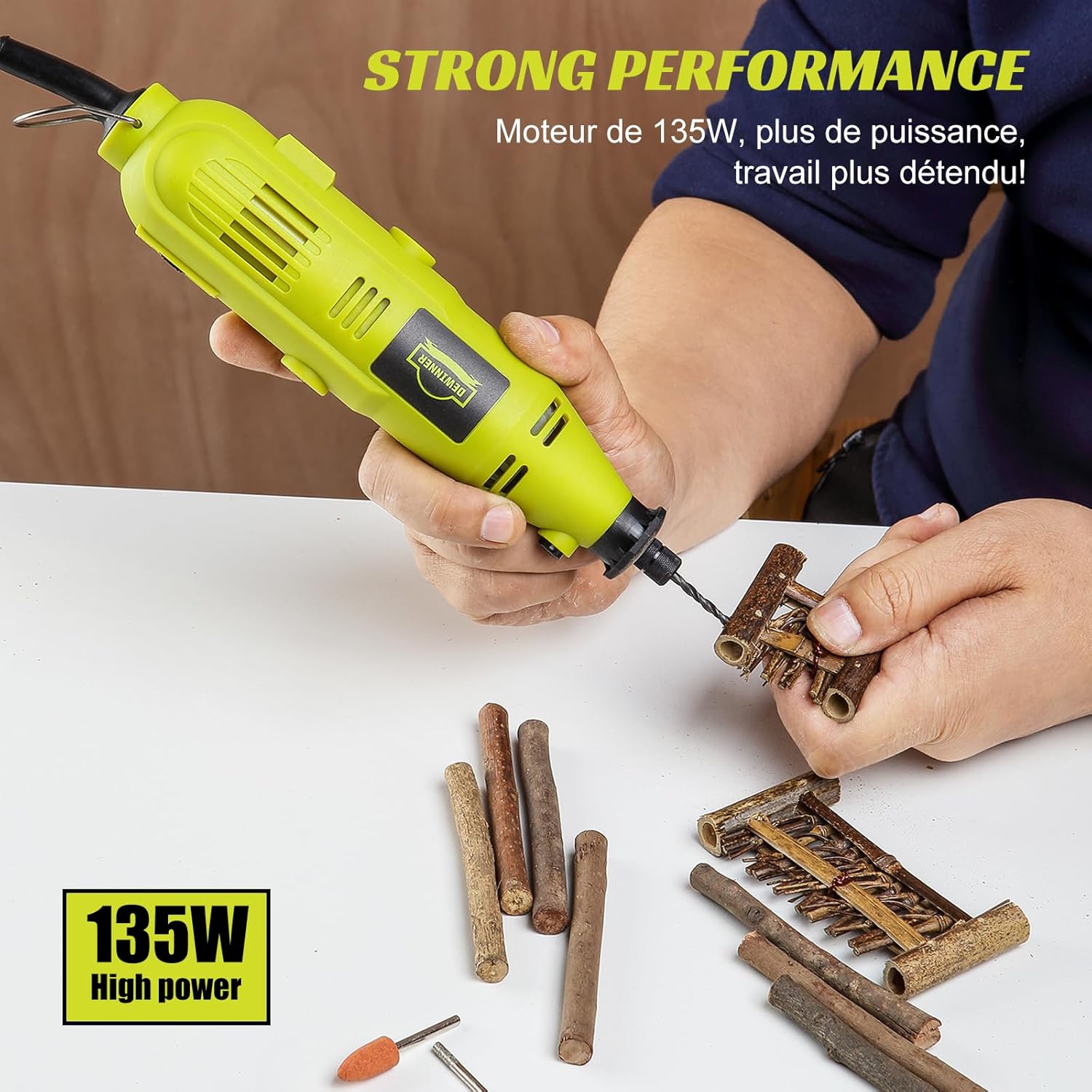
Image: A close-up of the rotary tool's speed adjustment dial, clearly showing six speed settings ranging from 1 to 6. The display indicates a no-load speed range of 8000-33000 RPM, with higher gears corresponding to faster speeds for different operations.
- Use the speed adjustment dial to select the desired speed level (1-6).
- Speed ranges from 8,000 RPM (level 1) to 33,000 RPM (level 6).
- Higher speeds are suitable for harder materials and faster material removal. Lower speeds are ideal for polishing, delicate work, or softer materials.
- Starting Operation: Turn the power switch to the "ON" position. Allow the tool to reach full speed before contacting the workpiece.
- Performing Tasks:

Image: A composite image demonstrating the DEWINNER Mini Electric Rotary Tool being used for multiple applications. It shows the tool performing drilling on small wooden pieces, sanding a wooden object, and engraving intricate patterns on a wooden disc.
- Cutting: Use cutting discs for precise cuts on various materials.
- Engraving: Attach engraving bits for detailed work on wood, metal, or plastic.
- Sanding: Utilize sanding bands or discs for smoothing surfaces.
- Drilling: Insert drill bits for small holes.
- Polishing: Use wool cloth wheels and polishing compound for a smooth finish.

Image: A split image showing two applications of the rotary tool. The top half depicts the tool being used for engraving a detailed pattern onto a wooden surface. The bottom half shows the tool with a polishing wheel, being used to polish a metallic object.
Apply light, consistent pressure. Let the tool do the work. Avoid excessive force, which can damage the tool or workpiece.
- Power Off: After completing your task, turn the power switch to the "OFF" position and unplug the tool from the power source.
Maintenance
Regular maintenance ensures optimal performance and extends the life of your tool.
- Cleaning:
- Always disconnect the tool from the power supply before cleaning.
- Use a soft brush or compressed air to clean dust and debris from the ventilation slots and around the collet area.
- Do not use harsh chemicals or abrasive cleaners.
- Accessory Storage: Store all accessories in their designated slots within the provided storage case to keep them organized and protected.
- General Storage: Store the tool in a dry, secure place, out of reach of children.
Troubleshooting
| Problem | Possible Cause | Solution |
|---|---|---|
| Tool does not start. | No power supply. Power switch is OFF. | Check power connection. Turn power switch ON. |
| Accessory wobbles or vibrates excessively. | Accessory not properly seated or tightened. Damaged or bent accessory. | Ensure accessory is fully inserted and collet nut is tightened. Replace with a new, undamaged accessory. |
| Tool overheats. | Blocked ventilation slots. Excessive continuous use. | Clean ventilation slots. Allow tool to cool down. Reduce load or usage time. |
| Reduced performance. | Worn out accessory. Incorrect speed setting. | Replace accessory. Adjust speed to a higher setting for the task. |
Specifications
- Model Number: DWTK1201-EU
- Brand: DEWINNER
- Power: 135W
- Voltage: 18 Volts (DC)
- Power Source: Corded Electric
- Speed Range: 8,000 - 33,000 RPM (6 variable speeds)
- Special Features: Variable Speed, Ergonomic, Quiet Operation, Thermal Dissipation Design
- Recommended Uses: Engraving, Drilling, Cutting, Grinding, Polishing
- Package Dimensions: 37.2 x 27.1 x 6.8 cm
- Item Weight: 1.83 kilograms
Warranty and Support
For warranty information or technical support, please refer to the documentation included with your purchase or contact DEWINNER customer service. Keep your purchase receipt as proof of purchase.
Manufacturer: DEWINNER
Ask a question about this manual
Ask about setup, troubleshooting, compatibility, parts, safety, or missing instructions. Manuals+ will review the question and use this page’s manual context to help answer it.