
HiBy HiBy R6 Pro Max
Contents
HiBy R6 Pro Max Portable HD Lossless Music Player User Manual
Comprehensive guide for your HiBy R6 Pro Max Portable HD Lossless Music Player.
1. Introduction
The HiBy R6 Pro Max is a state-of-the-art portable high-definition lossless music player designed for audiophiles seeking unparalleled sound quality and performance. Featuring advanced DAC technology, robust amplification, and versatile connectivity, it delivers an immersive listening experience.
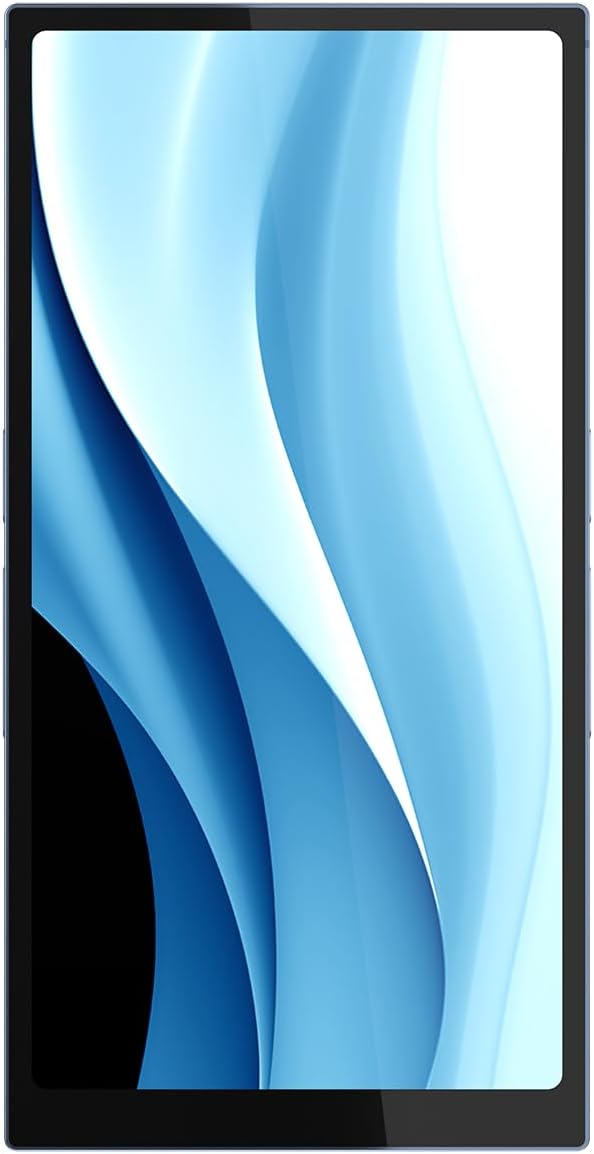
Figure 1.1: Front view of the HiBy R6 Pro Max Portable HD Lossless Music Player, showcasing its sleek design and large display.

Figure 1.2: The HiBy R6 Pro Max available in blue and black finishes, highlighting the distinct design elements.
2. Package Contents
Before proceeding, please ensure all items are present in the package:
- HiBy R6 Pro Max Portable HD Lossless Music Player
- Leather Case
- User Guide
- Warranty Card
- QC Card
- USB Charging and Data Cable
- Type C to Type A USB Adapter
- Front Panel Screen Protector
3. Setup
3.1 Initial Charging
The HiBy R6 Pro Max comes with an 8200mAh battery. For optimal performance, fully charge the device before first use. Use the provided USB Charging and Data Cable with a compatible USB power adapter (not included).
- Connect the USB Type-C end of the cable to the Type-C port on the bottom of the R6 Pro Max.
- Connect the USB Type-A end to a power adapter or computer USB port.
- The device supports 40W PD3.0 fast charging. Charging time will vary based on the power source.

Figure 3.1: Bottom view of the player, illustrating the independent 3.5mm and 4.4mm headphone/line outs, and the central USB Type-C port for charging and data transfer.

Figure 3.2: Battery performance indicators, showing over 10 hours of continuous playback.
3.2 Powering On/Off
- To power on, press and hold the Power button (located on the side) until the screen illuminates.
- To power off, press and hold the Power button, then select "Power off" from the on-screen options.

Figure 3.3: Side profile of the player, illustrating the physical buttons for power and volume control.
4. Operating Instructions
4.1 Audio Playback
The R6 Pro Max supports various audio formats and playback options.
- Dual DACs: Equipped with dual ES9039MS Pro DACs for high-fidelity audio.
- Amplification: Features 8-way I/V amplification with independent OPA1612 chips for rich, detailed sound.
- Connectivity: Use the independent 3.5mm (single-ended) or 4.4mm (balanced) headphone/line outputs for audio playback.

Figure 4.1: The dual ES9039MS Pro DACs, central to the player's high-resolution audio capabilities.

Figure 4.2: Simplified audio processing chain within the R6 Pro Max, from Digital-to-Analog Conversion to Amplification.
4.2 System Navigation
The R6 Pro Max runs on an Android-based operating system, powered by a Snapdragon 665 processor with 6GB RAM and 128GB ROM, ensuring a smooth user experience.
- Navigate the interface using the touchscreen display.
- Install music streaming apps or transfer your own music files to the device's internal storage or a microSD card (not included).
- Utilize Wi-Fi for online streaming and updates, and Bluetooth for wireless audio output.

Figure 4.3: The Snapdragon 665 processor, providing robust performance for the device's operating system and applications.

Figure 4.4: Examples of the user interface, demonstrating various settings and music application screens.
4.3 Video Overview
Video 4.1: An official overview video of the HiBy R6 Pro Max, showcasing its design and key features. This video is provided by the seller, MusicTeck.
5. Maintenance
- Cleaning: Use a soft, dry, lint-free cloth to clean the device. Avoid abrasive cleaners or solvents.
- Storage: Store the device in a cool, dry place away from direct sunlight and extreme temperatures.
- Battery Care: To prolong battery life, avoid fully discharging the battery frequently. If storing for an extended period, charge the battery to approximately 50%.
- Screen Protection: Apply the provided front panel screen protector to prevent scratches.
6. Troubleshooting
6.1 Common Issues and Solutions
| Issue | Possible Cause | Solution |
|---|---|---|
| Device does not power on. | Low battery; system crash. | Charge the device for at least 30 minutes. If unresponsive, perform a forced restart by holding the power button for 10-15 seconds. |
| No sound output. | Volume too low; incorrect output selected; faulty headphones/cable. | Increase volume. Check audio output settings. Test with different headphones or cables. Ensure headphones are fully plugged into the correct port (3.5mm or 4.4mm). |
| Wi-Fi/Bluetooth connectivity issues. | Out of range; interference; software glitch. | Ensure device is within range of the network/device. Restart Wi-Fi/Bluetooth on the R6 Pro Max. Restart your router/Bluetooth device. |
| Device is slow or unresponsive. | Too many apps running; low storage; software bug. | Close background applications. Clear cache. Free up storage space. Restart the device. Consider a factory reset if issues persist (backup data first). |
7. Specifications
| Feature | Detail |
|---|---|
| Model Name | HiBy R6 Pro Max |
| Product Dimensions | 5.81 x 0.86 x 2.96 inches |
| Item Weight | 3 pounds |
| Manufacturer | HiBy |
| Country of Origin | China |
| Batteries | 1 AAA batteries required. (included) - Note: This appears to be an error in the source data, as the device has a built-in 8200mAh battery. |
| Special Feature | Hi-Res Audio |
| Connectivity Technology | Bluetooth, Wi-Fi, USB, 3.5mm single-ended and 4.4 balanced |
| Memory Storage Capacity | 6 GB (RAM) / 128 GB (ROM) |
| Color | Blue |
| Screen Size | 5.9 Inches |
| Compatible Devices | Earphone, Personal Computer, Headphone, Smartphone |
| Display Technology | IPS |
8. Warranty and Support
The HiBy R6 Pro Max comes with a manufacturer's warranty. Please refer to the included Warranty Card for detailed terms and conditions, including warranty period and coverage.
For technical support, service, or further inquiries, please contact HiBy customer service or visit their official website. Contact information can typically be found on the warranty card or in the packaging.
You can also visit the HiBy Store on Amazon for more product information and support resources.
Ask a question about this manual
Ask about setup, troubleshooting, compatibility, parts, safety, or missing instructions. Manuals+ will review the question and use this page’s manual context to help answer it.