
TRJZWA BM-EU-Unitimer-Double
TRJZWA 2-Zone Programmable Sprinkler Timer User Manual
Model: BM-EU-Unitimer-Double
1. Introduction
Thank you for choosing the TRJZWA 2-Zone Programmable Sprinkler Timer. This device is designed to automate your garden, lawn, or yard watering, providing efficient and flexible irrigation control. With its dual independent outlets, robust construction, and user-friendly interface, managing your watering schedule has never been easier.

Image 1.1: Front view of the TRJZWA 2-Zone Programmable Sprinkler Timer.

Image 1.2: The sprinkler timer can be used for garden drip irrigation, filling swimming pools, watering potted plants, and lawn irrigation.
2. Product Features
- 2025 Upgraded Solid Brass Water Timer: Features a 360° rotatable brass inlet for enhanced durability and easy installation. Constructed with high-hardness plastic and heavy-duty materials, including a built-in metal filter to withstand high water pressure.
- Two Independently Programmable Outlets: Allows for customized watering schedules for each of the two high-flow outlets, including individual start times, watering durations, and irrigation frequencies.
- Flexible Watering Schedule Customization: Set watering run times from 1 minute to 23 hours and 59 minutes, and frequencies from daily (Sunday to Saturday) to once every 7 days.
- Three Manual Watering Modes: Offers manual watering options for ZONE1, ZONE2, or BOTH zones simultaneously, with durations ranging from 1 to 120 minutes.
- Rain Delay Function: Provides a rain delay setting from 1 to 15 days to prevent over-watering during rainy periods, conserving water.
- Large LCD Display: Equipped with a 2.5-inch LCD screen featuring large fonts for easy readability, even outdoors. Includes low battery alerts and a child lock feature.
- IP55 Waterproof Design: Enhanced waterproof sealing on the battery cover and water inlet to prevent leaks and ensure reliable outdoor performance.
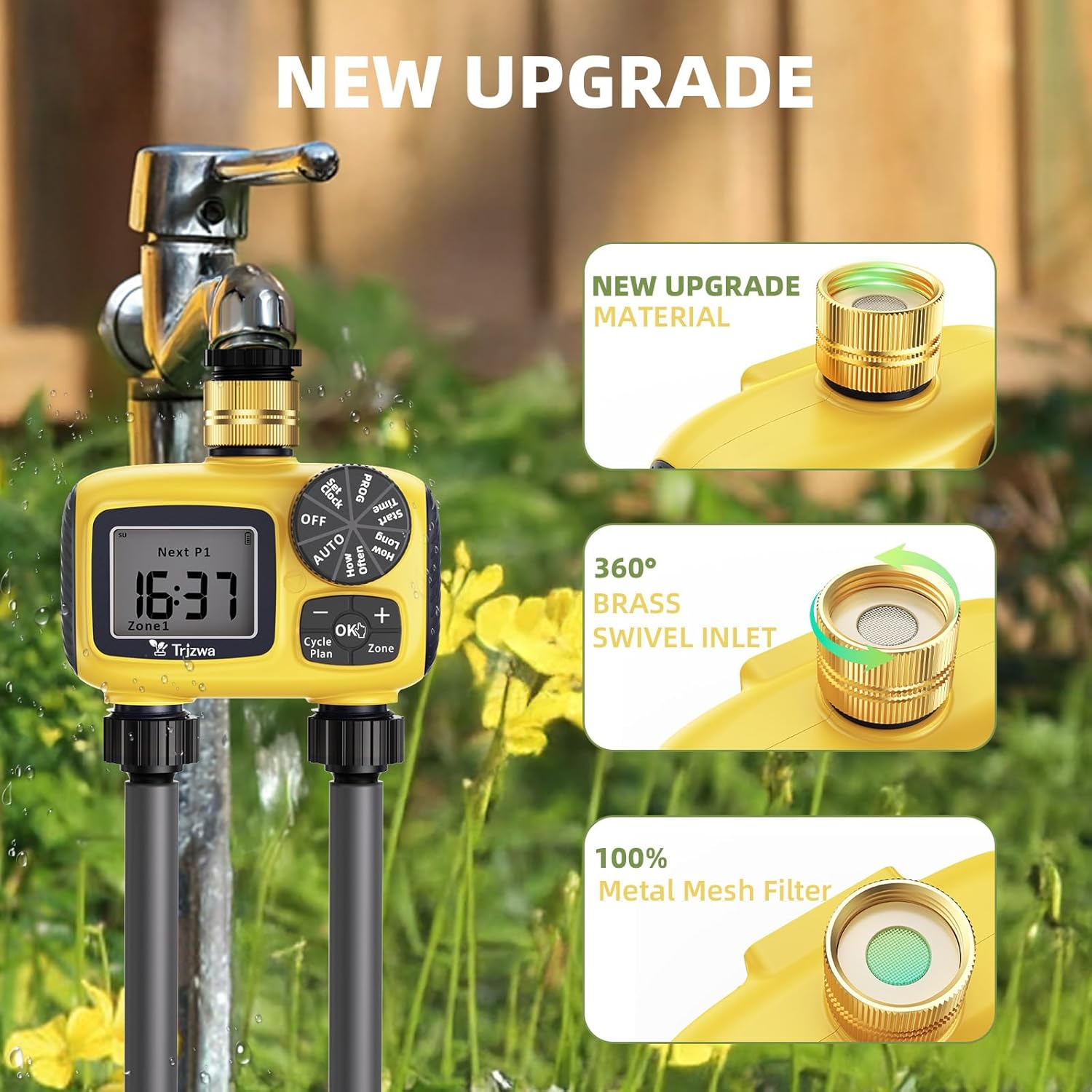
Image 2.1: Key upgrades include new material, a 360° brass swivel inlet, and a 100% metal mesh filter.

Image 2.2: The large LCD screen displays time, programming details, low battery alerts, and child lock status.
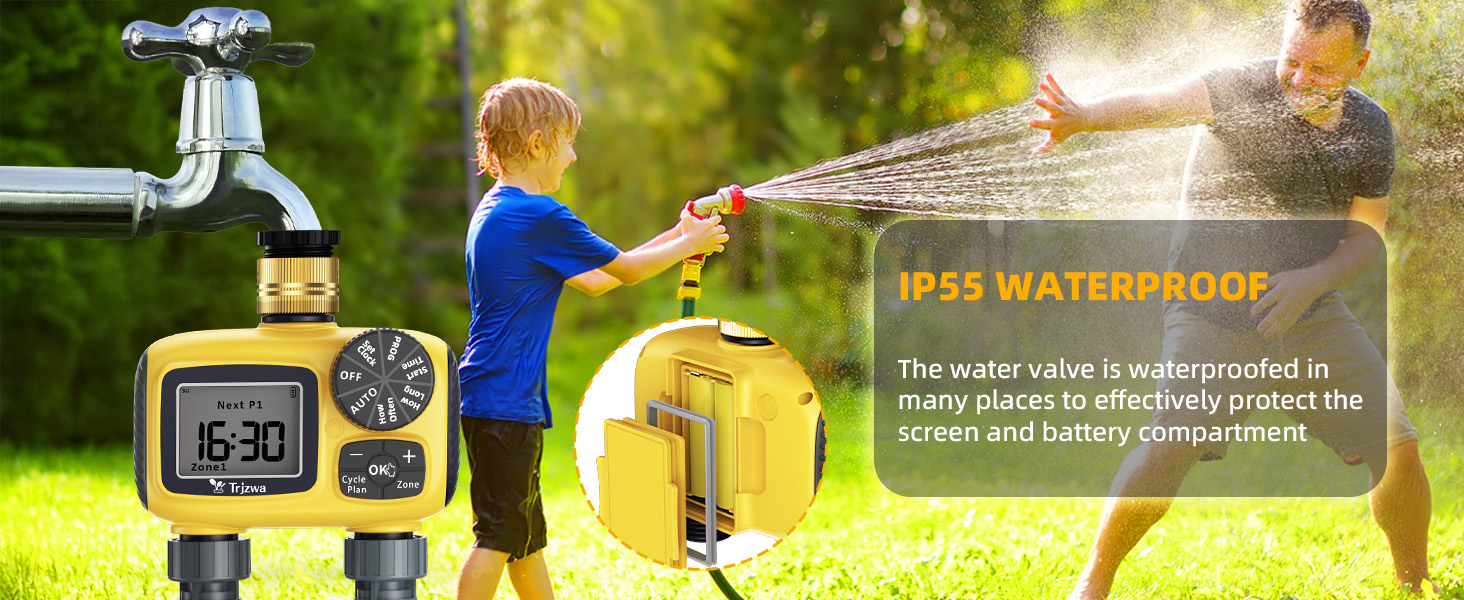
Image 2.3: The water valve is waterproofed in multiple areas to protect the screen and battery compartment, ensuring IP55 waterproof rating.
3. Package Contents
Please check the package contents upon unboxing to ensure all items are present and undamaged.
- 1 x TRJZWA 2-Zone Programmable Sprinkler Timer (Model: BM-EU-Unitimer-Double)
- 2 x NH 3/4" Hose Adapters
- 1 x Roll of Thread Seal Tape
- Additional Washers/Gaskets
- 1 x User Manual
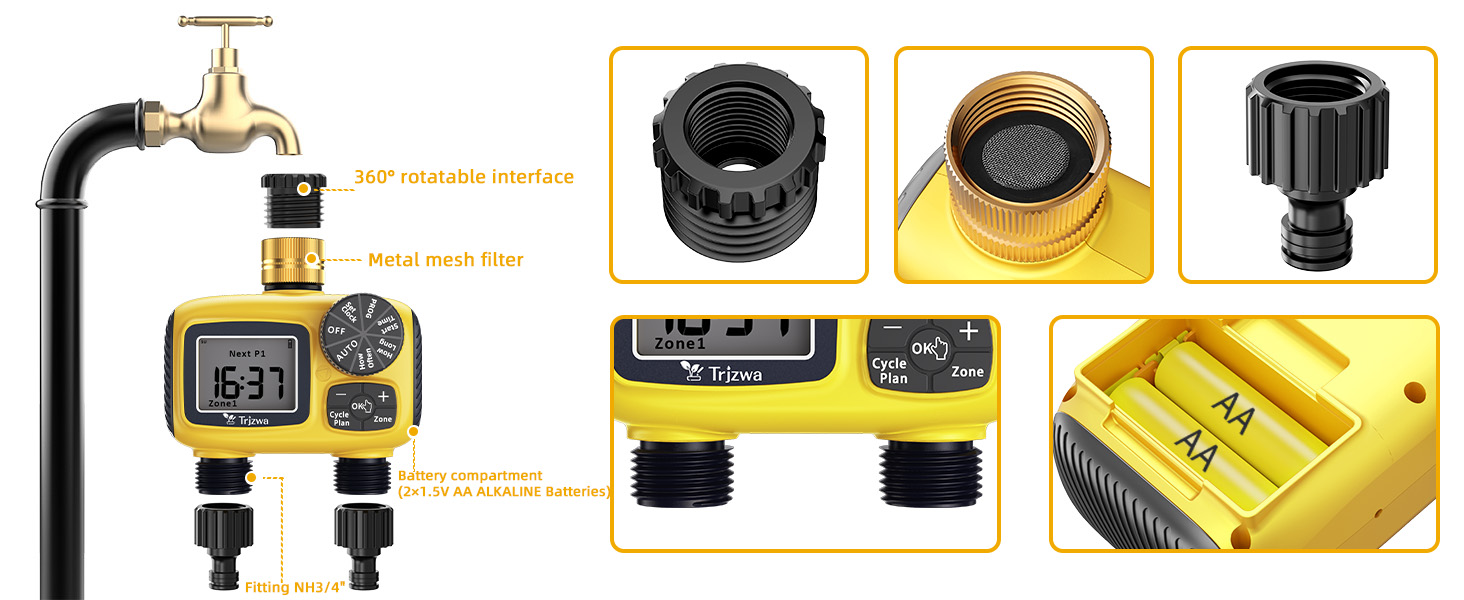
Image 3.1: Exploded view showing the 360° rotatable interface, metal mesh filter, battery compartment, and NH 3/4" fittings.
4. Setup and Installation
4.1 Battery Installation
- Locate the battery compartment on the back of the timer.
- Slide the battery cover open.
- Insert two (2) new 1.5V AA Alkaline batteries, ensuring correct polarity (+/-).
- Close the battery cover securely to maintain the waterproof seal.
Note: The timer's screen will display a low battery alert when replacement is needed.
4.2 Connecting the Timer to the Faucet
- Ensure your outdoor faucet is turned off.
- Thread the brass swivel inlet of the sprinkler timer onto your standard 3/4" outdoor faucet. The 360° rotatable design allows for easy positioning.
- Tighten the connection by hand until secure. Do not overtighten.
- Turn on your outdoor faucet fully to ensure adequate water pressure to the timer.
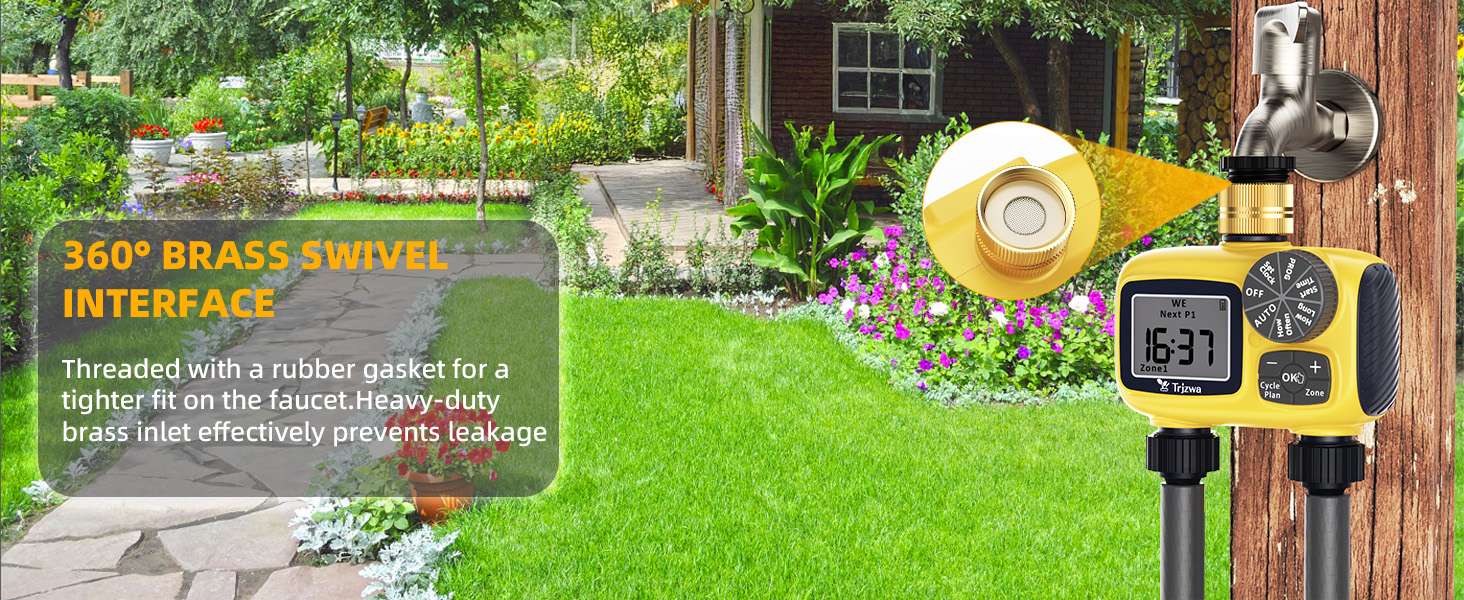
Image 4.1: The 360° brass swivel interface ensures a tight fit on the faucet and prevents leakage.
4.3 Connecting Hoses to Outlets
- Attach your garden hoses to the two independent outlets at the bottom of the timer.
- Ensure the connections are tight to prevent leaks. Use the provided thread seal tape if necessary.
- Each outlet is labeled (Zone 1 and Zone 2) for easy identification.

Image 4.2: The dual zone mode allows setting separate watering plans for two distinct areas.
5. Operating Instructions
The TRJZWA Sprinkler Timer features a large dial for mode selection and intuitive buttons for setting parameters.
5.1 Setting the Current Time (Set Clock)
- Turn the dial to "Set Clock".
- Use the "+" and "-" buttons to adjust the hour. Press "OK" to confirm.
- Adjust the minutes using "+" and "-". Press "OK" to confirm.
- Adjust the current day of the week. Press "OK" to confirm and exit.
5.2 Programming Automatic Watering (PROG)
The timer allows for independent programming of Zone 1 and Zone 2.
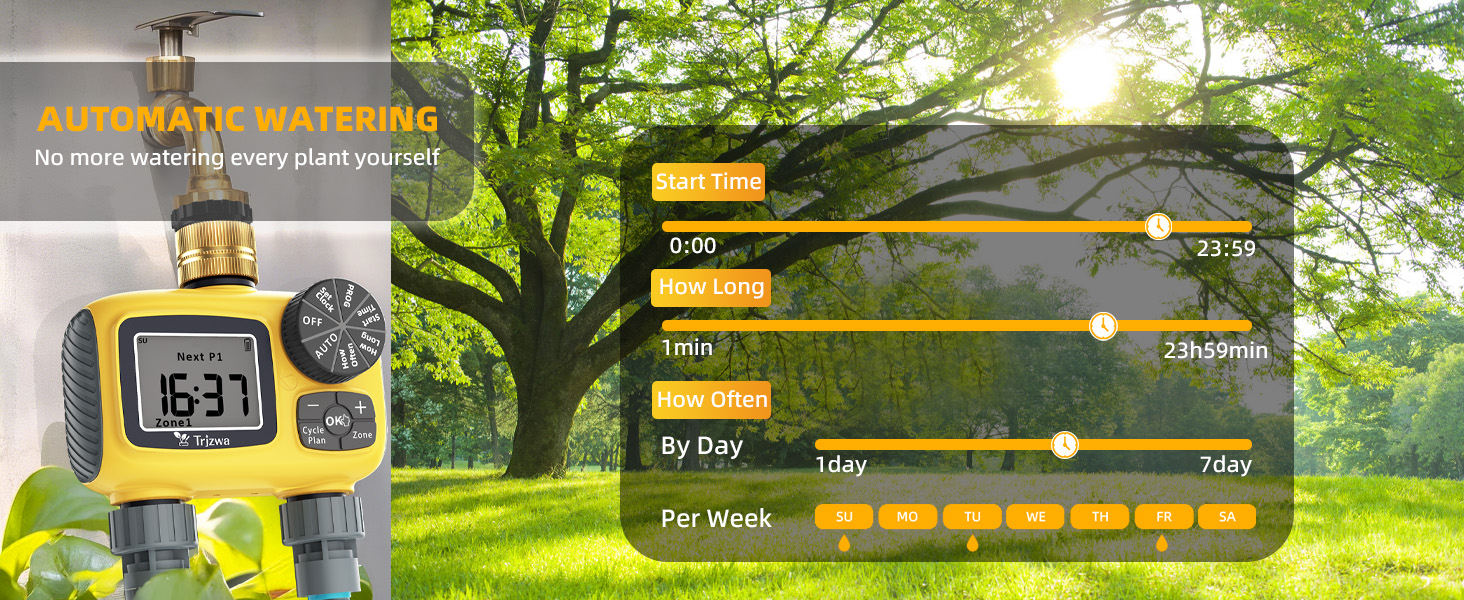
Image 5.1: Automatic watering settings for Start Time, How Long, and How Often.
- Turn the dial to "PROG".
- Press the "Zone" button to select either Zone 1 or Zone 2 for programming.
- Set Start Time: Turn the dial to "Start Time". Use "+" and "-" to set the desired start time (e.g., 6:00 AM). Press "OK".
- Set How Long (Duration): Turn the dial to "How Long". Use "+" and "-" to set the watering duration (1 minute to 23 hours 59 minutes). Press "OK".
- Set How Often (Frequency): Turn the dial to "How Often".
- To water on specific days of the week: Use "+" and "-" to select the days (e.g., M, W, F). Press "OK" after each day selection.
- To water every X days: Use "+" and "-" to set the interval (1 to 7 days). Press "OK".
- Repeat steps 2-5 for the other zone if desired.
- Once programming is complete, turn the dial to "AUTO" for the timer to begin its automatic schedule.
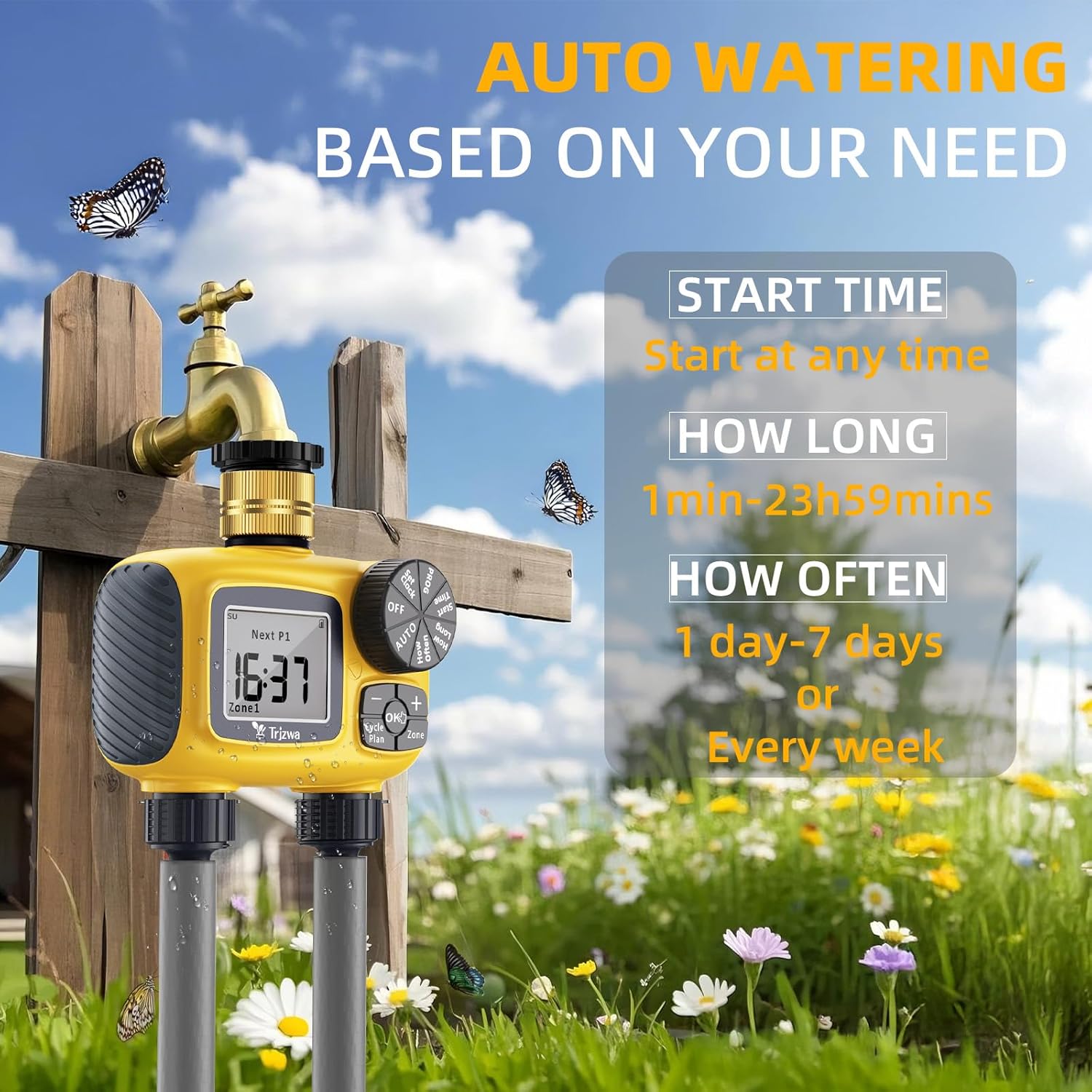
Image 5.2: Summary of automatic watering settings: Start Time (any time), How Long (1 min - 23h 59mins), How Often (1-7 days or every week).
5.3 Manual Watering
This feature allows for immediate, non-scheduled watering.
- Ensure the dial is set to "AUTO".
- Press the "Zone" button to cycle through manual watering modes: ZONE1, ZONE2, or BOTH. The selected zone(s) will be displayed.
- Use the "+" and "-" buttons to set the desired manual watering duration (1 to 120 minutes).
- Press "OK" to start manual watering. The timer will count down the duration.
- To stop manual watering prematurely, press "OK" again or turn the dial to "OFF".

Image 5.3: The timer offers three manual watering modes: Zone 1, Zone 2, or Both, with adjustable duration.
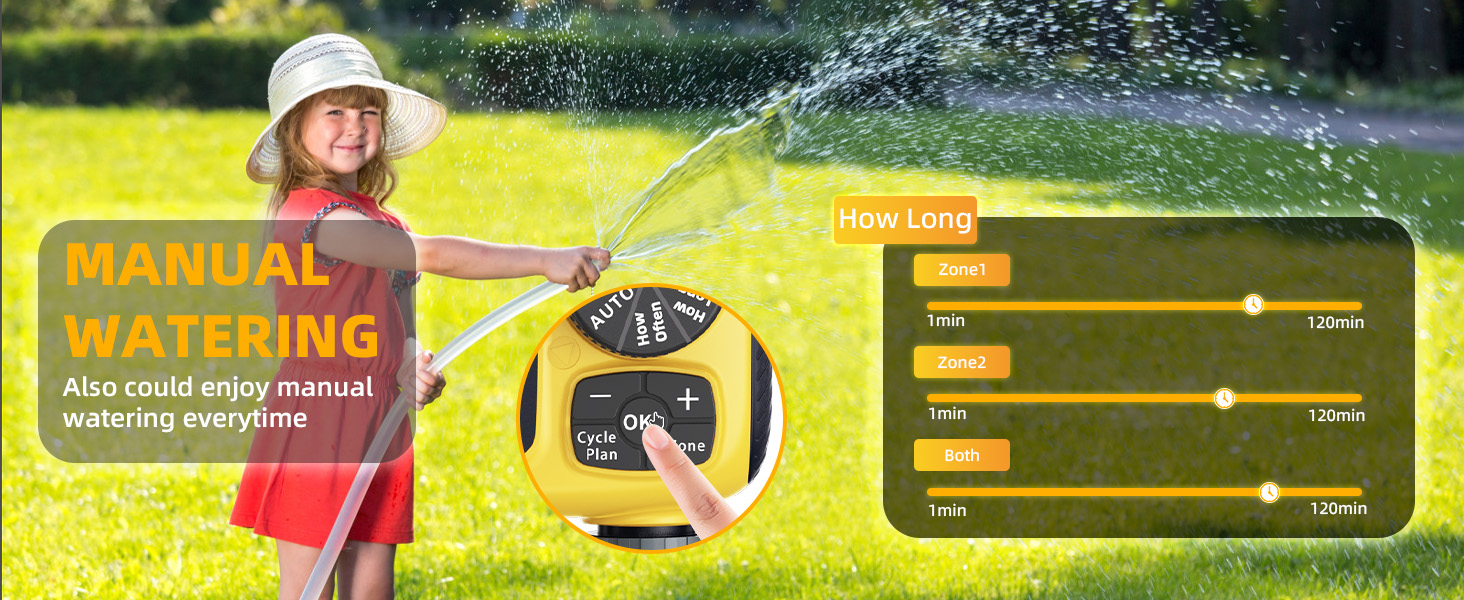
Image 5.4: Manual watering can be set for Zone 1, Zone 2, or Both, with durations from 1 to 120 minutes.
5.4 Rain Delay Function
The rain delay feature temporarily suspends your watering schedule to prevent over-watering during rainfall.
- Ensure the dial is set to "AUTO".
- Press and hold the "Cycle/Plan" button for approximately 3 seconds until the rain delay icon appears on the screen.
- Use the "+" and "-" buttons to select the desired delay duration (1 to 15 days).
- Press "OK" to confirm the rain delay. The timer will resume its programmed schedule automatically after the delay period ends.
- To cancel rain delay, press and hold the "Cycle/Plan" button again for 3 seconds.

Image 5.5: The rain delay function helps avoid over-watering by pausing the schedule for 1 to 15 days.
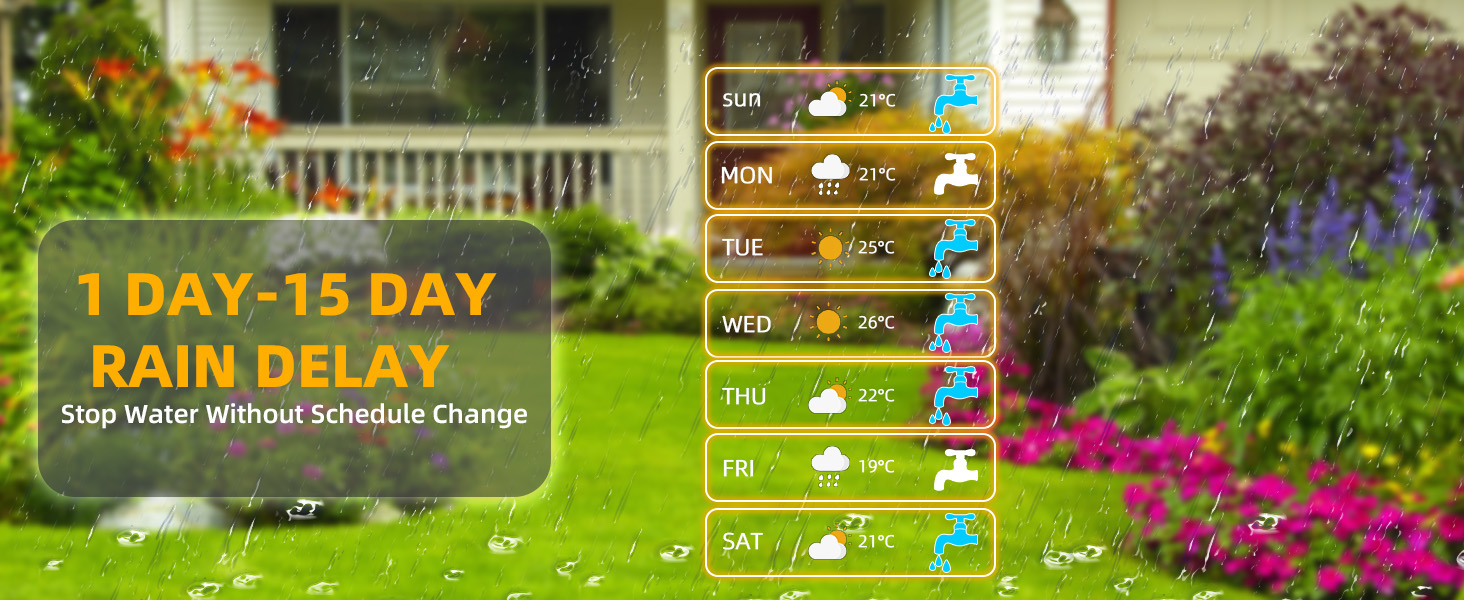
Image 5.6: The rain delay feature allows stopping watering for 1 to 15 days without changing the programmed schedule.
5.5 Child Lock Function
To prevent accidental changes to settings, the timer includes a child lock.
- To activate: While in "AUTO" mode, press and hold the "OK" button for approximately 5 seconds until a lock icon appears on the screen.
- To deactivate: Press and hold the "OK" button again for approximately 5 seconds until the lock icon disappears.
6. Maintenance
- Filter Cleaning: Periodically check and clean the built-in metal mesh filter at the inlet to prevent debris from entering the timer and causing blockages. Unscrew the timer from the faucet, remove the filter, rinse it under running water, and reinsert.
- Battery Replacement: Replace batteries when the low battery alert appears on the LCD screen to ensure continuous operation. Always use new 1.5V AA Alkaline batteries.
- Winterization: Before freezing temperatures, disconnect the timer from the faucet and hoses. Drain any remaining water from the unit and store it indoors in a dry, protected area to prevent damage from freezing.
- General Cleaning: Wipe the exterior of the timer with a damp cloth as needed. Do not use abrasive cleaners or solvents.
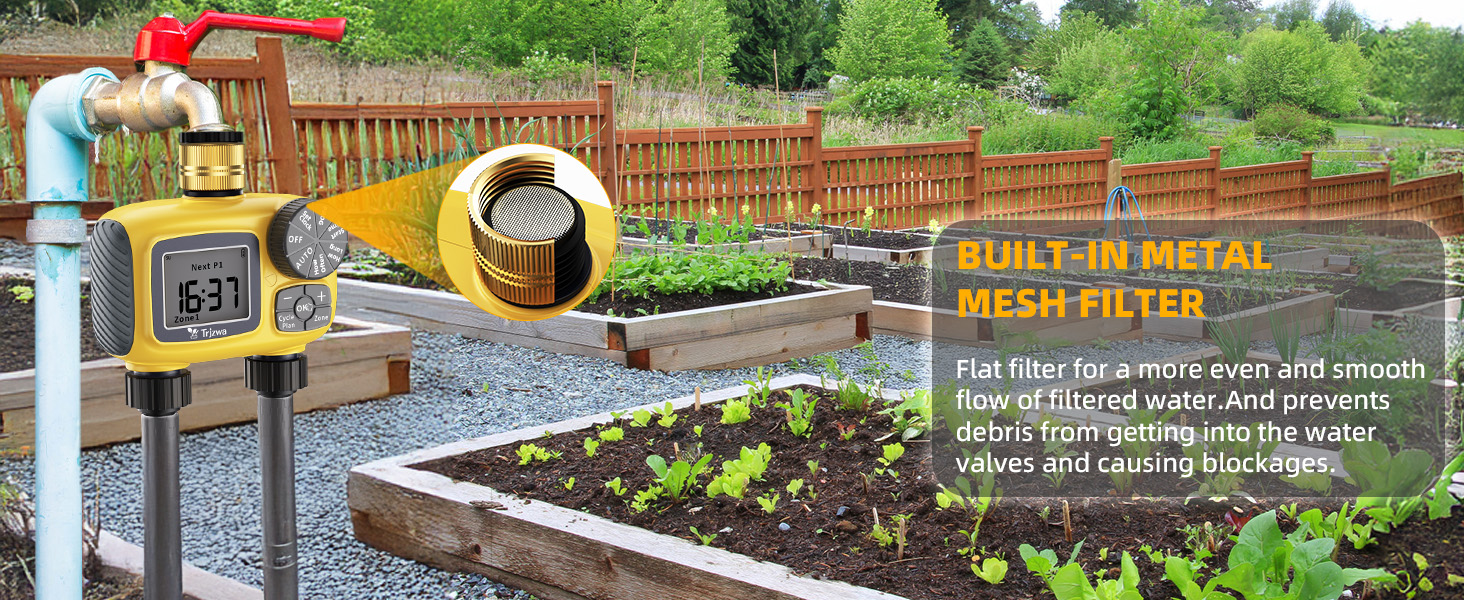
Image 6.1: The built-in metal mesh filter prevents debris from entering the water valves and causing blockages.
7. Troubleshooting
| Problem | Possible Cause | Solution |
|---|---|---|
| Timer not watering / No water flow. |
|
|
| Water continuously flows. |
|
|
| LCD screen is blank or dim. |
|
|
| Leaks from connections. |
|
|
8. Specifications
| Attribute | Detail |
|---|---|
| Model Number | BM-EU-Unitimer-Double |
| Brand | TRJZWA |
| Material | Brass, Plastic |
| Product Dimensions (D x W x H) | 5.91" x 2.01" x 4.65" |
| Item Weight | 1.03 pounds (0.47 Kilograms) |
| Working Temperature | 40.1°F - 113°F (4.5°C - 45°C) |
| Working Pressure | 7.25 - 116 psi (0.5 - 8.0 Bar) |
| Power Supply | 2 x 1.5V AA Alkaline Batteries |
| Inlet/Outlet Thread | 3/4" |
| Waterproof Rating | IP55 |
9. Warranty and Support
TRJZWA is committed to providing high-quality products and customer satisfaction. While specific warranty details are not provided in this manual, if you encounter any problems with your sprinkler timer, please do not hesitate to contact our customer support team.
For assistance, please refer to the contact information provided on the product packaging or the retailer's website where you purchased the item. Our team is ready to help you with any questions or issues you may have.
Related Documents - BM-EU-Unitimer-Double
 |
3D Printable Stake for TRJZWA Solar Watering System - Printables.com Download the 3D printable stake for the TRJZWA Solar Bewässerungssystem (watering system) from Printables.com. This accessory is designed for garden irrigation and is available as an STL file. Licensed under Creative Commons. |
 |
Aqua Control C4011 Double-Line Timer: Instructions and Setup Comprehensive instructions and setup guide for the Aqua Control C4011 double-line tap timer, detailing features, programming, and maintenance. |
 |
MOES Smart Water Timer User Manual - BWV-YC-EU-GY-MS-DB28 User manual for the MOES Smart Water Timer (Model BWV-YC-EU-GY-MS-DB28), detailing setup, app control, features, safety, and troubleshooting for this Bluetooth-enabled garden watering device compatible with Alexa and Google Assistant. |
 |
PATLITE Signal Phone BM Series Instruction Manual Comprehensive instruction manual for the PATLITE Signal Phone BM series, detailing specifications, mounting, wiring, safety operation, and model information for commercial use. |
 |
MOES Smart Dual Water Timer Instruction Manual - Model SGW08 Comprehensive guide for the MOES Smart Dual Water Timer (SGW08). Learn about setup, Bluetooth app connection via MOES App, features like manual watering and rain delay, technical specifications, and warranty information for your smart garden irrigation system. |
 |
GEYA TM07 Digital Timer Switch Instruction Manual Detailed instructions and specifications for the GEYA TM07 digital timer switch, covering setup, programming, features like random function and countdown mode, and electrical parameters. |