
1. Introduction
This manual provides detailed instructions for the installation, operation, and maintenance of your INQMEGA 36X Optical Zoom 4G LTE Cellular Solar Camera. This advanced surveillance camera is designed for outdoor use, featuring 4G LTE connectivity, solar power with a high-capacity battery, 36X optical zoom dual lenses, PIR motion detection, and superior night vision capabilities. Please read this manual thoroughly before using the product to ensure proper setup and functionality.
2. Package Contents
Carefully unpack the box and ensure all items listed below are present and in good condition. If any items are missing or damaged, please contact customer support.

Figure 2.1: Detailed list of included products.
- INQMEGA 4G LTE Cellular Solar Camera (1 unit)
- Solar Panel (1 unit)
- Battery Partner (1 unit)
- Mounting Bracket (1 unit)
- Extension Cord (1 unit)
- User Manual (1 unit)
- Power Cable (1 unit)
- Screw Kit (1 set)
3. Product Overview
The INQMEGA 4G LTE Cellular Solar Camera is a robust outdoor surveillance solution. It features a dual-lens system, including a wide-angle lens and a 36X optical zoom lens, providing comprehensive coverage. The integrated 10W solar panel and 20000mAh battery ensure continuous operation without external power. Its metal casing offers durability and efficient heat dissipation.

Figure 3.1: Product components and dimensions.
Key Components:
- Wide-Angle Lens: Provides a broad field of view.
- Zoom Lens: Offers 36X optical zoom for detailed viewing.
- PIR Sensors: Detect human movement to trigger alerts.
- Red-Blue Alarm Light: Visual deterrent and alert indicator.
- White & IR LEDs: Provide illumination for night vision.
- Microphone: For audio capture.
- Antenna: For 4G LTE cellular connectivity.
- Solar Panel: Recharges the internal battery.
- Metal Casing: Durable and weather-resistant housing.
4. Key Features
The INQMEGA camera is equipped with several advanced features to enhance your surveillance experience:

Figure 4.1: Overview of product features.
- 4G LTE Cellular Connectivity: Operates independently without Wi-Fi, ideal for remote or off-grid locations. Requires a 4G LTE SIM card (not included).
- 36X Optical Zoom Dual Lens: Allows for clear capture of distant details, such as license plate numbers. The UBOX app provides a split-screen view for both lenses.
- High-Capacity Solar Power: Equipped with a 10W solar panel and a 20000mAh battery, providing extended operating times and up to 3 months of continuous function without direct sunlight.
- PIR Motion Detection: Advanced sensors detect human movement, sending immediate alert notifications to your smartphone. Note: This camera does not support auto-tracking.
- Durable Metal Casing: Offers superior structural strength, resistance to breaches, excellent heat dissipation, and reduces maintenance costs.
- Superior Night Vision: Features a night vision range up to 328 feet (100 meters) and daylight visibility up to 650 feet (200 meters). Dual spotlights provide bright illumination up to 20 meters for enhanced security.
- IP67 Waterproof Rating: Designed to withstand various weather conditions, including rain, snow, and extreme temperatures.
5. Setup Guide
5.1. SIM Card Installation
- Locate the SIM card slot on the camera body. This is typically protected by a waterproof cover secured with screws.
- Carefully remove the screws and open the cover.
- Insert a activated 4G LTE Nano SIM card into the designated slot. Ensure the SIM card is inserted correctly according to the diagram near the slot.
- Securely close the waterproof cover and tighten the screws to maintain the IP67 rating.
5.2. Mounting the Camera
The camera is designed for wall mounting. Choose a location with good cellular signal and direct sunlight exposure for the solar panel.
- Mark the drilling points on the wall using the mounting bracket as a template.
- Drill holes at the marked positions. Insert wall anchors if necessary.
- Attach the mounting bracket to the wall using the provided screws.
- Secure the camera to the mounting bracket. Adjust the camera angle for optimal viewing.
5.3. Connecting the Solar Panel
Ensure the solar panel is positioned to receive maximum direct sunlight throughout the day.
- Connect the solar panel cable to the charging port on the camera.
- If needed, use the extension cord to bridge the distance between the solar panel and the camera.
- Ensure all connections are secure and waterproof.
5.4. App Download and Pairing
The camera is controlled via the UBOX app.
- Download the UBOX app from your smartphone's app store (iOS or Android).
- Register for a new account or log in if you already have one.
- Follow the in-app instructions to add your new camera. This typically involves scanning a QR code on the camera or manually entering its device ID.
- Once paired, you can access live view, settings, and recorded footage.
6. Operating Instructions
6.1. Powering On/Off
The camera automatically powers on when the battery is charged and the SIM card is inserted. To power off, you may need to access the power switch located near the SIM card slot or remove the battery.
6.2. Using the UBOX App
The UBOX app is your primary interface for controlling the camera. From the app, you can:
- View live video streams from both lenses (split-screen view).
- Access recorded video footage.
- Adjust camera settings, including motion detection sensitivity and night vision modes.
- Receive real-time alerts and notifications.
- Control the camera's pan and tilt functions (if applicable to your model).
6.3. Zoom Functionality
The camera features a powerful 36X optical zoom lens. In the UBOX app, you can digitally zoom in or out on the live feed to view distant objects with clarity. The optical zoom allows for clear identification of details such as license plates.

Figure 6.1: 36X Optical Zoom demonstration.
6.4. Motion Detection
The integrated PIR sensors detect human movement. When motion is detected, the camera will:
- Record video footage.
- Send an alert notification to your smartphone via the UBOX app.
- Activate the red-blue alarm lights and siren (if enabled in settings).
You can adjust the sensitivity of the PIR sensors within the UBOX app settings to minimize false alarms.
6.5. Night Vision
The camera automatically switches to night vision mode in low-light conditions. It utilizes infrared (IR) LEDs and powerful dual spotlights to provide clear visibility up to 328 feet (100 meters) in complete darkness.
6.6. Storage Options
The camera supports multiple methods for storing recorded video and audio:

Figure 6.2: Multiple storage methods.
- TF Card (MicroSD Card): Insert a TF card (up to 128GB, not included) into the camera's designated slot for local storage.
- Cloud Storage: The UBOX app offers optional cloud storage services for secure backup of your recordings. Refer to the app for subscription details.
7. Maintenance
7.1. Battery and Solar Panel Care
The camera's 20000mAh battery is designed for long-term use, recharged by the 10W solar panel. To ensure optimal performance:
- Periodically clean the surface of the solar panel to remove dust, dirt, or debris that may obstruct sunlight.
- Ensure the solar panel is always positioned to receive maximum direct sunlight.
- Avoid placing the camera in shaded areas that would prevent the solar panel from charging effectively.
7.2. Cleaning and Weather Resistance
The camera features an IP67 waterproof metal casing, making it highly resistant to environmental elements.
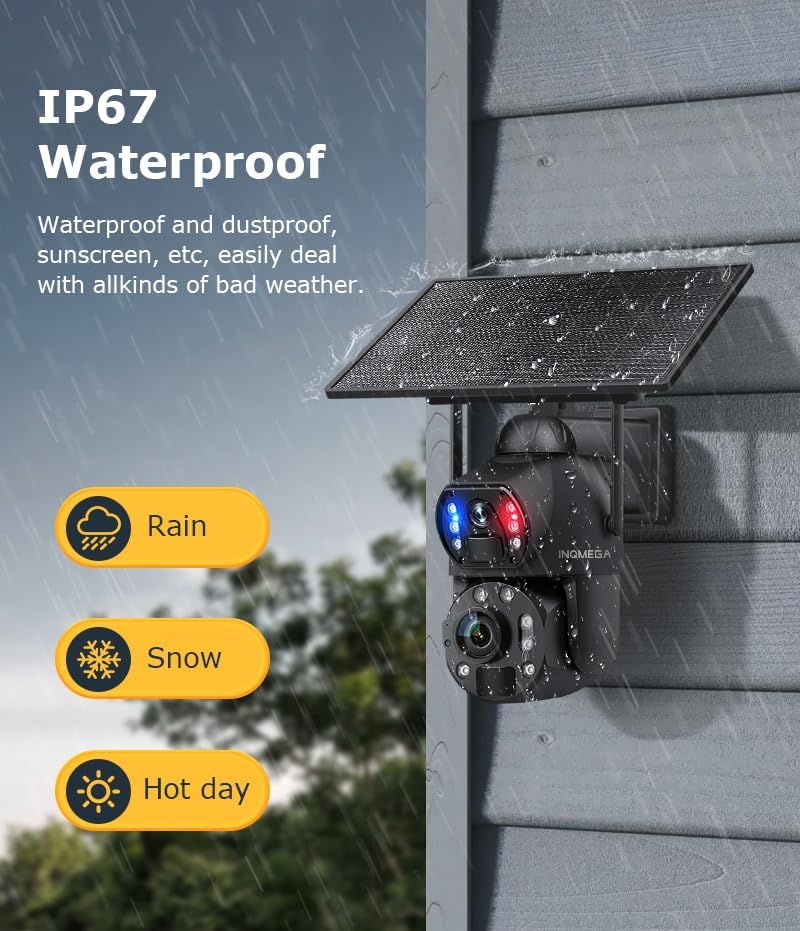
Figure 7.1: IP67 Waterproof rating.
- Wipe the camera lens and body with a soft, damp cloth to remove any accumulated dirt. Do not use harsh chemicals or abrasive materials.
- Regularly check all cable connections to ensure they remain secure and waterproof.
- Ensure the SIM card slot cover is always tightly sealed.
8. Troubleshooting
If you encounter issues with your INQMEGA camera, please refer to the following common troubleshooting steps:
| Problem | Possible Cause | Solution |
|---|---|---|
| Camera not powering on | Low battery; Solar panel not charging; Power switch off. | Ensure solar panel is clean and receiving direct sunlight. Check battery connection. Verify power switch is in the 'ON' position. Charge the camera via USB if needed. |
| No 4G LTE signal | SIM card not activated or incorrectly inserted; Poor cellular coverage. | Ensure SIM card is activated and correctly inserted. Relocate the camera to an area with better cellular reception. Contact your cellular provider. |
| Motion detection not working | PIR sensitivity too low; Obstructions in detection zone; Incorrect app settings. | Adjust PIR sensitivity in the UBOX app. Clear any obstructions in front of the camera. Verify motion detection is enabled in app settings. |
| Poor video quality | Dirty lens; Low light conditions; Network issues. | Clean the camera lenses with a soft cloth. Ensure sufficient lighting for optimal image quality. Check cellular signal strength. |
| Cannot connect to UBOX app | Incorrect pairing process; App version outdated; Network issues. | Ensure camera is powered on and has cellular signal. Re-attempt pairing process. Update UBOX app to the latest version. Check your smartphone's network connection. |
9. Specifications
Detailed technical specifications for the INQMEGA 36X Optical Zoom 4G LTE Cellular Solar Camera:
- Model Number: ST-699-6M-36X-10W-4G-US-12.23
- Indoor/Outdoor Usage: Outdoor
- Compatible Devices: Smartphone
- Power Source: Solar Powered
- Connectivity Protocol: Cellular (4G LTE)
- Controller Type: UBOX App
- Mounting Type: Wall Mount
- Video Capture Resolution: 6MP
- Included Components: SOLAR CAMERA (main unit)
- Wireless Communication Technology: Cellular
- Form Factor: Bullet
- Night Vision Range: 300 Feet (approx. 91 meters)
- Material: Metal
- Water Resistance Level: Waterproof (IP67)
- Optical Zoom: 36x
- Focus Type: Auto Focus
- Low Light Technology: Night Color
- Video Capture Format: MP4
- Specific Uses For Product: 360 Degree Coverage, Surveillance, Optical Zoom
- Effective Still Resolution: 6 MP
- Control Method: App
- Item Weight: 5.5 pounds (approx. 2.5 kg)
- Manufacturer: INQMEGA
- Recommended Uses For Product: Game & Trail, Outdoor Security
- Special Feature: 10W Solar Panels, 20000mA Battery, 36X Optical ZOOM, 6MP, Metal case
10. Warranty and Support
For warranty information and technical support, please refer to the documentation included with your purchase or visit the official INQMEGA website. If you encounter any issues not covered in this manual, please contact INQMEGA customer service for assistance.
Manufacturer: INQMEGA
Date First Available: December 23, 2024