
AGIMA X6
AGIMA X6 4K Projector User Manual
Model: X6 | Brand: AGIMA
1. Introduction
This user manual provides comprehensive instructions for the setup, operation, and maintenance of your AGIMA X6 4K Projector. Designed for a superior viewing experience, the X6 features a built-in smart operating system, native 1080P resolution with 4K support, WiFi 6, Bluetooth 5.2, and powerful 15W dual speakers.

Figure 1: AGIMA X6 4K Projector Overview
2. What's in the Box
Upon unboxing, please verify that all the following items are included:
- 1 x AGIMA X6 Projector
- 1 x HDMI Cable
- 1 x Power Adapter with Cable
- 1 x Remote Control
- 1 x User Manual
3. Product Overview
3.1. Components and Ports
Familiarize yourself with the various components and connection ports of your AGIMA X6 projector.

Figure 2: Rear and Side View of AGIMA X6 Projector with Ports
- Lens: Projects the image onto the screen.
- Focus Wheel: Adjusts image clarity.
- Control Panel: On-device buttons for navigation and selection.
- HDMI Port: Connects to devices like laptops, game consoles, or TV sticks.
- USB Ports: For connecting USB drives or other compatible accessories.
- Power Port: Connects the power adapter.
- 3.5mm Headphone Jack: For connecting external audio devices like headphones or speakers.
- Built-in Speakers: Provides audio output.
4. Setup
4.1. Placement
Position the projector on a stable, flat surface. Ensure there are no obstructions in front of the lens. The optimal projection size ranges from 39 inches to 200 inches, with projection distances between 4ft and 25ft.
4.2. Power Connection
- Connect the power adapter to the projector's power port.
- Plug the power adapter into a wall outlet.
- Press the power button on the projector or remote control to turn it on.
4.3. Initial Image Adjustment
- Focus: Rotate the focus wheel near the lens until the image appears clear and sharp.
- Automatic Keystone Correction: The projector is equipped with automatic keystone correction to ensure a rectangular picture regardless of the projection angle.
- Digital Zoom: Use the zoom function (100% to 50%) via the remote control to adjust the image size without moving the projector.
4.4. Network Connection (WiFi 6)
The AGIMA X6 supports dual-band 5G/2.4G WiFi 6 for stable and fast connectivity.
- Navigate to the "Settings" menu on the projector's smart OS.
- Select "Network" or "WiFi settings".
- Choose your desired WiFi network from the list.
- Enter the password if prompted and connect.

Figure 3: WiFi 6 Connectivity for Faster Streaming
4.5. Bluetooth Connection
The projector features two-way Bluetooth 5.2, allowing connection to external speakers/headphones or functioning as a standalone Bluetooth speaker.
- Go to "Settings" and select "Bluetooth".
- Turn on Bluetooth and search for available devices.
- Select your desired Bluetooth device (e.g., speaker, headphones) from the list to pair.
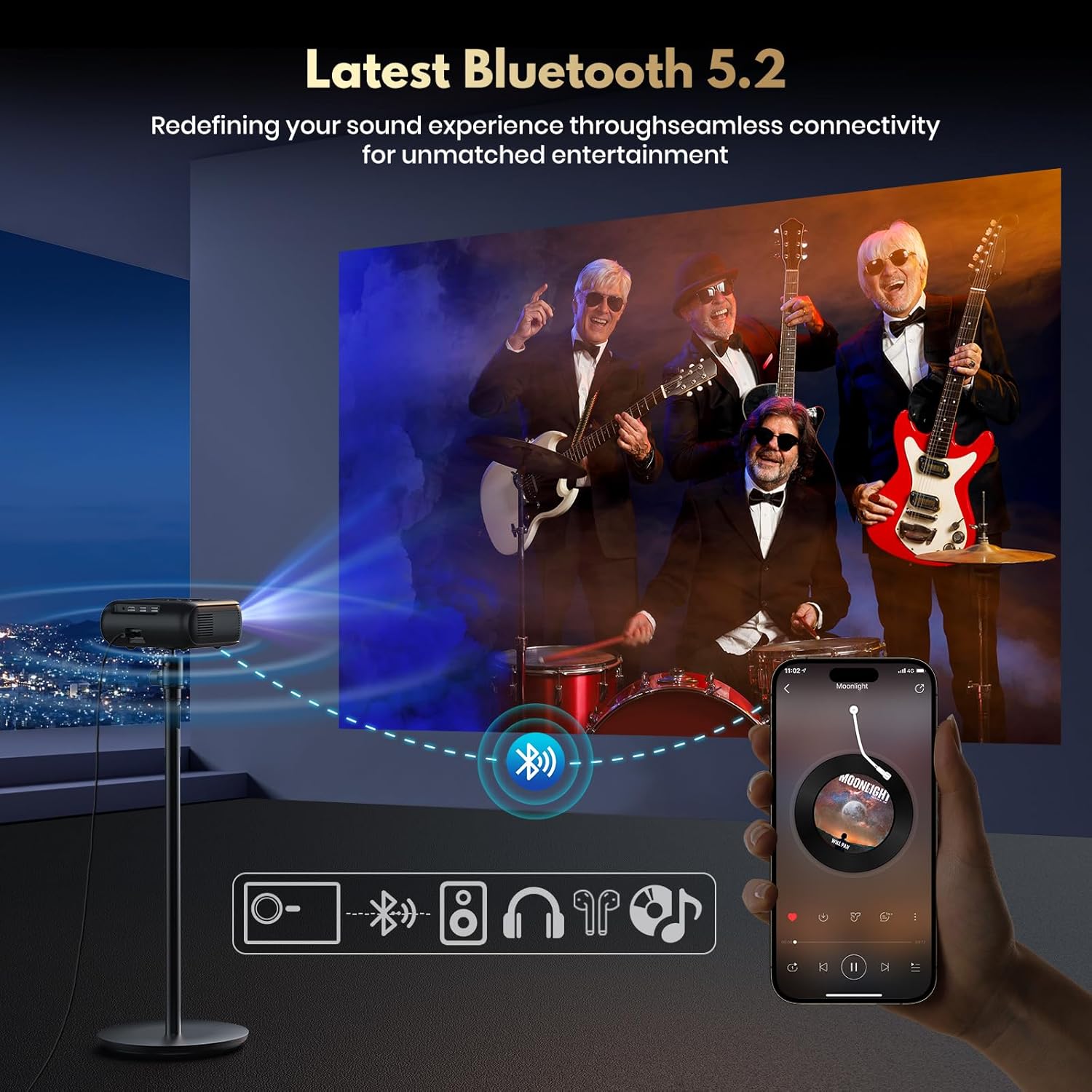
Figure 4: Seamless Bluetooth 5.2 Connectivity
4.6. Connecting External Devices
The projector is compatible with various devices via its HDMI and USB ports.
- HDMI: Connect TV sticks, laptops, game consoles (Switch/PS5), or other HDMI-enabled devices using an HDMI cable. Select the HDMI input source from the projector's menu.
- USB: Insert USB drives to play media files directly.
5. Operating Instructions
5.1. Smart OS and App Store
The built-in smart operating system provides direct access to streaming services and applications.
- From the home screen, navigate to pre-installed apps like Netflix, Prime Video, YouTube, etc.
- Access the "App Store" to download additional applications.
- Ensure the projector is connected to WiFi for online content and app downloads.

Figure 5: Built-in Smart System for Massive App Download
5.2. Image and Display Settings
- Brightness: The projector delivers 450 ANSI Lumens for clear and vivid pictures. Adjust ambient lighting for optimal viewing.
- Resolution: Native 1080P Full HD resolution with support for 4K video playback.
- HDR10: Enhances contrast and color accuracy. Ensure your content supports HDR10 for the best experience.

Figure 6: Experience Stunning Details with HDR10
5.3. Audio Settings
The X6 projector is equipped with 15W dual speakers for immersive 3D stereo HiFi audio.
- Adjust volume using the remote control or on-device buttons.
- For enhanced audio, connect external Bluetooth speakers or use the 3.5mm audio jack.

Figure 7: Equipped with HiFi Speaker for Immersive Sound
6. Maintenance
6.1. Cleaning
- Lens: Use a soft, lint-free cloth specifically designed for optical lenses. Do not use abrasive cleaners or excessive force.
- Exterior: Wipe the projector's exterior with a soft, dry cloth. Avoid using liquid cleaners directly on the device.
- Ventilation: Ensure the ventilation openings are clear of dust and debris to prevent overheating.
6.2. Storage
When not in use, store the projector in a cool, dry place away from direct sunlight and extreme temperatures. Use the original packaging or a protective case to prevent dust accumulation and damage.
6.3. Lamp Life
The AGIMA X6 projector lamp has an estimated lifespan of 100,000 hours, ensuring long-term performance under normal usage conditions.
7. Troubleshooting
| Problem | Possible Cause | Solution |
|---|---|---|
| No image displayed | Power not connected; Input source incorrect; Lens cap on. | Check power connection; Select correct HDMI/USB input; Remove lens cap. |
| Image blurry | Focus not adjusted; Projector too close/far. | Adjust the focus wheel; Adjust projection distance or use digital zoom. |
| No sound | Volume too low; External audio device not connected/paired; Muted. | Increase volume; Check Bluetooth connection or 3.5mm jack; Unmute. |
| Cannot connect to WiFi | Incorrect password; Out of range; Router issue. | Verify password; Move closer to router; Restart router and projector. |
| Remote control not working | Batteries low/dead; Obstruction between remote and projector. | Replace batteries; Ensure clear line of sight to IR receiver. |
8. Specifications
| Feature | Detail |
|---|---|
| Brand | AGIMA |
| Model Number | X6 |
| Display Resolution | Native 1920 x 1080 (1080P Full HD), 4K Support |
| Brightness | 450 ANSI Lumens |
| Contrast Ratio | 18000:1 |
| Connectivity Technology | Wi-Fi (WiFi 6), USB, HDMI, Bluetooth 5.2, 3.5mm Jack |
| Special Features | Built-in Smart Streaming OS & App Store, Auto Keystone Correction, Digital Zoom (50-100%), Built-in 15W Dual Speakers, HDR10 |
| Projection Size | 39''-200'' |
| Projection Distance | 4ft-25ft |
| Lamp Life | 100,000 Hours |
| Item Weight | 2.2 lb (1 kg) |
| Product Dimensions | 6.81 x 6.14 x 2.44 in (17.4 x 15.6 x 6.2cm) |
| Color | Black |
9. Warranty and Support
9.1. Protection Plans
Optional protection plans are available for extended coverage. Please refer to your purchase documentation for details on available 2-Year and 3-Year Protection Plans, as well as the Complete Protect plan.
9.2. Customer Support
For any questions, technical assistance, or warranty claims, please contact AGIMA customer support through the retailer's platform or the official AGIMA website. Please have your model number (X6) and purchase details ready when contacting support.
Related documentsX6


Ask a question about this manual
Ask about setup, troubleshooting, compatibility, parts, safety, or missing instructions. Manuals+ will review the question and use this page’s manual context to help answer it.