
1. Introduction
The Radtel RT-470X is a versatile tri-band radio walkie-talkie designed for reliable communication across various frequency ranges, including aviation air band reception. Featuring 256 channels, a user-friendly interface, and advanced functionalities like wireless frequency copy and dual PTT, this transceiver is suitable for a wide array of applications. This manual provides detailed instructions for the proper setup, operation, and maintenance of your RT-470X radio.
2. Package Contents
Please verify that all items listed below are present in your package:
- 2x Radtel RT-470X Ham Radio
- 2x 2800mAh Type-C Battery
- 2x 7.87-inch Dual Band 145/435 Antenna
- 2x 39-inch USB-C Charger Cable
- 2x Belt Clip with Metal Piece
- 2x English User Manual
- 2x AC Power Adapter with USB Port

Image: Contents of the Radtel RT-470X package, including two radios, batteries, antennas, charging cables, and power adapters.
3. Product Overview
The RT-470X features a robust design with a 1.77-inch LCD screen for clear visibility. Key components include the antenna connector, power/volume knob, PTT buttons, and a full keypad for easy navigation and input.

Image: Visual representation of the Radtel RT-470X radio highlighting its main features such as NOAA weather alert, multi-band TX/RX, fast copy frequency, Type-C charger, and emergency SOS.
4. Setup
4.1 Battery Installation and Charging
- Align the 2800mAh Type-C battery with the battery compartment on the back of the radio.
- Slide the battery into place until it clicks securely.
- To charge, connect the USB-C charger cable to the radio's Type-C port and the other end to the AC power adapter. Plug the adapter into a standard wall outlet.
- The charging indicator on the radio will show the charging status. Ensure the battery is fully charged before first use.
4.2 Antenna Attachment
Screw the 7.87-inch Dual Band 145/435 Antenna clockwise onto the antenna connector at the top of the radio until it is finger-tight. Do not overtighten.
4.3 Belt Clip Attachment
Attach the belt clip to the designated slot on the back of the radio for convenient carrying.
5. Operating Instructions
5.1 Power On/Off and Volume Control
Rotate the knob on the top of the radio clockwise to power on and increase volume. Rotate counter-clockwise to decrease volume and power off.
5.2 Frequency Coverage and Selection
The RT-470X supports extensive frequency coverage, including 8 receiving bands and 3 transmitting bands. Use the keypad and navigation buttons to enter desired frequencies or select channels.
- Receiving Bands: 108-136 MHz (Aviation Air Band), 66-108 MHz (FM Radio), 18-107 MHz, 136-174 MHz, 174-350 MHz, 220-260 MHz, 400-520 MHz, 470-629 MHz, 840-999 MHz.
- Transmitting Bands: 136-174 MHz (VHF), 220-260 MHz (VHF), 400-520 MHz (UHF).

Image: Diagram illustrating the multi-band transmitting and receiving capabilities of the RT-470X radio, including specific frequency ranges.
5.3 Dual PTT Button Operation
The RT-470X features dual PTT buttons. PTT1 can be programmed to transmit on the UHF frequency in Band 1, while PTT2 can be programmed to transmit on the VHF frequency in Band 2. This allows for quick switching between bands without manual adjustment.
5.4 Wireless Frequency Copy
This innovative feature allows the RT-470X to copy frequencies and CTCSS/DCS tones from other radios wirelessly. To use, place the RT-470X within 1 meter of the target radio and activate the wireless copy function. This enables immediate communication without manual programming, especially useful for non-LCD models.
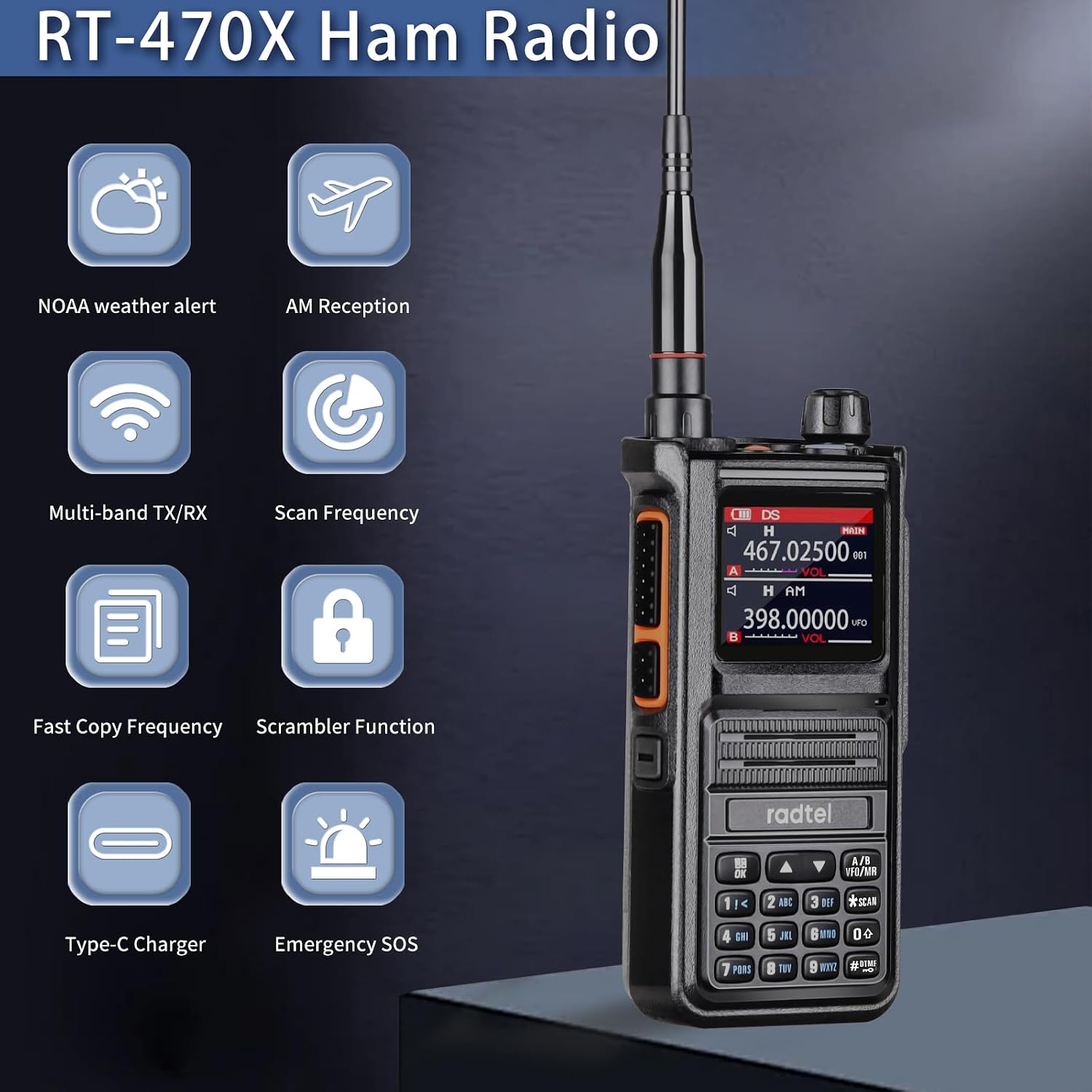
Image: The Radtel RT-470X radio displaying its wireless frequency copy function, showing it can quickly seek and match frequencies and CTCSS tones from another radio.
5.5 NOAA Weather Alerts
The radio can receive NOAA weather alerts, providing timely information on severe weather conditions. This feature is particularly useful for outdoor activities, ensuring you stay informed of environmental changes.
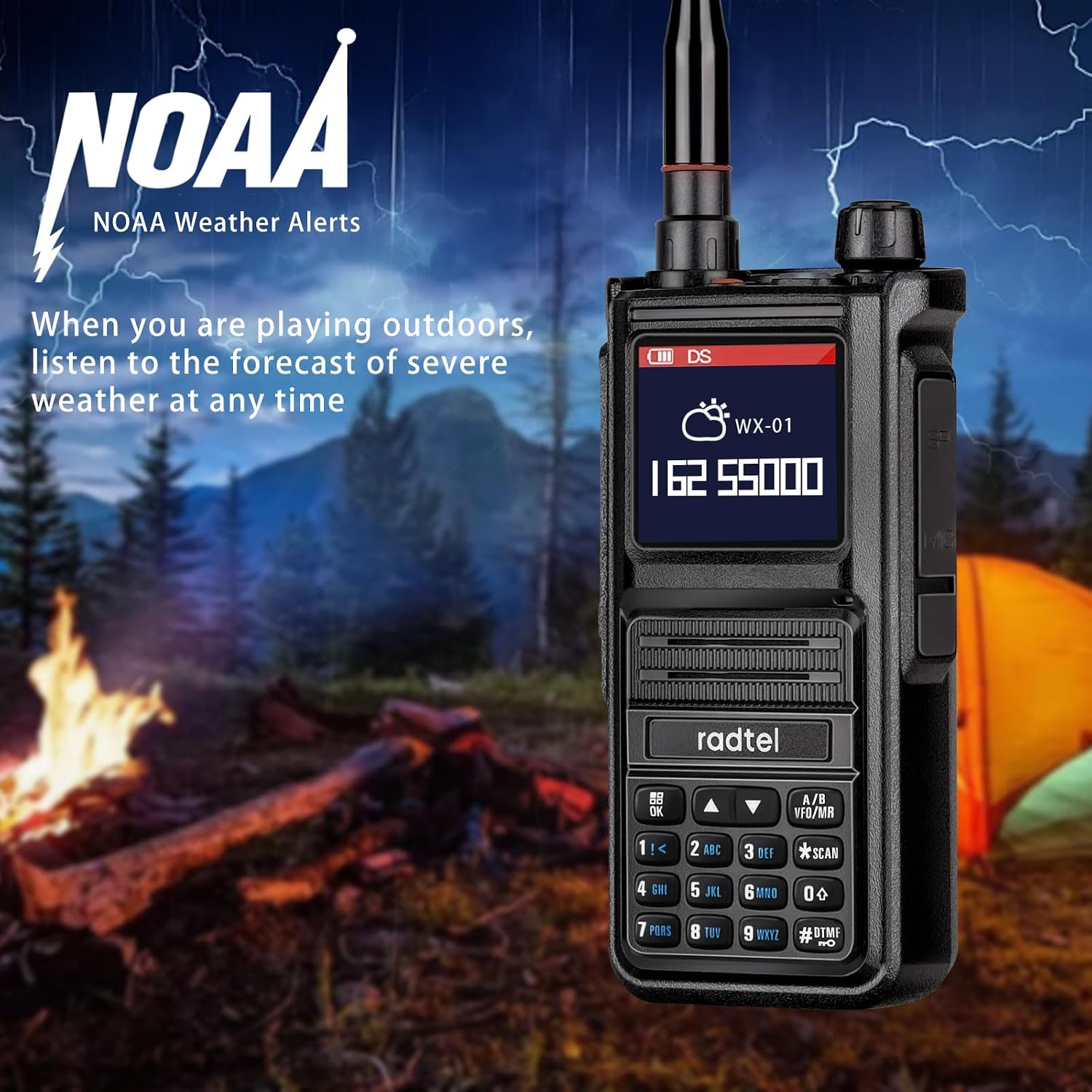
Image: The Radtel RT-470X radio screen showing a NOAA weather alert, set against an outdoor camping background, emphasizing its utility for weather monitoring.
5.6 Advanced Features
- Aviation Air Band Receive: The RT-470X can receive 108-136 MHz frequencies, allowing clear reception of air traffic communications. Note that transmission on this band is not supported.
- Flashlight: Activate the built-in flashlight for illumination in low-light conditions.
- SOS Emergency Alarm: In an emergency, activate the SOS function to emit an alarm signal.
- VOX Hand-Free Operation: Enables voice-activated transmission without pressing the PTT button.
- DTMF Function: Supports Dual-Tone Multi-Frequency signaling for various applications.
- Scrambler Function: Enhances communication privacy.
- Programming: Compatible with CHIRP and CPS software for flexible customization. Features an internal programmable chip and supports traditional 2-pin interfaces.

Image: The Radtel RT-470X radio displaying a frequency within the air band, with airplanes in the background, indicating its ability to receive air signals clearly.
6. Maintenance
6.1 Battery Care
- Avoid overcharging or completely draining the battery.
- Store batteries in a cool, dry place when not in use.
- If the radio will not be used for an extended period, remove the battery.
6.2 Cleaning
Wipe the radio's surface with a soft, damp cloth. Do not use harsh chemicals or abrasive cleaners. Ensure the radio is dry before use.
6.3 Storage
Store the radio in a dry, dust-free environment away from direct sunlight and extreme temperatures.
7. Troubleshooting
If you encounter issues with your Radtel RT-470X, please refer to the following common problems and solutions:
| Problem | Possible Cause | Solution |
|---|---|---|
| Radio does not power on. | Battery is low or not installed correctly. | Charge the battery or re-install it securely. |
| No audio or low volume. | Volume too low; squelch level too high; speaker damaged. | Increase volume; adjust squelch level; check speaker for obstructions. |
| Cannot transmit or receive. | Incorrect frequency/channel; antenna not attached; battery low. | Verify frequency/channel settings; ensure antenna is securely attached; charge battery. |
| Wireless copy not working. | Radios too far apart; interference. | Ensure radios are within 1 meter; try in a different location. |
8. Specifications
Key technical specifications for the Radtel RT-470X:
| Feature | Specification |
|---|---|
| Item Model Number | RT-470X |
| Number of Channels | 256 |
| Frequency Range | UHF, VHF (Multi-band TX/RX, Air band RX) |
| Talking Range Maximum | 5 Kilometer |
| Battery Type | Lithium Ion (2800mAh) |
| Voltage | 7.4 Volts |
| Product Dimensions | 1.57 x 2.28 x 4.6 inches |
| Item Weight | 1.98 pounds |
| Special Features | Wireless Copy frequency, Chirp Programming, Type-C Charger, Multi-band TX/RX, Air band RX |
| Water Resistance Level | Not Water Resistant |
| Country of Origin | China |
9. Warranty and Support
9.1 Warranty Information
The Radtel RT-470X comes with a 1-Year Warranty from the date of purchase. This warranty covers manufacturing defects and workmanship under normal use. Please retain your proof of purchase for warranty claims.
9.2 Customer Support
For technical assistance, troubleshooting beyond this manual, or warranty inquiries, please contact Radtel customer support. Refer to the contact information provided with your product packaging or visit the official Radtel website.


