
Introduction
This manual provides comprehensive instructions for the EZVALO EZL2432A 10-inch Rechargeable Motion Sensor Under Cabinet Lights. Please read this guide thoroughly before installation and operation to ensure proper use and optimal performance of your lighting system.
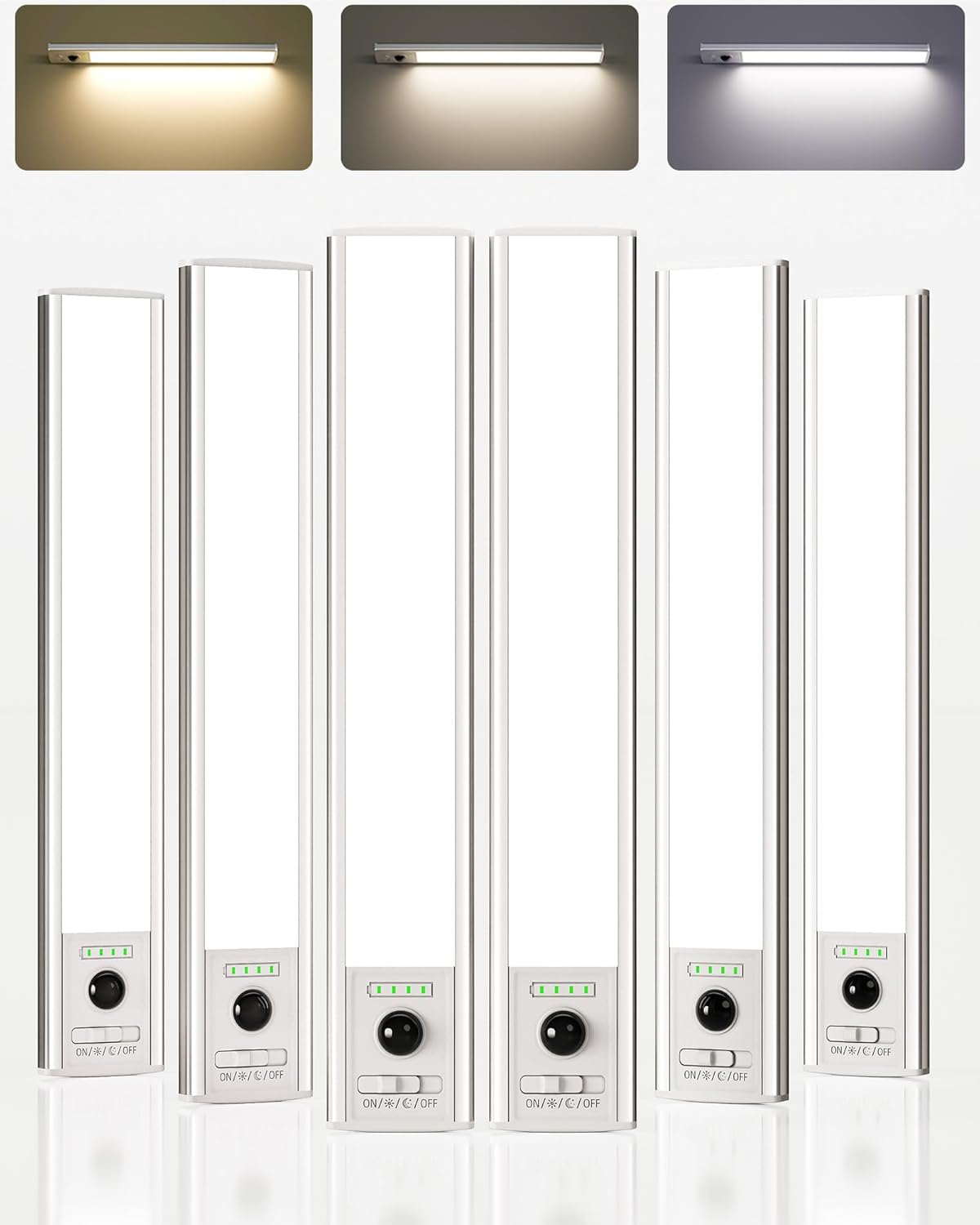
Image: The EZVALO 10-inch Rechargeable Motion Sensor Under Cabinet Lights, showing their sleek design and bright illumination.
What's in the Box
Verify that all components are present:
- 6 x Under Cabinet Lights
- 12 x Adhesive Iron Sheets
- 2 x USB-C Charging Cables
- 1 x Instruction Manual (this document)
Product Features
Smart Motion Sensor
The lights feature an ultra-sensitive motion sensor with a 120° detection angle and up to 10 feet range. They automatically turn off after 20 seconds of no motion, promoting energy efficiency.

Image: A kitchen scene demonstrating the motion sensor's 120-degree detection angle and 10-foot range, with lights illuminating the counter when motion is detected.
Rechargeable Battery with Indicator
Equipped with a 2000mAh battery, these lights offer up to 10 hours of continuous illumination in Always-On Mode or 15-45 days in Auto Mode. A 4-level LED indicator (25%, 50%, 75%, 100%) displays remaining power and charging progress.

Image: A close-up of the light bar showing the USB-C charging port and the 4-level battery indicator, highlighting its 2000mAh capacity and fast charging capability.
Adjustable Color Temperatures & Stepless Dimming
Choose from 3 color temperatures: Warm White (3000K), Natural White (4500K), and Cool White (6500K). Brightness can be adjusted steplessly from 10% to 100% to suit various needs.

Image: Visual representation of the three adjustable color temperatures (3000K, 4500K, 6500K) and the stepless dimming feature from 10% to 100% brightness.
4 Lighting Modes
The lights offer four operational modes:
- Always-On Mode: Continuous illumination.
- Day Mode: Motion-activated throughout the day.
- Night Mode: Motion-activated only in darkness.
- Always-Off Mode: Light remains off.

Image: A graphic illustrating the three primary working modes: Always On, Day Mode (motion-activated), and Night Mode (motion-activated in darkness).
Setup and Installation
The EZVALO lights are designed for easy, tool-free installation using magnetic attachment. They can be mounted on ironwork surfaces directly or on non-metal surfaces using the included adhesive iron plates.
- Prepare the Surface: Clean the desired smooth surface (e.g., ceramic tile, metal, wood, glass) where the light will be installed. Ensure it is dry and free of dust or grease.
- Attach Adhesive Iron Plates: Peel the protective film from the adhesive iron plate and firmly press it onto the cleaned surface. For optimal adhesion, allow it to set for a few hours before attaching the light.
- Mount the Light: The light bar has built-in magnets. Align the light bar with the installed adhesive iron plate(s) and allow the magnets to secure it in place.
Important Note on Motion Sensing: To ensure proper motion sensing and prevent interference, maintain a minimum installation distance of 20 inches (approximately 50 cm) between two lights when operating in "AUTO" mode.

Image: A visual guide demonstrating both adhesive and magnetic installation methods for the lights on various surfaces like refrigerators, metal racks, and under cabinets.

Image: A diagram illustrating the recommended minimum installation distance of 20 inches between two lights to prevent mutual interference in auto mode.
Operating Instructions
The light bar features a toggle switch and a physical button for control.

Image: A detailed view of the light's controls, including the battery indicator, PIR motion sensor, toggle switch for modes, physical button for color temperature and brightness, and the USB-C charging port.
Toggle Switch Functions:
- ON Mode (Continuous Illumination): Slide the switch to the 'ON' position for constant light.
- Day Mode (Motion-Activated): Slide the switch to the 'Day Mode' position (sun icon). The light will activate with motion regardless of ambient light levels.
- Night Mode (Motion-Activated in Darkness): Slide the switch to the 'Night Mode' position (moon icon). The light will only activate with motion when the surrounding environment is dark.
- OFF Mode: Slide the switch to the 'OFF' position to turn off the light.
Physical Button Functions:
- Short Press: Quickly press the button to cycle through the 3 color temperatures (Warm White, Natural White, Cool White).
- Long Press: Press and hold the button to adjust the brightness steplessly from 10% to 100%. Release the button when the desired brightness is reached.
Charging
The EZVALO lights are rechargeable via the included USB-C cables. The 4-level LED battery indicator provides real-time charging status.
- Connect the USB-C cable to the charging port on the light bar and to a suitable USB power source (e.g., wall adapter, computer USB port).
- The LED indicators will illuminate to show the charging progress. When all four LEDs are solid green, the light is fully charged.
- The battery indicator lights up for 5 seconds when the light is turned on (not charging) to show the current battery level.

Image: A comparison showing the upgraded battery indicator with 4 levels (25%, 50%, 75%, 100%) for clear power status, contrasting with systems without such indicators.
Video: Demonstrates how to charge multiple EZVALO lights simultaneously using USB-C cables, with battery indicators showing charging progress.
Maintenance
- Cleaning: Wipe the light surface with a soft, dry cloth. Do not use abrasive cleaners or solvents.
- Battery Care: For optimal battery life, avoid fully discharging the battery frequently. Recharge when the indicator shows low power.
- Storage: If storing the lights for an extended period, charge them to about 50% and store in a cool, dry place. Recharge every 3-6 months to prevent deep discharge.
Troubleshooting
| Problem | Possible Cause | Solution |
|---|---|---|
| Light does not turn on. | Battery is depleted; switch is in OFF position. | Charge the light; slide switch to ON, Day, or Night mode. |
| Motion sensor not working. | Incorrect mode selected (e.g., ON mode); ambient light too bright (in Night Mode); sensor obstructed; lights too close together. | Ensure Day or Night mode is selected; check ambient light; clear sensor path; ensure 20-inch separation between lights. |
| Light flickers or is dim. | Low battery; brightness setting too low. | Recharge the light; long press the button to increase brightness. |
| Light falls off surface. | Adhesive not strong enough; surface not clean; heavy vibration. | Ensure surface is clean and dry before applying adhesive; apply new adhesive iron sheets if necessary. |
Specifications
| Brand | EZVALO |
| Model Name | EZL2432A |
| Product Dimensions | 9.84"L x 1.54"W x 0.55"H |
| Item Weight | 4.6 ounces (per light) |
| Material | Acrylonitrile Butadiene Styrene, Aluminum |
| Power Source | Battery Powered (2000mAh) |
| Light Source Type | LED (80 LEDs) |
| Brightness | 120 Lumens (Max) |
| Color Temperatures | 3000K (Warm White), 4500K (Natural White), 6500K (Cool White) |
| Special Features | Adjustable Color Temperature, Battery Indicator, Dimmable, Motion Sensor, Portable |
| Installation Type | Magnetic |
| Indoor/Outdoor Usage | Indoor |
| Water Resistance Level | Not Water Resistant |
Warranty and Support
EZVALO offers a Lifetime Warranty on these Under Cabinet Lights. For any product inquiries, technical support, or warranty claims, please contact EZVALO customer service through their official channels or the retailer where the product was purchased.
Please retain your purchase receipt as proof of purchase for warranty purposes.