
1. Product Overview
The Eightwood Model 2227 is a combined active roof antenna designed for automotive use, integrating FM/AM radio and GPS signal reception. This antenna features an integrated amplifier to enhance signal strength, ensuring clear radio reception and accurate GPS navigation. It is equipped with a 5-meter cable and includes both SMA and DIN adapters for broad compatibility with various car audio and navigation systems.
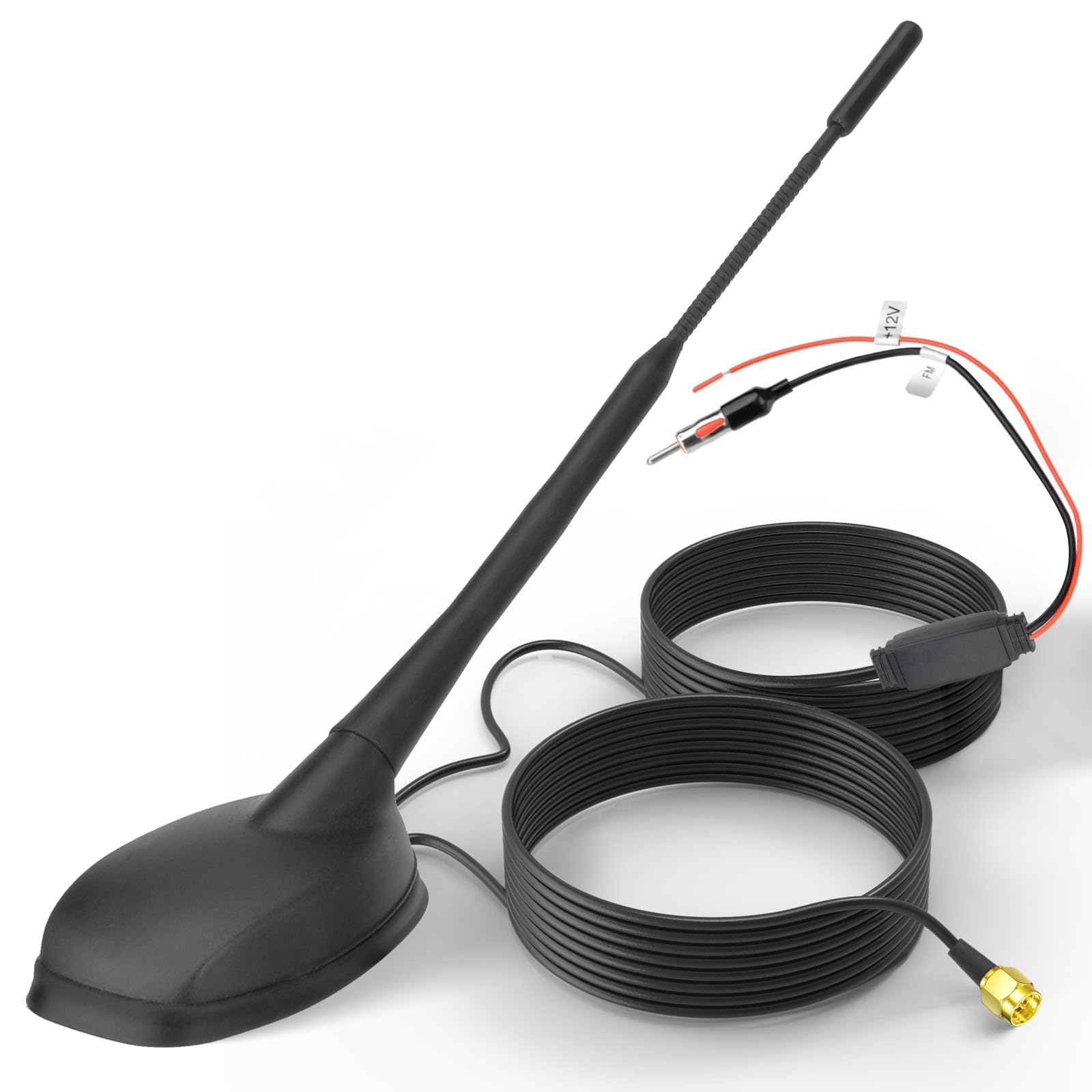
Image 1.1: Overview of the Eightwood Model 2227 combined GPS FM/AM car antenna, showing the main unit and connecting cables.
2. Key Features
- Combined Functionality: Integrates FM/AM radio and GPS signal reception into a single unit.
- Active Amplification: Built-in amplifier for enhanced signal gain, improving reception quality for both radio and GPS.
- Wide Frequency Range: Supports FM (87.5-108 MHz), AM (522-1710 KHz), and GPS (1575.42 MHz).
- Universal Connectivity: Features DIN connector for FM/AM and SMA connector for GPS, along with a 12V power cable.
- Durable Construction: Made from weather-resistant ABS material for long-lasting performance.
- Easy Installation: Designed for screw-through-hole mounting with a 5-meter cable for flexible placement.
3. Technical Specifications
| Feature | Specification |
|---|---|
| Model Number | 2227 |
| Brand | Eightwood |
| Color | Black |
| FM/AM Frequency | AM: 522-1710 KHz, FM: 87.5-108 MHz |
| FM/AM Gain | AM: 6 dB, FM: 7 dB (Product description states 13±3 dB AM, 16±3 dB FM in feature bullets, using description for consistency) |
| GPS Frequency | 1575.42 MHz ± 3 MHz |
| GPS Gain | 28 ± 2 dB (Product description states 28 ± 3 dB in feature bullets, using description for consistency) |
| Power Supply Voltage | 12V DC |
| Current Consumption | 60 mA |
| FM/AM Connector | DIN Plug |
| GPS Connector | SMA Adapter |
| Cable Length | 5 meters (16.4 feet) RG174 |
| Installation Type | Drill-hole mounting (Screw-through-holes) |
| Opening Size for Installation | 58x100mm |
| Antenna Length | 23 cm |
| Operating Temperature | -40°C to +85°C |
| Material | Weather-resistant ABS |

Image 3.1: Product dimensions of the Eightwood Model 2227 antenna, including antenna length and cable length.

Image 3.2: Visual representation of the supported AM/FM and GPS frequencies for the antenna.
4. Setup Instructions
Careful installation is crucial for optimal performance. Professional installation is recommended if you are unfamiliar with automotive electrical systems or drilling into vehicle bodywork.
4.1 Pre-installation Checks
- Ensure the vehicle's ignition is off and the battery is disconnected before starting installation.
- Verify the mounting location on the vehicle roof is flat and provides sufficient clearance for the antenna base and mast.
- Confirm that the cable length (5 meters) is adequate to reach your car radio and GPS unit from the chosen mounting point.
- Check the required opening size (58x100mm) for the antenna base and ensure you have appropriate tools for drilling.
4.2 Mounting the Antenna
- Carefully mark the drilling location on the vehicle roof, ensuring it is centered and clear of any structural components or wiring underneath.
- Drill a pilot hole, then gradually enlarge it to the required 58x100mm opening size. Ensure all edges are smooth and free of burrs.
- Apply a suitable sealant around the edges of the drilled hole to prevent water ingress.
- Feed the antenna cables through the drilled hole.
- Position the antenna base over the hole and secure it using the provided screws or fasteners from underneath the roof panel. Ensure a tight, waterproof seal.
- Attach the antenna mast to the base by screwing it clockwise until it is firmly seated.

Image 4.1: Detailed view of the antenna's mounting mechanism, showing the screw-in attachment for the mast and the base for roof installation.
4.3 Connecting the Cables
- Route the cables neatly and securely from the antenna to your car's head unit and GPS receiver, avoiding sharp bends or areas where they could be pinched.
- Connect the DIN plug (typically for FM/AM) to the corresponding radio antenna input on your car's head unit.
- Connect the SMA adapter (for GPS) to the GPS input on your navigation system or compatible head unit.
- Connect the 12V power cable (red wire) to a switched 12V power source in your vehicle. This is essential for the active amplifier to function. The black wire should be connected to a reliable ground point.
- Reconnect the vehicle battery and test the system.

Image 4.2: Illustration of the antenna's various connections, including the DIN plug, SMA adapter, and 12V power wires.
5. Operating Instructions
Once properly installed and connected, the Eightwood Model 2227 antenna operates automatically with your car's radio and GPS system.
5.1 FM/AM Radio Reception
- Turn on your car's radio.
- Select the desired FM or AM band.
- Tune to your preferred radio station. The active amplifier in the antenna will work to provide clear reception.
5.2 GPS Navigation
- Turn on your GPS navigation system or head unit with GPS functionality.
- Ensure the GPS function is activated. The antenna will automatically receive satellite signals for accurate positioning.
- Allow a few moments for the GPS system to acquire satellites, especially after initial setup or if the vehicle has been stationary for a long period.
6. Maintenance
The Eightwood Model 2227 antenna is designed for durability and requires minimal maintenance.
- Regular Cleaning: Periodically clean the antenna mast and base with a soft, damp cloth to remove dirt, dust, and road grime. Avoid abrasive cleaners or solvents.
- Connection Check: Annually, inspect the cable connections at the antenna base and at your car's head unit/GPS receiver to ensure they are secure and free from corrosion.
- Physical Inspection: Check the antenna mast and base for any signs of damage, such as cracks, bends, or loose components, especially after car washes or extreme weather conditions.
- Water Seal: Ensure the sealant around the roof mounting hole remains intact to prevent water leaks into the vehicle interior. Reapply sealant if necessary.
7. Troubleshooting
If you experience issues with your Eightwood Model 2227 antenna, refer to the following common problems and solutions:
| Problem | Possible Cause | Solution |
|---|---|---|
| Poor FM/AM radio reception or no signal |
|
|
| Inaccurate or no GPS signal |
|
|
| Water leakage around antenna base |
|
|
If problems persist after attempting these solutions, contact customer support or consult a qualified automotive technician.
8. Warranty and Support
Eightwood products are manufactured to high-quality standards. For specific warranty information regarding your Model 2227 antenna, please refer to the documentation included with your purchase or visit the official Eightwood website. Keep your proof of purchase for warranty claims.
For technical assistance, installation queries, or troubleshooting not covered in this manual, please contact Eightwood customer support through their official channels. Contact information can typically be found on the product packaging or the Eightwood brand store online.


