
Introduction
This manual provides comprehensive instructions for the safe and efficient use of your JUNJIEUNVO SY-BT1632 Wireless Bluetooth Headset. Please read this manual thoroughly before operating the device and retain it for future reference.
Product Overview
The SY-BT1632 is a wireless Bluetooth headset designed for audio playback, gaming, and sports activities. It features HiFi audio capabilities, an ultra-long standby time, hands-free calling with a built-in microphone, and support for TF card and AUX input.

Figure 1: SY-BT1632 Wireless Bluetooth Headset, front view.
Key Features:
- Wireless Bluetooth connectivity for audio streaming.
- Integrated microphone for hands-free communication.
- Support for TF (MicroSD) card for direct music playback.
- AUX input for wired connection to audio devices.
- Over-ear design for extended wear comfort.
- Adjustable headband for various head sizes.
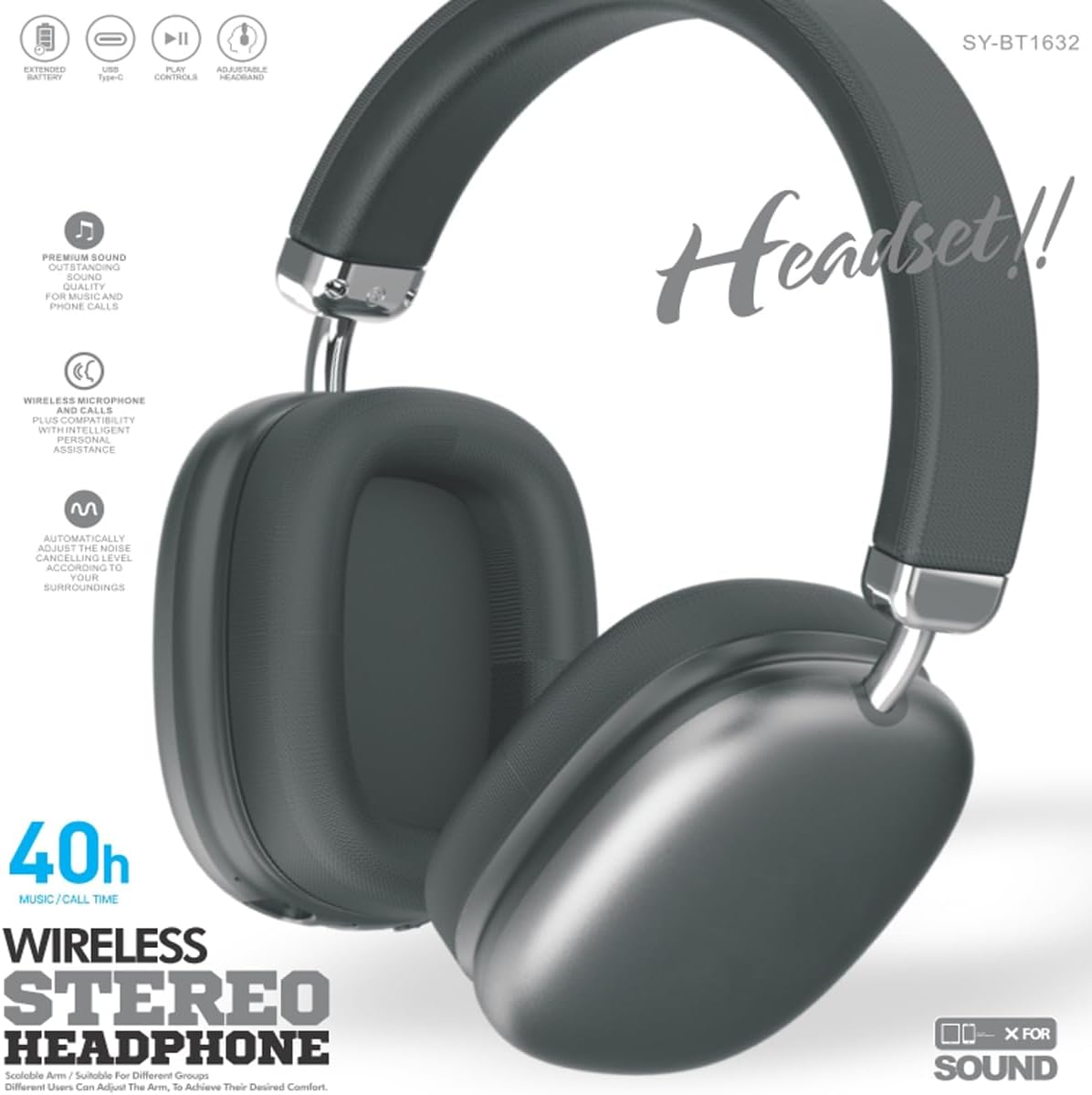
Figure 2: SY-BT1632 Wireless Bluetooth Headset being worn during activity.

Figure 3: Headband adjustment mechanism for the SY-BT1632 headset.

Figure 4: Diagram showing the 40mm dynamic speaker unit of the SY-BT1632 headset.

Figure 5: Close-up of the high-grade leather earpads for comfort.

Figure 6: Illustration of the Bluetooth 5.1 technology for stable connection and low power consumption.
Setup
1. Charging the Headset
Before first use, fully charge the headset. Connect the provided USB Type-C charging cable to the headset's charging port and the other end to a compatible USB power source (e.g., computer, wall adapter). The charging indicator light will show the charging status. A full charge typically takes approximately 1.2 hours.
2. Powering On/Off
- Power On: Press and hold the Power button for a few seconds until the indicator light flashes.
- Power Off: Press and hold the Power button for a few seconds until the indicator light turns off.
3. Bluetooth Pairing
- Ensure the headset is powered off.
- Press and hold the Power button until the indicator light flashes red and blue alternately, indicating pairing mode.
- On your device (smartphone, tablet, computer), enable Bluetooth and search for available devices.
- Select "SY-BT1632" from the list of found devices.
- Once paired, the indicator light will turn solid blue or flash blue slowly.
Note: The headset will automatically attempt to reconnect to the last paired device when powered on.
Operating Instructions
Music Playback
- Play/Pause: Press the Multi-function button once.
- Next Track: Press and hold the Volume Up button.
- Previous Track: Press and hold the Volume Down button.
- Volume Up: Short press the Volume Up button.
- Volume Down: Short press the Volume Down button.
Phone Calls
- Answer Call: Press the Multi-function button once.
- End Call: Press the Multi-function button once during a call.
- Reject Call: Press and hold the Multi-function button for 2 seconds.
- Redial Last Number: Double-press the Multi-function button.
TF Card Mode
Insert a TF (MicroSD) card with MP3 audio files into the designated slot. The headset will automatically switch to TF card playback mode. Use the music playback controls as described above.
AUX Mode
Connect an audio cable (3.5mm jack) from your audio device to the AUX port on the headset. The headset will automatically switch to AUX mode. Controls on the headset may be limited in this mode; use your audio device for playback control.
Video 1: Overview of the SY-BT1632 Wireless Bluetooth Headset, showcasing its design and features.
Maintenance
- Cleaning: Use a soft, dry cloth to clean the headset. Do not use abrasive cleaners or solvents.
- Storage: Store the headset in a cool, dry place away from direct sunlight and extreme temperatures.
- Battery Care: To prolong battery life, avoid fully discharging the battery frequently. Charge the headset regularly, even if not in use for extended periods.
- Water Exposure: This headset is not waterproof. Avoid exposure to water or excessive moisture.
Troubleshooting
| Problem | Possible Cause | Solution |
|---|---|---|
| Headset does not power on. | Low battery. | Charge the headset fully. |
| Cannot pair with device. | Headset not in pairing mode; Bluetooth off on device; device too far. | Ensure headset is in pairing mode (flashing red/blue). Turn on Bluetooth on your device. Move device closer to headset (within 10 meters). |
| No sound during playback. | Volume too low; incorrect audio source; headset not connected. | Increase volume on headset and device. Check if headset is correctly paired or AUX/TF card is properly inserted. |
| Microphone not working. | Microphone muted; incorrect input device selected on computer. | Ensure microphone is not muted. On a computer, check audio settings to confirm SY-BT1632 is selected as the input device. |
Specifications
| Feature | Detail |
|---|---|
| Model Number | SY-BT1632 |
| Connectivity Technology | Wireless (Bluetooth) |
| Bluetooth Version | 5.1 |
| Bluetooth Range | 15 Meters |
| Ear Placement | Over Ear |
| Speaker Unit Diameter | 40mm |
| Rated Impedance | 32 Ohms ± 15% |
| Frequency Range | 20Hz - 20,000Hz |
| Microphone Sensitivity | -42dB ± 3dB |
| Battery Voltage | 3.7-4.2V |
| Battery Charge Time | Approx. 1.2 hours |
| Battery Average Life | Up to 32 Hours |
| Supported Media | TF Card, AUX |
| Compatible Devices | Car Audio Systems, Cellphones, Desktops, Gaming Consoles, Laptops, Smart Speaker, Tablets, Telephones, Television |
| Material | Metal, Plastic |
Warranty and Support
Warranty Information
The JUNJIEUNVO SY-BT1632 Wireless Bluetooth Headset comes with a 1-year warranty from the date of purchase. This warranty covers manufacturing defects and material faults under normal use. It does not cover damage caused by misuse, accidents, unauthorized modifications, or normal wear and tear.
Customer Support
For technical assistance, warranty claims, or any questions regarding your SY-BT1632 headset, please contact the seller or JUNJIEUNVO customer service through the platform where the product was purchased. Please have your purchase receipt and product model number available when contacting support.