
Biotronix Solution Forever ISBSFSWTGINHA001
Shockwave Therapy Machine GINHA HL1602 User Manual
Model: ISBSFSWTGINHA001 | Brand: Biotronix Solution Forever
1. Product Overview
The GINHA HL1602 Shockwave Therapy Machine is a portable, compact device designed for Extracorporeal Shockwave Therapy (ESWT). It is intended for professional use in physiotherapy and healthcare settings to provide non-invasive pain relief and promote tissue healing for various musculoskeletal conditions.
This machine utilizes high-energy acoustic waves to stimulate circulation, reduce muscle tension, and accelerate tissue repair. It is effective for treating chronic pain, muscle injuries, tendonitis, and fasciitis.
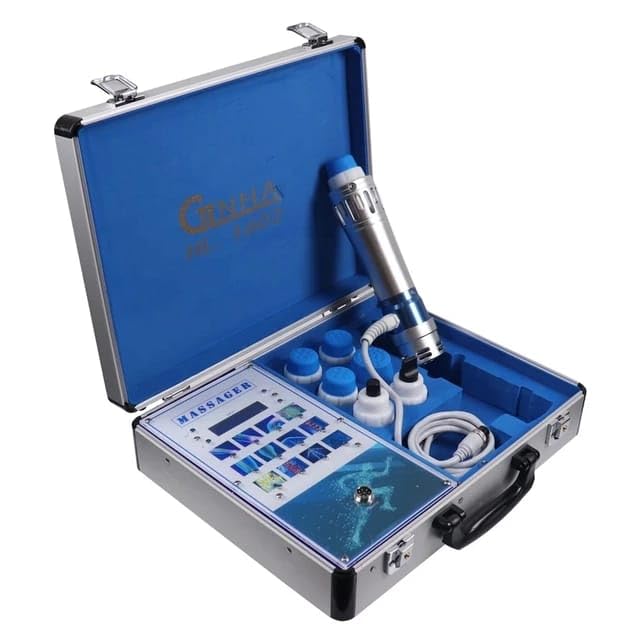
Figure 1: The GINHA HL1602 Shockwave Therapy Machine, neatly packed in its durable carrying case, showcasing its compact and portable design.
Key Features:
- 7 Interchangeable Treatment Heads: The device includes 7 different heads, allowing for versatile and precise treatments tailored to specific body areas and conditions.
- Adjustable Intensity Levels: Features an easy-to-use interface with adjustable intensity settings for personalized treatment based on patient needs and pain levels.
- Promotes Tissue Regeneration: Stimulates collagen production, aiding in accelerated healing, reduced inflammation, and improved mobility.
- Portable and Compact Design: Designed for easy transport and storage, making it suitable for various clinical or home care environments.
2. Components and Package Contents
Upon unboxing, please verify that all components listed below are present and undamaged.
In The Box:
- 1 Pc Digital GINHA HL1602 Shockwave Therapy Unit
- 7 Heads Tips (various sizes and shapes)
- 1 Operating Handle Probe
- 1 Power Cord
- Rubber Covers for working heads
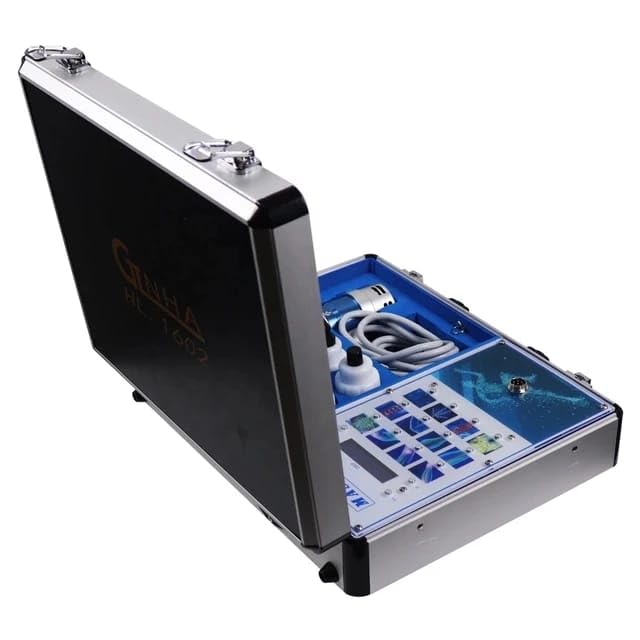
Figure 2: Overview of the GINHA HL1602 components, including the main unit, operating handle, power cord, and various treatment heads.
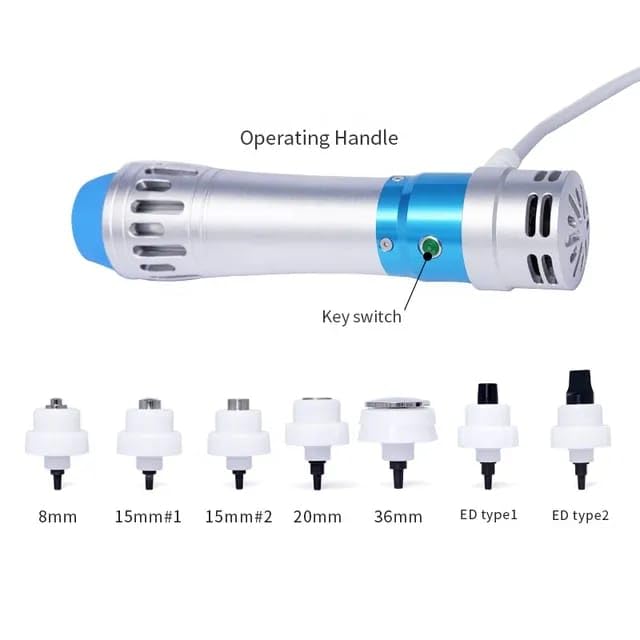
Figure 3: Detailed view of the operating handle with its switch button and the seven interchangeable treatment heads, labeled with their approximate sizes (e.g., 8mm, 15mm, 20mm, 36mm, ED type1, ED type2).
3. Setup Instructions
- Unpack the Device: Carefully remove the main unit, operating handle, power cord, and all treatment heads from the carrying case.
- Connect the Power Cord: Locate the power interface on the back of the main unit. Insert the power cord firmly into the port. Plug the other end of the power cord into a compatible AC110V-AC220V power outlet.
- Connect the Operating Handle: Locate the 'Out Handle socket' on the front panel of the main unit. Align the connector of the operating handle with the socket and push it in until it clicks securely into place.
- Attach a Treatment Head: Select the appropriate treatment head for your intended application. Twist the chosen head onto the tip of the operating handle until it is firmly attached. Ensure any rubber covers are properly fitted if required for the selected head.
- Power On: Flip the power switch on the main unit to the 'ON' position. The intelligent display will illuminate, indicating the device is ready for operation.
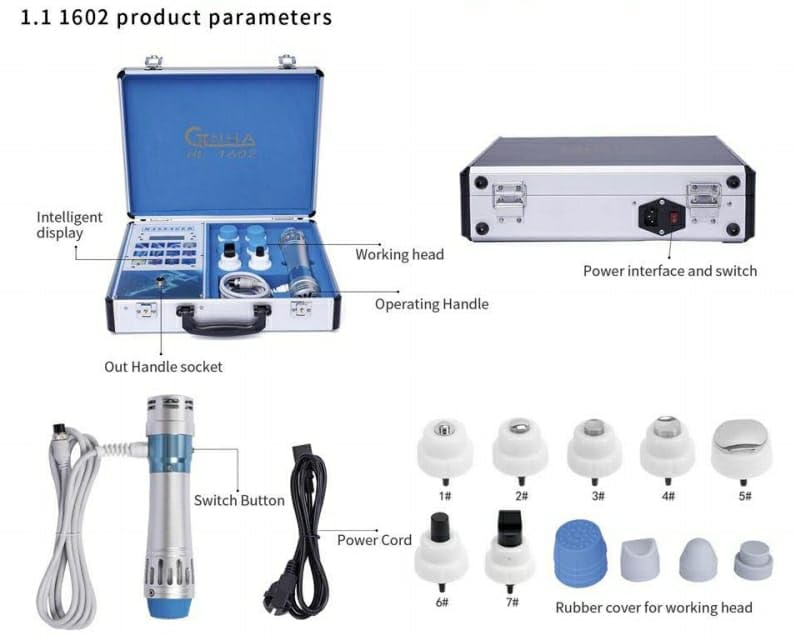
Figure 4: The main unit with its intelligent display, showing the connection points for the operating handle and power interface.
4. Operating Instructions
This section provides general guidance for operating the GINHA HL1602. Always consult with a qualified healthcare professional for specific treatment protocols and patient safety.
- Power On: As described in the setup, ensure the device is connected to power and the main switch is ON.
- Select Treatment Area/Mode: Use the intelligent display and control buttons to navigate through the available treatment areas or modes. The device offers 12 treatment areas/modes.
- Adjust Intensity: The device features 12 output level numbers for intensity adjustment. Use the controls on the main unit to set the desired intensity level. Start with a lower intensity and gradually increase as tolerated by the patient.
- Select Frequency: The device has 16 output frequency numbers. Adjust the frequency according to the treatment protocol.
- Apply Treatment: Place the selected treatment head firmly against the skin over the target area. Ensure good contact. Press the switch button on the operating handle to initiate the shockwave pulses. Move the handle slowly and steadily over the treatment area.
- Monitor Patient Comfort: Continuously monitor the patient's comfort level during the session. Adjust intensity or technique as needed.
- Complete Session: Once the treatment duration is complete, release the switch button on the operating handle.
- Power Off: Turn off the main power switch on the unit. Disconnect the power cord and operating handle when not in use.

Figure 5: Illustrative image of the GINHA HL1602 operating handle being used for deep relaxation and targeting the fascial layer on a patient's back.
5. Maintenance
Proper maintenance ensures the longevity and optimal performance of your GINHA HL1602 Shockwave Therapy Machine.
- Cleaning the Unit: After each use, wipe the main unit and operating handle with a soft, damp cloth. Do not use abrasive cleaners or immerse the device in water.
- Cleaning Treatment Heads: Detach the treatment heads and clean them thoroughly with a disinfectant wipe or mild soap and water. Ensure they are completely dry before reattaching or storing.
- Storage: Store the device and all accessories in its original carrying case in a cool, dry place, away from direct sunlight and extreme temperatures.
- Cable Care: Avoid kinking or bending the power cord and operating handle cable excessively. Store them neatly to prevent damage.
6. Troubleshooting
This section addresses common issues you might encounter. For problems not listed here, please contact customer support.
| Problem | Possible Cause | Solution |
|---|---|---|
| Device does not power on. | Power cord not connected properly; Power outlet issue; Device fault. | Ensure power cord is securely plugged into the unit and a working outlet. Test the outlet with another device. If problem persists, contact support. |
| No shockwave pulses from handle. | Handle not connected securely; Intensity set too low; Switch button not pressed. | Check handle connection. Increase intensity setting. Ensure the switch button on the handle is pressed during application. |
| Abnormal noise during operation. | Loose component; Internal malfunction. | Immediately power off the device. Do not attempt to repair. Contact customer support for assistance. |
7. Specifications
Detailed technical specifications for the GINHA HL1602 Shockwave Therapy Machine.
| Parameter | Value |
|---|---|
| Product Name | Shockwave Therapy Portable HL1602 |
| Model Number | ISBSFSWTGINHA001 |
| Color | Silver + Blue |
| Voltage | AC110V-AC220V |
| Frequency | 50HZ/60HZ |
| Power | 90W MAX |
| Current | 2A MAX |
| Output Frequency Numbers | 16 |
| Output Level Numbers | 12 |
| Transmitters Numbers | 7 pcs |
| Product Dimensions (LxWxH) | 14 x 12 x 7 cm |
| Item Weight | 3 kg |
| Country of Origin | China |
| Manufacturer | Innovative Solutions ,Delhi ,INDIA |
8. Warranty and Support
The GINHA HL1602 Shockwave Therapy Machine comes with a 1-Year Warranty from the date of purchase, covering manufacturing defects.
For technical support, warranty claims, or any inquiries regarding the product, please contact the manufacturer:
Manufacturer: Innovative Solutions
Contact Number: 9310846114 (Delhi, INDIA)
Please have your model number (ISBSFSWTGINHA001) and purchase details ready when contacting support.
Ask a question about this manual
Ask about setup, troubleshooting, compatibility, parts, safety, or missing instructions. Manuals+ will review the question and use this page’s manual context to help answer it.