
1. Introduction
Thank you for choosing the UGREEN Magnetic Phone Stand. This manual provides detailed instructions for the proper setup, operation, and maintenance of your device. Please read this manual thoroughly before use to ensure optimal performance and safety.
2. Safety Information
- Ensure the stand is placed on a stable, flat surface to prevent tipping.
- Keep the magnetic surface clean and free from debris to maintain strong adhesion.
- Avoid placing the stand near strong magnetic fields that could interfere with electronic devices.
- Do not attempt to disassemble or modify the stand, as this may void the warranty and cause damage.
- This product is not a toy; keep out of reach of children.
- Note: This product does not support MagSafe charging.
3. Package Contents
- UGREEN Magnetic Phone Stand (Model 65229)
- Magnetic Metal Ring (for non-MagSafe devices)
- User Manual
4. Product Overview
The UGREEN Magnetic Phone Stand is designed to provide a stable and adjustable viewing experience for your smartphone. It features a powerful magnetic surface, a height-adjustable arm, and a 360° rotating base.

Figure 1: UGREEN Magnetic Phone Stand. This image displays the stand in its upright position, holding a smartphone magnetically.
5. Setup
5.1 Initial Placement
Place the UGREEN Magnetic Phone Stand on a clean, flat, and stable surface. The non-slip padding on the base ensures stability.
5.2 Attaching the Magnetic Metal Ring (for non-MagSafe devices)
If your phone or phone case does not have built-in MagSafe compatibility, use the included magnetic metal ring for secure attachment.
- Clean the back surface of your phone or phone case thoroughly.
- Peel off the protective film from one side of the magnetic metal ring.
- Carefully align and press the ring onto the center of your phone's back or the exterior of your phone case. Ensure it is firmly adhered.
- Wait a few minutes for the adhesive to set before attaching your device to the stand.
Note: The metal ring is suitable for TPU/PC and other plastic materials. It is not recommended for silicone, leather, or fabric surfaces. For phones with cases, it is recommended to stick the metal ring on the surface of the phone case.

Figure 2: Illustration of applying the magnetic metal ring to a phone case for non-MagSafe compatibility.
6. Operating Instructions
6.1 Attaching Your Device
Simply bring your MagSafe-compatible iPhone (iPhone 12-17 series) or a device with the attached magnetic metal ring close to the magnetic surface of the stand. The powerful magnets will securely hold your device in place.
6.2 Adjusting Height and Angle
The stand features a height-adjustable arm that extends up to 5.90 inches. Gently pull or push the arm to achieve your desired height. The magnetic head also allows for a 180° angle adjustment, enabling you to tilt your device for optimal viewing.
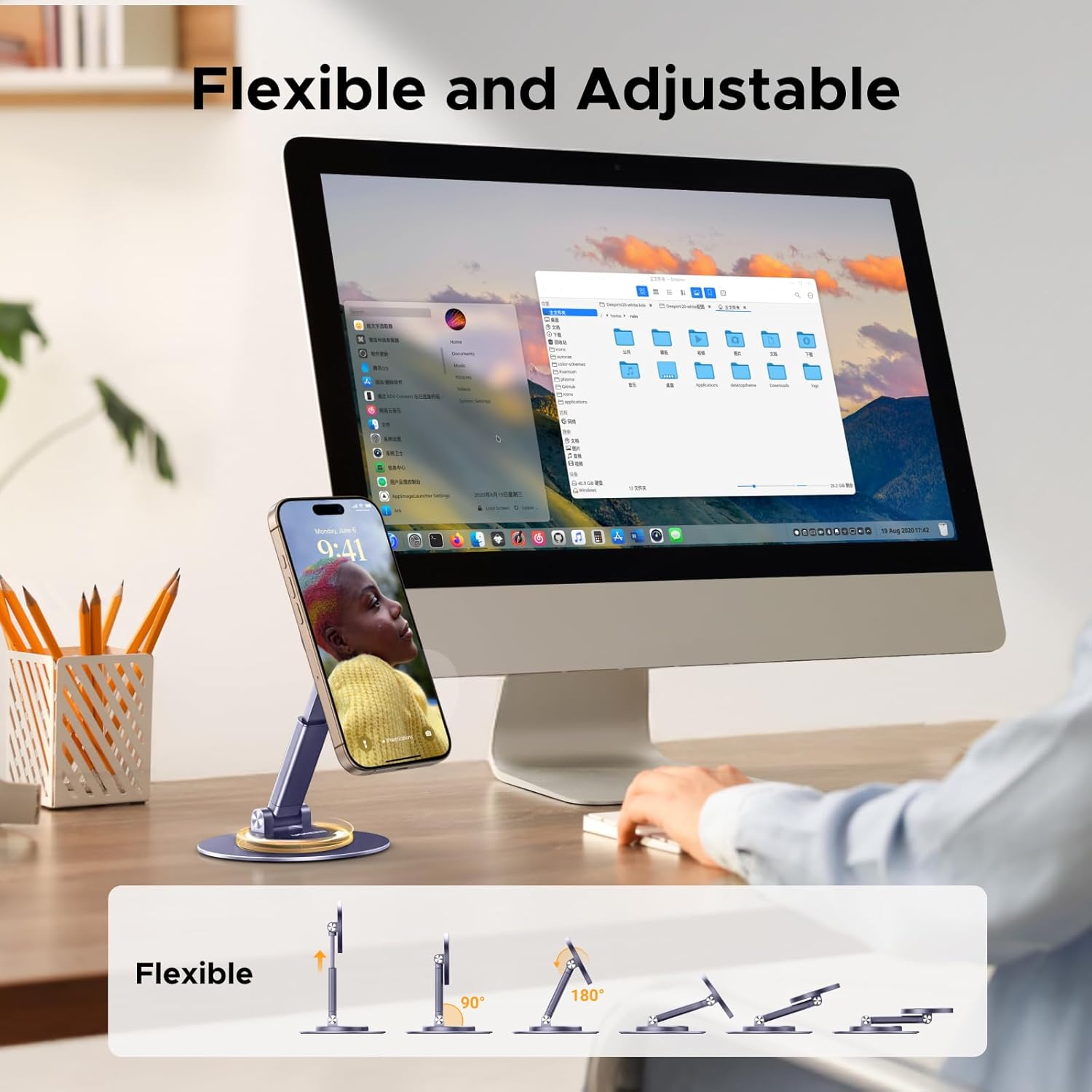
Figure 3: The stand demonstrating its flexible height and 180° angle adjustments for ergonomic viewing.
6.3 360° Rotation
The metal base of the stand supports 360° rotation. You can easily swivel your device to switch between portrait and landscape orientations or share your screen with others without repositioning the entire stand.

Figure 4: The stand's base allows for full 360° rotation, providing versatile viewing angles.
6.4 Folding for Portability
For easy storage and transport, the stand can be folded down to a compact size, only 1.06 inches thick. This makes it convenient to carry in a bag for travel or daily commutes.
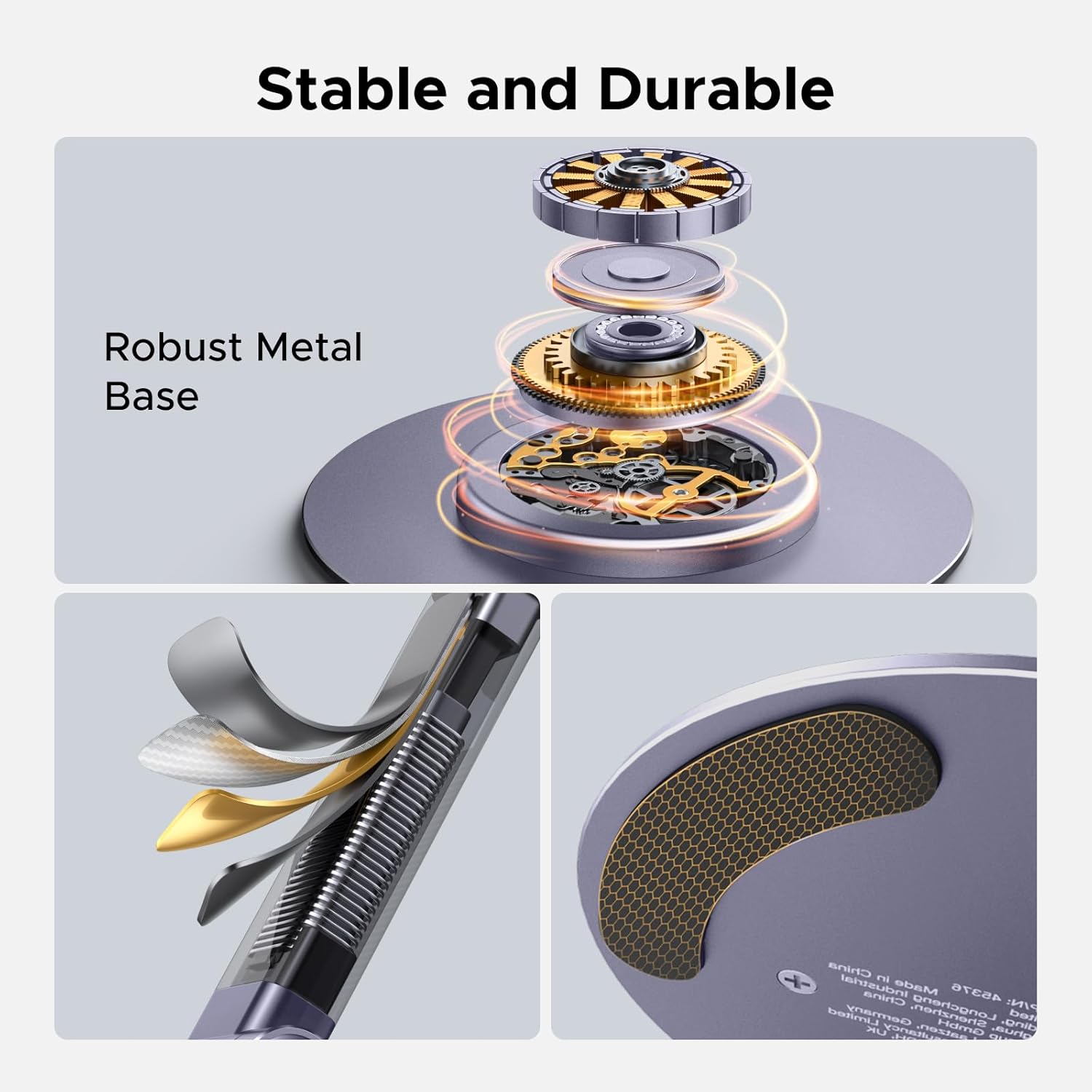
Figure 5: The stand shown in its folded, compact state, ideal for travel and storage.
7. Maintenance
- To clean the stand, wipe it with a soft, dry cloth. Do not use abrasive cleaners or solvents.
- Keep the magnetic surface free of dust and debris to ensure optimal magnetic adhesion.
- Store the stand in a cool, dry place when not in use.
8. Troubleshooting
- Device not adhering securely:
- Ensure your device is MagSafe compatible or has the magnetic metal ring properly attached.
- Check if the magnetic surface on the stand or your device/ring is clean and free from obstructions.
- Verify that the magnetic metal ring is applied to a suitable material (TPU/PC plastic, not silicone/leather/fabric).
- Stand feels loose or wobbly:
- Ensure the stand is placed on a completely flat and stable surface.
- Check for any loose screws or connections. If adjustable screws are present, gently tighten them (do not overtighten).
9. Specifications
| Brand | UGREEN |
| Model Number | 65229 |
| Color | Grey |
| Magnetic Force | 1600g |
| Adjustable Height | Up to 5.90 inches |
| Angle Adjustment | 180° |
| Rotation | 360° (base) |
| Folded Thickness | 1.06 inches |
| Item Weight | 8.1 ounces |
| Compatible Devices | iPhone 12-17 series, MagSafe cases, other smartphones/tablets with magnetic metal ring |
10. Warranty and Support
UGREEN products are designed to meet high-quality standards. For warranty information, technical support, or customer service inquiries, please refer to the official UGREEN website or contact their customer support team directly. Please retain your proof of purchase for warranty claims.