
1. Introduction
This manual provides essential instructions for the safe and effective use, installation, and maintenance of your Linkifly XT1 Vacuum Cleaner Replacement Battery. Please read this manual thoroughly before installing or using the battery to ensure optimal performance and longevity.
2. Safety Information
- Do not disassemble, open, or shred the battery pack.
- Do not expose the battery to heat or fire. Avoid storage in direct sunlight.
- Do not short-circuit a battery pack. Do not store battery packs haphazardly in a box or drawer where they may short-circuit each other or be short-circuited by conductive materials.
- Do not subject battery packs to mechanical shock.
- In the event of a battery leaking, do not allow the liquid to come into contact with the skin or eyes. If contact has been made, wash the affected area with copious amounts of water and seek medical advice.
- Keep the battery pack clean and dry.
- Do not use any charger other than that specifically provided for use with the equipment.
- Observe the plus (+) and minus (-) marks on the battery and equipment and ensure correct use.
- Keep batteries out of reach of children.
3. Package Contents
Verify that all items are present and in good condition upon opening the package.
- 1 x Linkifly XT1 Vacuum Cleaner Replacement Battery
4. Setup and Installation
Follow these steps to safely replace the battery in your compatible vacuum cleaner.
- Power Off: Ensure your vacuum cleaner is completely turned off and unplugged from any power source before beginning the battery replacement process.
- Locate Battery Compartment: Identify the battery compartment on your vacuum cleaner. This is typically located on the main body or handle of the device. Refer to your vacuum cleaner's original manual if you are unsure.
- Remove Old Battery: Depending on your vacuum model, you may need to press a release button or unlatch a cover to access the battery. Carefully remove the old battery pack.
- Insert New Battery: Align the Linkifly XT1 replacement battery with the battery slot. Ensure the connectors are properly aligned and gently push the battery into place until it clicks or locks securely. Do not force the battery.
- Secure Compartment: Close the battery compartment cover or latch it securely.
- Initial Charge: After installation, it is recommended to fully charge the new battery before its first use. Connect your vacuum cleaner to its charger and allow it to charge until the indicator light shows a full charge.

Image: The Linkifly XT1 Replacement Battery, highlighting its connection interface for proper installation.
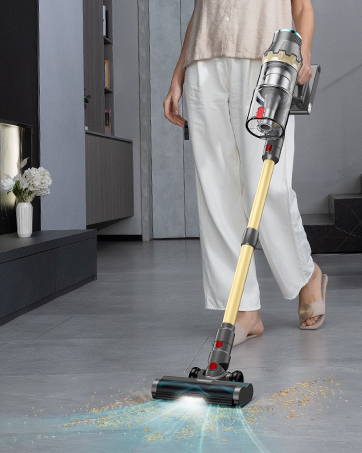
Image: A person operating a Linkifly stick vacuum cleaner, demonstrating the type of device this battery is designed for.
5. Operating Instructions
The XT1 replacement battery operates in conjunction with your vacuum cleaner's existing charging system. Once installed, the battery will power your vacuum as designed by the original manufacturer.
- Charging: Always use the original charger provided with your vacuum cleaner. Connect the charger to the vacuum and a power outlet. The charging indicator on your vacuum will show the charging status.
- First Use: For optimal performance, fully charge the battery before its initial use.
- Discharge: Avoid completely draining the battery frequently. Recharge the battery when the vacuum's power indicator shows low battery.
6. Maintenance
Proper maintenance ensures the longevity and performance of your XT1 replacement battery.
- Regular Charging: If the vacuum is not used for an extended period, charge the battery at least once every 3 months to prevent deep discharge, which can reduce battery life.
- Storage: Store the battery in a cool, dry place away from direct sunlight and extreme temperatures. For long-term storage, ensure the battery is partially charged (around 50%).
- Cleaning: Keep the battery contacts clean and free from dust or debris. Use a dry cloth to wipe them if necessary.
- Disposal: Do not dispose of the battery in household waste. Follow local regulations for proper disposal of lithium-ion batteries.
7. Troubleshooting
If you encounter issues with your XT1 replacement battery, refer to the following common problems and solutions.
| Problem | Possible Cause | Solution |
|---|---|---|
| Battery not charging | Charger not connected properly; faulty charger; battery not seated correctly; vacuum cleaner issue. | Ensure charger is securely connected to both vacuum and power outlet. Verify the battery is correctly installed. Test the charger with another device if possible. Consult your vacuum cleaner's manual for charging troubleshooting. |
| Short operating time | Battery not fully charged; battery degradation over time; vacuum cleaner operating in high-power mode. | Ensure the battery is fully charged before use. If the battery is old, its capacity may naturally decrease. Use the vacuum in standard mode for longer run times. |
| Vacuum not turning on | Battery not charged; battery not installed correctly; vacuum cleaner fault. | Charge the battery. Re-install the battery, ensuring it is securely seated. If the issue persists, the problem might be with the vacuum cleaner itself, not the battery. |
If these solutions do not resolve the issue, please contact Linkifly customer support.
8. Specifications
- Model: XT1
- Brand: Linkifly
- Battery Cell Composition: Lithium Ion
- Item Weight: 6.4 ounces
- Package Dimensions: 7.68 x 3.66 x 1.69 inches
- ASIN: B0DR2TVS6C
- Date First Available: December 20, 2024
9. Warranty and Support
Linkifly is committed to providing high-quality products and excellent customer service.
- Warranty: This product comes with a 12-Month Normal Warranty from the date of purchase.
- Money Back Guarantee: Enjoy a 30-Day Money Back Guarantee.
- Customer Support: Linkifly offers 24/7 Customer Support.
- Customer Satisfaction: We aim for 100% Customer Satisfaction.
For warranty claims, technical assistance, or any questions regarding your XT1 replacement battery, please contact Linkifly customer service through the retailer's platform or the official Linkifly website.
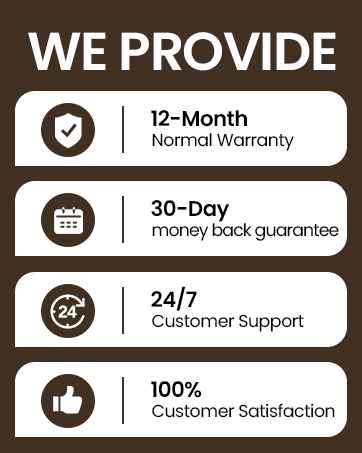
Image: Overview of Linkifly's customer service commitments, including warranty and satisfaction guarantees.
