
Lepro PR330042-US
Lepro 1500LM Battery Powered LED Camping Lantern User Manual
Model: PR330042-US
1. Introduction
Thank you for choosing the Lepro 1500LM Battery Powered LED Camping Lantern. This manual provides essential information for the safe and efficient operation, maintenance, and troubleshooting of your lantern. Please read this manual thoroughly before use and retain it for future reference.
2. Important Safety Information
- Do not mix old and new batteries.
- Do not mix alkaline, standard (carbon-zinc), or rechargeable (nickel-cadmium) batteries.
- Always insert batteries correctly with regard to polarity (+ and -).
- Remove batteries if the lantern will not be used for an extended period.
- Keep out of reach of children.
- Do not stare directly into the LED light source to avoid eye strain.
- This product is IPX4 water-resistant, meaning it is protected against splashing water from all angles. It is not designed for submersion.
3. Package Contents
Upon opening the package, verify that all items are present:
- Lepro 1500LM Battery Powered LED Camping Lantern (1 unit)
- User Manual (this document)
Note: 3 D-cell batteries are required and are not included in the package.
4. Product Overview
Familiarize yourself with the main components of your Lepro Camping Lantern:
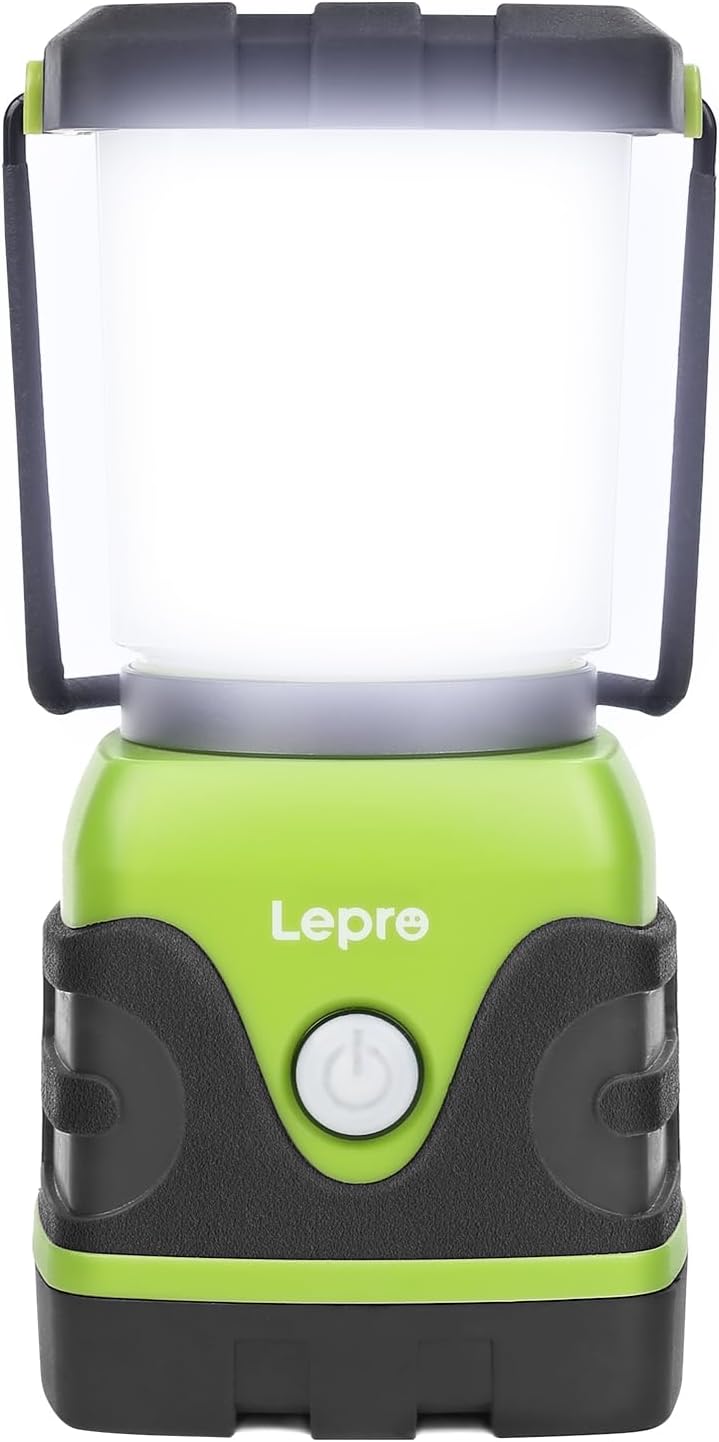
Figure 4.1: Front view of the Lepro 1500LM LED Camping Lantern. The power button is visible on the front, and a metal handle is at the top.
- Power Button: Controls power on/off, light modes, and dimming.
- Metal Handle: For carrying or hanging the lantern upright.
- Bottom Hook: Located at the base, allows for inverted hanging.
- Battery Compartment: Located at the base, secured by a twist-lock mechanism.
5. Setup: Battery Installation
The Lepro 1500LM Camping Lantern requires 3 D-cell alkaline batteries (not included).
- Twist the bottom cap of the lantern counter-clockwise to unlock and remove it.
- Insert three D-cell batteries into the battery compartment, ensuring correct polarity (+ and -) as indicated inside the compartment.
- Align the protruding pole on the bottom cap with the corresponding hole in the battery compartment.
- Place the bottom cap back onto the lantern and twist it clockwise to securely lock it in place.

Figure 5.1: Illustration of battery installation, showing the battery compartment, protruding pole, and counter-clockwise motion for opening.
6. Operation
The lantern features a single power button for all lighting controls.
6.1 Power On/Off and Light Modes
Short press the power button to cycle through the following light modes:
- Daylight White
- Warm White
- Combined (Full Brightness)
- Flashing Red (Emergency Signal)
- Off
6.2 Brightness Adjustment (Stepless Dimming)
When the lantern is in any of the white light modes (Daylight White, Warm White, or Combined), press and hold the power button to activate stepless dimming. The brightness will gradually increase or decrease. Release the button when the desired brightness level is reached.
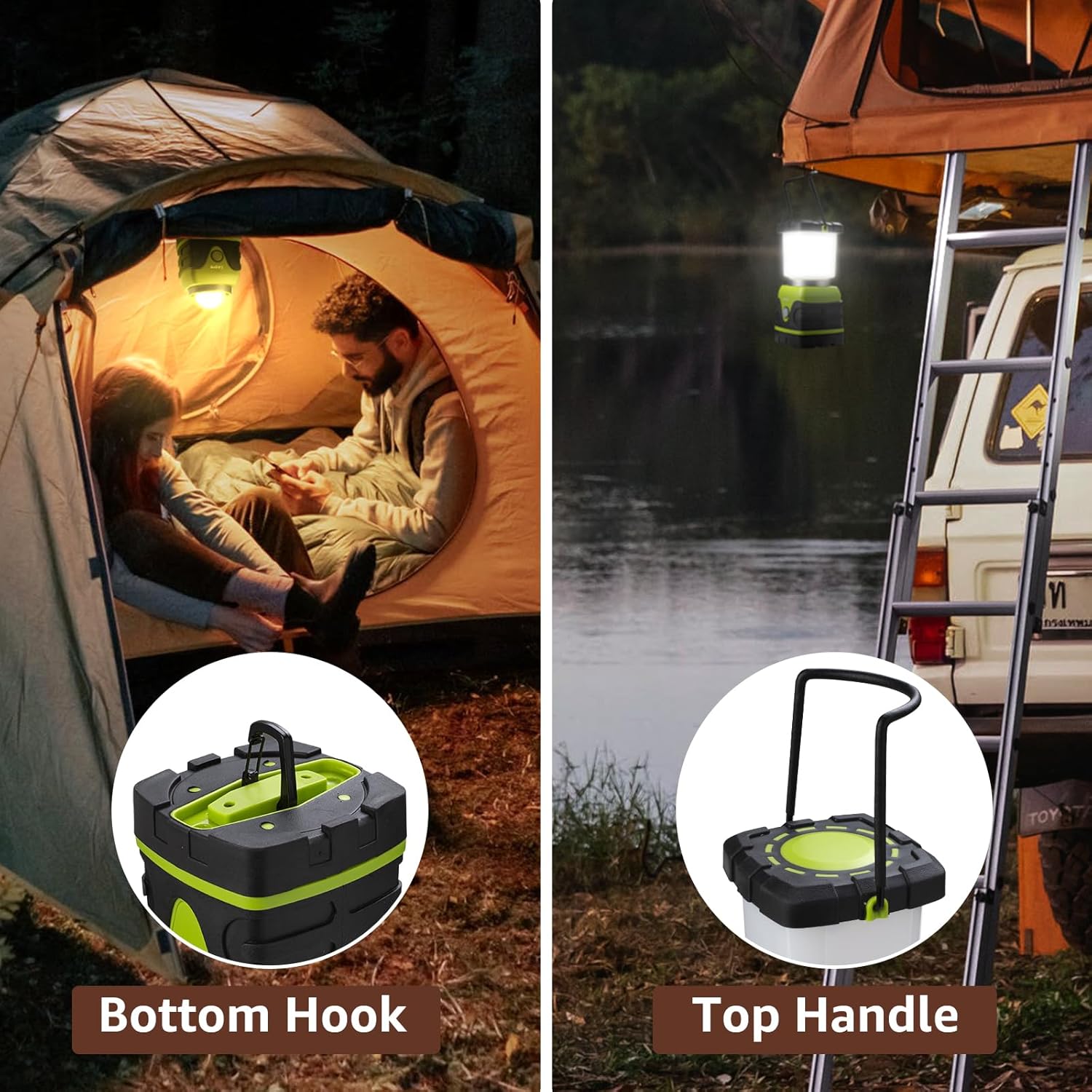
Figure 6.1: Visual representation of the lantern's four light modes and the stepless dimming function.
6.3 Hanging Options
The lantern offers versatile hanging options:
- Upright Hanging: Use the metal handle at the top to hang the lantern from a hook or branch.
- Inverted Hanging: The bottom cap features a retractable hook. Remove the top diffuser by twisting it counter-clockwise, then use the bottom hook to hang the lantern upside down for broader downward illumination.

Figure 6.2: Close-up views of the lantern's bottom hook and top handle, illustrating its hanging capabilities.
7. Maintenance
7.1 Cleaning
- Wipe the exterior of the lantern with a soft, damp cloth.
- Do not use abrasive cleaners or solvents, as they may damage the surface.
- Ensure the battery compartment is clean and dry before installing batteries.
7.2 Storage
- Store the lantern in a cool, dry place when not in use.
- Remove batteries if storing for an extended period to prevent leakage and damage.
8. Troubleshooting
If you encounter issues with your lantern, refer to the table below for common problems and solutions:
| Problem | Possible Cause | Solution |
|---|---|---|
| Lantern does not turn on. | Batteries are dead or incorrectly installed. | Replace with new D-cell batteries, ensuring correct polarity. Check that the bottom cap is securely locked. |
| Light is dim or flickers. | Low battery power. | Replace all three D-cell batteries. |
| Cannot change light modes or dim. | Button malfunction or low battery. | Ensure batteries are fresh. If the issue persists, contact customer support. |
| Water ingress after exposure to rain. | Lantern was submerged or exposed to heavy jets of water beyond IPX4 rating. Bottom cap not securely fastened. | Ensure the bottom cap is always securely fastened. The lantern is water-resistant, not waterproof for submersion. Dry the lantern thoroughly and remove batteries if water is suspected inside. |
9. Specifications
| Feature | Specification |
|---|---|
| Model Number | PR330042-US |
| Light Source | LED |
| Brightness | Up to 1500 Lumens |
| Light Modes | Daylight White, Warm White, Combined (Full Brightness), Flashing Red |
| Dimming | Stepless Dimming (long press) |
| Power Source | 3 x D-cell Alkaline Batteries (not included) |
| Battery Life | Approx. 12 hours at 1500 lumens (up to 16 hours generally) |
| Water Resistance | IPX4 (Protected against splashing water from all angles) |
| Material | Plastic |
| Dimensions (L x W x H) | 3.74 x 3.46 x 7.24 inches (9.5 x 8.8 x 18.4 cm) |
| Weight (without batteries) | 1.06 pounds (0.48 kg) |
| Voltage | 4.5 Volts |
| Wattage | 15 watts |
10. Warranty and Support
For warranty information or technical support, please refer to the documentation included with your purchase or visit the official Lepro website. If you have any questions or require assistance, please contact Lepro customer service.
Related documentsPR330042-US


Ask a question about this manual
Ask about setup, troubleshooting, compatibility, parts, safety, or missing instructions. Manuals+ will review the question and use this page’s manual context to help answer it.