
1. Safety Information
Read and understand all instructions before installing, operating, or maintaining this product. Failure to follow these instructions could result in serious injury or death.
- Electrical Safety: Always disconnect power to the pump before performing any service or maintenance. Ensure the pump is connected to a grounded outlet protected by a Ground Fault Circuit Interrupter (GFCI).
- Water Safety: Do not operate the pump if the water level is below the skimmer or if the pump is not primed. Never run the pump dry.
- Pressure Safety: The filter operates under pressure. When any part of the circulating system (e.g., clamp, pump, filter, valve) is serviced, air can enter the system and become pressurized. This pressurized air can cause the lid to separate with force, potentially causing severe injury or death. Always release all air from the system before operating.
- Chemical Safety: Handle pool chemicals with care. Follow manufacturer instructions for chemical handling and storage.
- Children: Keep children away from the pump and filter area.
2. Product Overview
The AQUASTRONG 20in Sand Filter Pump is designed for efficient filtration of above-ground pools up to 38,000 gallons. It features a powerful 2 HP motor, an 8917 GPH flow rate, a versatile 6-way valve, and a built-in 24-hour timer for automated operation.
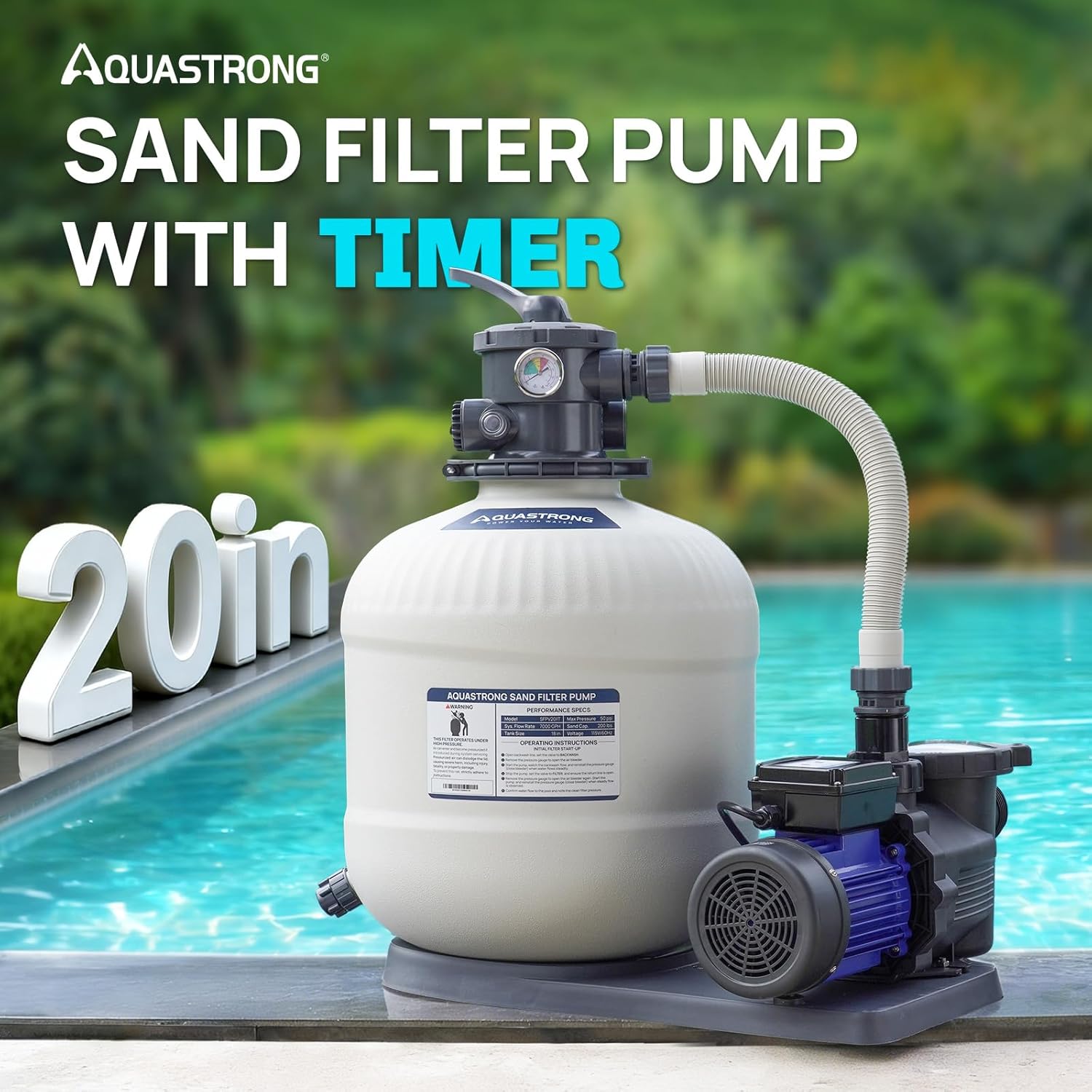
Image 2.1: AQUASTRONG 20in Sand Filter Pump with Timer. This image shows the complete sand filter pump unit, including the filter tank, multi-port valve, pressure gauge, and pump motor, set beside a swimming pool.
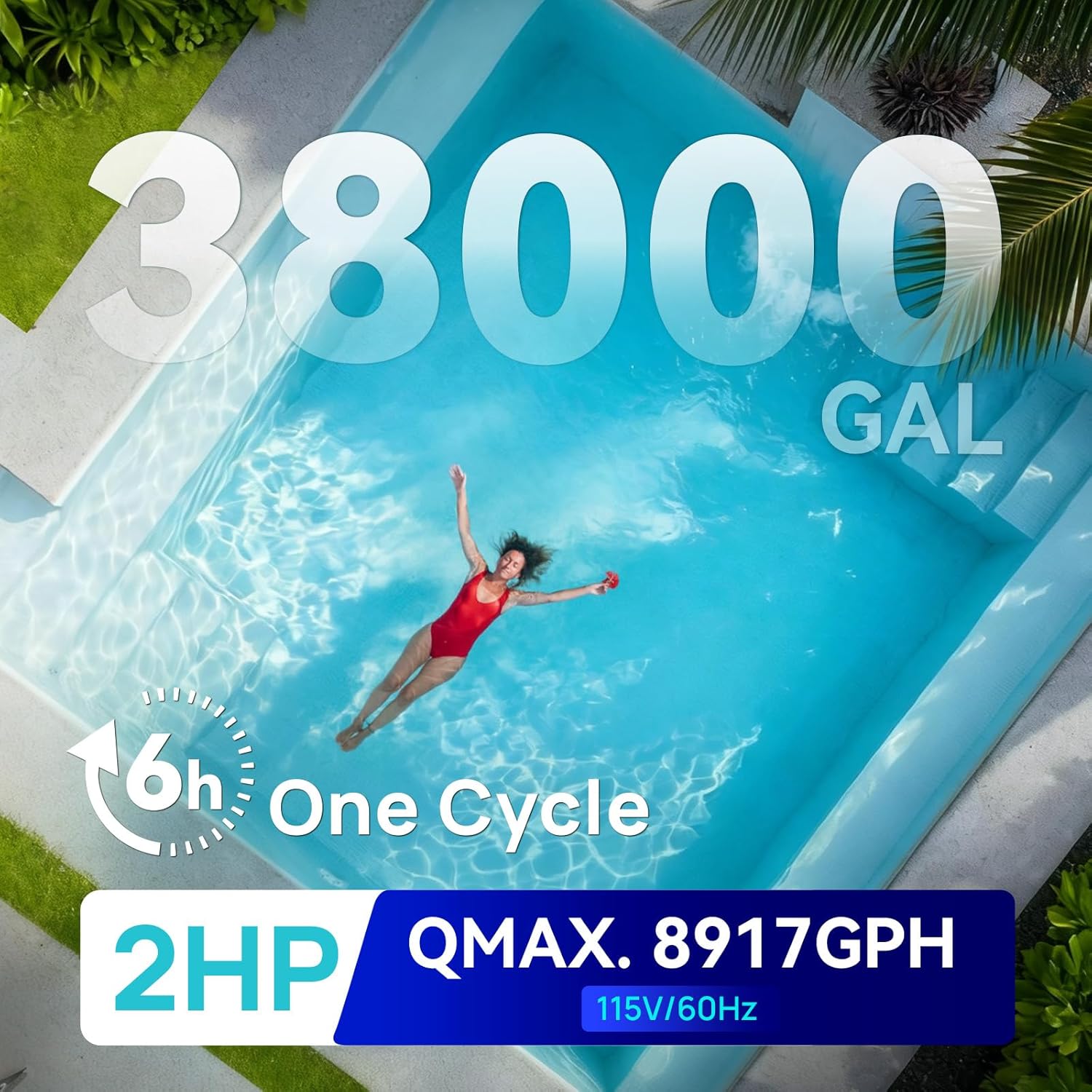
Image 2.2: AQUASTRONG Sand Filter Pump Capacity and Power. This image highlights the pump's capacity for pools up to 38,000 gallons, its 2 HP motor, and 8917 GPH flow rate, with a person swimming in a clear pool.
Key Features:
- Auto 24-Hour Timer: Customizable timer with 9 settings (2 to 24 hours) for automated filtration cycles.
- Powerful Flow Rate: 2 HP motor delivering 8917 GPH (system flow rate: 7000 GPH) for pools up to 38,000 gallons.
- Universal Compatibility: Includes a complete adapter set for both above-ground and in-ground pools (1.5-inch, 1.25-inch clamped hose adapters, 1.5-inch adapter conversion kit, 1-1/2" PVC coupling kits, 1-1/2" to 2" pipe adapters).
- Versatile 6-Way Valve: Settings include Filter, Waste, Closed, Backwash, Recirculate, and Rinse.
- Durable Construction: Thick-walled, UV-resistant, and anti-corrosion design with 200 lbs sand capacity.
3. Setup and Installation
Careful installation is crucial for optimal performance and safety. Follow these steps for proper setup.
3.1 Unpacking and Inspection
- Carefully remove all components from the packaging.
- Verify that all parts listed in the packing list are present and undamaged. Contact customer support immediately if any parts are missing or damaged.
3.2 Placement
- Place the filter pump on a firm, level surface, preferably concrete, at least 10 feet from the pool.
- Ensure the location is well-drained and protected from excessive moisture.
- Allow sufficient space around the filter for maintenance and service.
3.3 Sand Loading
- Remove the multi-port valve from the top of the filter tank.
- Cover the standpipe opening inside the tank to prevent sand from entering.
- Carefully pour the recommended amount of filter sand (approximately 200 lbs) into the tank. Ensure the sand is evenly distributed.
- Remove the standpipe cover.
3.4 Connecting the Multi-Port Valve
- Place the multi-port valve onto the filter tank, ensuring the standpipe aligns correctly with the valve opening.
- Secure the valve to the tank using the provided clamp or bolts, ensuring a tight seal.
- Install the pressure gauge into the designated port on the valve.
3.5 Hose and Pipe Connections
The pump includes various adapters for compatibility with different pool types and hose sizes.

Image 3.1: AQUASTRONG Sand Filter Pump In-Ground Pool Connections. This image illustrates how to connect the filter pump to in-ground pool plumbing using 1-1/2" and 2" PVC pipes.
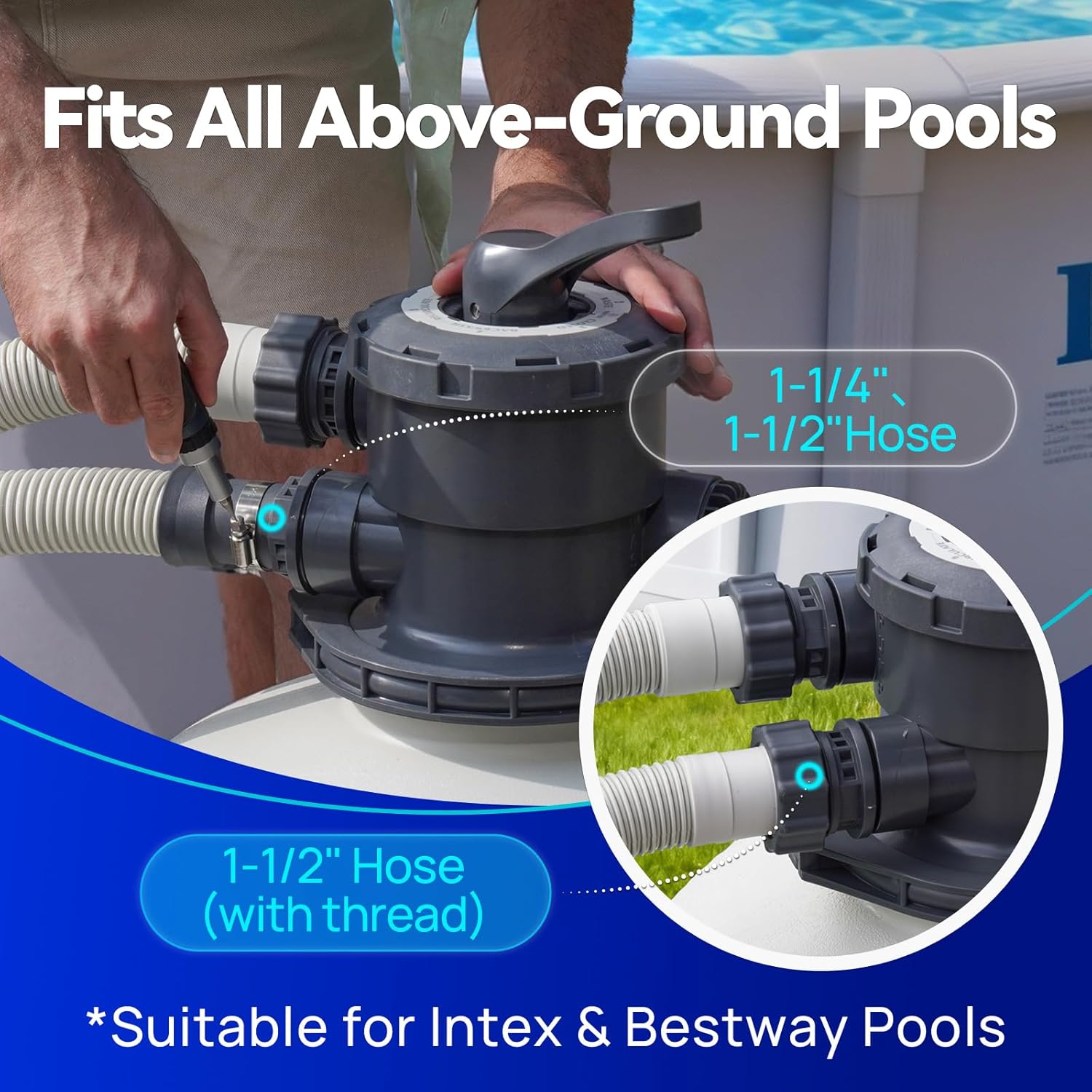
Image 3.2: AQUASTRONG Sand Filter Pump Above-Ground Pool Connections. This image demonstrates connecting the filter pump to above-ground pool hoses, showing 1-1/4" and 1-1/2" hose connections.
- Connect the pump outlet to the "PUMP" port on the multi-port valve.
- Connect the pool return line to the "RETURN" port on the multi-port valve.
- Connect the pool skimmer/main drain line to the pump inlet.
- Connect a waste hose to the "WASTE" port on the multi-port valve.
- Ensure all connections are tight and leak-free. Use thread sealant where appropriate.
3.6 Priming the Pump
- Before starting the pump, ensure the pool is filled to the proper level.
- Open all suction and return valves.
- Remove the pump lid and fill the pump basket with water until it overflows. Replace the lid securely.
- Set the multi-port valve to the "FILTER" position.
- Turn on the pump. It may take a few minutes for the pump to prime and for water to flow. If the pump does not prime, turn it off, wait a few minutes, and repeat the priming process.
3.7 Installation Video Guide
Video 3.1: AQUASTRONG Sand Filter Pump Installation Quick Guide. This video provides a step-by-step visual guide for the installation process of the AQUASTRONG sand filter pump, demonstrating how to assemble components and connect hoses.
4. Operating Instructions
The 6-way multi-port valve controls the flow of water through the filter system. Always turn off the pump before changing the valve position to prevent damage.

Image 4.1: AQUASTRONG Sand Filter Pump 6-Way Valve Functions. This image clearly labels the six positions of the multi-port valve: Filter, Waste, Closed, Backwash, Recirculate, and Rinse, with a warning to stop the pump before switching positions.
4.1 6-Way Valve Positions
- FILTER: Normal filtration. Water flows through the sand, is filtered, and returned to the pool.
- BACKWASH: Cleans the filter by reversing water flow, flushing accumulated debris out the waste port.
- RINSE: Used after backwashing to flush dirty water from the valve and settle the sand bed before returning to filter mode.
- WASTE: Bypasses the filter, sending water directly out the waste port. Used for vacuuming heavy debris directly to waste or lowering pool water level.
- RECIRCULATE: Bypasses the filter, circulating water directly back to the pool. Used for mixing chemicals without filtering.
- CLOSED: Shuts off all flow to the filter and pump. Use only when the pump is off and for servicing the pump or filter.
4.2 Using the Timer
The built-in 24-hour timer allows you to automate filtration cycles.

Image 4.2: AQUASTRONG Sand Filter Pump Built-in Automatic Timer. This image displays the control panel of the pump, highlighting the timer settings from 2 to 24 hours, and the on/off switch.
- The timer offers 9 settings, from 2 to 24 hours.
- Select the desired running duration by rotating the timer dial.
- The pump will automatically start and stop according to the set schedule.
5. Maintenance
Regular maintenance ensures the longevity and efficiency of your sand filter pump.
5.1 Backwashing
Backwash the filter when the pressure gauge reads 8-10 PSI above its clean operating pressure, or when water flow to the pool noticeably decreases.
- Turn off the pump.
- Set the multi-port valve to "BACKWASH".
- Turn on the pump. Run for 2-3 minutes, or until the water flowing out of the waste line is clear.
- Turn off the pump.
5.2 Rinsing
After backwashing, always rinse the filter to settle the sand bed and prevent dirty water from returning to the pool.
- Turn off the pump.
- Set the multi-port valve to "RINSE".
- Turn on the pump. Run for 30-60 seconds.
- Turn off the pump.
- Set the multi-port valve back to "FILTER" for normal operation.
5.3 Sand Replacement
Filter sand typically needs to be replaced every 3-5 years, depending on usage and water quality. Refer to section 3.3 for sand loading instructions.
5.4 Winterization
For cold climates, proper winterization is essential to prevent damage.
- Drain all water from the pump, filter, and associated plumbing.
- Remove the drain plug from the filter tank and the pump.
- Store the pump and multi-port valve in a dry, frost-free location.
- Cover the filter tank if it remains outdoors.
6. Troubleshooting
This section addresses common issues you might encounter with your sand filter pump.
| Problem | Possible Cause | Solution |
|---|---|---|
| Pump not priming / Low flow | Air leak in suction line; Low water level; Clogged skimmer basket/pump strainer; Multi-port valve not in FILTER position. | Check all connections for leaks; Ensure adequate pool water level; Clean baskets; Set valve to FILTER. |
| Water not clearing | Dirty filter sand; Insufficient filtration time; Incorrect chemical balance; Air leak. | Backwash/Rinse filter; Increase pump run time; Test and adjust pool chemicals; Check for air leaks. |
| Water leaking from valve | Worn O-rings/gaskets; Loose connections; Damaged valve. | Inspect and replace O-rings/gaskets; Tighten connections; Contact customer support for valve replacement. |
| High pressure gauge reading | Dirty filter sand; Blockage in return line. | Perform backwash and rinse cycle; Check return lines for obstructions. |
| Pump not starting | No power; Tripped GFCI; Motor overload. | Check power supply; Reset GFCI; Allow motor to cool, then restart. If problem persists, contact an electrician. |
7. Specifications
| Feature | Detail |
|---|---|
| Brand | AQUASTRONG |
| Model Number | SFPV201T |
| Filter Size | 20 inches |
| Horsepower | 2 HP |
| Flow Rate (Pump) | 8917 GPH |
| System Flow Rate | 7000 GPH |
| Max Pool Capacity | Up to 38,000 GAL |
| Valve Type | 6-Way Multi-Port Valve |
| Timer | Built-in 24-hour timer (9 settings) |
| Sand Capacity | 200 lbs |
| Power Source | AC |
| Material | Stainless Steel (pump components), UV-resistant, anti-corrosion tank |
| Item Weight | 24.95 Kilograms |
8. Warranty and Support
This AQUASTRONG sand filter pool pump comes with a Two-Year Warranty from the date of purchase.

Image 8.1: AQUASTRONG Sand Filter Pump Built for the Long Run with 2 Years Warranty. This image emphasizes the durability of the product, highlighting its UV protection, corrosion resistance, and the included two-year warranty.
The warranty covers defects in materials and workmanship under normal use. It does not cover damage resulting from improper installation, misuse, neglect, accidents, or unauthorized repairs.
8.1 Customer Support
For warranty claims, technical assistance, or any questions regarding your AQUASTRONG product, please contact our customer support team. Refer to your purchase documentation or the AQUASTRONG official website for current contact information.


