
1. Product Overview
The WHATOOK A1 Max is a powerful, cordless compressed air duster designed for efficient cleaning of various items. It features a high-speed brushless motor, multiple speed settings, an integrated LED light, and a long-lasting rechargeable battery.

Image 1.1: The WHATOOK A1 Max Compressed Air Duster, a cordless device for dust removal.
- Ultra-Powerful Motor: Equipped with a new high-power brushless motor, reaching speeds up to 250,000 RPM, delivering a maximum blowing force of 200G and wind speed of 98m/s.
- Adjustable Speeds & LED Light: Offers 4 distinct speed settings (80,000/150,000/200,000/250,000 RPM) for varied cleaning needs. An integrated LED light assists in illuminating dark areas.
- Long-Lasting Battery & Fast Charging: Features an 8000mAh lithium battery, providing approximately 80 minutes of continuous operation at the lowest speed. Recharges fully in about 2.5 hours via a USB-C port.
- Versatile Application: Suitable for cleaning PCs, keyboards, car interiors, outdoor equipment, and various household items.
- Compact & Portable: Lightweight at 0.34 kg and designed for easy handling and transport.
2. Package Contents
Before use, please verify that all components are present in the package:
- 1 x Electric Air Duster
- 2 x Nozzles
- 3 x Cleaning Brushes
- 1 x USB-C Charging Cable
- 1 x Fabric Storage Bag
- 1 x User Manual

Image 2.1: All items included in the WHATOOK A1 Max package, including the duster, nozzles, brushes, cable, and storage bag.
3. Setup
Follow these steps to prepare your air duster for first use:
- Charge the Device: Before initial use, fully charge the air duster using the provided USB-C cable. Connect the cable to the device's USB-C port and a compatible power source (e.g., laptop, wall adapter, power bank). The battery indicator lights will show charging status.
- Attach Nozzle/Brush: Select the appropriate nozzle or brush for your cleaning task. Align the chosen accessory with the air outlet and firmly push it into place.

Image 3.1: The air duster shown with its various nozzles and brushes, ready for attachment.
4. Operating Instructions
Operating the WHATOOK A1 Max is straightforward:
- Power On/Off and Speed Adjustment:
- Press the power button once to turn on the device and activate Speed 1.
- Press a second time for Speed 2.
- Press a third time for Speed 3.
- Press a fourth time for Speed 4.
- Press a fifth time to turn off the device.
- Using the LED Light: The separate light button can be pressed to activate the integrated LED light, providing illumination for cleaning in dark or hard-to-see areas. Press again to turn off the light.
- Cleaning: Direct the airflow towards the area to be cleaned. Use short bursts for delicate items or continuous flow for larger surfaces. The various nozzles and brushes can be used to target specific areas or dislodge stubborn dust.

Image 4.1: Illustration of the power button functionality for speed control and the battery indicator lights.

Image 4.2: Visual representation of the four adjustable speed levels and their corresponding RPMs.
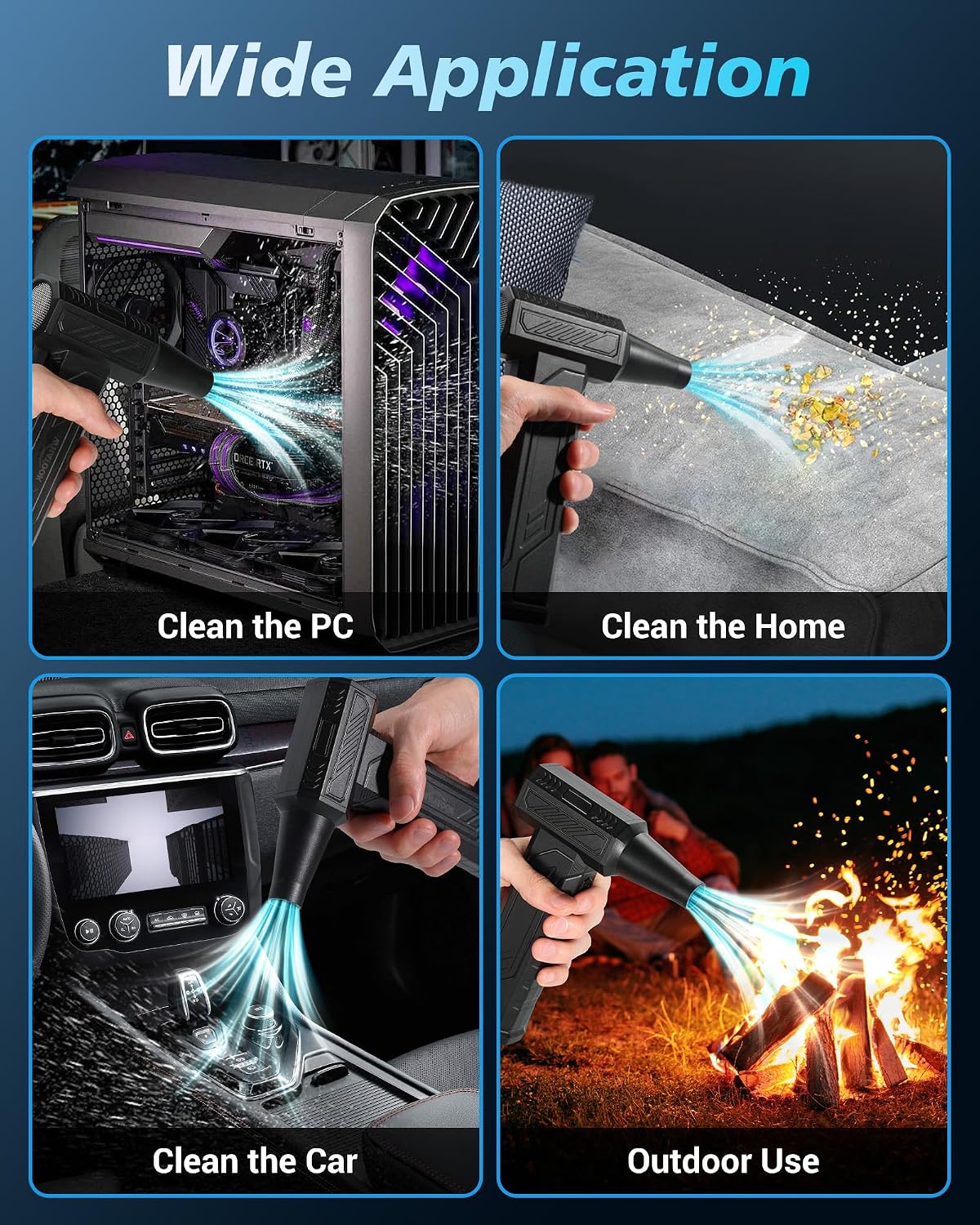
Image 4.3: The air duster in action, cleaning a PC, household items, car interior, and assisting with outdoor tasks.
5. Maintenance
Proper maintenance ensures the longevity and optimal performance of your air duster:
- Cleaning the Device: Wipe the exterior of the duster with a soft, dry cloth. Do not use harsh chemicals or abrasive materials. Ensure the air inlet and outlet are free from obstructions.
- Battery Care: To preserve battery life, avoid completely draining the battery frequently. Recharge the device when the battery indicator shows low power. Store the device in a cool, dry place when not in use for extended periods.
- Accessory Care: Clean nozzles and brushes after use to prevent dust buildup.
6. Troubleshooting
If you encounter issues with your WHATOOK A1 Max, refer to the following common problems and solutions:
| Problem | Possible Cause | Solution |
|---|---|---|
| Device does not turn on | Battery is depleted. | Charge the device fully using the USB-C cable. |
| Low airflow or weak power | Battery is low; Nozzle is obstructed; Incorrect speed setting. | Recharge the battery; Check and clear any obstructions from the nozzle; Increase the speed setting. |
| Short battery life | Operating at higher speed settings; Battery not fully charged. | Higher speeds consume more power; ensure the device is fully charged before use. |
7. Specifications
Detailed technical specifications for the WHATOOK A1 Max Compressed Air Duster:
| Feature | Detail |
|---|---|
| Brand | WHATOOK |
| Model Name | A1 Max |
| Power Source | Battery Powered |
| Wireless | Yes |
| Number of Speeds | 4 |
| Max RPM | 250,000 RPM |
| Max Wind Speed | 98 m/s |
| Battery Capacity | 8000 mAh |
| Charging Time | 2.5 hours |
| Run Time | Up to 1 hour 20 minutes (at lowest speed) |
| Special Features | Headlight (LED), Portable, Rechargeable, Bag, Cordless |
| Item Dimensions (L x W x H) | 8.2L x 3.4W x 17.9H centimeters |
| Item Weight | 0.34 kg |
| Color | Black |
| Country of Origin | China |
8. Warranty and Support
WHATOOK is committed to providing high-quality products and customer satisfaction.
- Manufacturer's Warranty: This product comes with a 2-year manufacturer's warranty.
- Customer Support: For any questions or assistance, please contact WHATOOK customer support. We offer a 12-hour response time, a 7-day return policy, and lifetime after-sales support.

Image 8.1: Overview of WHATOOK's warranty and support services, including response times and return policy.
For more information or to explore other WHATOOK products, please visit the Official WHATOOK Store.
9. Important Safety Information
Please read and follow all safety instructions to prevent injury or damage to the device:
- Do not point the air duster at people or animals.
- Keep out of reach of children.
- Do not immerse the device in water or other liquids.
- Avoid operating the device in extremely hot or cold environments.
- Use only the provided USB-C cable for charging.
- Do not attempt to disassemble or repair the device yourself. Contact customer support for service.