
VFD AOL05
VFD Electric Nail Drill User Manual
Model: AOL05
Introduction
Thank you for choosing the VFD Electric Nail Drill. This portable and rechargeable nail file kit is designed to provide professional-quality manicure and pedicure results at home. With its versatile features and comprehensive accessory set, you can achieve salon-level nail care with ease. Please read this manual thoroughly before first use to ensure safe and optimal operation.

The VFD Electric Nail Drill kit, including the main unit, various grinding heads, sanding bands, and a carrying case.
Safety Information
Your safety is paramount. Please adhere to the following safety guidelines:
- Always wear safety glasses when using the nail drill to protect against flying debris or dust.
- Be cautious of the rotating bit and motor to avoid burns.
- Follow the instructions for proper use, handling, and storage to ensure safe operation.
- Keep out of reach of children.
- Do not immerse the device in water or other liquids.
- Unplug the device before cleaning or changing accessories.
Product Overview & Components
The VFD Electric Nail Drill comes with a comprehensive set of tools for various nail care needs.
Main Unit Features:
- Cordless Design: Equipped with a 2000 mAh rechargeable battery for portable use.
- 10 Speed Settings: Adjustable speeds for precise control.
- Dual Rotations: Clockwise and counter-clockwise rotation for versatile use.
- Built-in LED Light: Illuminates the work area for enhanced precision.
- LED Speed Display: Digital display showing current speed and battery level.
- Powerful Motor: Up to 35,000 RPM for efficient trimming and polishing.

Key features of the VFD Electric Nail Drill, highlighting its cordless design, multiple speeds, and included attachments.
Included Accessories (12-in-1 Kit):
- Various Grinding Heads/Bits: Including Sapphire Cone Bit, Sapphire Callus Sander, Coarse Disc Bit, Felted Wool Bit, Large Barrel Bit, Small Barrel Bit, Long Cone Bit, Needle Bit, Safety Bit, Red Ceramic Corn Bit (finer), Blue Ceramic Corn Bit (coarser), Mandrel with Sanding Band.
- 20 Pcs Sanding Bands: For various filing and shaping tasks.
- Clear Dust Shield: For collecting debris during use.
- Cleaning Brush: For maintaining the drill and bits.
- USB-C Charging Cable: For convenient recharging.
- Zippered Carrying Case: For organized storage and portability.

A selection of the included grinding heads and bits, each designed for specific nail care functions.

Additional specialized bits and sanding bands for comprehensive nail treatment.
Setup
Charging the Device:
- Before first use, fully charge the nail drill.
- Connect the provided USB-C charging cable to the charging port on the device.
- Plug the other end of the cable into a compatible USB power adapter (not included) or a computer USB port.
- The LED display will indicate charging status. A full charge takes approximately 2 hours and provides over 6 hours of continuous cordless operation.

The nail drill features a 2000 mAh rechargeable battery for extended cordless use.

USB-C fast charging allows for quick and convenient power-ups.
Attaching/Changing Drill Bits:
- Ensure the device is turned off before changing bits.
- Gently pull the current bit straight out from the chuck.
- Select the desired bit and insert its shaft firmly into the chuck until it clicks into place.
- Ensure the bit is securely fastened before turning on the device.
Operating Instructions
Power On/Off:
- Press and hold the power button (usually the 'M' button or a dedicated power button) for 2-3 seconds to turn the device on or off.
- The LED display will light up when the device is on.
Adjusting Speed:
- Once powered on, use the '+' and '-' buttons to increase or decrease the speed.
- The device offers 10 progressive speed settings, displayed on the LED screen.
- Start with a lower speed for delicate work and gradually increase as needed.
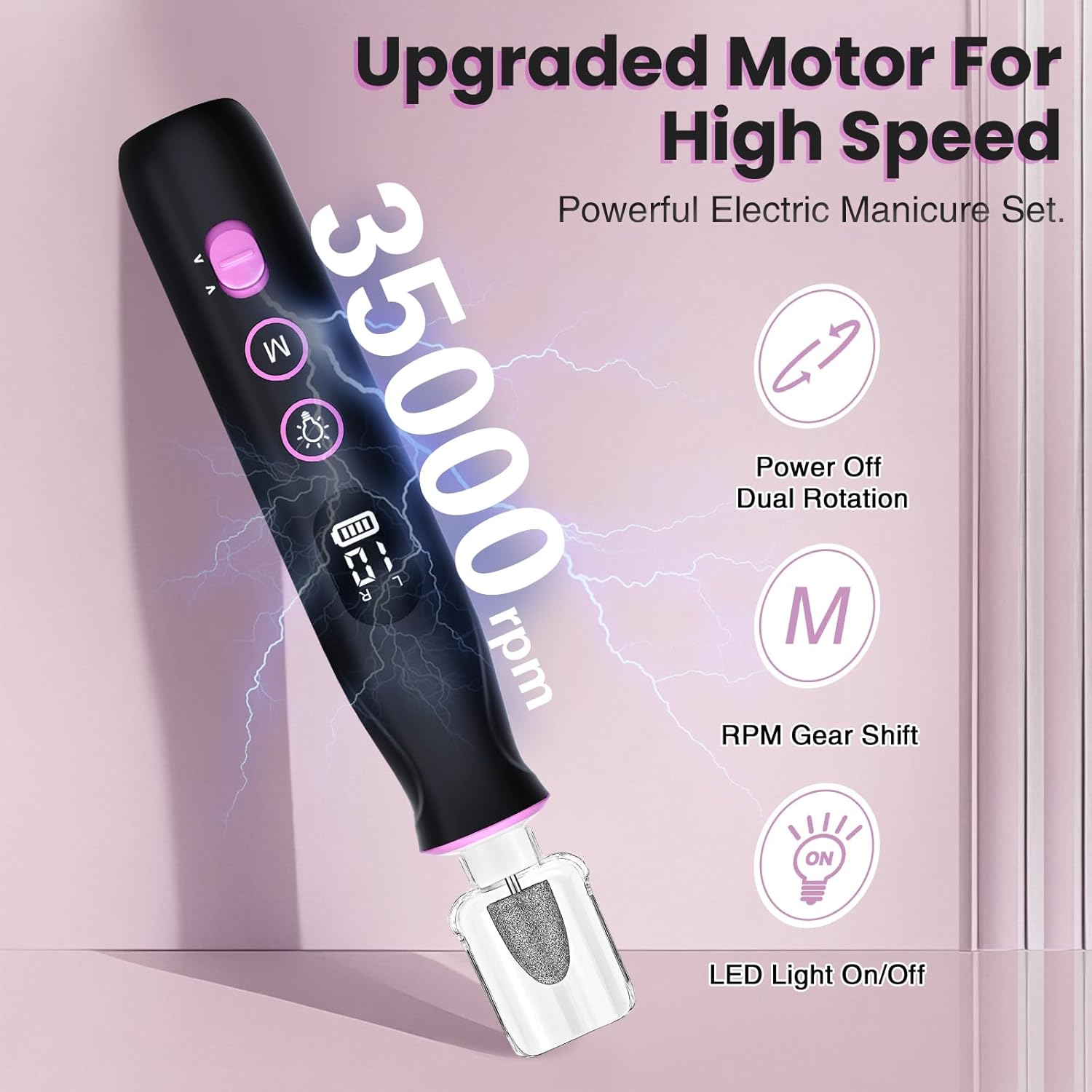
The powerful motor allows for speeds up to 35,000 RPM, with easy RPM gear shifting.
Changing Rotation Direction:
- The device supports both clockwise (F) and counter-clockwise (R) rotation.
- Press the rotation direction switch (often integrated with the speed control or a separate button) to toggle between directions.
- This feature is useful for working on different hands or for specific filing techniques.
Using the LED Light:
- Press the light bulb icon button to turn the integrated LED light on or off.
- The light provides illumination for better visibility and precision during use.

The built-in LED light ensures precision for detailed nail work.

The wrap-around lighting and dual rotation enhance usability.
General Usage Tips:
- Hold the drill firmly but gently.
- Apply light pressure and move the bit continuously to avoid heat buildup on the nail.
- Practice on artificial nails or a less sensitive area before working on natural nails.
- For optimal results, use the appropriate bit for each specific task (e.g., shaping, buffing, cuticle work, callus removal).
Maintenance
Cleaning:
- After each use, turn off and unplug the device.
- Use the provided cleaning brush to remove any dust or debris from the drill bits and the chuck area.
- Wipe the main unit with a soft, dry cloth. Do not use harsh chemicals or abrasive cleaners.
- Ensure all components are dry before storing.
Storage:
- Store the nail drill and all accessories in the provided zippered carrying case.
- Keep the device in a cool, dry place, away from direct sunlight and moisture.
- Proper storage helps prolong the lifespan of the device and its accessories.

The compact and portable design, along with the carrying case, makes storage and travel convenient.

The portable design with a zippered pouch ensures all accessories are organized and easy to transport.
Troubleshooting
| Problem | Possible Cause | Solution |
|---|---|---|
| Device does not turn on. | Low battery; Not charged; Power button not held long enough. | Charge the device fully. Press and hold the power button for 2-3 seconds. |
| Bit is loose or falls out. | Bit not inserted correctly; Chuck is worn. | Ensure bit is pushed firmly into the chuck until it clicks. If issue persists, contact support. |
| Device stops during use. | Overheating; Low battery; Excessive pressure. | Allow device to cool down. Recharge battery. Reduce pressure during use. |
| Excessive vibration or noise. | Bit is bent or damaged; Bit not inserted correctly. | Replace bit if damaged. Re-insert bit firmly. |
Specifications
- Brand: VFD
- Model Name: AOL05
- Product Dimensions: 1.5 x 1.5 x 6.5 inches; 13.76 ounces
- Material: Plastic
- Battery: 2000 mAh (included)
- Voltage: 3.7 Volts
- Max RPM: 35,000 RPM
Warranty and Support
For warranty information or technical support, please refer to the product packaging or contact the manufacturer directly. The manufacturer of this product is VFD.
For further assistance, you may also refer to the contact information provided in the original product listing or included documentation.
Ask a question about this manual
Ask about setup, troubleshooting, compatibility, parts, safety, or missing instructions. Manuals+ will review the question and use this page’s manual context to help answer it.