
1. Introduction
This manual provides essential information for the safe and effective use of your Enventor 3-piece 24T TCT Circular Saw Blades. These blades are designed for precise wood cutting with mini circular saws, featuring an 85mm diameter and a 10mm bore. Please read these instructions carefully before installation and operation to ensure optimal performance and safety.
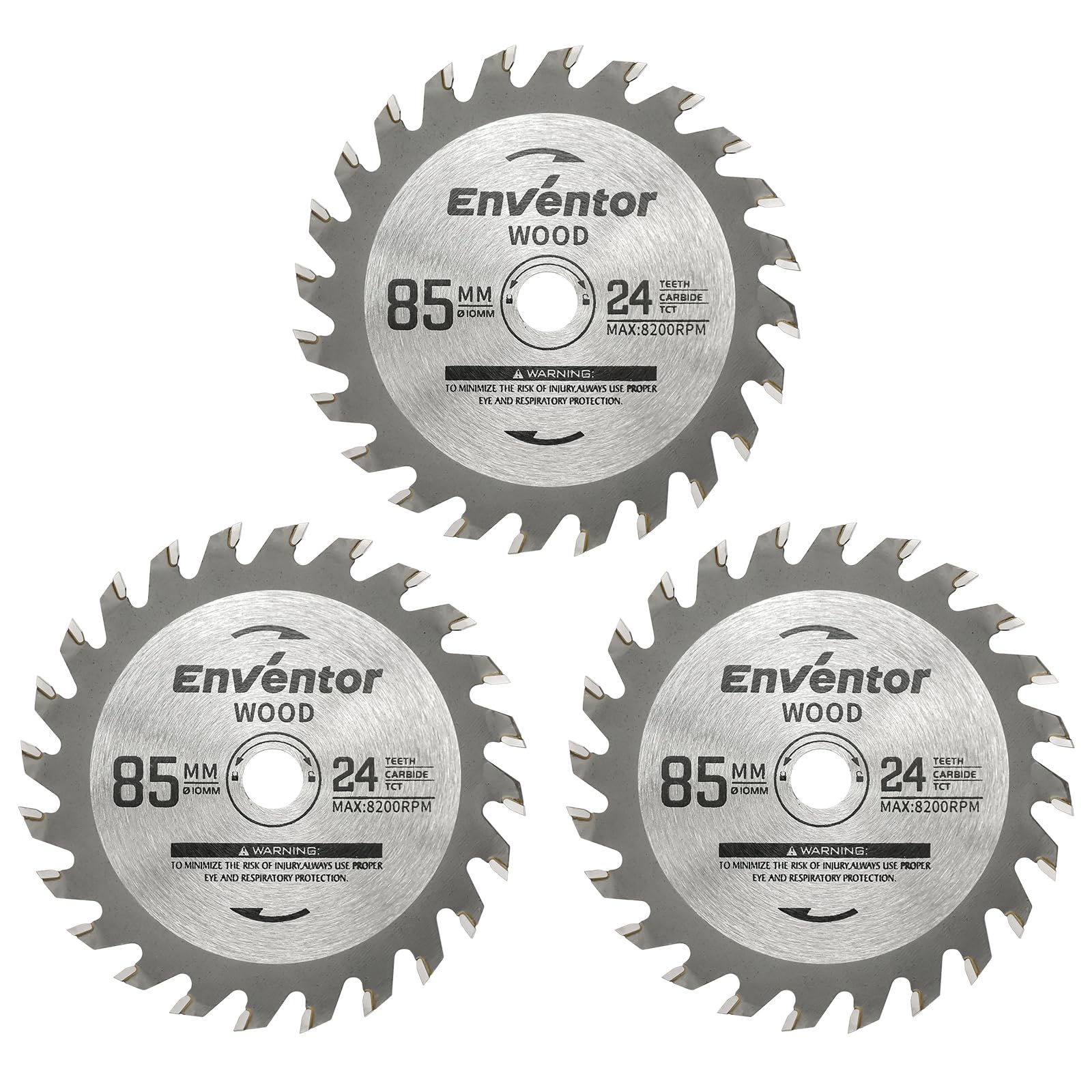
Image 1.1: Set of three Enventor 85mm 24T TCT circular saw blades.
2. Safety Information
Always prioritize safety when working with power tools and saw blades. Failure to follow these safety guidelines may result in serious injury.
- Personal Protective Equipment (PPE): Always wear appropriate PPE, including safety glasses, hearing protection, and a dust mask, when operating a circular saw.
- Power Disconnection: Ensure the circular saw is unplugged from the power source before installing, removing, or adjusting the saw blade.
- Blade Inspection: Before each use, inspect the saw blade for any signs of damage, cracks, missing teeth, or deformation. Do not use damaged blades.
- Correct Blade for Material: Use the correct type of blade for the material being cut. These blades are specifically designed for wood.
- Secure Workpiece: Always secure the workpiece firmly to prevent movement during cutting, which can cause kickback or loss of control.
- Proper Installation: Ensure the blade is installed correctly with the rotation arrow matching the saw's rotation direction. Tighten all fasteners securely.
- Maintain Clear Work Area: Keep your work area clean and well-lit. Remove any obstructions or debris that could interfere with the cutting process.
3. Product Overview
The Enventor 3PCS 24T TCT Circular Saw Blades are engineered for durability and precision in wood cutting applications. Each blade features:
- Durable and Efficient Construction: Made from hardened steel to resist bending and deformation, equipped with tungsten carbide teeth for prolonged sharpness and high cutting efficiency.
- Precision Cutting: The Alternate Top Bevel (ATB) tooth design ensures clean and accurate cuts with reduced chipping, improving finish quality.
- Wide Compatibility: Compatible with the Enventor 580W mini circular saw model 76601L and other mini circular saws that use 85mm blades with a 10mm bore.
- Impact-Resistant Cover: Each blade includes an impact-resistant cover to protect the blade from wear when not in use.
Package Contents:
- 3 x Enventor 24T TCT Mini Circular Saw Blades for Wood (85mm x 10mm)

Image 3.1: Premium Tungsten Carbide Tip for lasting sharpness.

Image 3.2: Key features of the Enventor circular saw blades.
4. Setup and Installation
Follow these steps to safely install the saw blade onto your compatible mini circular saw. Always ensure the saw is unplugged before beginning installation.
- Step 1: Press Spindle Lock Button. Locate and press the spindle lock button on your mini circular saw to prevent the spindle from rotating.
- Step 2: Loosen and Remove Bolt. Using an internal hex wrench, loosen and remove the pressure bolt that secures the existing blade or flange.
- Step 3: Insert New Blade. Remove the lower guard cover. Carefully insert the new Enventor saw blade, ensuring the rotation direction indicated on the blade matches the saw's rotation. Reinsert the pressure plate and bolts.
- Step 4: Secure Blade. Rotate the fixed blade clockwise with the internal hex wrench until it is securely tightened. Release the spindle lock button.

Image 4.1: Visual guide for saw blade installation.

Image 4.2: Blade compatibility with Enventor 580W mini circular saws.
5. Operating Instructions
These blades are designed for cutting wood. Always follow the safety guidelines provided in Section 2 and your circular saw's instruction manual.
- Material Preparation: Ensure the wood material is clean, free of nails or foreign objects, and securely clamped to a stable workbench.
- Blade Depth Adjustment: Adjust the blade depth so that it extends just slightly below the thickness of the workpiece. This minimizes kickback and ensures a cleaner cut.
- Starting the Cut: Allow the saw to reach full speed before engaging the blade with the workpiece.
- Feed Rate: Apply steady, consistent pressure. Do not force the blade through the material. Let the blade do the work. An appropriate feed rate prevents overheating and ensures a smooth cut.
- Finishing the Cut: Support the workpiece throughout the cut to prevent pinching the blade. Once the cut is complete, allow the blade to stop rotating before lifting the saw from the material.

Image 5.1: Blade in use, ideal for wood cutting applications.
6. Maintenance
Proper maintenance extends the life of your saw blades and ensures consistent cutting performance.
- Cleaning: Regularly clean resin and sawdust buildup from the blade using a suitable blade cleaner. Buildup can cause friction, heat, and reduce cutting efficiency.
- Inspection: Periodically inspect the blade for dullness, chipped teeth, or any signs of damage. A dull blade requires more force, leading to poor cuts and potential kickback.
- Storage: Store blades in a dry place, ideally in their original packaging or with the provided impact-resistant cover, to protect them from damage and corrosion.
- Sharpening: When blades become dull, they can be professionally sharpened. Do not attempt to sharpen carbide-tipped blades yourself unless you have specialized equipment and training.
7. Troubleshooting
If you encounter issues during operation, consider the following common troubleshooting steps:
| Problem | Possible Cause | Solution |
|---|---|---|
| Poor cut quality (rough, splintered) | Dull blade, incorrect feed rate, blade wobble, wrong blade for material. | Replace or sharpen blade. Adjust feed rate. Check blade installation for tightness. Ensure blade is for wood. |
| Excessive vibration or noise | Loose blade, damaged blade, bent arbor. | Check blade for secure installation. Inspect blade for damage and replace if necessary. Inspect saw's arbor for damage. |
| Blade overheating or burning wood | Dull blade, slow feed rate, resin buildup, incorrect blade depth. | Clean or replace blade. Increase feed rate slightly. Clean resin from blade. Adjust blade depth. |
| Kickback | Pinched blade, dull blade, forcing cut, improper workpiece support. | Ensure workpiece is fully supported. Replace or sharpen blade. Do not force the cut. Maintain firm grip on saw. |
8. Specifications
Detailed technical specifications for the Enventor 3PCS 24T TCT Circular Saw Blades:
- Blade Diameter: 85mm
- Bore Size: 10mm
- Number of Teeth: 24T
- Maximum Speed: Up to 8200 RPM
- Cutting Thickness (Kerf): 1.8mm
- Plate Thickness: 0.8mm
- Tooth Grind: Alternate Top Bevel (ATB)
- Material: Hardened Steel body with Tungsten Carbide tips
- Model Number: SGBS005
- Item Weight: 100g (for the set)
- Color: Silver Grey

Image 8.1: Visual representation of blade specifications.
9. Warranty and Support
For any questions, concerns, or support regarding your Enventor 3PCS 24T TCT Circular Saw Blades, please contact Enventor customer service. Refer to the product packaging or the Enventor official website for contact details and warranty information specific to your region.