
AKREC A3
AKREC AI Voice Recorder User Manual
Model: A3
Introduction
The AKREC AI Voice Recorder is a compact, intelligent device designed for effortless audio capture, real-time transcription, and translation. Powered by advanced AI, it streamlines note-taking and information management for various professional and academic settings. This manual provides comprehensive instructions for setting up, operating, and maintaining your device.

Figure 1: AKREC AI Voice Recorder with companion app on a smartphone.
Setup
Package Contents
- 1 x AKREC AI Voice Recorder (Model A3)
- 1 x Magnetic Charging Cable
- 1 x Magnetic Ring
- 1 x Product Manual (this document)
Charging the Device
Before first use, fully charge the AI Voice Recorder. Use the provided magnetic charging cable. The device features a magnetic charging port for easy connection.

Figure 2: Magnetic charging port for convenient power connection.
The device offers up to 28 hours of continuous recording on a single charge (15 hours with noise reduction enabled).
Installing the AIREC App
The AKREC AI Voice Recorder is controlled via the AIREC App. Download the app from your smartphone's app store (compatible with iOS and Android).
- Search for "AIREC App" in your device's app store.
- Download and install the application.
- Ensure Bluetooth is enabled on your smartphone.
- Open the AIREC App and follow the on-screen instructions to connect your AI Voice Recorder. Keep the recorder within 1 meter of your phone during initial pairing.

Figure 3: Connecting the AI Voice Recorder to the AIREC App.

Figure 4: Granting necessary permissions for the AIREC App.
Operating Instructions
Basic Recording
The device features a simple one-click recording button. Slide the button to start recording. The dual microphones ensure clear audio capture.

Figure 5: Simple button design for one-click recording.
For optimal recording quality, especially for transcription, ensure the sound source is within 1 meter of the device.
App-Controlled Recording Modes
Through the AIREC App, you can select different recording modes:
- Recordings Only: Records audio without real-time transcription.
- Recording & Transcription: Records audio and transmits voice to the app in real-time for transcription.
- Simultaneous Interpretation: Provides real-time translation of spoken content (for supported languages).

Figure 6: Selecting recording and transcription modes in the AIREC App.
Transcription and Translation
The AI Voice Recorder supports real-time transcription and translation across 93 languages. After recording, the transcribed text appears in the app. You can then choose to translate it into another supported language.

Figure 7: Real-time accurate transcription and translation features.

Figure 8: Steps for real-time translation within the AIREC App.
Intelligent Summaries and Mind Maps
Leveraging ChatGPT-4.0, the app can instantly summarize content and generate structured mind maps. You can select from various summary templates (Meeting, Call, Interview, Speech, Sales) or create custom ones.

Figure 9: Smart summarization options for various scenarios.

Figure 10: Instantly generated mind maps for visual organization.
Automatic Call & Conference Recording
The AI Voice Recorder can automatically record phone calls or remote conferences when attached to your phone using its magnetic mount. This ensures all conversations are documented for later review.
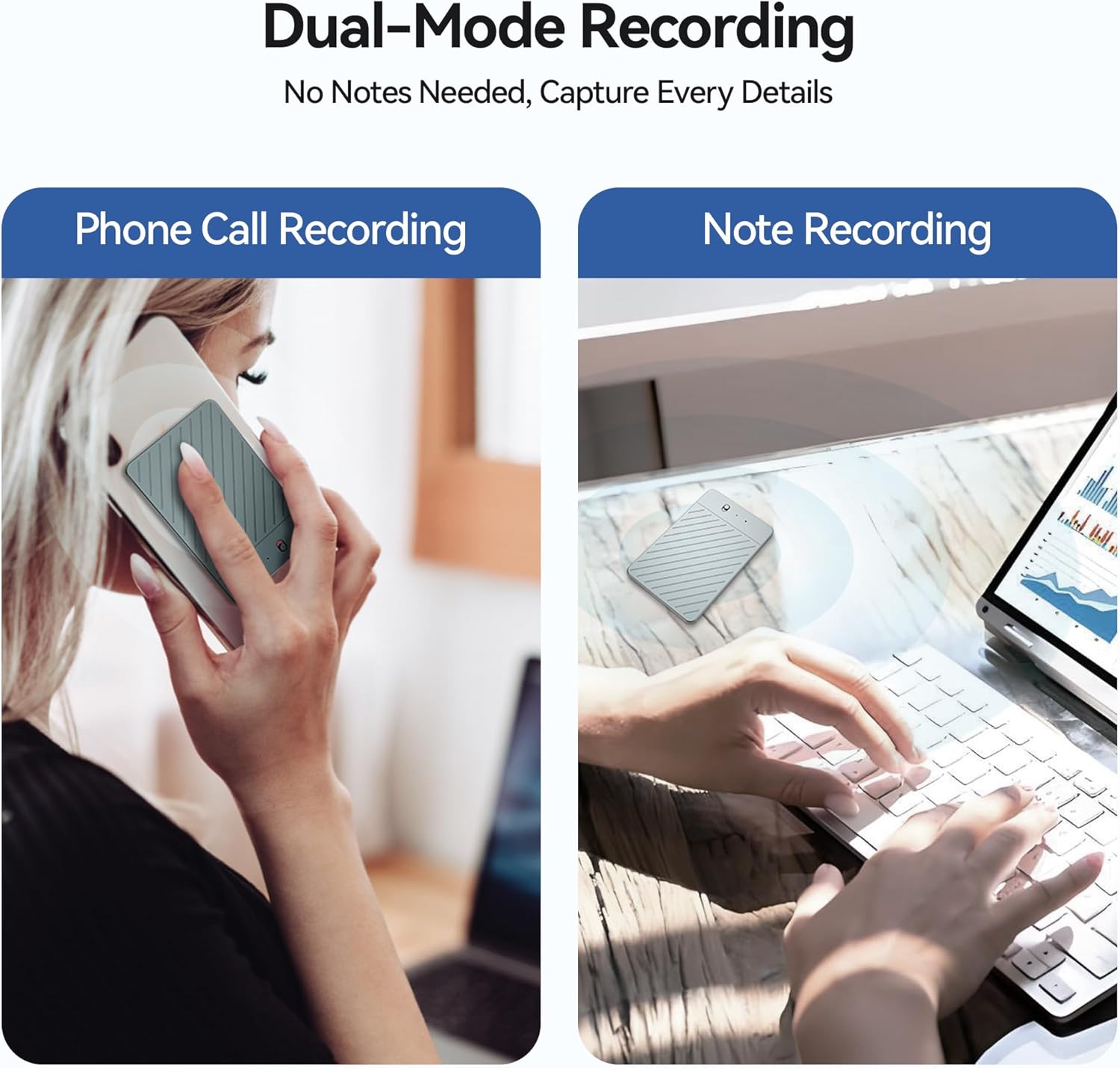
Figure 11: Dual-mode recording for phone calls and notes.
File Management and Sharing
The AIREC App allows you to manage your recordings, summaries, and mind maps. You can play, pause, edit, delete, and export files. Export options include email, cloud services, or social platforms.

Figure 12: App interface for managing and sharing recorded files.
You can also import external audio files (podcasts, lectures, interviews) into the app for AI-powered transcription.
AI Noise Cancellation
Equipped with dual microphones and intelligent noise cancellation, the device ensures high-fidelity audio capture by eliminating up to 98% of ambient noise. This is particularly useful in noisy environments like cafes, busy streets, or during video conferences.

Figure 13: AI Advanced Noise Cancellation for clearer recordings.

Figure 14: Ideal usage scenarios for the AI Voice Recorder.
Storage and Data Management
The AKREC AI Voice Recorder comes with 64GB of local storage, capable of storing up to 540 hours of audio. This ensures secure and private storage of your recordings without reliance on cloud services.

Figure 15: Overview of storage capacity and features.
For data transfer, connect the device using the magnetic charging cable to a computer. The device supports standard data transfer protocols.
Maintenance
- Keep the device clean and free from dust and debris. Use a soft, dry cloth for cleaning.
- Avoid exposing the device to extreme temperatures, direct sunlight, or moisture.
- Store the device in a cool, dry place when not in use.
- Regularly back up important recordings to a computer or cloud storage to prevent data loss.
- Ensure the AIREC App is updated to the latest version for optimal performance and new features.
Troubleshooting
| Problem | Possible Cause | Solution |
|---|---|---|
| Device not turning on/charging. | Low battery; improper cable connection. | Ensure the magnetic charging cable is securely connected. Charge the device for at least 30 minutes. |
| Cannot connect to AIREC App. | Bluetooth off; device out of range; app permissions. | Ensure Bluetooth is on and the device is within 1 meter. Check app permissions for Bluetooth access. Restart both device and app. |
| Poor transcription accuracy. | Excessive background noise; distance from sound source. | Reduce background noise. Place the recorder closer to the sound source (within 1 meter). Ensure clear speech. |
| App not responding. | Software glitch; outdated app version. | Close and reopen the app. Check for app updates in your app store. Restart your smartphone. |
| Recordings not saving. | Insufficient storage; app error. | Check available storage on the device (64GB). If an app error, try deleting and re-downloading the file within the app. |
Specifications
| Feature | Detail |
|---|---|
| Model Number | A3 |
| Dimensions (D x W x H) | 0.1" x 2" x 3" (0.1 x 2 x 3 inches) |
| Weight | 0.07 lbs (3.53 ounces / 100 Grams) |
| Memory Storage Capacity | 64 GB (up to 540 hours of audio) |
| Battery Life | 28 hours (continuous use); 15 hours (with noise reduction) |
| Battery Type | AAA batteries required (included) |
| Hardware Interface | USB Type C (Magnetic Charging Port) |
| Microphone | Built-In Dual Microphones with AI Noise Cancellation |
| Audio Format | WAV |
| Headphones Jack | 3.5 millimeters |
| Compatible Devices | Smartphone (iOS & Android via AIREC App) |
| Transcription Languages | 93 Languages Supported |
| AI Features | ChatGPT-4.0 Powered Summarizer, Mind Maps, Real-Time Transcription & Translation |
Warranty and Support
For warranty information and technical support, please refer to the official AKREC website or contact their customer service directly. Details can typically be found on the product packaging or the brand's Amazon store page.
The product includes 400 minutes of free monthly AI transcription and summary services. This bonus is automatically applied and adds value to your purchase each month.
For further assistance, visit the AKREC Store on Amazon.
Product Videos
Video 1: Official product overview of the AKREC AI Voice Recorder, demonstrating its real-time transcription and translation capabilities. This video highlights key features such as app control, intelligent summarization, and noise cancellation, showcasing how the device simplifies recording for various uses like lectures, interviews, and meetings.
Ask a question about this manual
Ask about setup, troubleshooting, compatibility, parts, safety, or missing instructions. Manuals+ will review the question and use this page’s manual context to help answer it.