
1. Product Overview
The OutIn Universal Coffee Stand (Model OT-STD) is designed to provide a stable and hands-free platform for various coffee brewing equipment. Constructed from high-quality, durable aluminum, this stand is both sturdy and lightweight, making it ideal for both home and travel use. It features adjustable height and an anti-slip design to ensure stability during operation.
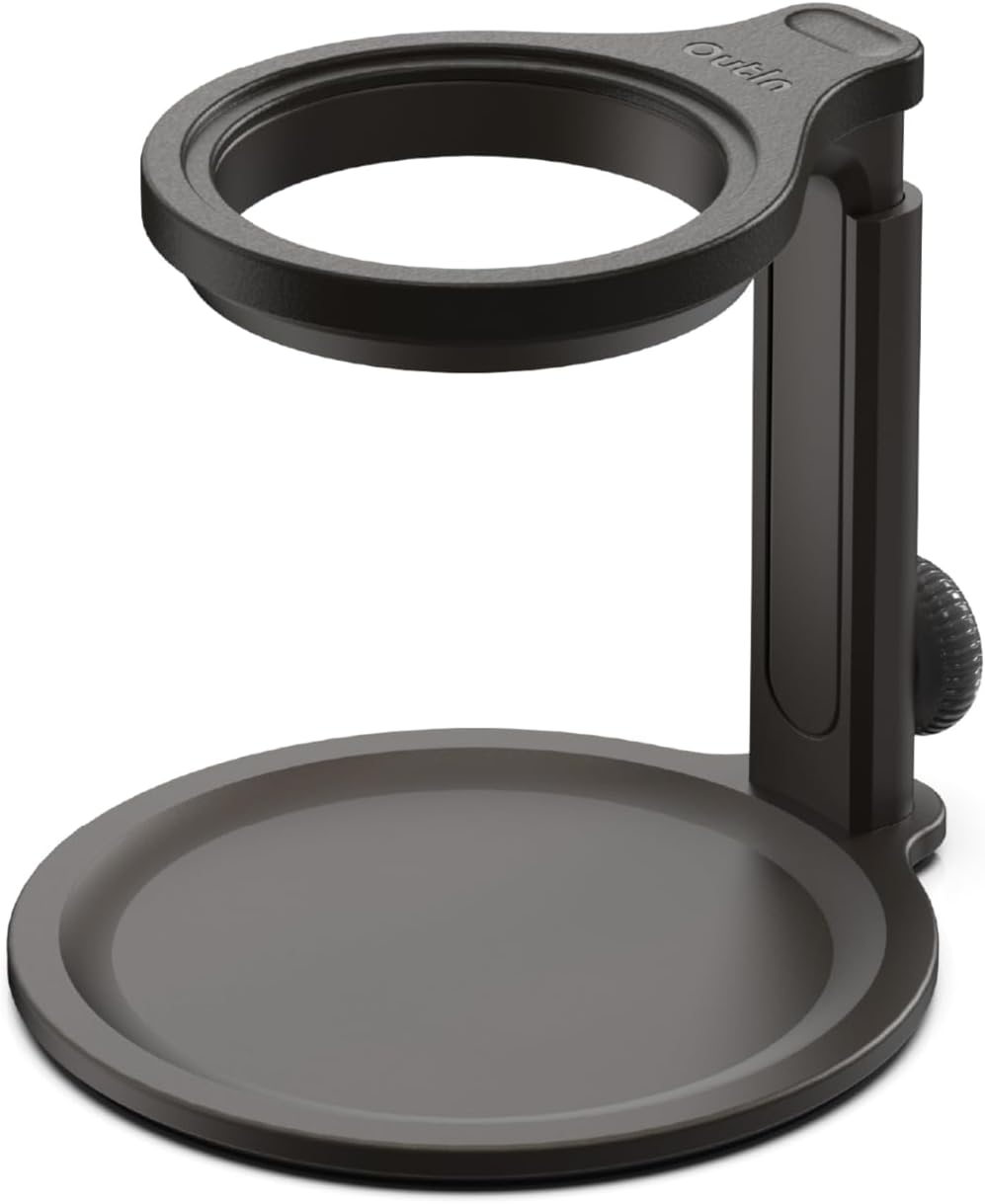
Image: The OutIn Universal Coffee Stand, showcasing its sleek black design.
2. Package Contents
Verify that all components are present in the package:
- 1x Baseplate (Aluminum)
- 1x Top Holder (Aluminum)
- 1x Silicone Pad (for Top Holder)
- 1x Adjustment Shaft (with Adjustment Knob)
- 3x Screws (including 1 spare)
- 1x Hex Key

Image: All components of the OutIn Universal Coffee Stand as received in the package.
3. Setup Instructions
The OutIn Universal Coffee Stand is designed for effortless assembly. Follow these steps to set up your stand:
Step 1: Attach Baseplate to Adjustment Shaft
Align the holes of the adjustment shaft with the baseplate. Insert one of the provided screws and tighten it using the hex key. Ensure it is securely fastened but do not overtighten.
Step 2: Attach Top Holder to Adjustment Shaft
Align the holes of the top holder with the adjustment shaft. Insert another screw and tighten it using the hex key. This connection should also be secure.
Step 3: Install Silicone Pad
Gently place the silicone pad onto the top holder. This pad provides an anti-slip surface and protects your coffee equipment from scratches.
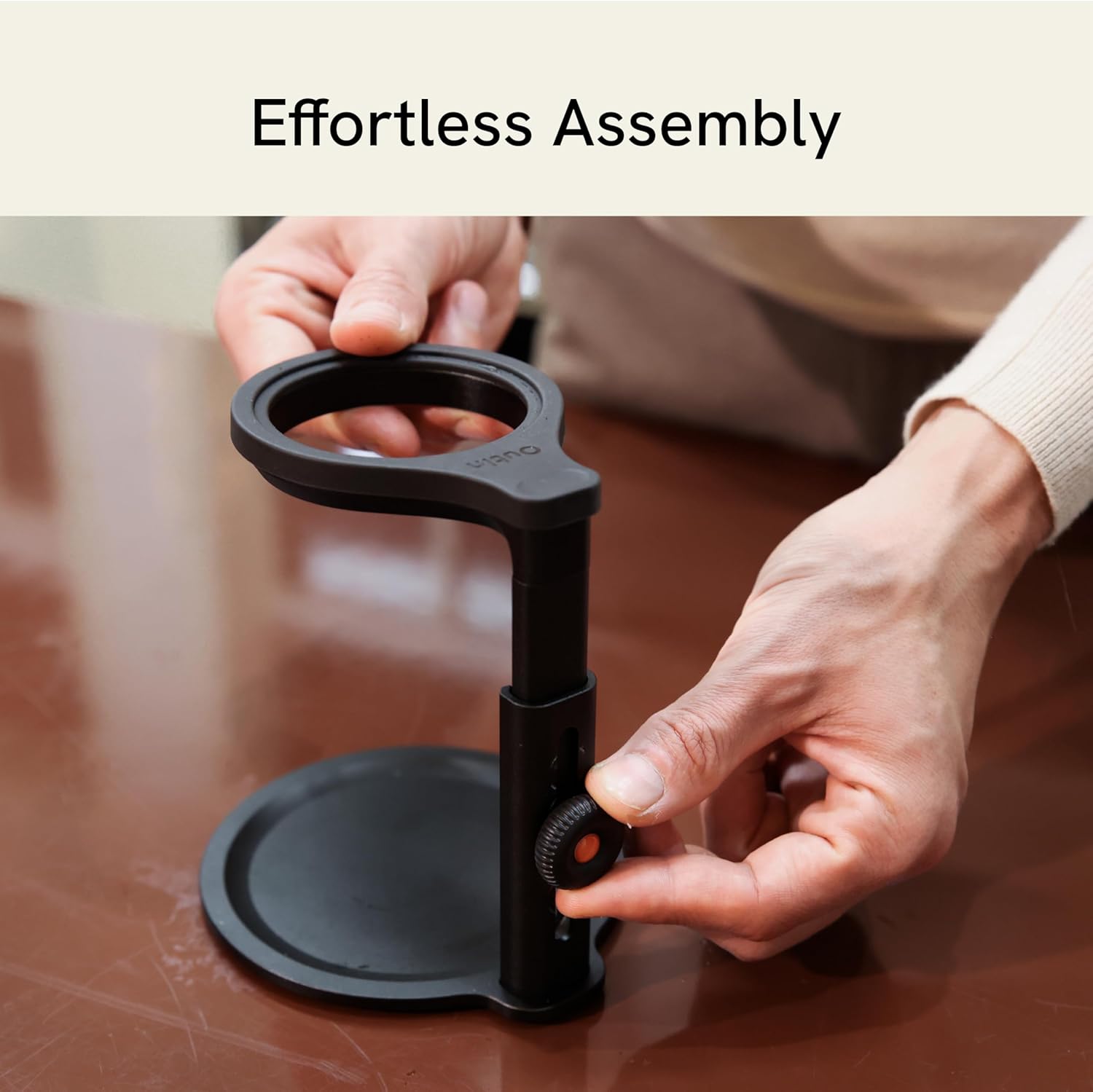
Image: Hands demonstrating the assembly process of the coffee stand.
Video: Detailed guide on assembling and operating the OutIn Universal Coffee Stand.
4. Operating Instructions
Adjusting Height
The stand features an adjustable height mechanism to accommodate various cup sizes and brewing methods. To adjust the height, loosen the adjustment knob on the side of the shaft, slide the top holder to your desired height (between 119.5mm/4.7in and 178.5mm/7.0in), and then tighten the knob to secure it in place.

Image: Illustration of the adjustable height feature, showing minimum and maximum settings.
Using with OutIn Nano Portable Espresso Machine
The OutIn Universal Coffee Stand is perfectly compatible with the OutIn Nano portable espresso machine. Simply place your OutIn Nano machine into the top holder, ensuring it sits securely. Position your coffee cup or mug on the baseplate directly below the machine's dispenser.

Image: The OutIn Universal Coffee Stand supporting an OutIn Nano portable espresso machine during brewing.
Video: Demonstration of the OutIn Universal Coffee Stand in use with a portable coffee machine.
Video: Illustrating the OutIn Universal Coffee Stand's versatility with various portable coffee setups.
Using with Pour-Over Coffee Makers
The stand's universal compatibility extends to various pour-over coffee makers. Place your pour-over dripper into the top holder. Ensure the dripper is stable before placing your carafe or cup on the baseplate below.

Image: The OutIn Universal Coffee Stand set up for pour-over coffee brewing.
Anti-Slip Feature
The baseplate and top holder are equipped with anti-slip silicone pads. These pads enhance stability and prevent your coffee equipment and cups from sliding during use.

Image: Close-up view of the anti-slip pads on the stand's base.
5. Maintenance
To ensure the longevity and cleanliness of your OutIn Universal Coffee Stand, follow these maintenance guidelines:
- Cleaning: Hand wash all components with mild soap and water. Rinse thoroughly and dry completely before reassembly or storage.
- Storage: For convenient storage and transport, the stand can be easily disassembled. Twist the screws into the side holes of the adjustment shaft for safekeeping to prevent loss.

Image: Diagram illustrating the components of the stand, useful for reassembly.
6. Troubleshooting
If you encounter any issues with your OutIn Universal Coffee Stand, consider the following:
- Instability: Ensure all screws are tightened properly. Check that the adjustment knob is securely fastened after setting the desired height.
- Missing Parts: Refer to the 'Package Contents' section to confirm all parts were received. Contact customer support if any components are missing.
7. Product Specifications
| Brand | OutIn |
| Model Number | OT-STD |
| Material | Aluminum |
| Color | Black |
| Product Dimensions (L x W x H) | 4.92 x 4.92 x 7.01 inches |
| Item Weight | 1.06 pounds (480 Grams) |
| Adjustable Height Range | 119.5mm/4.7in to 178.5mm/7.0in |
| Weight Capacity | Up to 22 pounds |
| Assembly Required | Yes |
| Batteries Required | No |
| Care Instructions | Hand Wash |
8. Warranty and Support
For warranty information or technical support, please refer to the official OutIn website or contact your retailer. Keep your purchase receipt as proof of purchase.