
Introduction
Thank you for choosing the iCON Pro Audio Nova Condenser Microphone. This professional-grade large-diaphragm condenser microphone is designed to deliver exceptional audio quality for a wide range of recording applications, including vocals and acoustic instruments. Its robust construction and high-quality components ensure reliable performance.
Key features of your Nova microphone include:
- High degree of clarity for any voice or instrument applications.
- Professional hand-built double-sided 34mm large-diaphragm capsule for full, open sound and unsurpassed audio quality and flexibility.
- Ideal as a primary or support microphone for various recording situations.
- Perfect for vocals and acoustic instruments.
- Pressure-gradient transducer with shock-mounted capsule.
- Top-quality components including Wima capacitors and Fairchild resistors.
- Ultra-rugged construction with electroplated finish.
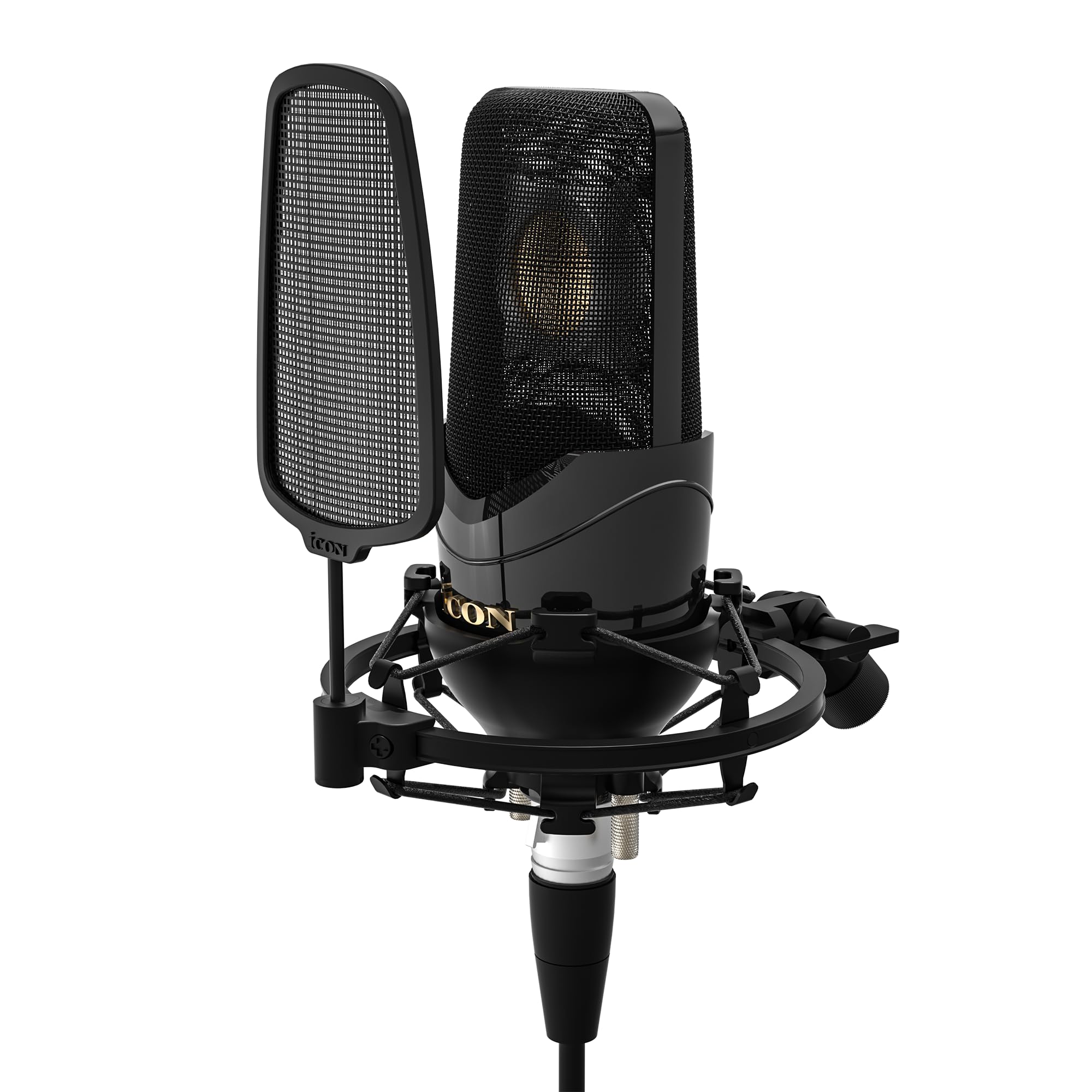
Image: The iCON Pro Audio Nova Condenser Microphone, showcasing its sleek black design and grille.
Important Safety Information
- Do not expose the microphone to extreme temperatures, humidity, or direct sunlight.
- Avoid dropping or subjecting the microphone to severe impacts.
- Do not attempt to disassemble or modify the microphone. This will void the warranty.
- Keep the microphone away from strong magnetic fields.
- Always handle the microphone with care to prevent damage to the capsule.
Package Contents
Please check that all the following items are included in your package:
- iCON Pro Audio Nova Condenser Microphone
- Shock Mount
- Slip-on Pop Filter
- Metal Storage Carry Case
- This Instruction Manual

Image: Contents of the iCON Pro Audio Nova package, showing the microphone, pop filter, shock mount, and metal storage case.
Setup
- Attach the Shock Mount: Carefully screw the shock mount onto a standard microphone stand. Ensure it is securely fastened.

Image: The Nova microphone securely placed within its shock mount, ready for attachment to a stand.
- Insert the Microphone: Gently place the iCON Nova microphone into the shock mount. The shock mount helps to isolate the microphone from vibrations and handling noise.
- Attach the Pop Filter: Slide the slip-on pop filter over the microphone's grille. The pop filter reduces plosive sounds (like 'p' and 'b') and protects the microphone capsule from moisture.
- Connect to Audio Mixer: Connect an XLR cable (not included) to the XLR output at the base of the microphone and then to an available XLR input on your audio mixer or audio interface. Ensure your mixer/interface provides +48V phantom power, as this condenser microphone requires it for operation.
Operating Instructions
Basic Operation
- Power On: Once connected to your audio mixer/interface, activate the +48V phantom power. The microphone will not function without it.
- Positioning: Position the microphone appropriately for your sound source. For vocals, place the pop filter a few inches from the singer's mouth, and the microphone a few inches behind the pop filter. For instruments, experiment with distance and angle to capture the desired tone.
- Gain Adjustment: Adjust the gain on your audio mixer/interface to achieve an optimal recording level without clipping (distortion).
Advanced Features
The iCON Nova microphone offers advanced features for versatile recording:
- Switchable Polar Patterns: The Nova 3 model features switchable polar patterns (Cardioid, Figure-of-Eight, Omni-directional) allowing you to adapt the microphone's pickup pattern to different recording environments and sources. Refer to the markings on the microphone for selection.

Image: Visual representation of the three switchable polar patterns: Cardioid, Figure-of-Eight, and Omni-directional, available on the Nova 3 microphone.
- -10 dB Pad Switch: For very loud sound sources, engage the -10 dB pad switch to prevent input overload and distortion. This switch is typically located on the microphone body.
- Low Cut Switch: Use the low cut switch to reduce unwanted low-frequency noise, such as rumble or handling noise. This switch is also typically located on the microphone body.
Product Demonstration Video
Video: An official demonstration of the iCON Pro Audio Nova 3 Condenser Microphone, showcasing its sound quality and features in a studio setting with musicians Joe Jaber and Mayaeni.
Maintenance
- Cleaning: Use a soft, dry cloth to clean the exterior of the microphone. Do not use liquid cleaners or solvents, as they may damage the finish or internal components.
- Storage: When not in use, store the microphone in its metal storage carry case to protect it from dust, moisture, and physical damage.
- Pop Filter Care: The slip-on pop filter can be gently cleaned with a damp cloth if necessary. Ensure it is completely dry before reattaching.
Troubleshooting
| Problem | Possible Cause | Solution |
|---|---|---|
| No sound output |
|
|
| Distorted sound |
|
|
| Excessive low-frequency noise |
|
|
Specifications
| Model Name | iCON Pro Audio Nova Condenser Microphone |
| Item Model Number | IPA-AIRMIC2 |
| Brand | iCON |
| Connectivity Technology | XLR |
| Connector Type | XLR |
| Special Feature | Carry case, Shock Mount, Pop Filter |
| Compatible Devices | Audio Mixer, Audio Interface with +48V Phantom Power |
| Included Components | Metal storage carry case, Slip-on pop filter, Shock Mount |
Warranty and Support
For warranty information and technical support, please refer to the official iCON Pro Audio website or contact your local distributor. Keep your purchase receipt as proof of purchase for warranty claims.
For further assistance, visit the iCON Pro Audio Store on Amazon.


