
Introduction
This manual provides detailed instructions for the proper setup, operation, and maintenance of your TELESIN Neck Mount SE 2.0. This device is designed for hands-free point-of-view (POV) video recording with action cameras, offering stability and flexibility for various activities.
Product Overview and Components
The TELESIN Neck Mount SE 2.0 is engineered for comfort and stability, featuring an air-cushioned neck base and an adjustable chest strap. Key components included in your package are:
- Neck Mount SE 2.0
- Chest Strap
- 1/4 Adapter Head
- Fixing Screw
Setup Instructions
- Attaching Your Camera:
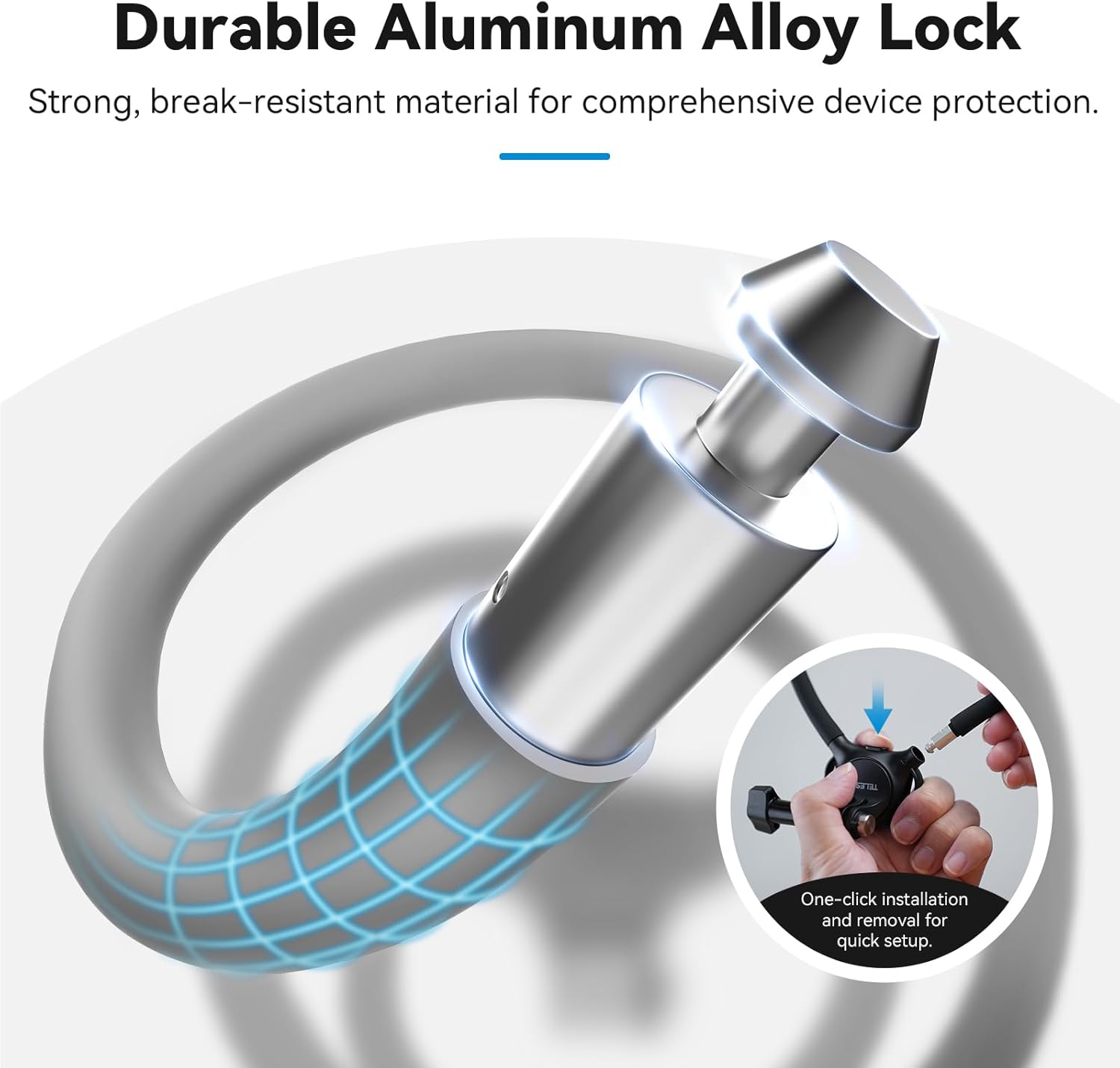
Align your action camera's mounting bracket with the neck mount's attachment point. Insert the fixing screw and tighten it securely using the one-key switch button mechanism. Ensure the camera is firmly locked in place to prevent accidental detachment during use.
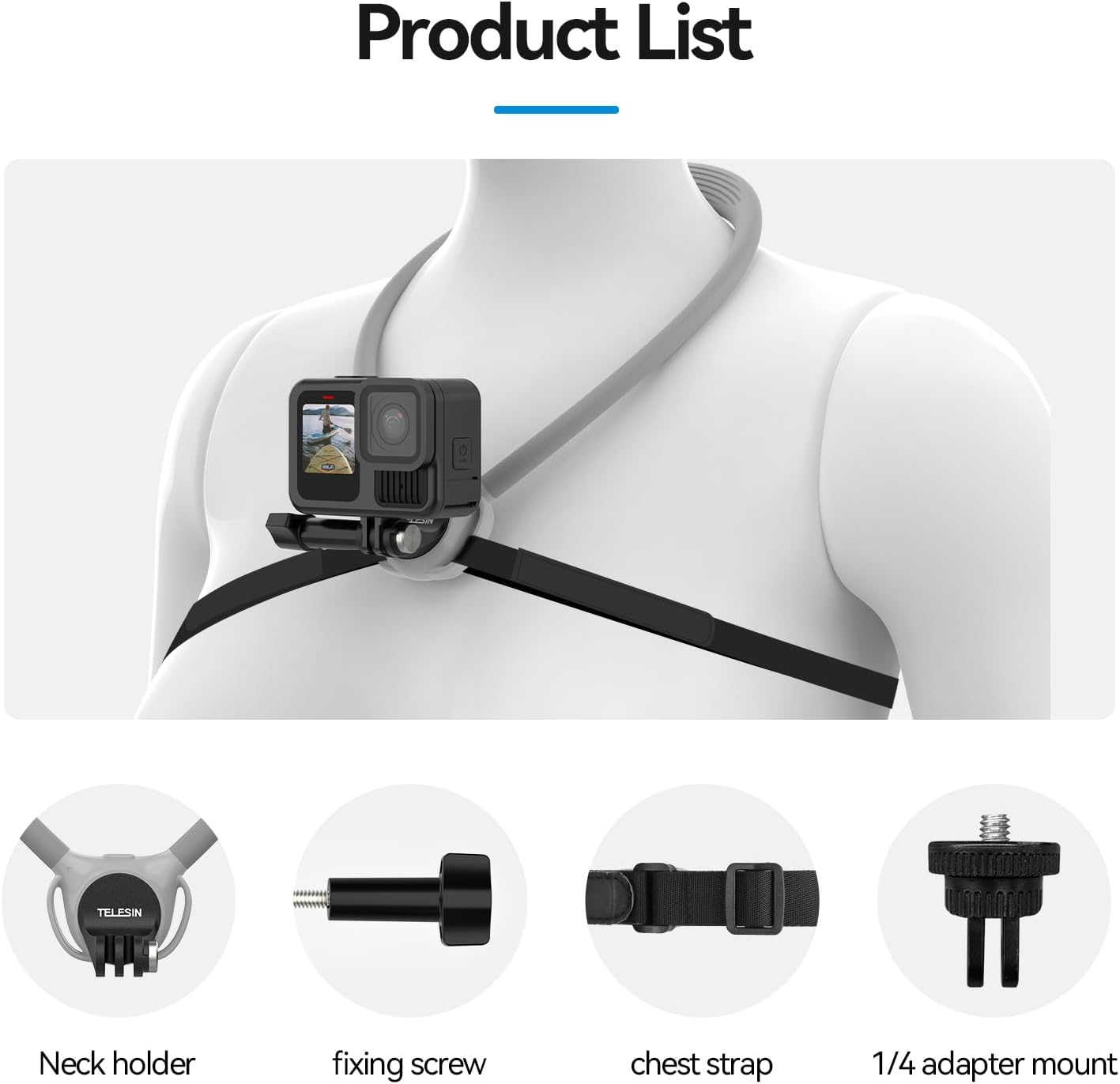
Figure 2: Camera Attachment Mechanism. This image illustrates the one-click installation and removal process for quick setup using the aluminum alloy lock. - Wearing the Neck Mount:
Place the neck mount around your neck. The air-cushioned base should rest comfortably against your chest. Adjust the position for optimal camera angle and comfort.
- Securing with the Chest Strap:
For enhanced stability, especially during dynamic activities, attach the adjustable chest strap to the two buckles located on the neck mount base. Adjust the strap length to achieve a snug, secure fit around your chest, preventing excessive movement of the camera.

Figure 3: Enhanced Stability with Chest Strap and Air Cushion. This image demonstrates how the chest strap and air cushion contribute to stable, shake-free recording.
Operating Instructions
- Adjusting Camera Orientation:
The neck mount features a built-in swivel function allowing 90-degree rotation. This enables instant switching between horizontal and vertical recording views without needing additional adapters. Simply rotate the camera to your desired orientation until it clicks into one of the four adjustable angles.

Figure 4: Quick Rotation for Instant Switching. This diagram illustrates the 90-degree locking design for easy vertical and horizontal view changes. - Compatibility:
The TELESIN Neck Mount SE 2.0 is compatible with a wide range of action cameras, including but not limited to:
- GoPro Hero series (Hero 13/12/11/10/9, Max, Mini, etc.)
- Insta360 series (X5/X4/X3/Ace Pro 2, One R/RS, Go 2/3)
- DJI Action series (Action 3/4/5 Pro, Osmo Pocket 2/3)
- Other wearable cameras (AKASO, Dragon Touch, APEMAN, etc.)

Figure 5: Wide Compatibility. This image highlights the mount's compatibility with various action cameras and smartphones (with appropriate adapters, not included in this specific product variant).
Maintenance
- Cleaning:
The outer layer of the neck mount is made of skin-friendly silicone. To clean, wipe with a damp cloth and mild soap if necessary. Ensure all components are dry before storage.
- Storage:
The neck mount features a bendable and tough internal structure, allowing it to be shaped for compact storage. Store in a cool, dry place away from direct sunlight. Avoid excessive force when bending to prevent damage to the internal components.
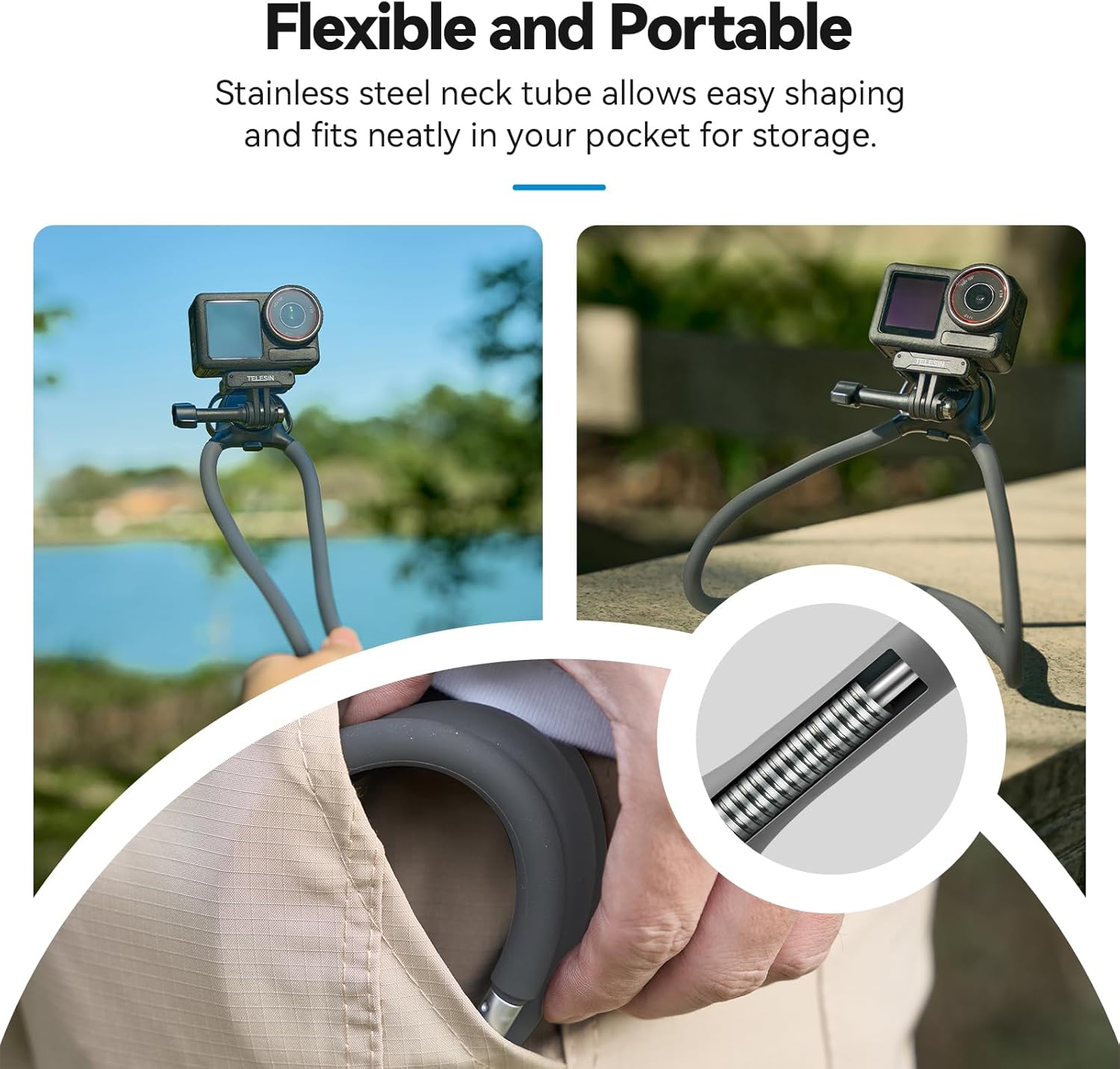
Figure 6: Flexible and Portable Design. This image illustrates the stainless steel neck tube's ability to be shaped for easy storage. - Inspection:
Periodically inspect the neck mount, chest strap, and all attachment points for any signs of wear, damage, or loose components. Discontinue use if any damage is observed.
Troubleshooting
- Camera appears unstable or wobbly:
Ensure the fixing screw is fully tightened and the camera's mounting bracket is securely seated. Verify that the built-in swivel mechanism is locked into one of its four fixed positions. For highly dynamic activities, always use the adjustable chest strap and ensure it is snug to minimize movement.
- Discomfort when wearing the neck mount:
Adjust the position of the neck mount on your neck and chest. The air cushion is designed to reduce friction; ensure it is properly aligned. If using the chest strap, adjust its tension to be secure but not overly tight. Take breaks during prolonged use.
Specifications
| Brand | TELESIN |
| Model Number | TXSM-AU-S2-HNB-09-GY |
| Color | Gray |
| Item Weight | 9.2 ounces |
| Package Dimensions | 7.4 x 6.34 x 1.93 inches |
| Compatible Devices | Action Cameras (GoPro, Insta360, DJI Action, AKASO, etc.) |
| Mounting Type | Standard Action Camera Mount (via fixing screw) |
| Material | Skin-friendly silicone outer layer, bendable internal structure, aluminum alloy lock |
Warranty and Support
Warranty information for the TELESIN Neck Mount SE 2.0 is not explicitly provided in this manual. For details regarding warranty coverage, terms, and conditions, please refer to the product packaging or contact TELESIN customer support directly.
For further assistance, product inquiries, or technical support, please visit the official TELESIN website or their Amazon store: