
DOOGEE Note 58
DOOGEE Note 58 Android 15 Unlocked Cellphone User Manual
Brand: DOOGEE | Model: Note 58
1. Introduction and Overview
Welcome to the DOOGEE Note 58 user manual. This guide provides essential information to help you get started with your new Android 15 unlocked cellphone, understand its features, and maintain its optimal performance.
The DOOGEE Note 58 is designed for efficiency and convenience, offering a superior user experience with its latest Android 15 system, powerful hardware, and versatile features. It combines a large display with a long-lasting battery and advanced camera capabilities.

Front and back view of the DOOGEE Note 58, highlighting its 6250mAh battery and 32GB RAM + 128GB ROM storage.

The DOOGEE Note 58 running the Android 15 operating system, showcasing its modern interface and multiple app screens.
2. What's in the Box
Upon unboxing your DOOGEE Note 58, you should find the following items:
- 1X Doogee Note58 Cellphone Unlocked Android 15
- 1X Type-C USB Cable and Charger
- 1X Anti-explosion film and 1X SIM card pin
- 1X Protective case and 1X Packing box
- 1X manual and warranty card
An illustration of the DOOGEE Note 58 box contents, including the phone, charger, cable, and documentation.
3. Setup Guide
3.1. Inserting SIM Cards and TF Card
- Locate the SIM card tray on the side of the phone.
- Use the provided SIM card pin to gently eject the tray.
- Place your Nano-SIM cards (up to two) and/or a TF card (for expandable storage up to 2TB) into the designated slots on the tray. Ensure they are correctly oriented.
- Carefully reinsert the tray into the phone.
3.2. Initial Power On and Basic Setup
- Press and hold the Power button (located on the side) until the DOOGEE logo appears.
- Follow the on-screen prompts to select your language, connect to a Wi-Fi network, and set up your Google account.
- Review and accept the terms and conditions.
- Set up your preferred screen lock method (PIN, pattern, password, or Face Unlock).
Your phone comes with a pre-applied anti-explosion film and a protective case for immediate use.
4. Operating Instructions
4.1. Navigation and User Interface
The DOOGEE Note 58 runs on Android 15, offering an intuitive and responsive user interface. Navigate using gestures or the traditional three-button navigation bar (configurable in settings).
4.2. Camera Usage
Capture stunning photos and videos with the 16MP AI main camera and 8MP front camera. The camera app offers various modes:
- HDR: For balanced exposure in challenging lighting.
- Night Mode: Enhances low-light photography.
- Time-Lapse: Create accelerated videos.
- Portrait: Adds a professional-looking bokeh effect.
- Panorama: Capture wide scenic views.
- Pro Mode: Manual controls for advanced users.
- Beauty Mode & Filters: Enhance your selfies.
The phone supports 1080p video recording for crisp, clear videos.

The camera system of the DOOGEE Note 58, featuring a 16MP main camera and an 8MP front camera.
Official product video showcasing the DOOGEE Note 58's features, including unboxing, camera use, and media consumption.
4.3. Battery Management
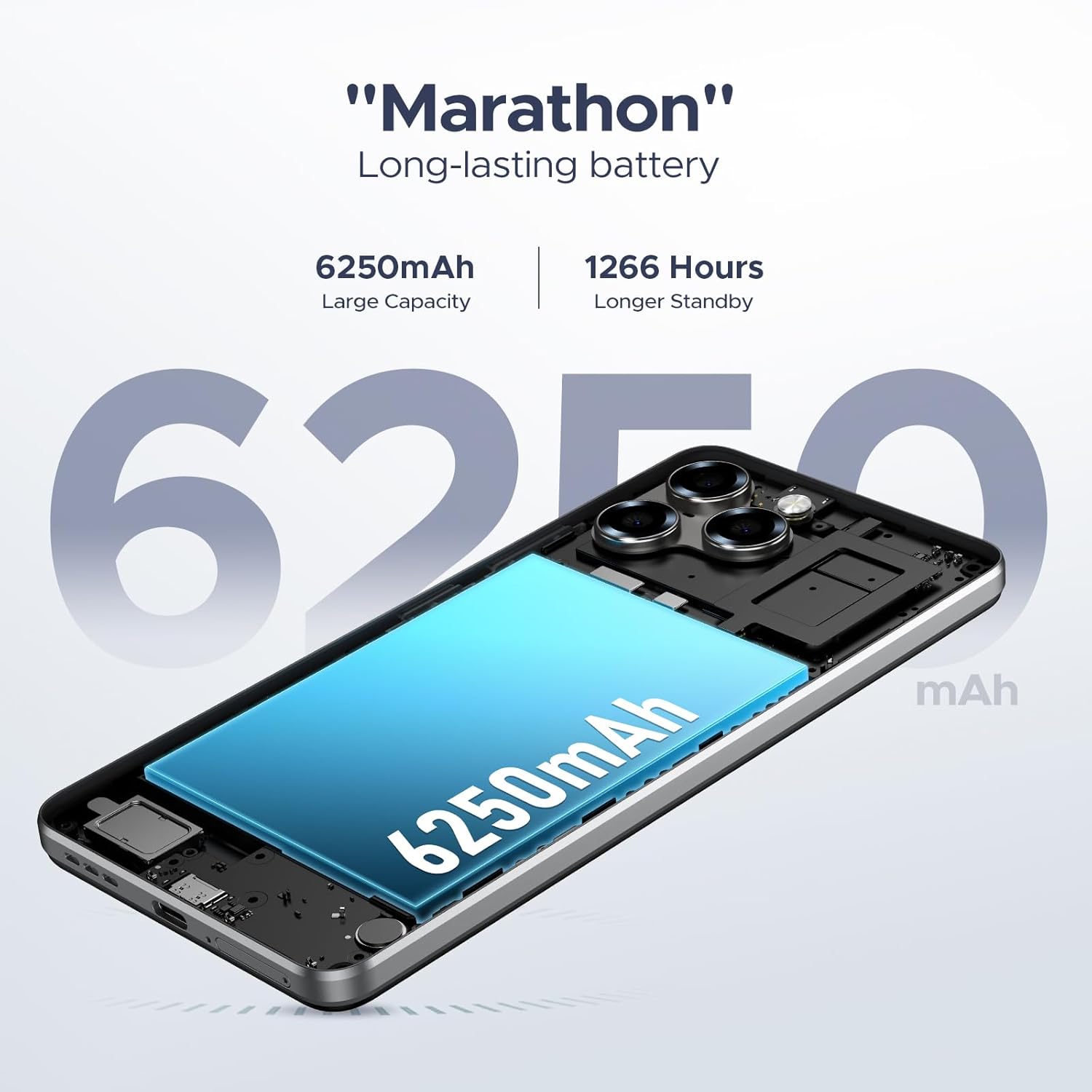
The 6250mAh battery provides extended usage. To maximize battery life:
- Adjust screen brightness.
- Close unused apps running in the background.
- Utilize power-saving modes when needed.
The phone supports OTG reverse charging, allowing you to charge other devices.
4.4. Connectivity
- 4G Dual SIM: Use two SIM cards simultaneously for separate personal and work lines, or for better network coverage.
- Wi-Fi: Connect to wireless networks for internet access.
- NFC: Enable contactless payments with Google Pay and other NFC-enabled services.
- GPS: Utilize GPS, GLONASS, Galileo, and Beidou for precise navigation.
4.5. Display Features
The 6.75-inch HD+ IPS display with a 90Hz refresh rate provides smooth visuals. In-cell technology enhances color vibrancy. Enjoy high-quality 1080P streaming with Widevine L1 support.

The 6.75-inch Ultra-clear Waterdrop Display of the DOOGEE Note 58, featuring a 90Hz refresh rate for smooth visuals.
5. Maintenance
5.1. General Care
- Keep your phone clean using a soft, dry cloth.
- Avoid exposing the phone to extreme temperatures, direct sunlight, or excessive moisture.
- Use the provided protective case to guard against drops and scratches.
5.2. Software Updates
Regularly check for system updates to ensure your phone has the latest features, security patches, and performance improvements. You can usually find this option in Settings > System > System update.
5.3. Battery Care
To prolong battery lifespan, avoid fully discharging the battery frequently. It is recommended to keep the charge between 20% and 80% for optimal long-term health.
6. Troubleshooting
6.1. Common Issues and Solutions
- Phone not turning on: Ensure the battery is charged. Connect to the charger and wait a few minutes before attempting to power on again.
- Network connectivity issues: Check if your SIM cards are properly inserted. Verify that your carrier supports the phone's network bands (GSM:B2/3/5/8, WCDMA: B1/2/4/5/8, TDD: B38/40/41, EDGE/GPRS and FDD: B1/2/3/4/5/7/8/18/19/20/25/26/28A/28B/6). Restart the phone.
- Apps crashing or freezing: Clear the app's cache (Settings > Apps > [App Name] > Storage > Clear cache). If the issue persists, try reinstalling the app.
- Slow performance: Close unnecessary background apps. Free up storage space. Restart the phone regularly.
6.2. Factory Reset
If you encounter persistent software issues, a factory reset can resolve them. Warning: This will erase all data on your phone. Back up important data before proceeding. Go to Settings > System > Reset options > Erase all data (factory reset).
7. Specifications
| Feature | Description |
|---|---|
| Model Name | NOTE58-BLACK |
| Operating System | Android 15 |
| Display Size | 6.75 Inches |
| Resolution | 720 x 1600 |
| Refresh Rate | 90 Hz |
| RAM | 8 GB (expandable to 32GB) |
| Internal Storage | 128 GB |
| Expandable Storage | Up to 2TB via TF card |
| Battery Capacity | 6250 mAh |
| Main Camera | 16 MP AI Camera |
| Front Camera | 8 MP |
| Processor | UNISOC T7250 Octa-core |
| Connectivity | 4G Dual SIM, Wi-Fi, NFC, GPS (GLONASS, Galileo, Beidou) |
| Dimensions | 7.64 x 4.09 x 2.05 inches (Package) |
| Item Weight | 15.8 ounces |
8. Warranty and Support
Your DOOGEE Note 58 comes with a standard manufacturer's warranty. Please refer to the warranty card included in your product packaging for specific terms and conditions, including coverage period and what is covered.
For technical support, troubleshooting assistance beyond this manual, or warranty claims, please contact DOOGEE customer service through their official website or the contact information provided in your warranty documentation. Ensure you have your product model number and purchase details ready when contacting support.
Related documentsNote 58


Ask a question about this manual
Ask about setup, troubleshooting, compatibility, parts, safety, or missing instructions. Manuals+ will review the question and use this page’s manual context to help answer it.