1. Introduction
Thank you for choosing the MECHEN Digital Voice Recorder V01. This manual provides detailed instructions for the proper setup, operation, and maintenance of your device. Please read this manual thoroughly before use to ensure optimal performance and longevity of your recorder.
2. Product Overview
The MECHEN V01 is a portable digital voice recorder designed for high-quality audio capture in various environments, including interviews, classes, and meetings. It features a compact design, intuitive controls, and a large storage capacity.

Image 2.1: Front view of the MECHEN Digital Voice Recorder V01, showing the display and main control buttons.
2.1 Device Layout and Controls
Familiarize yourself with the buttons and ports on your recorder:

Image 2.2: MECHEN Digital Voice Recorder V01 highlighting the REC, PLAY, STOP, and MENU buttons on the front panel.
- REC Button: Initiates recording.
- PLAY Button: Starts playback of recordings. Also functions as a confirmation button in menus.
- STOP Button: Stops recording or playback. Also functions as a return button in menus.
- MENU Button: Accesses the device settings and options.
- Volume/Navigation Buttons: Adjusts volume during playback and navigates through menu options.
- USB-C Port: For charging and data transfer.
- Headphone Jack: For private listening to recordings.
3. Setup
3.1 Charging the Device
Before first use, fully charge the recorder. The device uses a USB-C charging interface.
- Connect the included USB-C cable to the recorder's USB-C port.
- Connect the other end of the cable to a USB power adapter (not included) or a computer's USB port.
- The battery indicator on the display will show charging status. A full charge typically takes approximately 1.5 hours.
- The device includes an automatic low-battery save function to protect your recordings from data loss.

Image 3.1: The recorder connected to a laptop via USB-C for charging and file transfer.
3.2 Powering On/Off
- To Power On: Press and hold the PLAY button for a few seconds until the screen illuminates.
- To Power Off: Press and hold the STOP button for a few seconds until the screen turns off.
4. Operating Instructions
4.1 One-Touch Recording
The MECHEN V01 supports instant recording and saving with a single press.
- Ensure the device is powered on.
- Press the REC button to start recording. The display will show the recording status and time.
- To stop and save the recording, press the STOP button. The recording will be saved automatically.
4.2 Voice Activated Recording (VOR)
This feature automatically starts recording when sound is detected and pauses during silence, conserving storage space and ensuring important moments are captured without manual intervention.

Image 4.1: The recorder demonstrating Voice Activated Recording, showing sound waves and battery life benefits.
- To enable/disable VOR, navigate to the device's menu using the MENU button.
- Locate the 'VOR' or 'Voice Activated' setting.
- Select 'On' or 'Off' as desired. You may also be able to adjust sensitivity levels.
- When VOR is active, the recorder will automatically start and stop recording based on sound detection.
4.3 Playback
To listen to your recordings:
- From the main screen, navigate to your list of recordings.
- Use the navigation buttons to select the desired recording.
- Press the PLAY button to start playback.
- Adjust the volume using the volume buttons.
- Press the STOP button to end playback.

Image 4.2: The recorder connected to headphones for audio playback, also showing support for various music formats.
4.4 File Management and Transfer
You can easily access and manage your recordings by connecting the device to a computer.
- Connect the recorder to your computer using the USB-C cable.
- The recorder will appear as a removable disk drive on your computer.
- Open the drive to access your recorded files (typically in WAV format).
- You can copy, move, or delete files as you would with any other storage device.
4.5 Advanced Recording Features
- PCM HD Recording: The recorder supports high-fidelity PCM recording at up to 1536kbps, ensuring clear and detailed audio capture.
- Line-in Recording: The device supports line-in recording, allowing you to record audio directly from external sources like smartphones, MP3 players, or computers.
- Segment Recording: This feature allows you to split long recordings into manageable segments (e.g., 30, 60, 90, 120 minutes), making file organization easier.
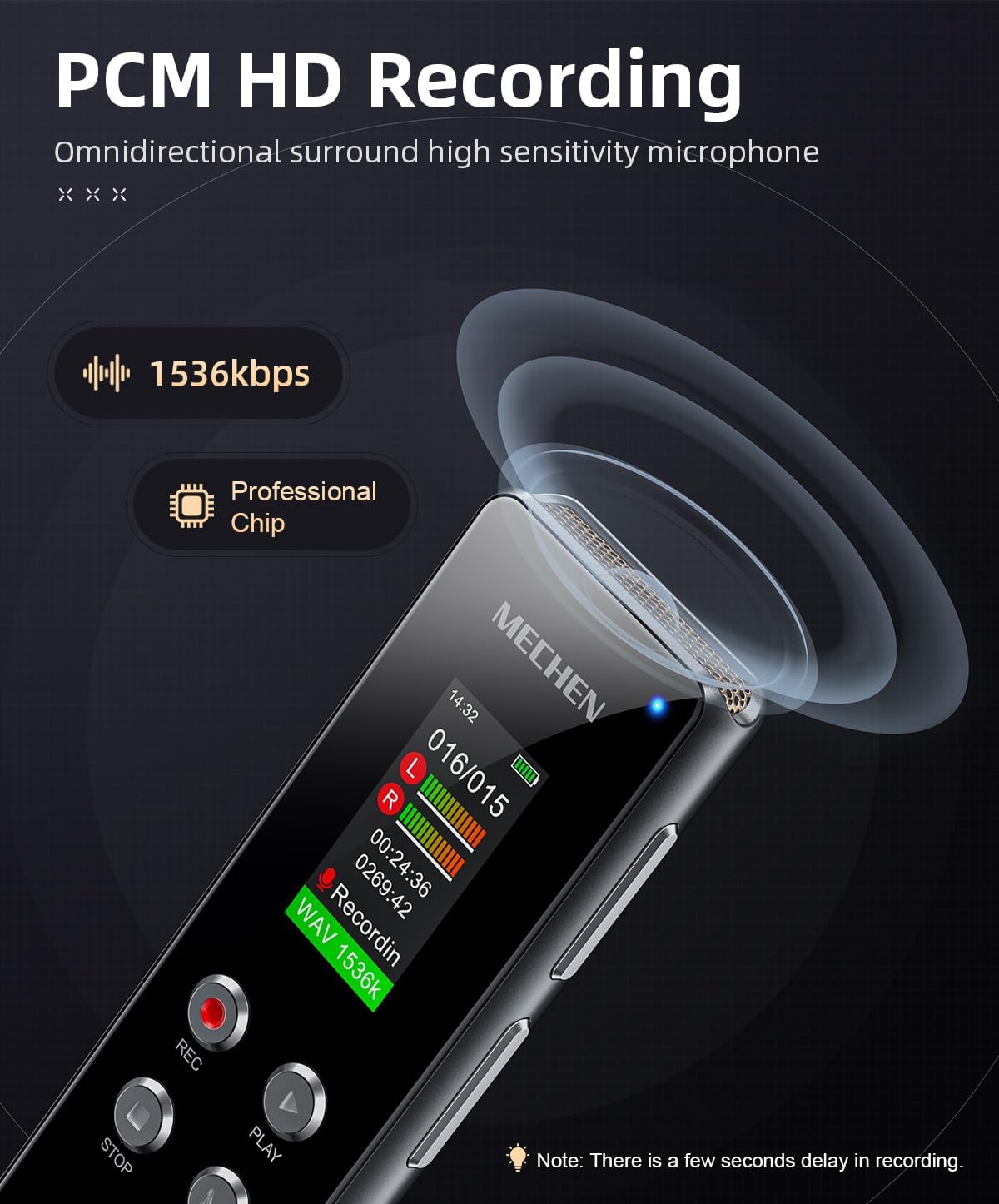
Image 4.3: The recorder's display showing 1536kbps recording in progress, indicating high-definition audio capture.

Image 4.4: The recorder connected via a 3.5mm audio cable to a smartphone for line-in recording. Compatible devices include MP3 players, tablets, laptops, desktops, and CD players.

Image 4.5: Visual representation of segment recording, showing how audio is divided into fixed durations for easier management.
5. Maintenance
5.1 Battery Care
- Avoid fully discharging the battery frequently.
- Charge the device regularly, even if not in use, to maintain battery health.
- Store the device in a cool, dry place when not in use for extended periods.
5.2 Cleaning
- Use a soft, dry cloth to clean the exterior of the device.
- Do not use liquid cleaners or solvents, as they may damage the device.
- Keep the microphone and ports free from dust and debris.
6. Troubleshooting
If you encounter issues with your MECHEN V01, please refer to the following common problems and solutions:
- Device does not power on:
- Ensure the battery is charged. Connect the device to a power source and try again.
- Press and hold the power button for a longer duration (5-10 seconds).
- Cannot record:
- Check if the device has sufficient storage space. Delete old files if necessary.
- Ensure the microphone is not obstructed.
- Verify that VOR is not set too high, preventing recording in quiet environments.
- Poor audio quality:
- Ensure the recording environment is quiet and free from excessive background noise.
- Check microphone placement relative to the sound source.
- Adjust recording quality settings in the menu to a higher bitrate (e.g., 1536kbps).
- Device not recognized by computer:
- Ensure the USB-C cable is securely connected to both the recorder and the computer.
- Try a different USB port or cable.
- Restart your computer and the recorder.
7. Specifications
| Feature | Description |
|---|---|
| Brand | MECHEN |
| Model Number | V01 |
| Memory Storage Capacity | 128 GB (approx. 800 hours of recording) |
| Recording Format | WAV |
| Max Recording Bitrate | 1536 kbps |
| Battery Composition | Lithium-ion |
| Rechargeable Battery | Yes (1 C battery included) |
| Charging Time | Approx. 1.5 hours (via USB-C) |
| Digital Recording Time (Battery Life) | Up to 8 hours |
| Compatible Devices | MP3 Player, Personal Computer, Earphone |
| Hardware Interface | 3.5 mm Audio, USB-C |
| Microphone Form Factor | Integrated |
| Headphone Jack | 3.5 mm |
| Product Dimensions | 104P x 11l x 28H millimeters |
8. Warranty and Support
MECHEN products are designed for reliability and performance. For warranty information, please refer to the documentation included with your purchase or contact MECHEN customer support through the retailer where the product was purchased. Please retain your proof of purchase for warranty claims.
For technical assistance or further inquiries, please visit the official MECHEN website or contact their customer service department.


